Orientação gerada a partir de informações públicas. Apenas para referência.
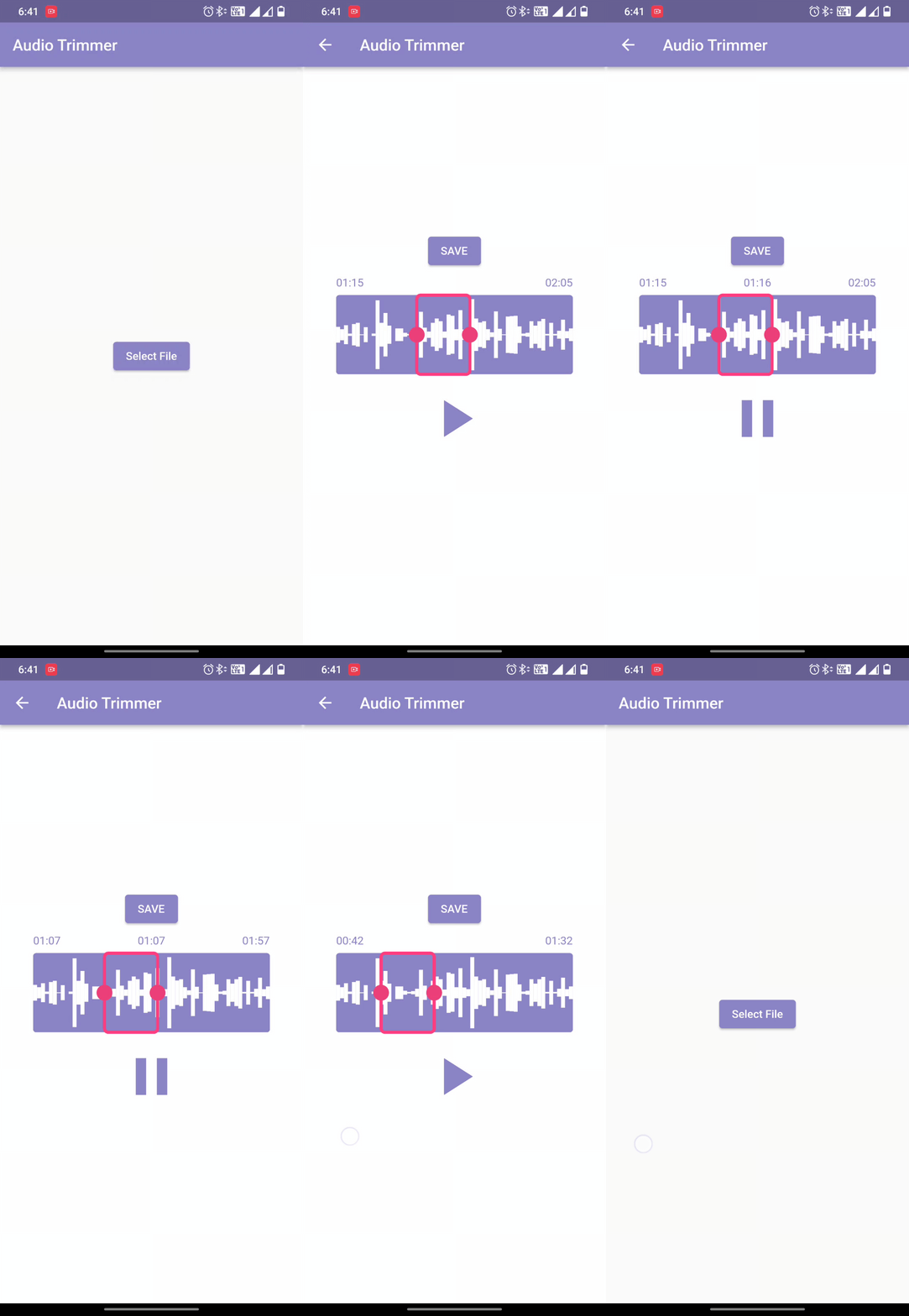
Easy Audio Trimmer é um pacote Flutter projetado para simplificar tarefas de corte de áudio. Ele permite que os usuários recuperem arquivos de áudio, cortem-nos dentro de horários especificados e salvem os trechos resultantes no sistema de arquivos do dispositivo. O pacote suporta Android, iOS e macOS, tornando-o adequado para aplicativos de edição de áudio multiplataforma. Com APIs simples, ele facilita a integração em aplicações que exigem manipulação básica de áudio sem configurações complexas.
Casos de uso
Criação de trecho de áudio
edição de podcast
Recorte de gravação de voz
processamento de áudio no aplicativo
Preparação de conteúdo para mídias sociais
Principais recursos
API simples para cortar
Armazenamento de sistema de arquivos
Suporte multiplataforma
Seleção de horário de início/fim
Recuperação de arquivo de áudio
Indicado para
Desenvolvedores de aplicativos de áudio
Ferramentas educacionais com gravação de voz
Criadores de conteúdo que precisam de edições rápidas
Aplicativos móveis com recursos de áudio
Aplicativos que exigem edição de áudio leve
Considerações
Requer permissões de arquivo no Android e no iOS
Limitado a operações básicas de corte
Nenhuma conversão de formato de áudio
Depende do tratamento de áudio da plataforma nativa
Pode exigir tratamento adicional de erros para arquivos grandes
README original
Snapshot do README original do repositório-fonte vinculado. Consulte o repositório para o conteúdo mais recente.
Welcome to Easy Audio Trimmer! This is a Flutter package that allows you to easily trim audio files within your Flutter app.
Features
Trim audio files within your Flutter app
Specify the start and end times for the trimmed audio file
Audio playback control.
Retrieving and storing audio file.
Trimmed audio files are saved on the device
Easy to use with a simple function call
Compatible with most audio file formats (mp3, wav, aac, etc.)
While running on the Android platform if it gives an error that the minSdkVersion needs to be 24, or on iOS platform that the Podfile platform version should be 11, first go to pubspec.lock file and see if the version of ffmpeg_kit_flutter has -LTS suffix. This should fix all issues for iOS platform.
On Android, if you still face the same issue, try adding the following to the <project_directory>/android/app/src/main/AndroidManifest.xml:
"We would like to thank the contributors to the Video Trimmer repository for their invaluable assistance in creating this project. We used code from the Video Trimmer tool to implement the trimming and editing features in this project, and we are grateful for the opportunity to use it in our work. Thank you to the team behind Video Trimmer for their valuable contributions."
License
Copyright (c) 2022 Mayur Pitroda
Permission is hereby granted, free of charge, to any person obtaining a copy
of this software and associated documentation files (the "Software"), to deal
in the Software without restriction, including without limitation the rights
to use, copy, modify, merge, publish, distribute, sublicense, and/or sell
copies of the Software, and to permit persons to whom the Software is
furnished to do so, subject to the following conditions:
The above copyright notice and this permission notice shall be included in all
copies or substantial portions of the Software.
THE SOFTWARE IS PROVIDED "AS IS", WITHOUT WARRANTY OF ANY KIND, EXPRESS OR
IMPLIED, INCLUDING BUT NOT LIMITED TO THE WARRANTIES OF MERCHANTABILITY,
FITNESS FOR A PARTICULAR PURPOSE AND NONINFRINGEMENT. IN NO EVENT SHALL THE
AUTHORS OR COPYRIGHT HOLDERS BE LIABLE FOR ANY CLAIM, DAMAGES OR OTHER
LIABILITY, WHETHER IN AN ACTION OF CONTRACT, TORT OR OTHERWISE, ARISING FROM,
OUT OF OR IN CONNECTION WITH THE SOFTWARE OR THE USE OR OTHER DEALINGS IN THE
SOFTWARE.