Buscar pacotes, repositórios e categorias de apps

Capa de flutter_annual_task
Detalhes do pacotev0.2.0

flutter_annual_task

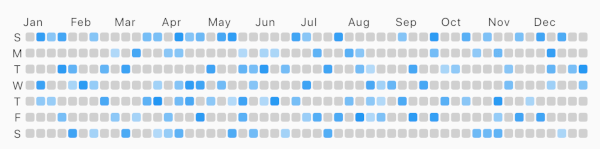
Pacote Flutter para exibir uma visualização em grade de tarefas diárias, semelhante ao calendário do GitHub (Github Contributions).

Downloads em 30 dias
63
Curtidas
45
Pontos Pub
60

Instalar pacote

flutter pub add flutter_annual_task

Visão geral do pacote

Orientação gerada a partir de informações públicas. Apenas para referência.

Um pacote Flutter que exibe uma grade de tarefas diárias semelhante ao calendário de contribuições do GitHub. Ele visualiza a conclusão de tarefas ao longo do tempo com uma grade colorida, sendo ideal para rastrear hábitos, produtividade ou marcos de projeto. O pacote é leve e personalizável, suportando várias temáticas e opções de estilo. Projetado para simplicidade e clareza, integra-se perfeitamente em aplicativos focados no desenvolvimento pessoal, rastreamento de metas ou visualização de dados.

Casos de uso

  • Rastrear hábitos diários
  • Visualizando a produtividade ao longo do tempo
  • Monitoramento do progresso do projeto
  • Exibindo atividade do usuário
  • Criando painéis de conquistas

Principais recursos

  • Grade de contribuições no estilo GitHub
  • Cores e temas personalizáveis
  • Integração simples com o Flutter
  • Layout de grade responsivo
  • Suporta dados de tarefas baseados em data

Indicado para

  • Aplicativos de produtividade
  • Rastreador de hábitos
  • Ferramentas de desenvolvimento pessoal
  • Aplicativos de definição de metas
  • Visualização de dados em aplicativos de saúde ou condicionamento físico

Considerações

  • Limitado à visualização diária de tarefas
  • Nenhuma persistência de dados embutida
  • Requer gerenciamento manual de dados de tarefas
  • Não otimizado para grandes conjuntos de dados
  • Nenhuma funcionalidade interativa, como dicas de ferramenta ou eventos de clique

README original

Snapshot do README original do repositório-fonte vinculado. Consulte o repositório para o conteúdo mais recente.

flutter_annual_task

flutter_annual_task

Flutter package for displaying grid view of daily task like Github-Contributions.

Example example

Usage

Make sure to check out example project.

AnnualTaskView(
  taskItem	// List<AnnualTaskItem>
),

Installation

Add to pubspec.yaml:

dependencies:
  flutter_annual_task: ^0.1.3

Then import it to your project:

import 'package:flutter_annual_task/flutter_annual_task.dart';

And finally add AnnualTaskView widget in your project.

AnnualTaskView(
  taskItem	// List<AnnualTaskItem>
),

AnnualTaskItem

AnnualTaskItem

class AnnualTaskItem {
  final DateTime date;
  final double proceeding;	// 0.0 ~ 1.0

  AnnualTaskItem(this.date, [this.proceeding = 1.0]);
  ...
}

The value of proceeding affects the opacity on the each cell of daily task.
- For showing the color in visual, the minimum value of displaying is 80(max: 255).

AnnualTaskColorItem

If you want to specify color for each daily task, you can use AnnualTaskColorItem.

class AnnualTaskColorItem extends AnnualTaskItem {
  final Color color;

  AnnualTaskColorItem(
    DateTime date, {
    double proceeding = 1.0,
    this.color,
  }) : super(date, proceeding);
  ...
}

You should generate list of AnnualTaskItem(List<AnnualTaskItem>) to use this package.
Below is an example for building list of AnnualTaskItem.

//AnnualTaskItem
<your_item_list>.map(
  (item) => AnnualTaskItem(
    item.date,
    0.5,
  ),
)
.toList();

//AnnualTaskColorItem
<your_item_list>.map(
  (item) => AnnualTaskColorItem(
    item.date,
    color: <color_for_each_item>
  ),
)
.toList();

Examples

Cell Shape

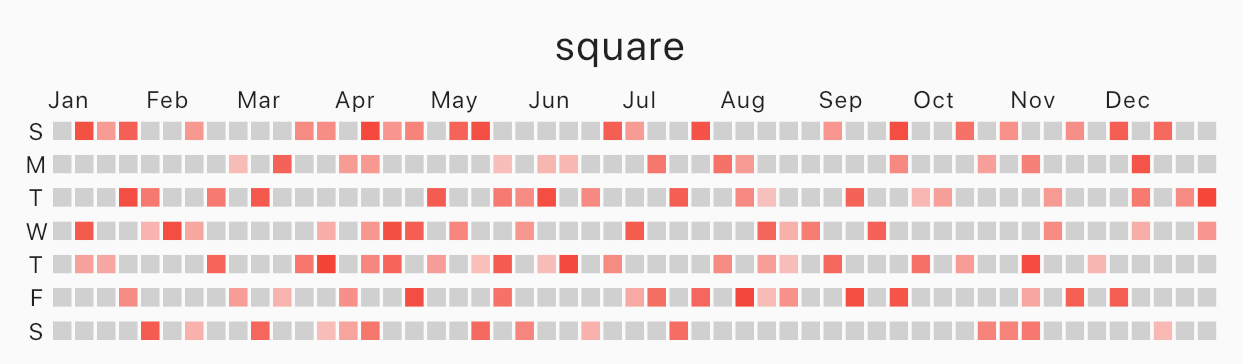
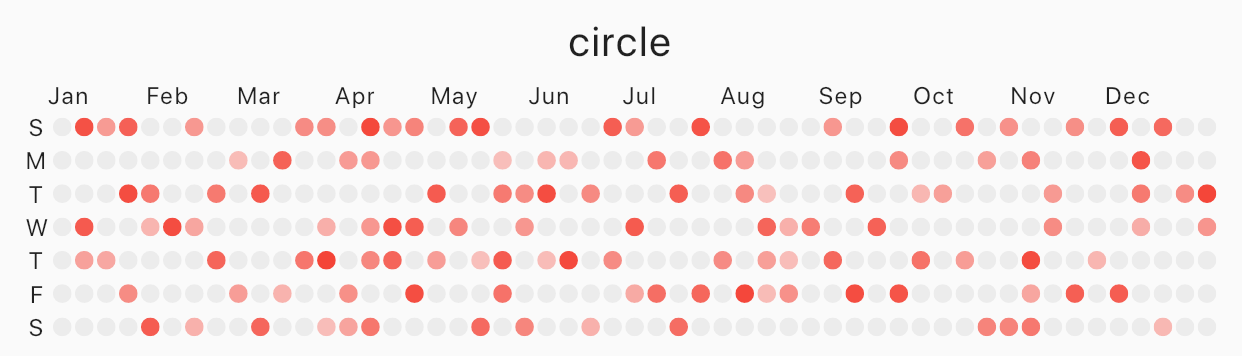
Specify cellShape with AnnualTaskCellShape with AnnualTaskCellShape.ROUNDED_SQUARE(default), AnnualTaskCellShape.SQUARE or AnnualTaskCellShape.CIRCLE.

Square

Image
square
AnnualTaskView(
  taskItem, // List<AnnualTaskItem>
  cellShape: AnnualTaskCellShape.SQUARE,
)

Circle

Image
circle
AnnualTaskView(
  taskItem, // List<AnnualTaskItem>
  cellShape: AnnualTaskCellShape.CIRCLE,
)

AnnualTaskColorItem

Image
circle
AnnualTaskView(
  taskItemWithColor, // List<AnnualTaskColorItem>
)
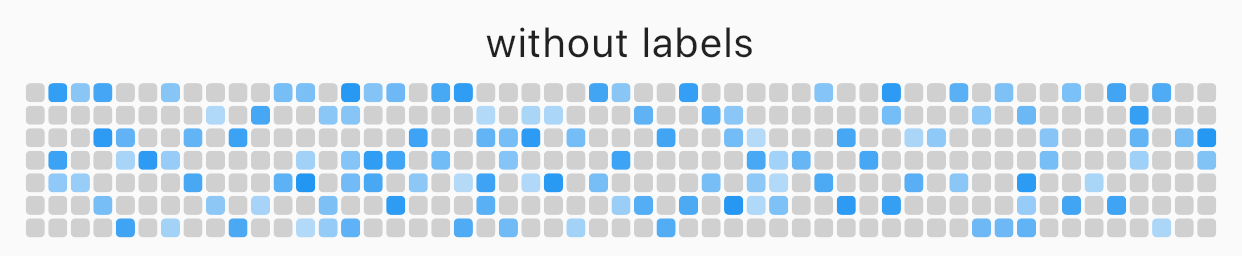
Labels

You can edit the labels of week or the labels of month.

AnnualTaskView(
  taskItem, // List<AnnualTaskItem>
  showMonthLabel: false, //default : true
  showWeekDayLabel: false, //default : true
)
Image
without labels

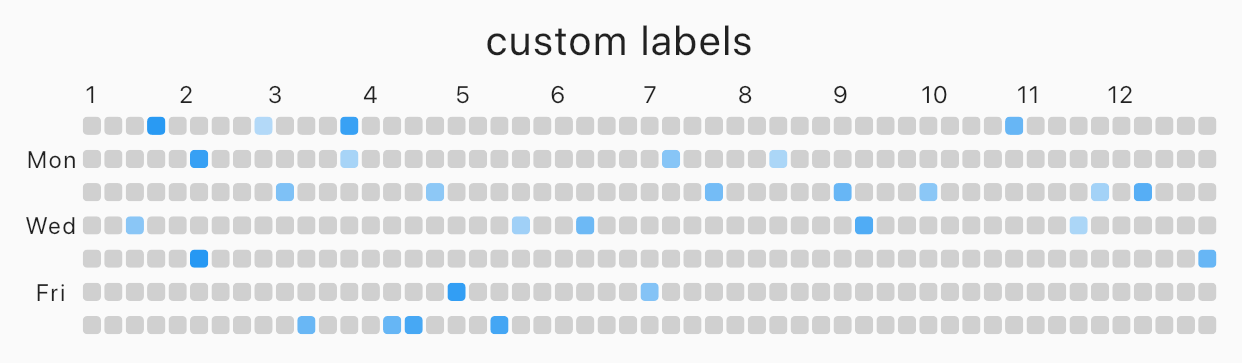
Custom label

Image
custom labels
AnnualTaskView(
  taskItem, // List<AnnualTaskItem>
  weekDayLabels: ['', 'Mon', '', 'Wed', '', 'Fri', ''],
  monthLabels: ['1','2','3','4','5','6','7','8','9','10','11','12'],
)

The type of weekDayLabels and monthLabels is List<String>.

  • weekDayLabels starts from Sunday.
  • default value of `weekDayLabels' is ['S', 'M', 'T', 'W', 'T', 'F', 'S'].
  • default value of monthLabels' is ['Jan', 'Feb', 'Mar', 'Apr', 'May', 'Jun', 'Jul', 'Aug', 'Sep', 'Oct', 'Nov', 'Dec']`.
  • You can also hide the label of each items with empty String(''). But, weekDayLabels should be length of 7 and, monthLabels should be length of 12.

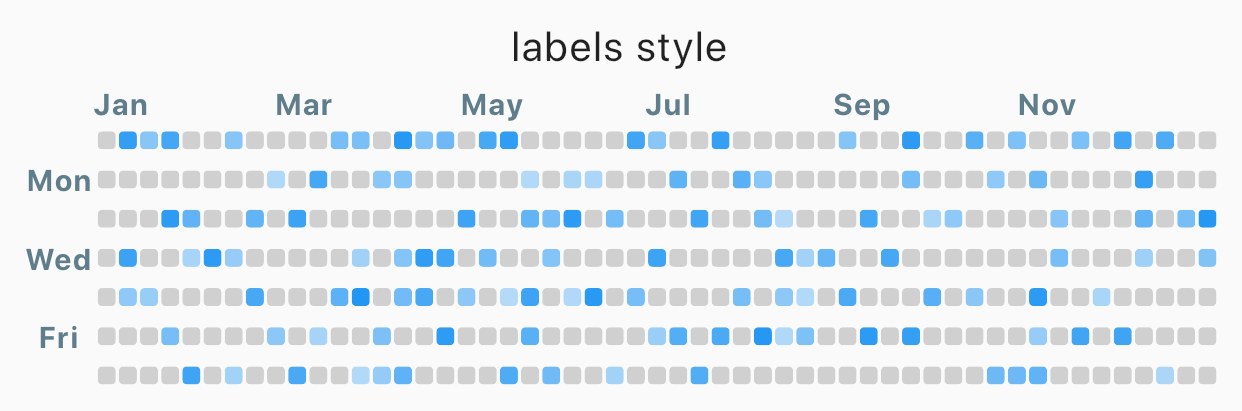
Styled label

Image
Styled label
AnnualTaskView(
  taskItem, // List<AnnualTaskItem>
  labelStyle: TextStyle(
    color: Colors.blueGrey,
    fontSize: 10,
    fontWeight: FontWeight.bold,
  ),	// default label style : TextStyle(fontSize: 8)
)

Props

props type desc
items List<AnnualTaskItem> List of AnnualTaskItem
year int default : DateTime.now().year
activateColor Color default : Theme.of(context).primaryColor
emptyColor Color Color of cell with proceeding 0.0 or the day which items doesn't contain.
default : Color(0xFFD0D0D0)
showWeekDayLabel bool Show the labels of week, if true.
default : true
cellShape AnnualTaskCellShape Shape of cell. One of AnnualTaskCellShape.ROUNDED_SQUARE, AnnualTaskCellShape.SQUARE or AnnualTaskCellShape.CIRCLE.
default: AnnualTaskCellShape.ROUNDED_SQUARE
showMonthLabel bool Show the labels of month, if true.
default : true
monthLabels List<String> Labels of month.
default: ['Jan', 'Feb', 'Mar', 'Apr', 'May', 'Jun', 'Jul', 'Aug', 'Sep', 'Oct', 'Nov', 'Dec']
weekDayLabels List<String> Labels of week.
default: ['S', 'M', 'T', 'W', 'T', 'F', 'S']
labelStyle TextStyle TextStyle of labels.
default: TextStyle(fontSize: 8)

Categorias

Repositório-fonte

Projetos que usam este pacote

Ainda não há dados.