Buscar pacotes, repositórios e categorias de apps

Capa de flutter_emoji_gif_picker
Detalhes do pacotev0.1.6

flutter_emoji_gif_picker

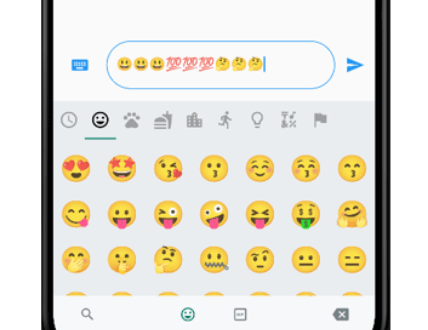
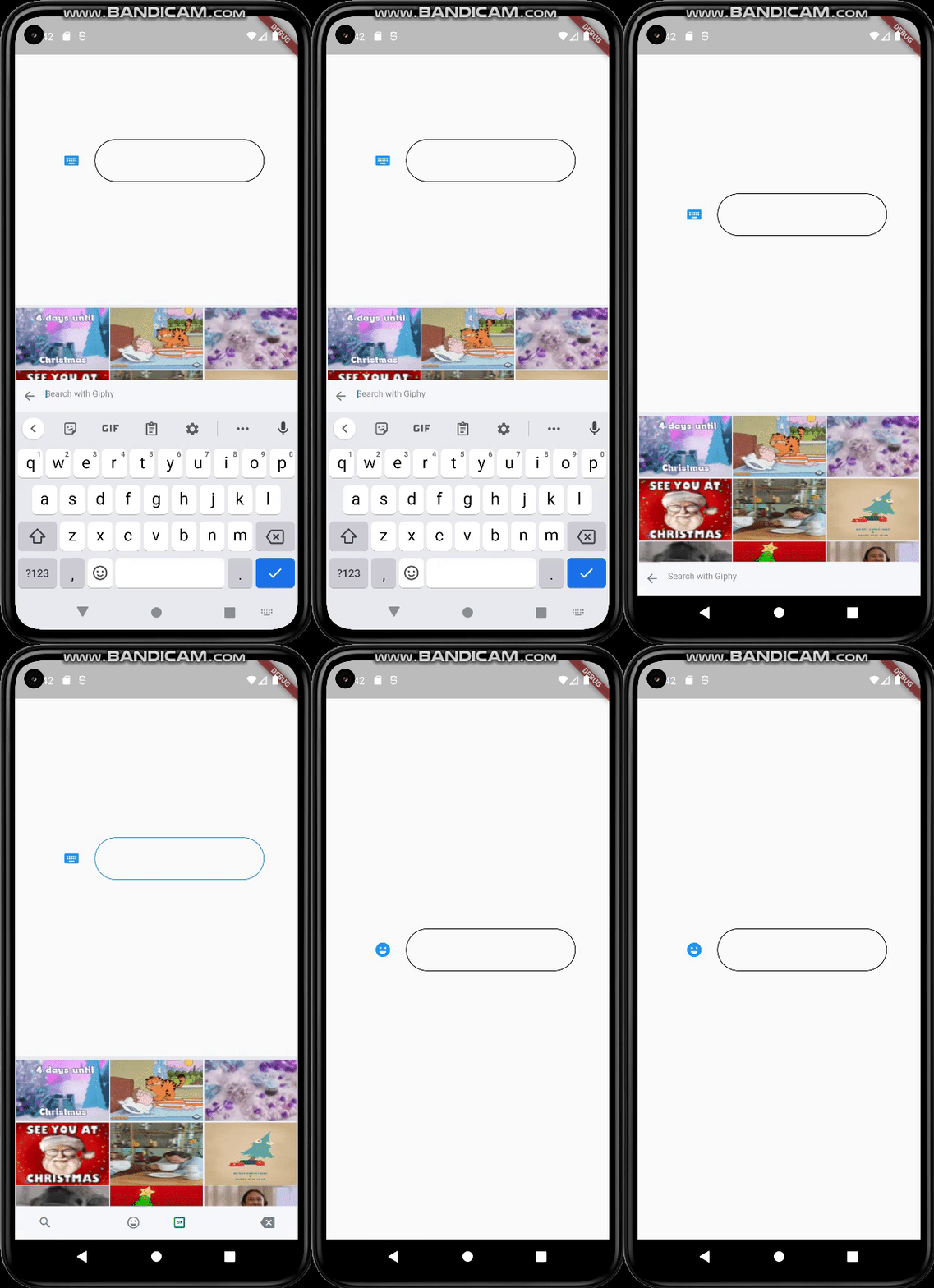
O mesmo seletor de emoji-gif do WhatsApp. Toma o mesmo tamanho do seu teclado (móvel).

AndroidiOSWebmacOSWindowsLinux
Downloads em 30 dias
144
Curtidas
47
Pontos Pub
120

Instalar pacote

flutter pub add flutter_emoji_gif_picker

Visão geral do pacote

Orientação gerada a partir de informações públicas. Apenas para referência.

Um pacote Flutter que fornece uma interface de seleção de emojis e GIFs idêntica à do WhatsApp, projetada para corresponder ao tamanho do teclado na tela em dispositivos móveis. Ele permite integração perfeita em aplicativos de mensagens, oferecendo aos usuários uma maneira familiar e intuitiva de inserir emojis e GIFs. O seletor é otimizado para dispositivos móveis com dimensionamento responsivo e funciona em plataformas Android, iOS, Web, macOS, Windows e Linux.

Casos de uso

  • Aplicativos de mensagens
  • Interfaces de chat
  • Plataformas de mídia social
  • Ferramentas de comunicação em tempo real
  • Melhorias de entrada amigáveis ao usuário

Principais recursos

  • Interface do usuário estilo WhatsApp
  • Corresponder ao tamanho do teclado em dispositivos móveis
  • Suporte multiplataforma
  • Integração fácil com campos de texto
  • Suporta emojis e GIFs

Indicado para

  • Desenvolvedores construindo aplicativos de chat
  • Equipes que desejam seleção nativa de emojis/GIFs
  • Aplicativos com foco em experiências móveis primeiro

Considerações

  • Requer acesso à internet para carregar GIFs
  • Pode aumentar o tamanho do aplicativo devido às dependências de recursos
  • O desempenho depende das capacidades do dispositivo
  • Opções limitadas de personalização da UI
  • Mais adequado para casos de uso móvel

README original

Snapshot do README original do repositório-fonte vinculado. Consulte o repositório para o conteúdo mais recente.

flutter_emoji_gif_picker

An emoji picker that was designed based on WhatsApp's picker model. Provides same functionalities with an easy usage.

Features

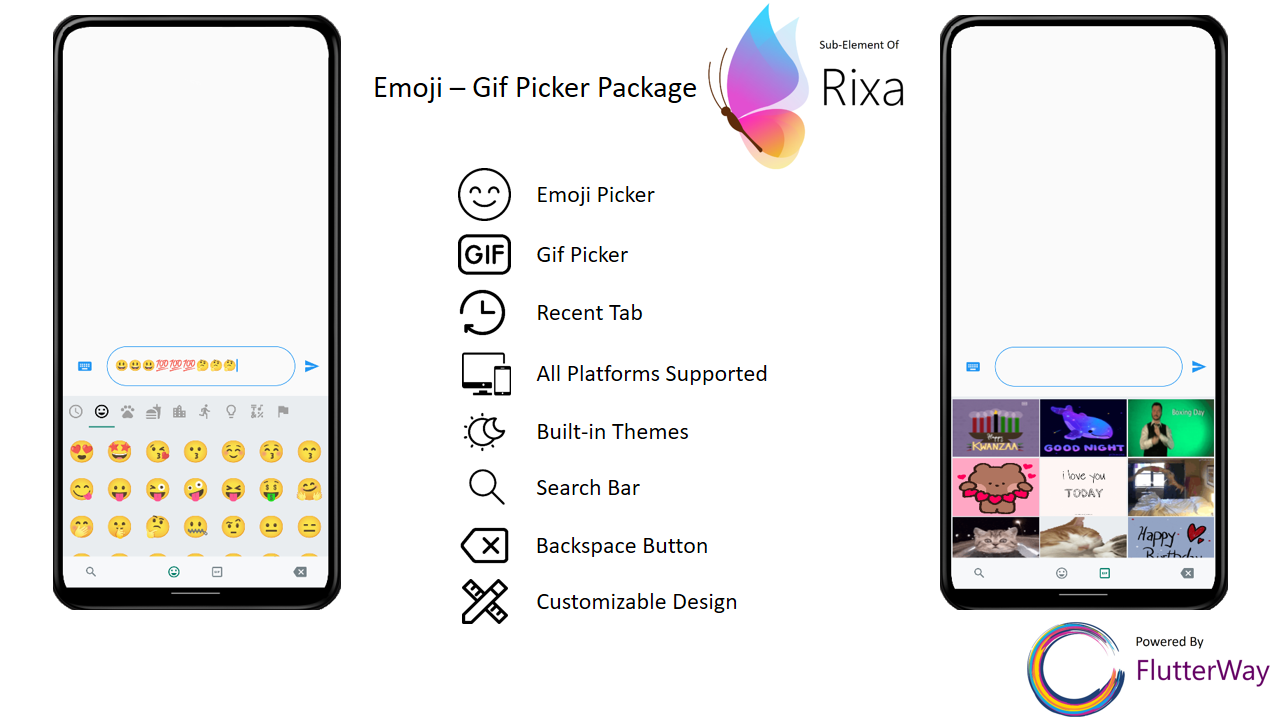
  • Includes Emoji Icon Widget, Textfield
  • Includes Gif menu(via Giphy Api)
  • Ready to use Dark/Light Mode
  • Freed of known keyboard issues of other emoji pickers
  • Back Button Event with same functionality as WhatsApp
  • All platforms are supported
  • Lightweight
  • Instant loading times
  • Customizable design
  • Search bar for emoji / gif
  • Page resizing option with menu is provided

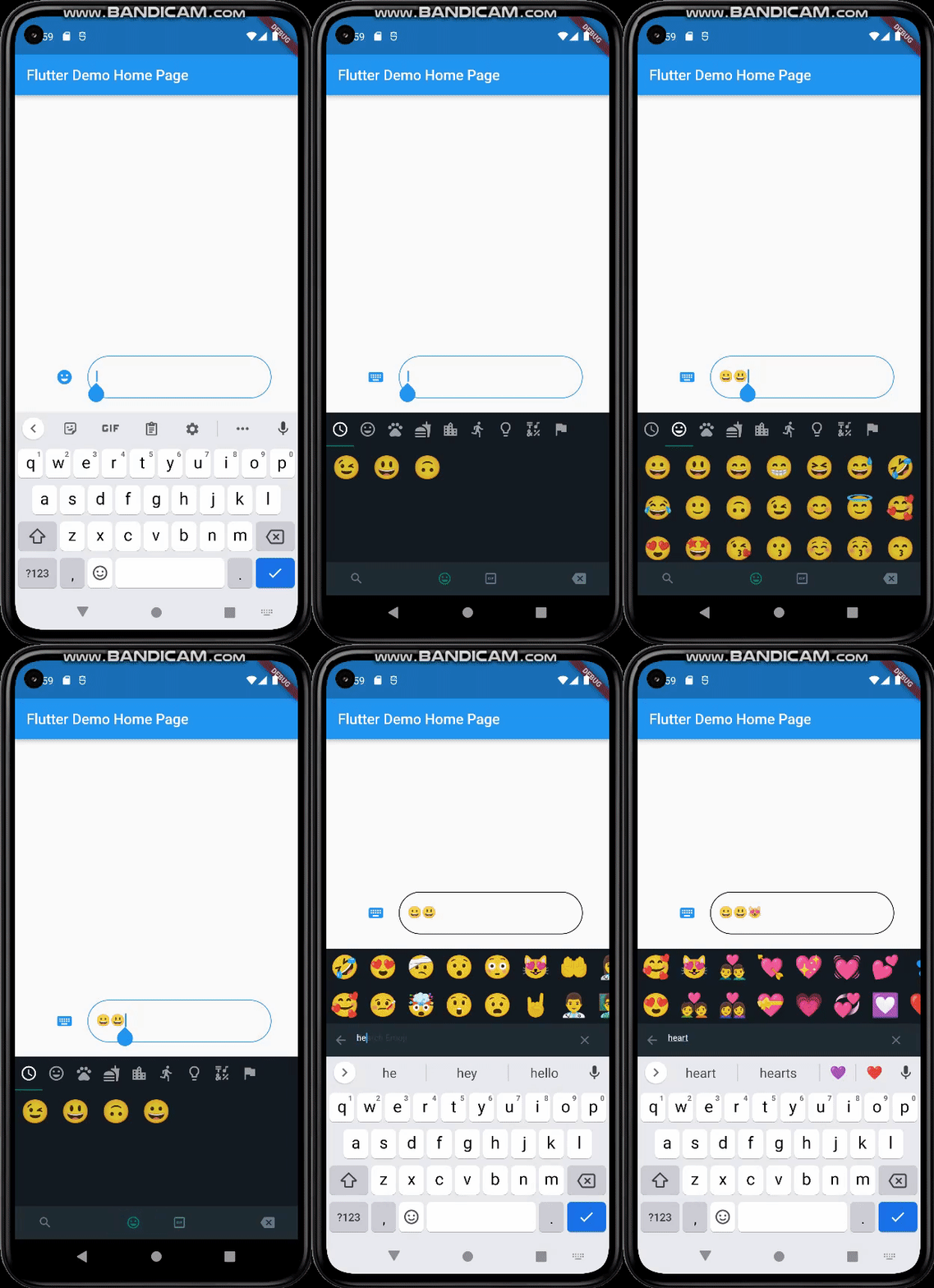
Mobile

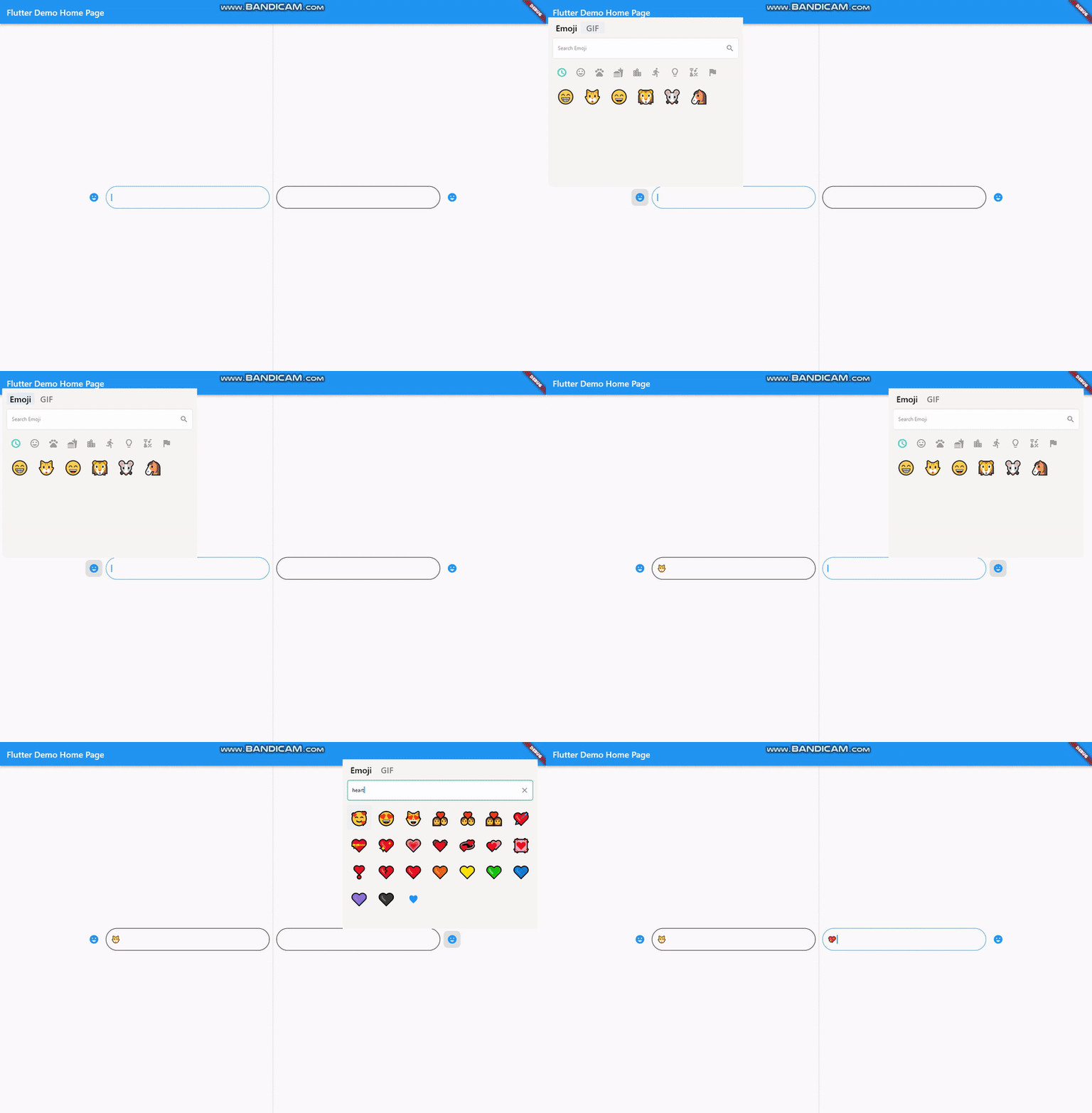
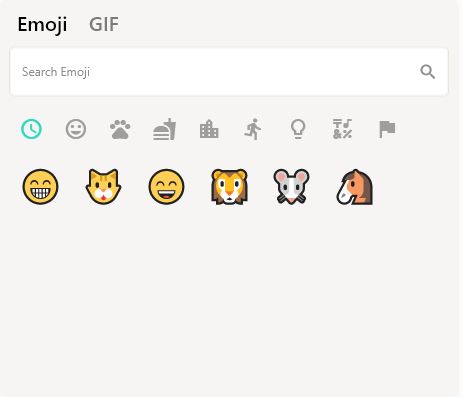
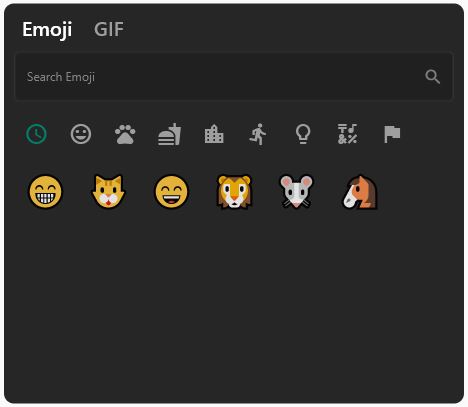
Desktop

Getting Started

Basic Setup

It's simple and ready to use. Pick either dark / light mode and set your giphyApiKey. GiphyApiKey is required for gif menu to function / show.

EmojiGifPickerPanel.setup(
    giphyApiKey: "yourgiphyapikey", mode: Mode.light);
Custom Setup
  EmojiGifPickerPanel.setup(
      sizes: MenuSizes(width: 2000, height: 500),
      texts: MenuTexts(
          searchEmojiHintText: "Search Emoji?",
          searchGifHintText: "Search with Giphy"),
      colors: MenuColors(
        backgroundColor: const Color(0xFFf6f5f3),
        searchBarBackgroundColor: Colors.white,
        searchBarBorderColor: const Color(0xFFe6e5e2),
        searchBarEnabledColor: Colors.white,
        searchBarFocusedColor: const Color(0xFF00a884),
        menuSelectedIconColor: const Color(0xFF1d6e5f),
        buttonColor: const Color(0xFF909090),
        iconBackgroundColor: null,
        iconHoveredBackgroundColor: const Color.fromARGB(255, 224, 224, 224),
        indicatorColor: Colors.transparent,
      ),
      styles: MenuStyles(
          menuSelectedTextStyle:
              const TextStyle(fontSize: 20, color: Colors.black),
          menuUnSelectedTextStyle:
              const TextStyle(fontSize: 20, color: Color(0xFF7a7a7a)),
          searchBarHintStyle:
              const TextStyle(fontSize: 12, color: Color(0xFF8d8d8d)),
          searchBarTextStyle:
              const TextStyle(fontSize: 12, color: Colors.black)),
      giphyApiKey: "yourgiphyapikey",
      mode: Mode.light);

Change Your MateralApp builder

return MaterialApp(
  theme: ThemeData(
    primarySwatch: Colors.blue,
  ),
  builder: (context, child) {
    return Stack(
      children: [
        child!,
        EmojiGifMenuStack(),
      ],
    );
  },
  home: const MyHomePage(),
);

Should Emoji-Gif picker resize your page ?

If you want your emoji-gif picker to resize your page when opened, your page needs to be wrapped with EmojiGifMenuLayout and set fromStack:false in your picker icon widget. Otherwise emoji-gif picker will cover its own space on your page

EmojiGifMenuLayout(
  child: YourDesign(),
  )
EmojiGifPickerIcon(
  id: "1",
  onGifSelected: (gif) {},
  fromStack: false,
  controller: controller,
  icon: Icon(Icons.emoji_emotions),
),

Back Button Problem

When the back button is pressed, if you want your emoji-gif picker menu to close instead of switching to another page, you must wrap your scaffold with WillPopScope to achieve this functionality

return WillPopScope(
        onWillPop: (() async {
          return EmojiGifPickerPanel.onWillPop();
        }),
        child: Scaffold(

EmojiGifPickerIcon & EmojiGifTextfield

These widgets are required in order to show picker menu. Give an id to your picker widget this way you can use these widgets in multiple places on the same page. Don't forget to give your TextEditingController in EmojiGifPickerIcon. With viewEmoji, viewGif parameters, you can control which menu opens or not.

Icon
EmojiGifPickerIcon(
    id: "1",
    onGifSelected: (gif) {},
    controller: controller,
    viewEmoji: true,
    viewGif: true,
    icon: Icon(Icons.emoji_emotions),
  )
TextField
EmojiGifTextField(
     id: "1",
   )
Full View Example
Row(
  mainAxisAlignment: MainAxisAlignment.center,
  children: [
    EmojiGifPickerIcon(
      id: "2",
      onGifSelected: (gif) {},
      controller: controller2,
      icon: Icon(Icons.emoji_emotions),
    ),
    SizedBox(
        width: MediaQuery.of(context).size.width * 0.6,
        child: EmojiGifTextField(
          id: "2",
          decoration: InputDecoration(
            enabledBorder: OutlineInputBorder(
                borderSide: BorderSide(color: Colors.black),
                borderRadius: BorderRadius.circular(30)),
            focusedBorder: OutlineInputBorder(
                borderSide: BorderSide(color: Colors.blue),
                borderRadius: BorderRadius.circular(30)),
          ),
        )),
  ],

Ready to use Example

import 'package:flutter/material.dart';
import 'package:emoji_gif_picker_menu/emoji_gif_picker_menu.dart';

void main() {
  EmojiGifPickerPanel.setup(
      giphyApiKey: "yourgiphyapikey", mode: Mode.light);
  runApp(const MyApp());
}

class MyApp extends StatelessWidget {
  const MyApp({super.key});

  @override
  Widget build(BuildContext context) {
    return MaterialApp(
      theme: ThemeData(
        primarySwatch: Colors.blue,
      ),
      builder: (context, child) {
        return Stack(
          children: [
            child!,
            EmojiGifMenuStack(),
          ],
        );
      },
      home: const MyHomePage(),
    );
  }
}

class MyHomePage extends StatefulWidget {
  const MyHomePage({super.key});

  @override
  State<MyHomePage> createState() => _MyHomePageState();
}

class _MyHomePageState extends State<MyHomePage> {
  TextEditingController controller = TextEditingController();
  @override
  Widget build(BuildContext context) {
    return WillPopScope(
        onWillPop: (() async {
          return EmojiGifPickerPanel.onWillPop();
        }),
        child: Scaffold(
            resizeToAvoidBottomInset: true,
            body: EmojiGifMenuLayout(
              child:
                  Row(mainAxisAlignment: MainAxisAlignment.center, children: [
                EmojiGifPickerIcon(
                  id: "1",
                  onGifSelected: (gif) {},
                  controller: controller,
                  icon: Icon(Icons.emoji_emotions),
                ),
                SizedBox(
                    width: MediaQuery.of(context).size.width * 0.3,
                    child: EmojiGifTextField(
                      id: "1",
                      decoration: InputDecoration(
                        enabledBorder: OutlineInputBorder(
                            borderSide: BorderSide(color: Colors.black),
                            borderRadius: BorderRadius.circular(30)),
                        focusedBorder: OutlineInputBorder(
                            borderSide: BorderSide(color: Colors.blue),
                            borderRadius: BorderRadius.circular(30)),
                      ),
                    )),
              ]),
            )));
  }
}

Customizable

Light

Dark

EmojiGifPickerPanel is a panel that allows you to edit the design to your liking. You can customize the features as shown below :

  • Position
EmojiGifPickerPanel.setPosition(MenuPosition(bottom: 0));
  • Size
EmojiGifPickerPanel.setSizes(MenuSizes(width: 2000, height: 500));
  • Texts
EmojiGifPickerPanel.setTexts(MenuTexts(
      searchEmojiHintText: "Search Emoji?",
      searchGifHintText: "Search with Giphy"),
      noRecents: Text("No Recent"),
      );
  • Colors
  EmojiGifPickerPanel.setColors(MenuColors(
    backgroundColor: const Color(0xFFf6f5f3),
    searchBarBackgroundColor: Colors.white,
    searchBarBorderColor: const Color(0xFFe6e5e2),
    searchBarEnabledColor: Colors.white,
    searchBarFocusedColor: const Color(0xFF00a884),
    menuSelectedIconColor: const Color(0xFF1d6e5f),
    buttonColor: const Color(0xFF909090),
    iconBackgroundColor: null,
    iconHoveredBackgroundColor: const Color.fromARGB(255, 224, 224, 224),
    indicatorColor: Colors.transparent,
  ));
  • Text Styles
  EmojiGifPickerPanel.setStyles(MenuStyles(
      menuSelectedTextStyle: const TextStyle(fontSize: 20, color: Colors.black),
      menuUnSelectedTextStyle:
          const TextStyle(fontSize: 20, color: Color(0xFF7a7a7a)),
      searchBarHintStyle:
          const TextStyle(fontSize: 12, color: Color(0xFF8d8d8d)),
      searchBarTextStyle: const TextStyle(fontSize: 12, color: Colors.black)));

This package was possible to create with :

Categorias

Dependências

Lista de dependências 6 itens

Repositório-fonte

Projetos que usam este pacote

Ainda não há dados.