SDK do Google Gemini para Flutter. O Google Gemini é um conjunto de modelos de linguagem avançados (LLMs) projetados para ser a força motriz por trás das futuras iniciativas de IA do Google.
Orientação gerada a partir de informações públicas. Apenas para referência.
Flutter Gemini é um pacote Flutter que integra os avançados modelos de linguagem grandes (LLMs) do Google em aplicativos móveis e de desktop. Ele permite que desenvolvedores aproveitem recursos de IA de ponta, como compreensão de linguagem natural, geração de texto e inteligência conversacional em seus aplicativos Flutter. Projetado para uso sem problemas em Android, iOS, Web, macOS, Windows e Linux, o SDK simplifica o acesso às poderosas funcionalidades de IA do Google Gemini por meio de uma API simples. Ideal para criar chatbots inteligentes, assistentes de conteúdo e experiências de usuário impulsionadas por IA.
Casos de uso
chatbots com inteligência artificial
Geração de conteúdo
Assistentes de voz para texto
Preenchimento inteligente de formulários
Tradução em tempo real
Recomendações personalizadas
Principais recursos
Integração nativa com os LLMs do Google Gemini
Suporte multiplataforma
API simples para geração de texto
Tratamento seguro de autenticação
Streaming de resposta em tempo real
Pronto para o modo offline
Indicado para
Desenvolvedores construindo aplicativos de chat com IA
Equipes integrando LLMs em aplicativos Flutter
Ferramentas educacionais e produtividade
Startups explorando IA generativa
Considerações
Chave da API do Google Cloud necessária
Dependente da conectividade da internet
Latência potencial nas respostas
Custos de uso com base em chamadas à API
Funcionalidade offline limitada
Limites de taxa se aplicam
README original
Snapshot do README original do repositório-fonte vinculado. Consulte o repositório para o conteúdo mais recente.
Flutter Gemini
Google Gemini is a set of cutting-edge large language models (LLMs) designed to be the driving force behind Google's future AI initiatives.
This package provides a powerful bridge between your Flutter application and Google's revolutionary Gemini AI. It empowers you to seamlessly integrate Gemini's capabilities into your app, unlocking possibilities for building innovative, intelligent, and engaging experiences that redefine user interaction.
To use the Gemini API, you'll need an API key. If you don't already have one, create a key in Google AI Studio. Get an API key.
Initialize Gemini
For initialization, you must call the init constructor for Flutter Gemini in the main function.
const apiKey = '--- Your Gemini Api Key ---';
voidmain() {
/// Add this lineGemini.init(apiKey: apiKey);
runApp(constMyApp());
}
Now you can create an instance
Content-based APIs
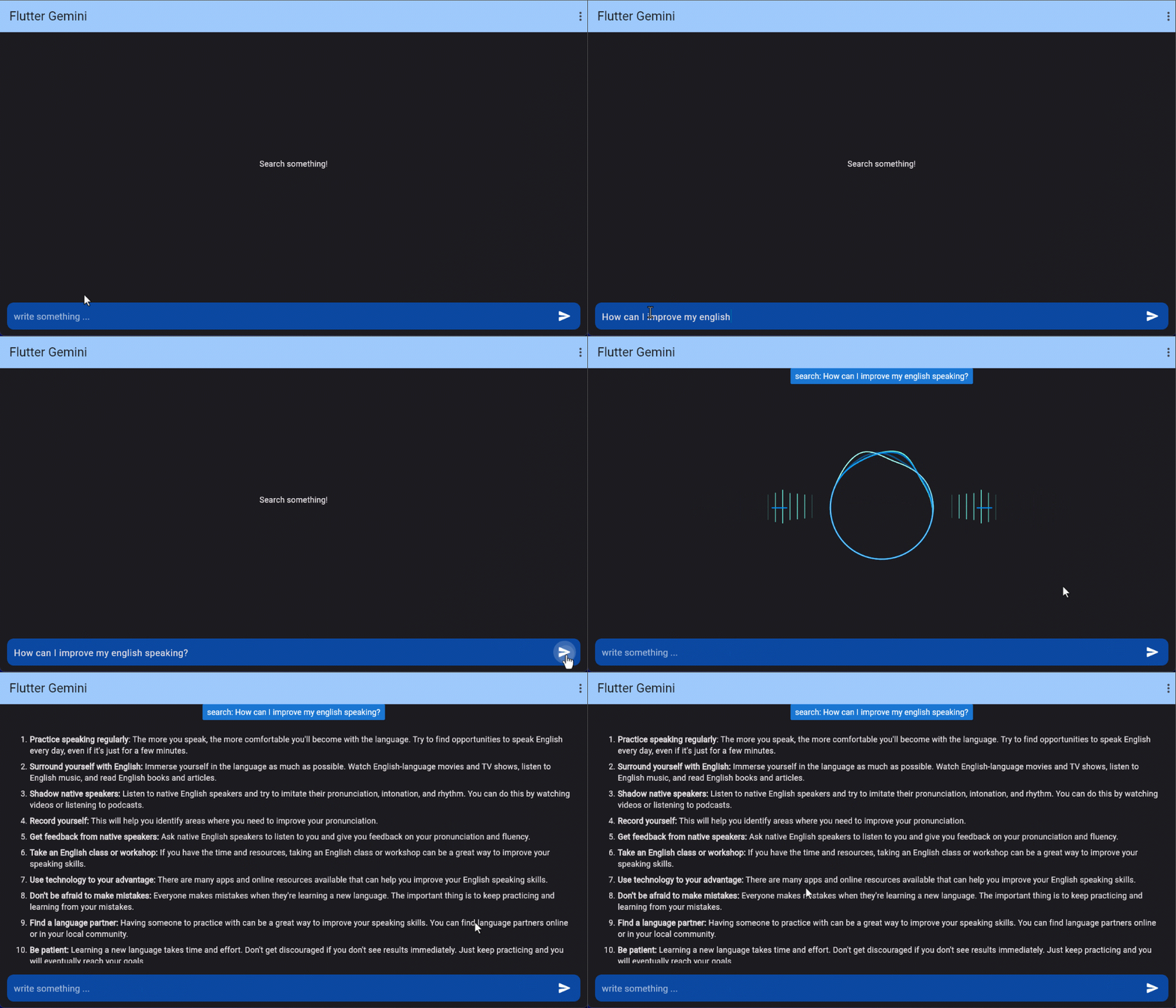
Prompt Stream
Offers a powerful method promptStream that allows developers to interact with
a stream of data in a flexible and efficient way. One of the key features of this package is
the ability to use different types of Part classes,
enabling the transmission of various forms of data.
Usage Example
To use the promptStream method, you can pass an array of Part objects, where each Part can represent different types of data. For instance, a simple request to ask a question could look like this:
Gemini.instance.promptStream(parts: [
  Part.text('Write a story about a magic backpack'),
]).listen((value) {
  print(value?.output);
});
Available Part Types
Part.text | TextPart: For sending text data.
Part.inline | InlinePart: For sending raw byte data.
Part.file | FilePart: For sending uploaded file to Gemini cloud ( will be updated )
...
( Others will be added ASAP )
These Part types are abstracted into a base class, providing flexibility to add more data types in the future. This modular design ensures that users can easily extend the package to accommodate their specific needs, whether it's for text, files, or binary data.
By using these different Part classes, you can tailor the behavior of the promptStream method to meet your application's specific requirements.
Prompt
You can send a question or request and get an immediate response using the prompt method. This method works with various Part types to allow flexible input, such as text, videos, or audios.
Usage Example
The following example shows how to use the Flutter_Gemini package with the Future approach to send a text request and handle the response:
Gemini.instance.prompt(parts: [
  Part.text('Write a story about a magic backpack'),
]).then((value) {
  print(value?.output);
}).catchError((e) {
  print('error ${e}');
});
Explanation:
The prompt method takes a list of Part objects, such as Part.text ( TextPart ), to define the request.
The response is processed once it is available, and you can access the result via value?.output.
Errors can be handled using catchError.
This method provides a straightforward way to handle asynchronous tasks without dealing with streams.
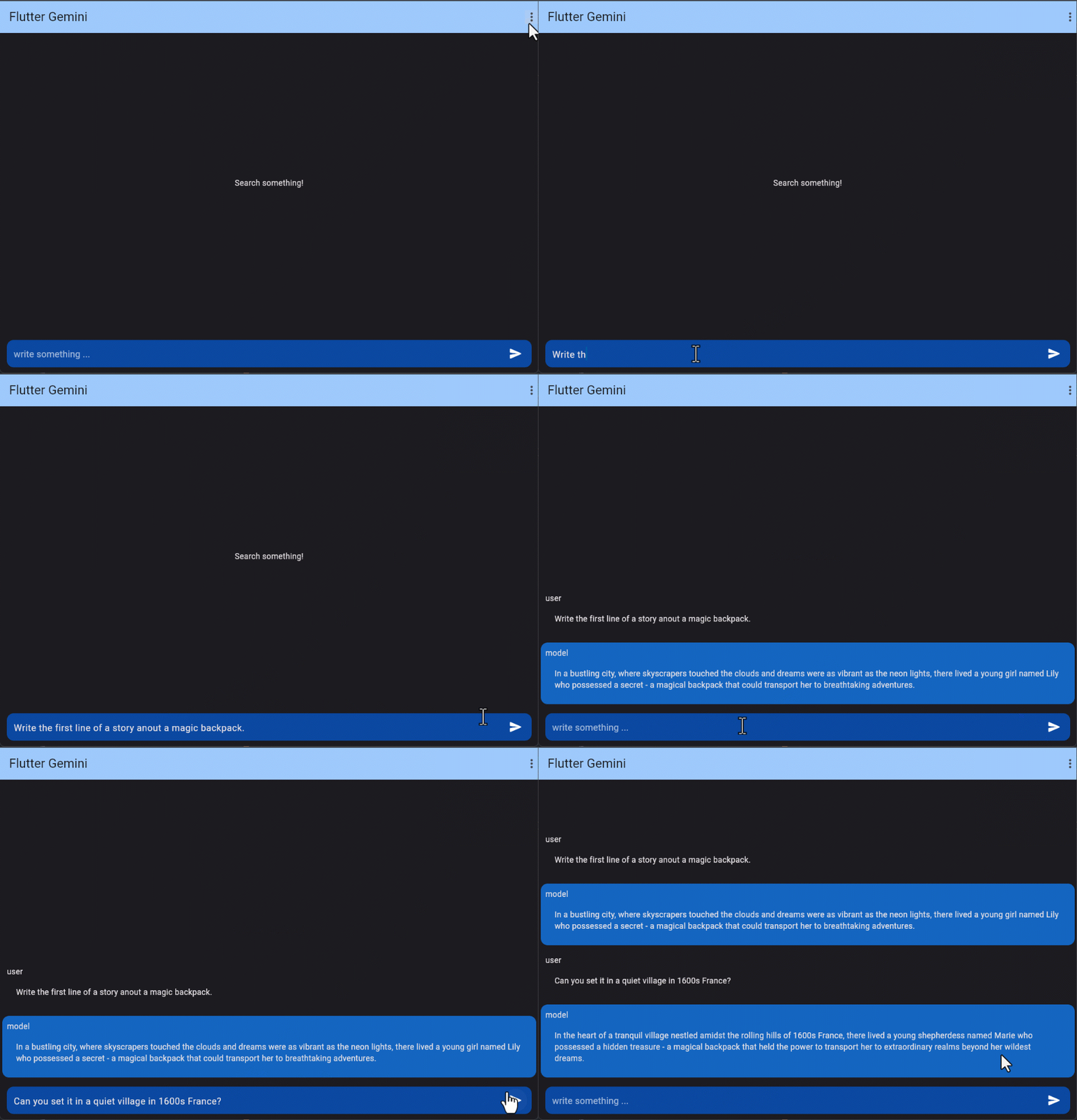
Multi-turn conversations (chat)
Using Gemini, you can build freeform conversations across multiple turns.
  final gemini = Gemini.instance;

  gemini.chat([
    Content(parts: [
      Part.text('Write the first line of a story about a magic backpack.')],
        role: 'user'),
    Content(parts: [
      Part.text('In the bustling city of Meadow brook, lived a young girl named Sophie. She was a bright and curious soul with an imaginative mind.')],
        role: 'model'),
    Content(parts: [
      Part.text('Can you set it in a quiet village in 1600s France?')],
        role: 'user'),
    ])
        .then((value) => log(value?.output ?? 'without output'))
        .catchError((e) => log('chat', error: e));
Count tokens
When using long prompts, it might be useful to count tokens before sending any content to the model.
final gemini = Gemini.instance;

gemini.countTokens("Write a story about a magic backpack.")
    .then((value) => print(value)) /// output like: `6` or `null`
    .catchError((e) => log('countTokens', error: e));
Model info
If you GET a model's URL, the API uses the get method to return information about that model such as version, display name, input token limit, etc.
If you GET the models directory, it uses the list method to list all of the models available through the API, including both the Gemini and PaLM family models.
final gemini = Gemini.instance;

gemini.listModels()
    .then((models) => print(models)) /// list
    .catchError((e) => log('listModels', error: e));
embedContents and batchEmbedContents
Embedding is a method that transforms information, like text, into a list of floating-point numbers in an array. Gemini enables the representation of text, such as words or sentences, in a vectorized form. This facilitates the comparison of embeddings, allowing for the identification of similarities between texts through mathematical techniques like cosine similarity. For instance, texts with similar subject matter or sentiment should exhibit similar embeddings.
The generation_config argument allows you to modify the generation parameters.
gemini.streamGenerateContent('Utilizing Google Ads in Flutter',
          generationConfig: GenerationConfig(
            temperature: 0.75,
            maxOutputTokens: 512,
          ))
      .listen((value) {})
      .onError((e) {});
Legacy APIs
Stream Generate Content
The model usually gives a response once it finishes generating the entire output. To speed up interactions, you can opt not to wait for the complete result and instead use streaming to manage partial results.
final gemini = Gemini.instance;

gemini.streamGenerateContent('Utilizing Google Ads in Flutter')
  .listen((value) {
    print(value.output);
  }).onError((e) {
    log('streamGenerateContent exception', error: e);
  });
Text-only input
This feature lets you perform natural language processing (NLP) tasks such as text completion and summarization.
final gemini = Gemini.instance;

gemini.text("Write a story about a magic backpack.")
  .then((value) => print( value?.output )) /// or value?.content?.parts?.last.text
  .catchError((e) => print(e));
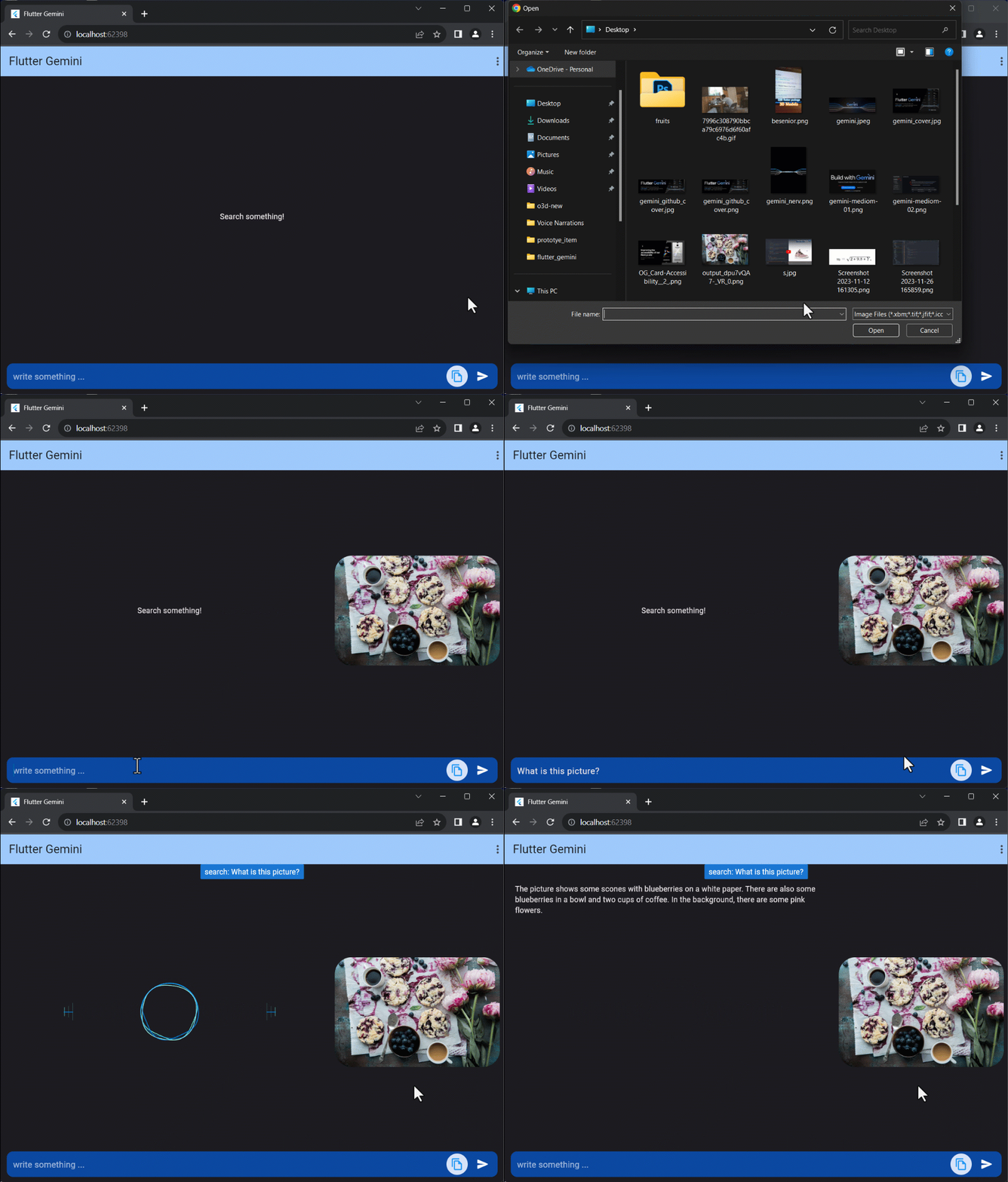
Text-and-image input
If the input contains both text and image, You can send a text prompt with an image to the gemini-1.5-flash model to perform a vision-related task. For example, captioning an image or identifying what's in an image.
  final gemini = Gemini.instance;

  final file = File('assets/img.png');
  gemini.textAndImage(
        text: "What is this picture?", /// text
        images: [file.readAsBytesSync()] /// list of images
      )
      .then((value) => log(value?.content?.parts?.last.text ?? ''))
      .catchError((e) => log('textAndImageInput', error: e));
Note that, there are changes on properties
- image: file.readAsBytesSync(), /// image+ images: [file.readAsBytesSync()] /// list of images