Buscar pacotes, repositórios e categorias de apps

Capa de flutter_map_line_editor
Detalhes do pacotev8.0.0

flutter_map_line_editor

Um editor básico de linha e polígono para `flutter_map` usando marcadores arrastáveis

AndroidiOSWebmacOSWindowsLinux
Downloads em 30 dias
6 mil
Curtidas
32
Pontos Pub
130

Instalar pacote

flutter pub add flutter_map_line_editor

Visão geral do pacote

Orientação gerada a partir de informações públicas. Apenas para referência.

Um pacote Flutter que permite edição interativa de linhas e polígonos dentro do widget flutter_map. Ele fornece marcadores arrastáveis para ajustar vértices, permitindo que os usuários criem ou modifiquem formas vetoriais diretamente em um mapa. Projetado para aplicações de geolocalização que exigem entrada do usuário sobre a geometria do mapa, integra-se perfeitamente às funcionalidades existentes do flutter_map. O editor suporta tanto formas de linha quanto polígonos, oferecendo manipulação intuitiva de pontos por meio de interações com toque ou mouse em todas as plataformas compatíveis.

Casos de uso

  • Criação de forma baseada em mapa
  • Planejamento de rota interativo
  • Anotação de dados geoespaciais
  • Edição de limite do polígono
  • desenho de mapa em tempo real
  • Entrada de geometria de mapa orientada pelo usuário

Principais recursos

  • marcadores de vértice arrastáveis
  • Suporte para linhas e polígonos
  • Integração sem problemas com flutter_map
  • Compatibilidade multiplataforma
  • Atualizações em tempo real de forma
  • API simples para inicialização e tratamento de eventos

Indicado para

  • Aplicações de GIS
  • Ferramentas de mapeamento com entrada do usuário
  • Painéis interativos de mapa
  • Aplicativos de coleta de dados de campo
  • software de mapeamento educacional
  • Prototipagem de recursos de interação com mapa

Considerações

  • Requer dependência do flutter_map
  • Limitado à edição básica de formas
  • Sem encaixe ou alinhamento embutidos
  • Pode ser necessário estilização personalizada para marcadores
  • Impacto no desempenho com muitos vértices
  • Não adequado para operações geométricas complexas

README original

Snapshot do README original do repositório-fonte vinculado. Consulte o repositório para o conteúdo mais recente.

Line & Polygon Editor for flutter_map

pub package License: MIT Support me on Ko-fi

A basic line and polygon editor that works with flutter_map, relying on DragMarker from flutter_map_dragmarker.

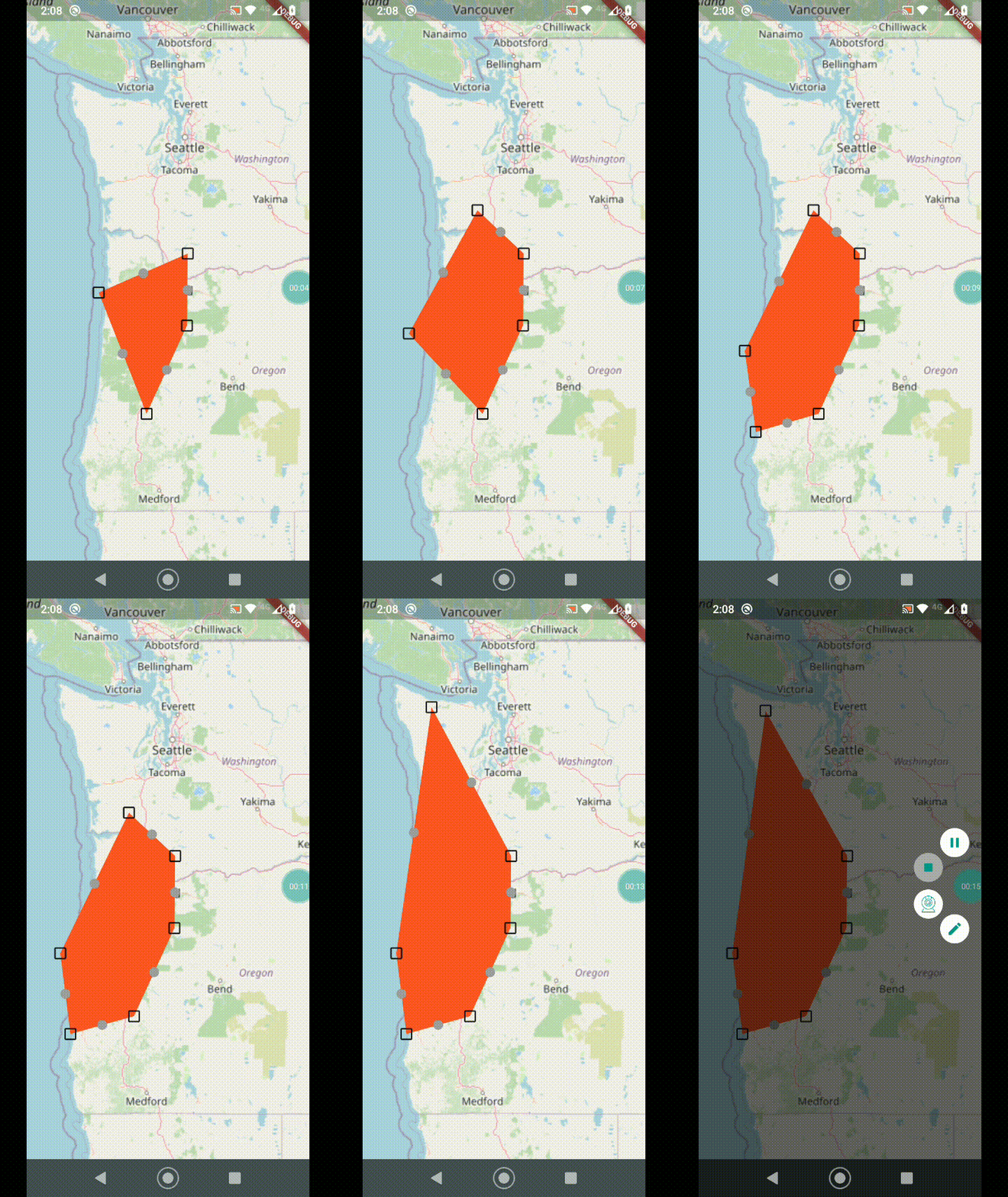
Demo

Demo

Getting started

To use this package, first add flutter_map_line_editor as a dependency in your pubspec.yaml file:

dependencies:
  flutter_map_line_editor: <latest version>

See the example directory for a complete example app demonstrating the usage of this package, here are the most important features:

  • Tap the map to add a marker, add as many as you want.
  • Drag the main points to move them.
  • Drag the intermediate points to create a new point there and drag to where you want.
  • Long press to delete a point.

Usage

Once the package is installed, make sure to import the package in the file that you are going to need it, you may also need to import flutter_map_dragmarker:

import 'package:flutter_map_dragmarker/flutter_map_dragmarker.dart';
import 'package:flutter_map_line_editor/flutter_map_line_editor.dart';

Set up a new editor instance, tipically inside initState():

var polyEditor = PolyEditor(
  points: testPolyline.points,
  pointIcon: Icon(Icons.crop_square, size: 23),
  intermediateIcon: Icon(Icons.lens, size: 15, color: Colors.grey),
  callbackRefresh: () => { this.setState(() {})},
  addClosePathMarker: false, // set to true if polygon
);

The PolyEditor takes a list of LatLng points that are used to put DragMarker's over these locations. PolyEditor does not care if the given list of points is a polyline, it could be something else. This list will be edited in place so that when the build method is triggered it will use updated points.

You must also pass a Widget (tipically an Icon) using the pointIcon parameter that will be used to represent each DragMarker.

You may also pass the optional parameter intermediateIconto display another DragMarker halfway between the main points. Dragging this marker will create another main point and the line will be split.

The screen needs to be updated during a drag, so callbackRefresh takes a function that will get called each drag frame.

For polygons or “closed paths” set the parameter addClosePathMarker to true so that the end auto-returns to the start. Otherwise, if you just want a basic polyline, set this to false.

You can add a point programmatically using the onTap callback in MapOptions:

onTap: (ll) {
  polyEditor.add(testPolyline.points, ll);
},

Add the correspondent layers as FlutterMap childrens:

FlutterMap(
  options: MapOptions(
    onTap: (_, ll) {
      polyEditor.add(testPolyline.points, ll);
    },
  ),
  children: [
    // .....
    PolylineLayer(polylines: polyLines),
    DragMarkers(markers: polyEditor.edit()),
  ],
),

Report issues or feature requests in the GitHub repository, Pull Requests are welcome!

License

This package is licensed under the permissive MIT License. See the LICENSE file in this repository to get a full copy.

Categorias

Dependências

Lista de dependências 2 itens

Repositório-fonte

Projetos que usam este pacote