Snapshot do README original do repositório-fonte vinculado. Consulte o repositório para o conteúdo mais recente.
flutter_picker


Flutter plugin picker. Include NumberPicker, DateTimePicker, ArrayPicker, and default linkage Picker. Provide flexible parameters to meet various needs. At the same time, you can extend more functions through custom adapters.
Supported Platforms
- Android
- IOS
- Windows
- MacOS
- Linux
- Web
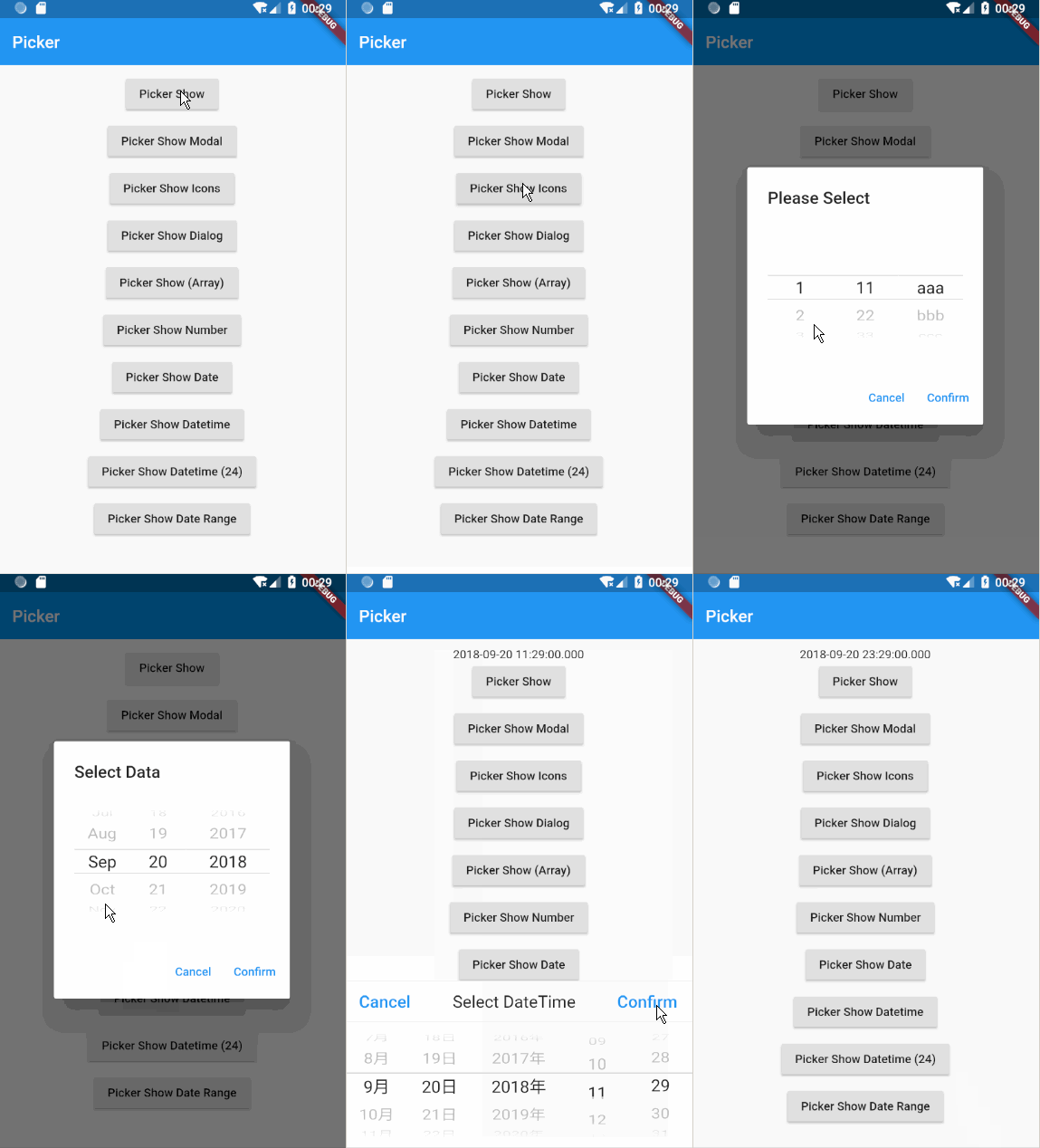
How to Use
flutter_picker:
git:
url: https://github.com/yangyxd/flutter_picker.git
import 'package:flutter_picker/flutter_picker.dart';
showPicker(BuildContext context) {
Picker picker = new Picker(
adapter: PickerDataAdapter<String>(pickerdata: new JsonDecoder().convert(PickerData)),
changeToFirst: true,
textAlign: TextAlign.left,
columnPadding: const EdgeInsets.all(8.0),
onConfirm: (Picker picker, List value) {
print(value.toString());
print(picker.getSelectedValues());
}
);
picker.show(_scaffoldKey.currentState);
}
showPickerModal(BuildContext context) {
new Picker(
adapter: PickerDataAdapter<String>(pickerdata: new JsonDecoder().convert(PickerData)),
changeToFirst: true,
hideHeader: false,
onConfirm: (Picker picker, List value) {
print(value.toString());
print(picker.adapter.text);
}
).showModal(this.context);
}
showPickerIcons(BuildContext context) {
new Picker(
adapter: PickerDataAdapter(data: [
new PickerItem(text: Icon(Icons.add), value: Icons.add, children: [
new PickerItem(text: Icon(Icons.more)),
new PickerItem(text: Icon(Icons.aspect_ratio)),
new PickerItem(text: Icon(Icons.android)),
new PickerItem(text: Icon(Icons.menu)),
]),
new PickerItem(text: Icon(Icons.title), value: Icons.title, children: [
new PickerItem(text: Icon(Icons.more_vert)),
new PickerItem(text: Icon(Icons.ac_unit)),
new PickerItem(text: Icon(Icons.access_alarm)),
new PickerItem(text: Icon(Icons.account_balance)),
]),
new PickerItem(text: Icon(Icons.face), value: Icons.face, children: [
new PickerItem(text: Icon(Icons.add_circle_outline)),
new PickerItem(text: Icon(Icons.add_a_photo)),
new PickerItem(text: Icon(Icons.access_time)),
new PickerItem(text: Icon(Icons.adjust)),
]),
new PickerItem(text: Icon(Icons.linear_scale), value: Icons.linear_scale, children: [
new PickerItem(text: Icon(Icons.assistant_photo)),
new PickerItem(text: Icon(Icons.account_balance)),
new PickerItem(text: Icon(Icons.airline_seat_legroom_extra)),
new PickerItem(text: Icon(Icons.airport_shuttle)),
new PickerItem(text: Icon(Icons.settings_bluetooth)),
]),
new PickerItem(text: Icon(Icons.close), value: Icons.close),
]),
title: new Text("Select Icon"),
onConfirm: (Picker picker, List value) {
print(value.toString());
print(picker.getSelectedValues());
}
).show(_scaffoldKey.currentState);
}
showPickerDialog(BuildContext context) {
new Picker(
adapter: PickerDataAdapter<String>(pickerdata: new JsonDecoder().convert(PickerData)),
hideHeader: true,
title: new Text("Select Data"),
onConfirm: (Picker picker, List value) {
print(value.toString());
print(picker.getSelectedValues());
}
).showDialog(context);
}
showPickerArray(BuildContext context) {
new Picker(
adapter: PickerDataAdapter<String>(pickerdata: new JsonDecoder().convert(PickerData2), isArray: true),
hideHeader: true,
title: new Text("Please Select"),
onConfirm: (Picker picker, List value) {
print(value.toString());
print(picker.getSelectedValues());
}
).showDialog(context);
}
showPickerNumber(BuildContext context) {
new Picker(
adapter: NumberPickerAdapter(data: [
NumberPickerColumn(begin: 0, end: 999),
NumberPickerColumn(begin: 100, end: 200),
]),
delimiter: [
PickerDelimiter(child: Container(
width: 30.0,
alignment: Alignment.center,
child: Icon(Icons.more_vert),
))
],
hideHeader: true,
title: new Text("Please Select"),
onConfirm: (Picker picker, List value) {
print(value.toString());
print(picker.getSelectedValues());
}
).showDialog(context);
}
PickerData Example
Array
const PickerData2 = '''
[
    [
        1,
        2,
        3,
        4
    ],
    [
        11,
        22,
        33,
        44
    ],
    [
        "aaa",
        "bbb",
        "ccc"
    ]
]
    ''';
Linkage
const PickerData = '''
[
    {
        "a": [
            {
                "a1": [
                    1,
                    2,
                    3,
                    4
                ]
            },
            {
                "a2": [
                    5,
                    6,
                    7,
                    8
                ]
            },
            {
                "a3": [
                    9,
                    10,
                    11,
                    12
                ]
            }
        ]
    },
    {
        "b": [
            {
                "b1": [
                    11,
                    22,
                    33,
                    44
                ]
            },
            {
                "b2": [
                    55,
                    66,
                    77,
                    88
                ]
            },
            {
                "b3": [
                    99,
                    1010,
                    1111,
                    1212
                ]
            }
        ]
    },
    {
        "c": [
            {
                "c1": [
                    "a",
                    "b",
                    "c"
                ]
            },
            {
                "c2": [
                    "aa",
                    "bb",
                    "cc"
                ]
            },
            {
                "c3": [
                    "aaa",
                    "bbb",
                    "ccc"
                ]
            }
        ]
    }
]
    ''';
版本更新说明 (Version Update Notes)
v2.1.2 (2023.08.15)
Flutter Picker插件已经更新以支持最新版本的Flutter。主要更新内容如下:
-
兼容性升级:
- 升级SDK版本支持范围到Flutter 3.x
- 修复与新版Flutter的兼容性问题
-
API更新:
- 替换已弃用的
ScaffoldState.showBottomSheet方法为Scaffold.maybeOf
- 更新
ButtonStyle和颜色相关的API,使用colorScheme.primary替代过时的colorScheme.secondary
- 修复其他过时的API使用
-
使用说明:
- 如果您正在使用此插件,请更新到最新版本以获得更好的兼容性
- 对于现有代码,无需进行任何改变,API保持向后兼容
The Flutter Picker plugin has been updated to support the latest versions of Flutter. Major updates include:
-
Compatibility Upgrade:
- Expanded SDK version support to Flutter 3.x
- Fixed compatibility issues with newer Flutter versions
-
API Updates:
- Replaced deprecated
ScaffoldState.showBottomSheet method with Scaffold.maybeOf
- Updated
ButtonStyle and color-related APIs, using colorScheme.primary instead of the deprecated colorScheme.secondary
- Fixed other deprecated API usages
-
Usage Notes:
- If you are using this plugin, please update to the latest version for better compatibility
- No changes needed for existing code, the API remains backward compatible

