Orientação gerada a partir de informações públicas. Apenas para referência.
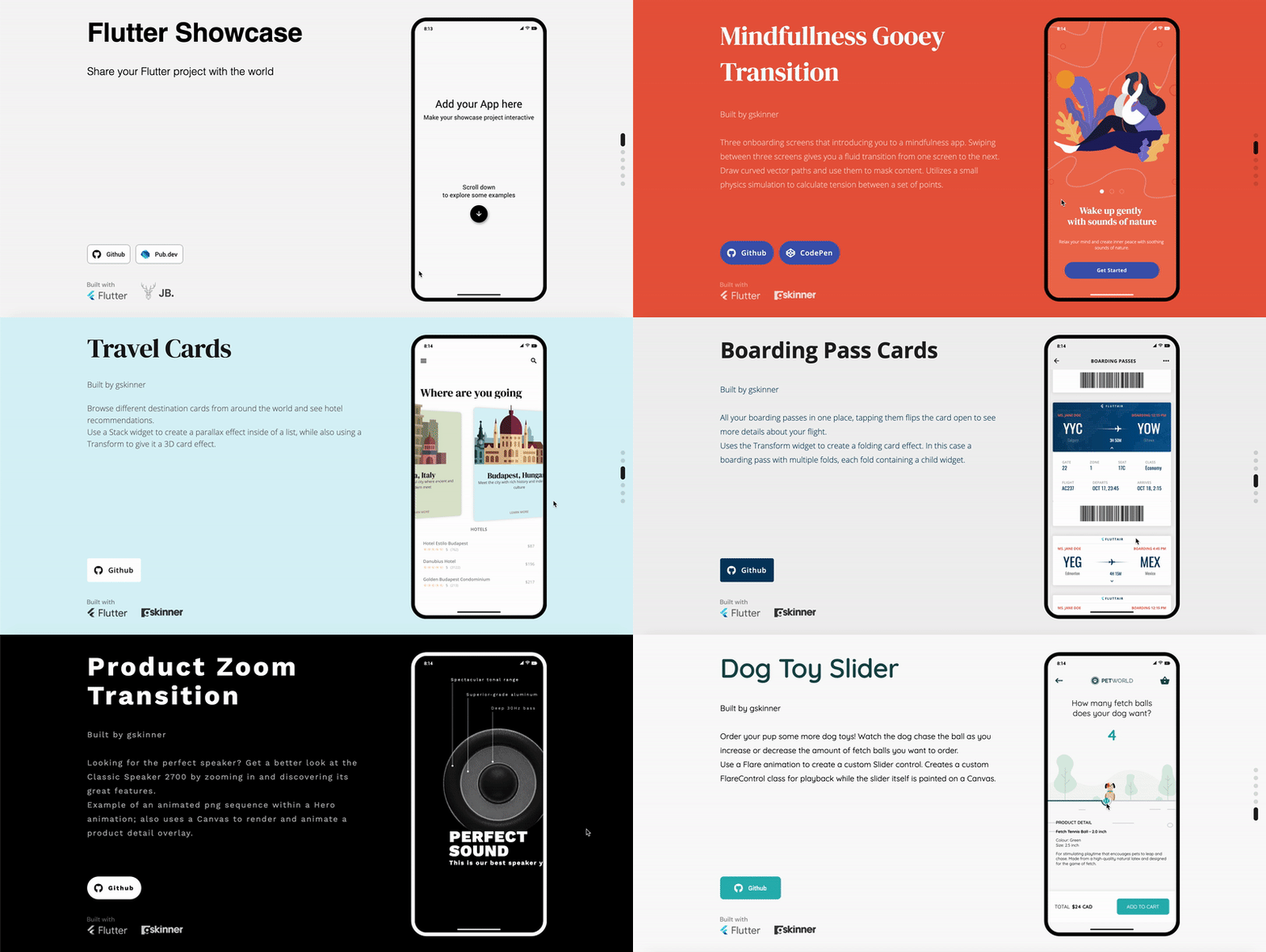
Flutter Showcase é um pacote leve projetado para compartilhar projetos Flutter com outras pessoas de forma rápida e fácil. Permite que desenvolvedores gerem visualizações interativas e embeddáveis de seus aplicativos, tornando simples demonstrar funcionalidades sem que os usuários precisem clonar ou compilar o projeto. Ideal para apresentações em sites, portfólios ou documentação, oferece interação em tempo real e feedback visual. O pacote se integra perfeitamente aos fluxos de trabalho existentes do Flutter e enfatiza velocidade e simplicidade.
Casos de uso
Compartilhando demonstrações de aplicativos online
Mostrando projetos em portfólios
Demonstrando UI/UX na documentação
Apresentando aplicativos durante apresentações
Gerando visualizações interativas rapidamente
Principais recursos
Integração fácil com o Flutter
Pré-visualizações interativas do aplicativo
Configuração e implantação rápidas
Visualizações da web embutíveis
Configuração mínima necessária
Indicado para
Desenvolvedores compartilhando projetos
designers de UI/UX
colaboradores de código aberto
Educação demonstrando aplicativos
Construtores de portfólio
Considerações
Limitado a visualizações baseadas na web
Sem modo offline
Requer acesso à internet para demonstrações ao vivo
Não destinado a aplicativos de produção
Pode ser necessário estilização adicional para apresentação personalizada
README original
Snapshot do README original do repositório-fonte vinculado. Consulte o repositório para o conteúdo mais recente.
Flutter Showcase
A simple, fast and easy way to share you flutter project or mockups with the world. Demo
Intro
Flutter Showcase is a project that helps you share flutter your project online.
While building your project as a website is enough, this package aims to empower your demo.
You can can have different appareances, actionable links and social metadata.
Flutter Showcase is only displayed when building the web project. When compiling to other platforms your project will still look as before.
Right now there is only SimpleTemplate
but the goal is to provide multiple options to share your project so you can choose the one that
fits for you.
Choose the template you perfer from the class Templates.
Add actianable links
Showcase(
  // Add LinkData.github, LinkData.pub or create your custom LinkData()
  links: [
    LinkData.github(
      'https://github.com/jamesblasco/flutter_showcase'),
    LinkData.pub(
    'https://github.com/jamesblasco/flutter_showcase')
  ],
  //Add your brand logo next to the Flutter logo
  logoLink: LinkData(
      icon: Image.asset('assets/jaime_logo.png',
          fit: BoxFit.fitHeight),
      url: 'https://github.com/jamesblasco')
)
Flutter web is still limited, some features are not available and performance can be a bit low sometimes
While most of the ui packages work on web, there are some packages that won't work or will not allow to compile the app
Creating a mobile frame inside a Flutter web app makes the global positions from gestures to be a reference for the whole screen and not the framed app, this might cause problems if you are using globalPosition in any GestureDetector or more advanced Widgets
Autogenerate social media tags - Experimental
CAUTION! This feature is still experimental; It generates a new index.html, if you add your own js scrips (as Firebase) it won't work for now.
This projects aims to generate social media tags title, description, url and image for your Flutter project so
you don't have to do it.
A WebDriver is needed for making a screenshot of the project
For the experimental version I am using ChromeDriver.
Github Actions have ChromeDriver installed by default 🎉
Local instalation:
Mac users with Homebrew installed: brew tap homebrew/cask && brew cask install chromedriver
Debian based Linux distros: sudo apt-get install chromium-chromedriver
Windows users with Chocolatey installed: choco install chromedriver