Orientação gerada a partir de informações públicas. Apenas para referência.
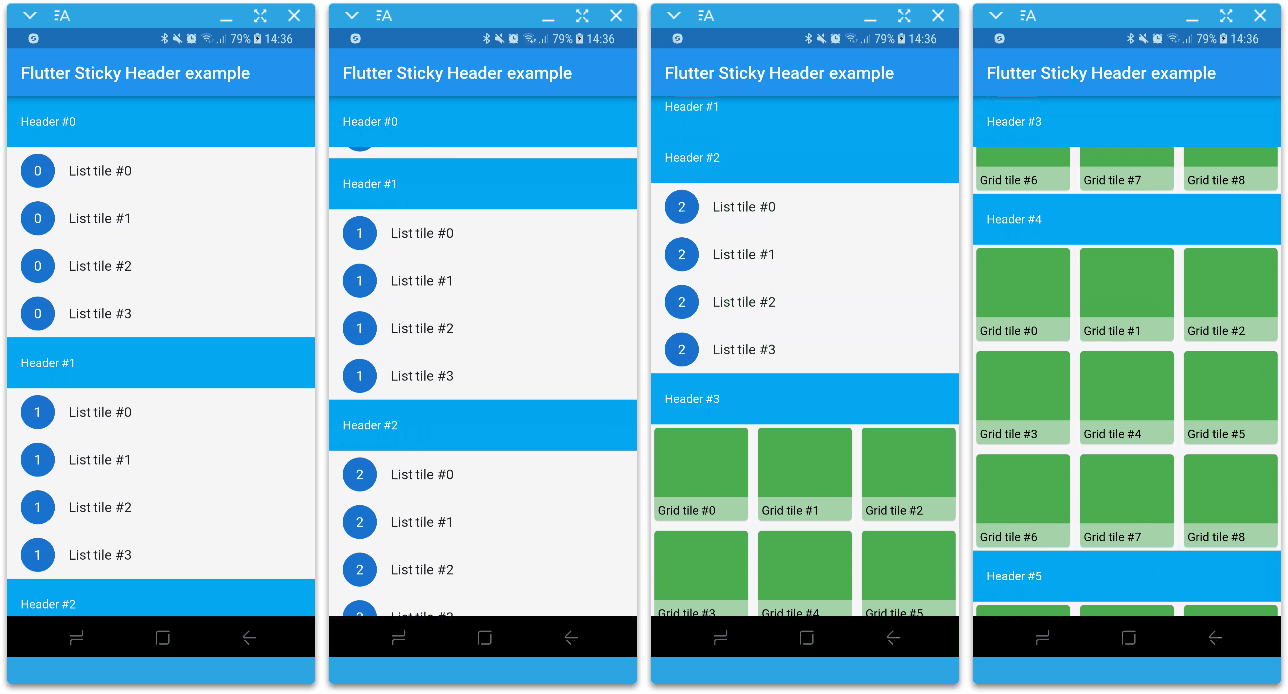
Um pacote Flutter que implementa cabeçalhos grudados em um CustomScrollView usando slivers. Permite que os cabeçalhos permaneçam visíveis no topo do conteúdo scrollável enquanto os usuários rodam listas ou grades, melhorando a navegação e a organização visual. Ideal para listas longas com itens agrupados, como contatos, mensagens ou dados categorizados. O pacote é leve, bem documentado e compatível com todas as principais plataformas.
Casos de uso
Visualizações de lista agrupadas
Listas de contatos com cabeçalhos alfabéticos
Fios de mensagens com cabeçalhos de data
Listagens de produtos categorizados
Painéis com rolagem com cabeçalhos de seção
Principais recursos
Implementação baseada em Sliver
Fixação automática do cabeçalho
Estilo de cabeçalho personalizável
comportamento de rolagem suave
Suporte multiplataforma
Integração fácil com CustomScrollView
Indicado para
Desenvolvedores criando listas rolagens com seções
Aplicativos que precisam de conteúdo visualmente organizado
Projetos que exigem cabeçalhos otimizados para desempenho
Equipes que priorizam a consistência da plataforma
Considerações
Requer uso dentro de um CustomScrollView
Pode ser necessário ajustes adicionais de layout para cabeçalhos complexos
Não adequado para contextos de rolagem não-sliver
Personalização limitada além da estilização básica
Impacto no desempenho com conjuntos de dados muito grandes
README original
Snapshot do README original do repositório-fonte vinculado. Consulte o repositório para o conteúdo mais recente.
flutter_sticky_header
A Flutter implementation of sticky headers with a sliver as a child.
Features
Accepts one sliver as content.
Header can overlap its sliver (useful for sticky side header for example).
Notifies when the header scrolls outside the viewport.
Can scroll in any direction.
Supports overlapping (AppBars for example).
Supports not sticky headers (with sticky: false parameter).
Supports a controller which notifies the scroll offset of the current sticky header.
Getting started
In the pubspec.yaml of your flutter project, add the following dependency:
You can find more examples in the Example project.
Sponsoring
I'm working on my packages on my free-time, but I don't have as much time as I would. If this package or any other package I created is helping you, please consider to sponsor me. By doing so, I will prioritize your issues or your pull-requests before the others.
Changelog
Please see the Changelog page to know what's recently changed.
Contributions
Feel free to contribute to this project.
If you find a bug or want a feature, but don't know how to fix/implement it, please fill an issue.
If you fixed a bug or implemented a new feature, please send a pull request.
Thanks
:clap: Thanks to slightfoot with it's RenderBox version (https://github.com/slightfoot/flutter_sticky_headers) which unintentionally challenged me to work in this RenderSliver version.