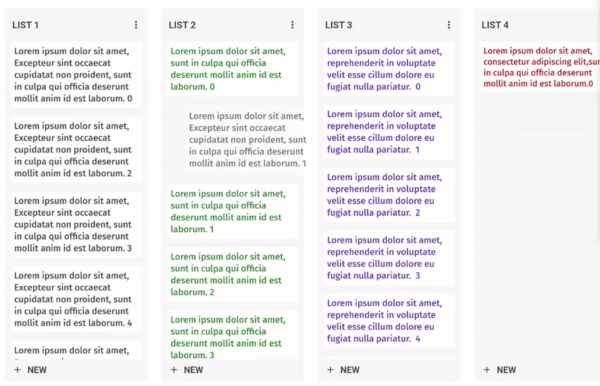
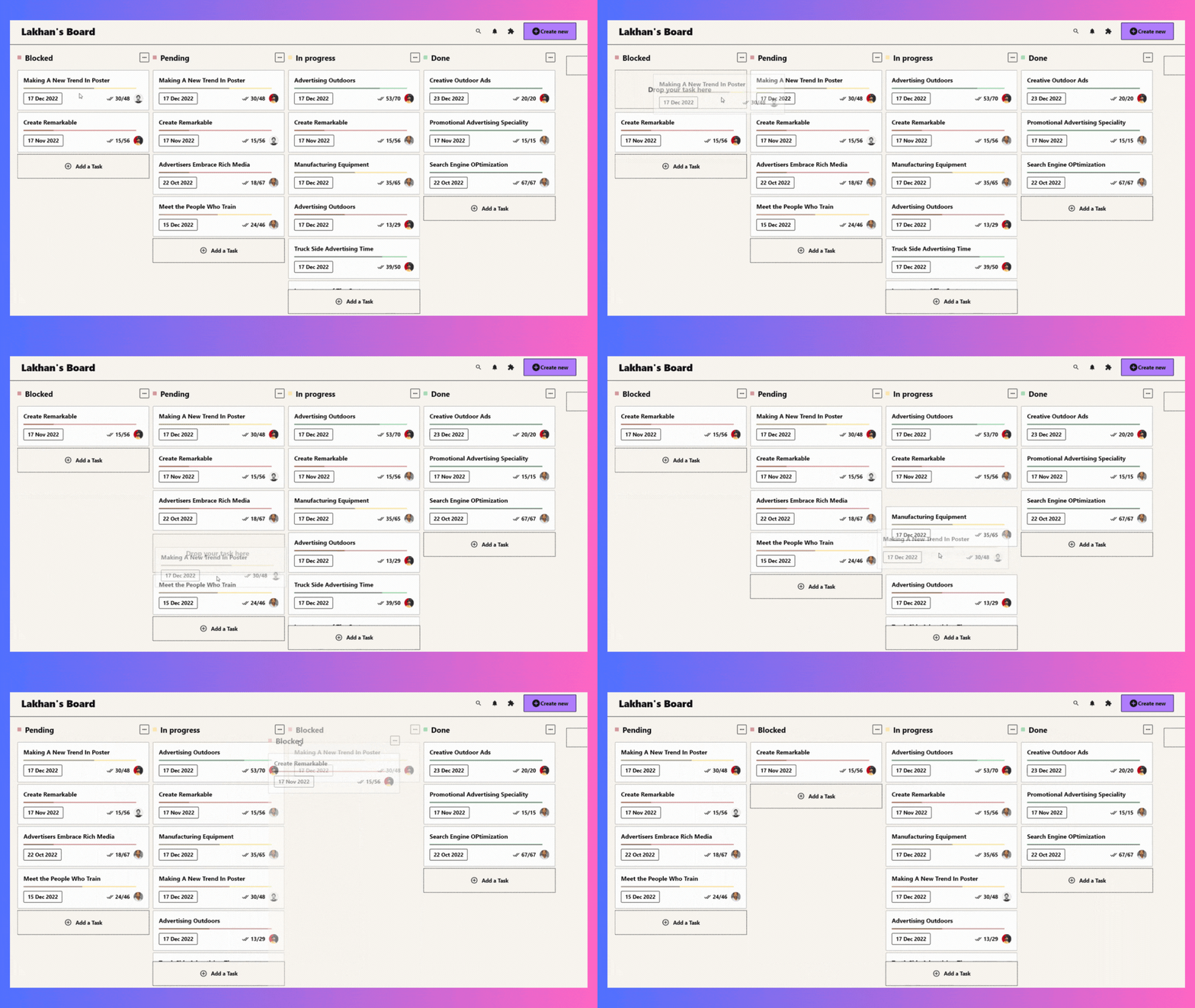
Widget de Quadro Kanban personalizável e arrastável para Flutter. Crie quadros de tarefas semelhantes ao Trello com arrastar e soltar suave e gerenciamento flexível de tarefas.
Orientação gerada a partir de informações públicas. Apenas para referência.
Um widget de quadro Kanban personalizável e arrastável para Flutter, permitindo a criação de quadros de tarefas semelhantes ao Trello com funcionalidade de arrastar e soltar suave. Suporta gerenciamento flexível de tarefas entre colunas, sendo ideal para rastreamento de projetos e visualização de fluxos de trabalho. Desenvolvido com foco em desempenho e usabilidade, integra-se perfeitamente em aplicativos Flutter em múltiplas plataformas.
Casos de uso
painéis de gerenciamento de projetos
Aplicativos de rastreamento de tarefas
Ferramentas de visualização de fluxo de trabalho
Placas de desenvolvimento ágil
Interfaces de colaboração em equipe
Principais recursos
Reordenamento de tarefas por arrastar e soltar
Layouts de coluna personalizáveis
Design responsivo para todas as plataformas
Animação embutida para transições
Personalização extensível do cartão de tarefa
Indicado para
Desenvolvedores de aplicativos de produtividade
Equipes que usam metodologias ágeis ou Kanban
Designers de UI que precisam de quadros interativos
Aplicativos Flutter que exigem gerenciamento visual de tarefas
Considerações
Requer gerenciamento de estado cuidadoso para fluxos de trabalho complexos
Pode ser necessário estilização adicional para alinhamento da marca
Impacto no desempenho com conjuntos de dados muito grandes
Recursos limitados de filtragem ou busca embutidos
Depende de pacotes externos para persistência avançada de dados
README original
Snapshot do README original do repositório-fonte vinculado. Consulte o repositório para o conteúdo mais recente.
Flutter KanbanBoard
A fully customizable and draggable Kanban Board widget for Flutter. Perfect for building Kanban tools like Trello, it offers smooth drag-and-drop interactions and flexible task management for an intuitive workflow experience.
Installation
Just add kanban_board to the pubspec.yaml file.
🚀 Create Your First Board
Let's define our KanbanGroupItem which can hold custom properties, and can be done by extending KanbanBoardGroupItem.
Make it uniquely yours with extensive customization options by exploring range of customization properties in KanbanBoard, including:
⚡ Fine-tune Board Scrolling Dynamics
Tailor the scrolling experience to match your application's feel:
KanbanBoard(
   ...
   boardScrollConfig: BoardScrollConfig(
        curve: // The animation curve
        farBoundary: Boundary(
          boundary: // The distance from the edge of the board at which auto-scrolling starts when dragging near the edge.
          offset: // The amount of scroll movement when the draggable reaches this boundary.
          duration: // The time duration for each scroll step when within this boundary.
        ),
        midBoundary: Boundary( ... ), // A middle-range boundary that triggers auto-scrolling at a moderate speed.
        nearBoundary: Boundary( ... ), // The closest range to the edge, where scrolling is most responsive.
   ),
   ...
);
📱 See It In Action
Check out the example app to see all features in action.
🤝 Your Contribution Is Welcome!
Join our community of developers:
Fork the repository
Create your feature branch: git checkout -b amazing-feature
Commit your changes: git commit -m 'Add some amazing feature'
Push to the branch: git push origin amazing-feature
Open a pull request
📄 License
This project is licensed under the MIT License - see the LICENSE file for details.