Orientação gerada a partir de informações públicas. Apenas para referência.
Um pacote Flutter projetado para simplificar a criação de experiências de usuário multi-tela, especialmente para dispositivos com tela dupla e dobráveis. Ele fornece um conjunto de widgets personalizáveis que gerenciam ajustes de layout em múltiplos displays, garantindo transições suaves e designs responsivos. O pacote abstrai a lógica complexa de gerenciamento de tela, permitindo que desenvolvedores se concentrem na UI/UX sem precisar de conhecimento profundo sobre plataformas específicas. Ideal para aplicativos voltados para dispositivos Android modernos com formatos flexíveis.
Casos de uso
Criando aplicativos para telefones dobráveis
Criando layouts de tela dividida
Projetando interfaces adaptativas para telas duplas
Desenvolvendo interfaces responsivas para tablets Android
Apoiar configurações dinâmicas de tela
Principais recursos
Widgets pré-construídos para layouts multi-tela
Adaptação automática de layout
Suporte a design responsivo
Integração fácil com projetos Flutter existentes
Otimizado para dispositivos Android com tela dupla
Indicado para
Desenvolvedores direcionados a dispositivos Android dobráveis
Equipes construindo interfaces adaptativas
Aplicativos que exigem funcionalidade de tela dividida
Projetos Flutter focados no suporte inovador de dispositivos
Designers de interface trabalhando com tamanhos de tela dinâmicos
Considerações
Limitado a plataformas Android
Requer compreensão de casos de uso de múltiplos telas
Pode ser necessário testes adicionais em dispositivos físicos
Não adequado para aplicativos não dobráveis ou não de tela dupla
Depende das capacidades de hardware do dispositivo
README original
Snapshot do README original do repositório-fonte vinculado. Consulte o repositório para o conteúdo mais recente.
Multi Screen Layout for Flutter
A collection of Widgets that make multi screen user experiences easy to build
Supported Devices
[x] Surface Duo
[x] Surface Duo 2
[x] Galaxy Z Fold 1 (Flex Mode)
[x] Galaxy Z Fold 2 (Flex Mode)
[x] Galaxy Z Flip (Flex Mode)
[ ] LG Wing
If you know of other devices that could support multi screen layouts, please submit a PR and add them to this list.
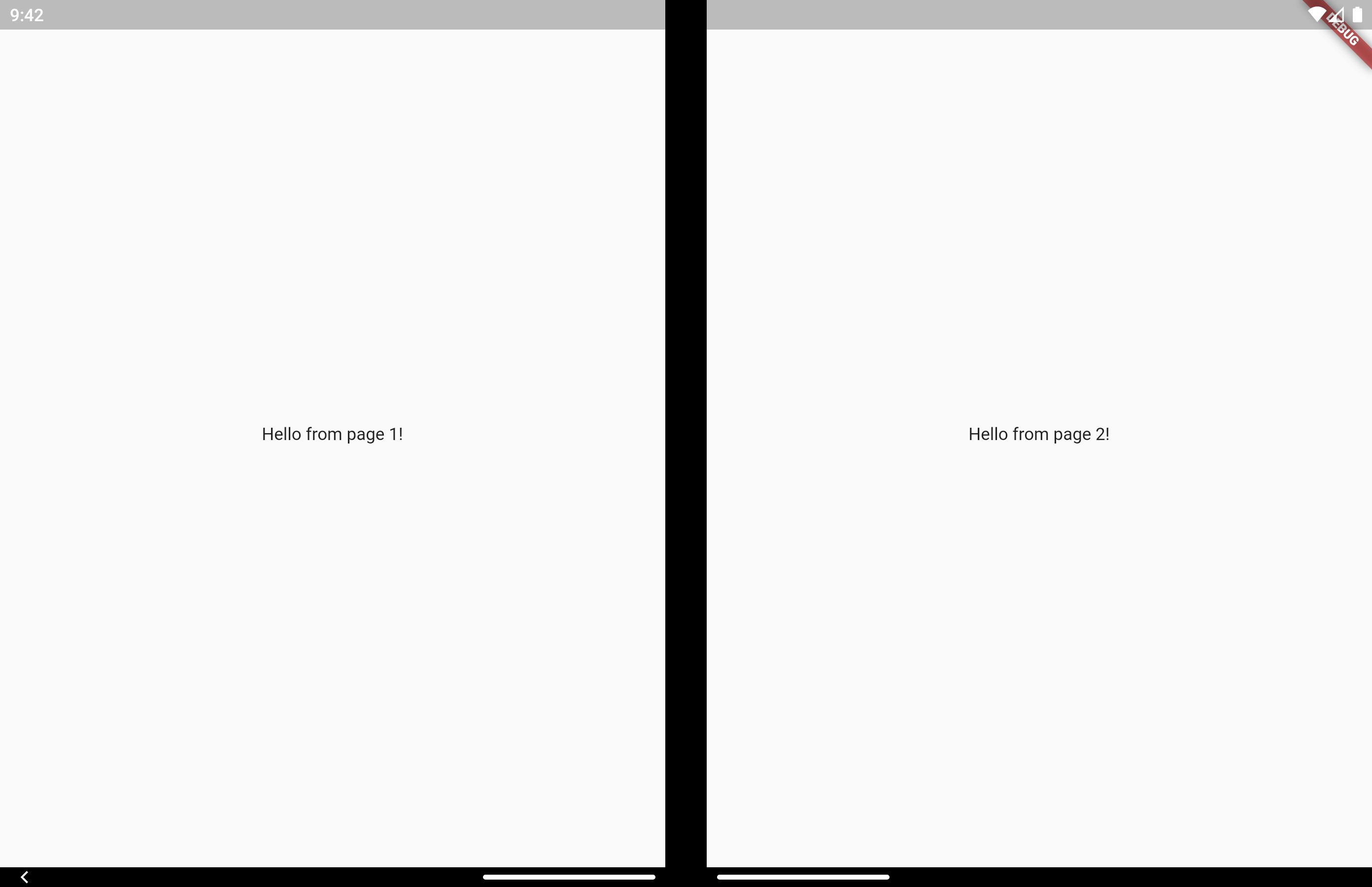
On a Microsoft dual screen device when the app is being spanned across two screens, TwoPageLayout displays both widgets, one per screen. This is designed to help you build Two Page, Dual View, and Companion Pane dual screen app patterns from Microsoft.
On a folding screen device when the display could be utilized to split content areas, TwoPageLayout displays both widgets, one per content area. This is designed to help you build Flex Mode user experiences. You can read more about how when to split content is decided in the AndroidX WindowManager documentation.
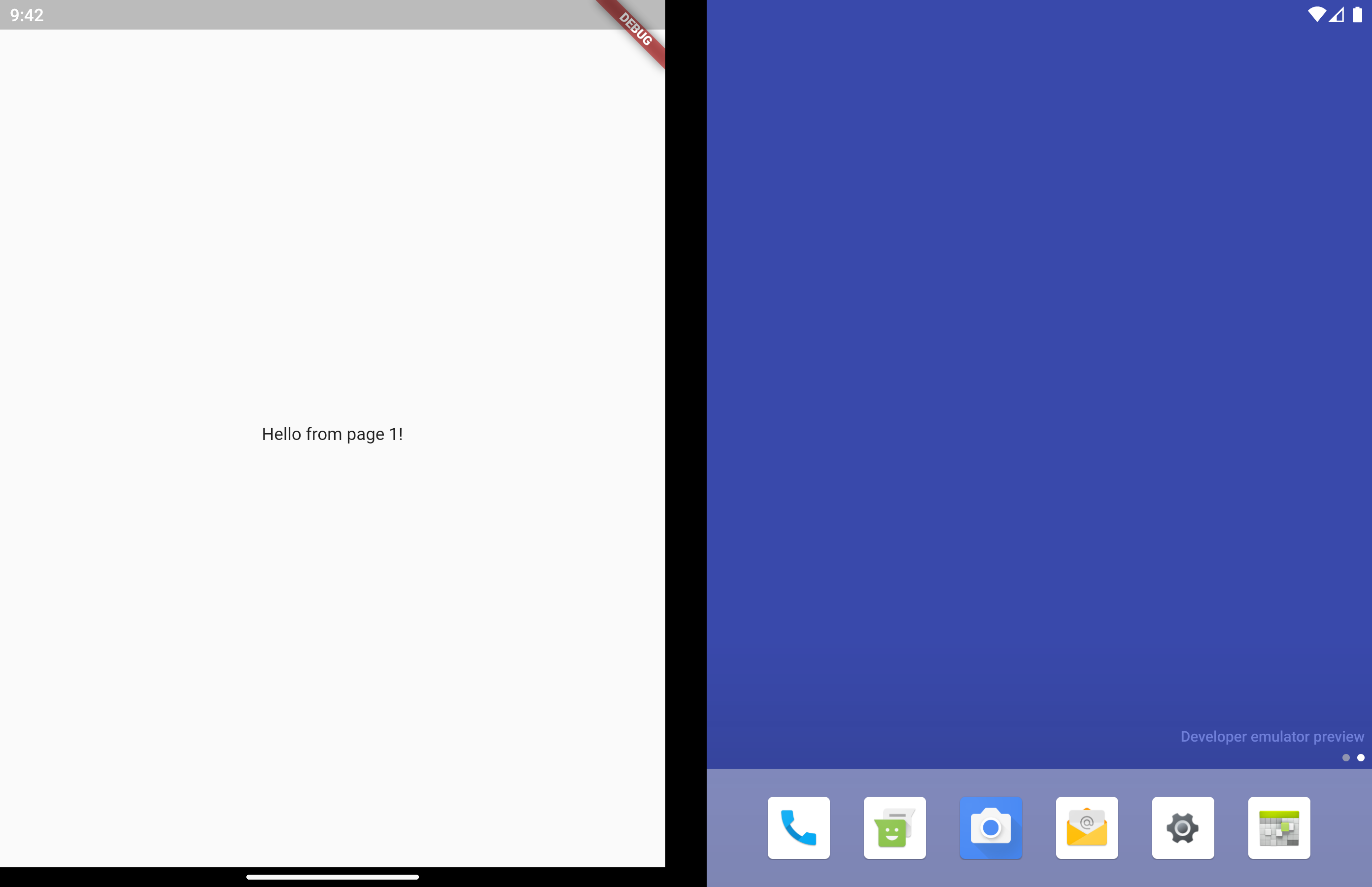
On a single screen device, or when the app is only running on a single screen, only child will be displayed.
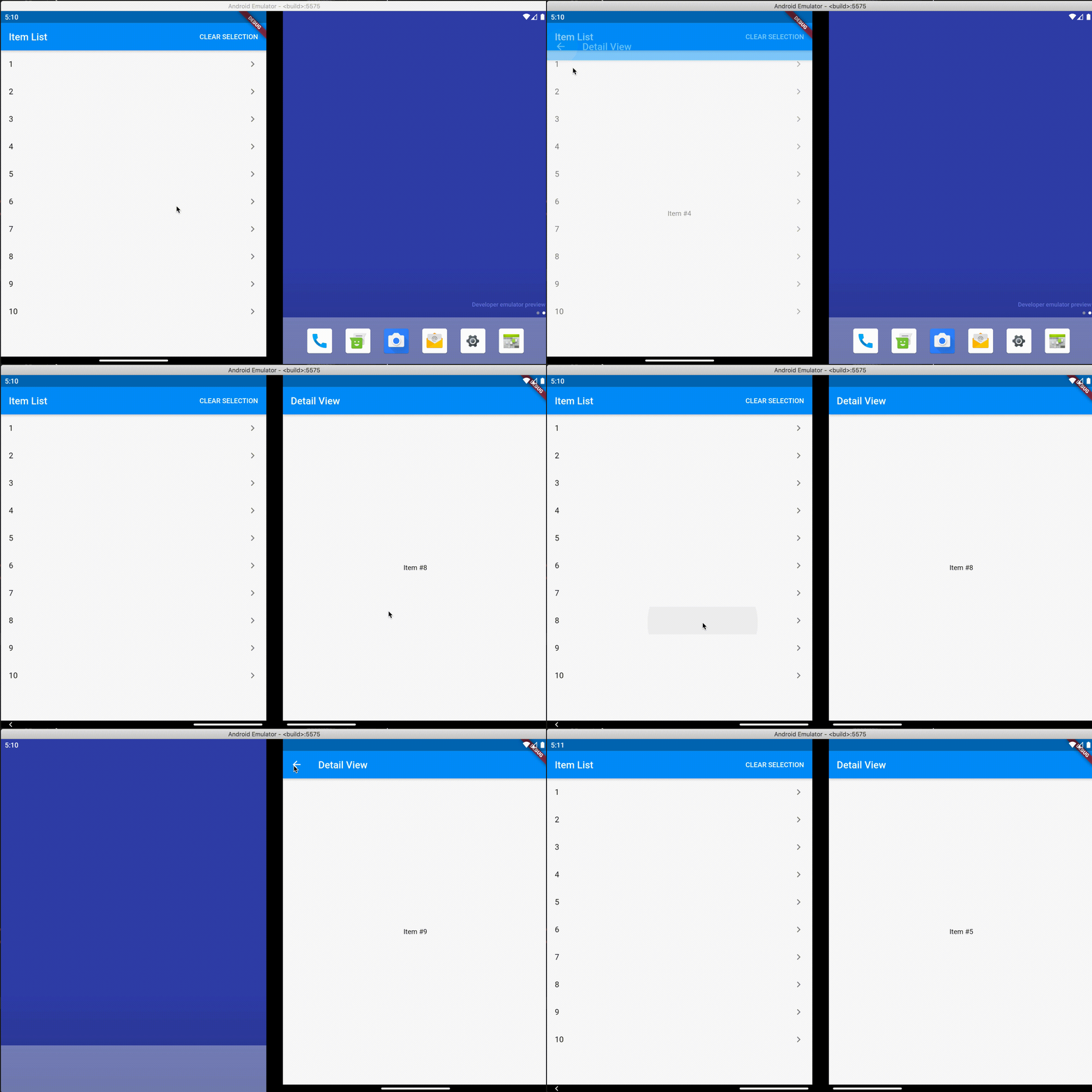
Very similar to TwoPageLayout. This layout has better support for having related, "deeper", content in the second page that would usually be accessed by navigating to a new page.
It's common to use this type of layout when you have a list of items that when tapped let you view a detailed view of the item. Email and instant messaging apps are good examples of this.
On a single screen device, or when the app is only running on a single screen, master will display first. When isSelected is true, detail is displayed as a new page on top of master, similar to using Navigator.push.
When displaying on 2 screens, both master and detail display at the same time and no navigation occurs. Even when isSelected is false.
Similar to TwoPageLayout, on a folding screen device when the screen is half opened the screen is treated as a dual screen device.
MasterDetailLayout also handles switching between spanned and non-spanned modes appropriately, so the UI will be the same if you select and then span, or span and then select.
Direct access is for advanced uses cases. The above layouts should be suitable for most apps.
There may be cases where you want to access multi screen information instead of just using the above layout widgets. Here is how to do that.
MultiScreenInfo
MultiScreenInfo is a Widget that lets you access information about the device directly in your Widget tree, it will rebuild when the data changes.
classMyAppextendsStatelessWidget{
@overrideWidgetbuild(BuildContext context) {
returnScaffold(
body: MultiScreenInfo(
builder: (info) {
returnColumn(
children: <Widget>[
Text('The below information is from the Surface Duo SDK'),
Text('isAppSpanned: ${info.surfaceDuoInfoModel.isSpanned}'),
Text('hingeAngle: ${info.surfaceDuoInfoModel.hingeAngle}'),
],
);
},
),
);
}
}
PlatformHandlers
If you need access to information about the device outside of the Widget tree, you can also make platform calls yourself.
SurfaceDuoPlatformHandler
FuturegetSurfaceDuoInfo() async {
var hingeAngle = awaitSurfaceDuoPlatformHandler.getHingeAngle();
var isDual = awaitSurfaceDuoPlatformHandler.getIsDual();
var isSpanned = awaitSurfaceDuoPlatformHandler.getIsSpanned();
var nonFunctionalBounds = awaitSurfaceDuoPlatformHandler.getNonFunctionalBounds();
}