Buscar pacotes, repositórios e categorias de apps

Capa de nes_ui
Detalhes do pacotev0.32.0

nes_ui

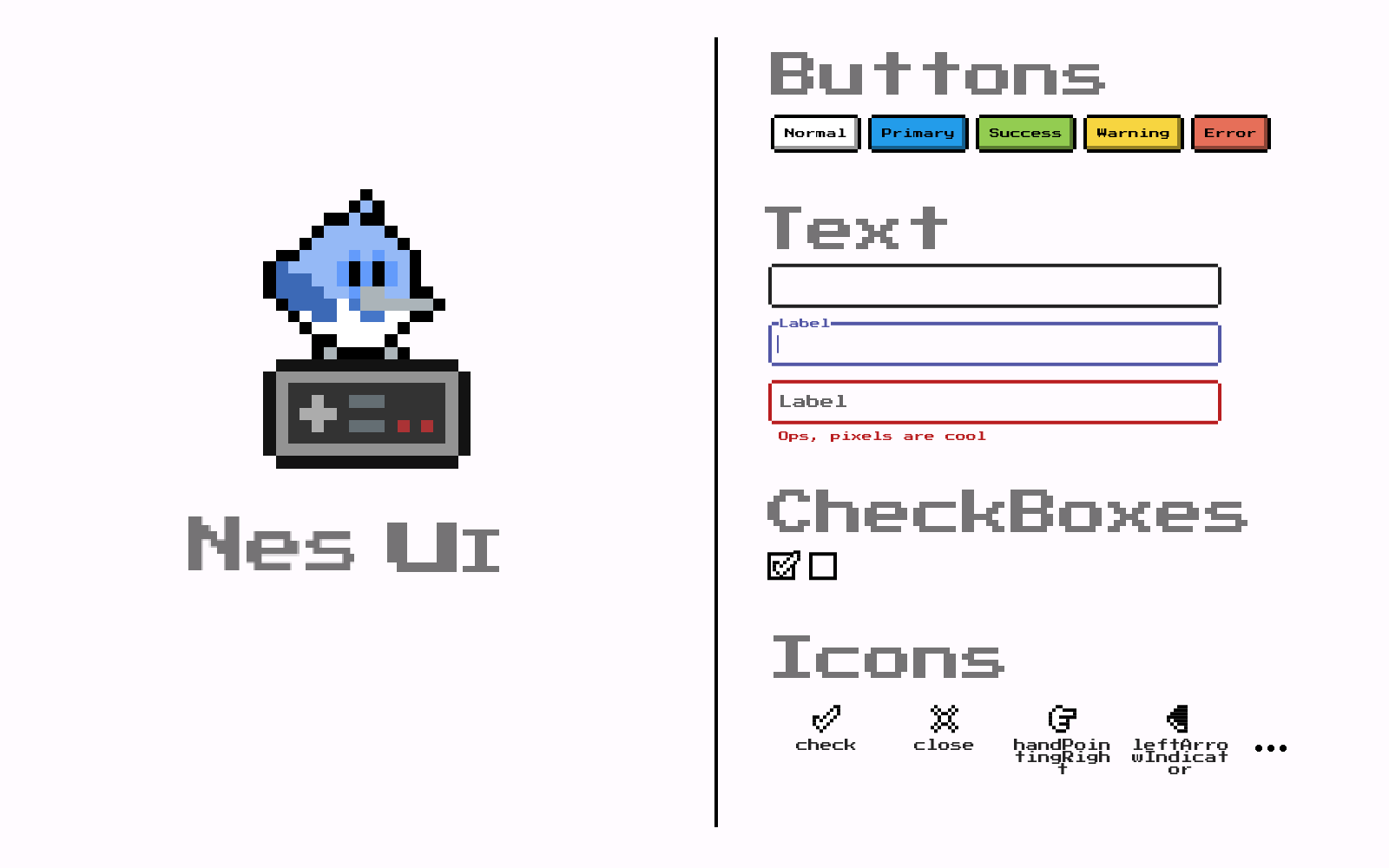
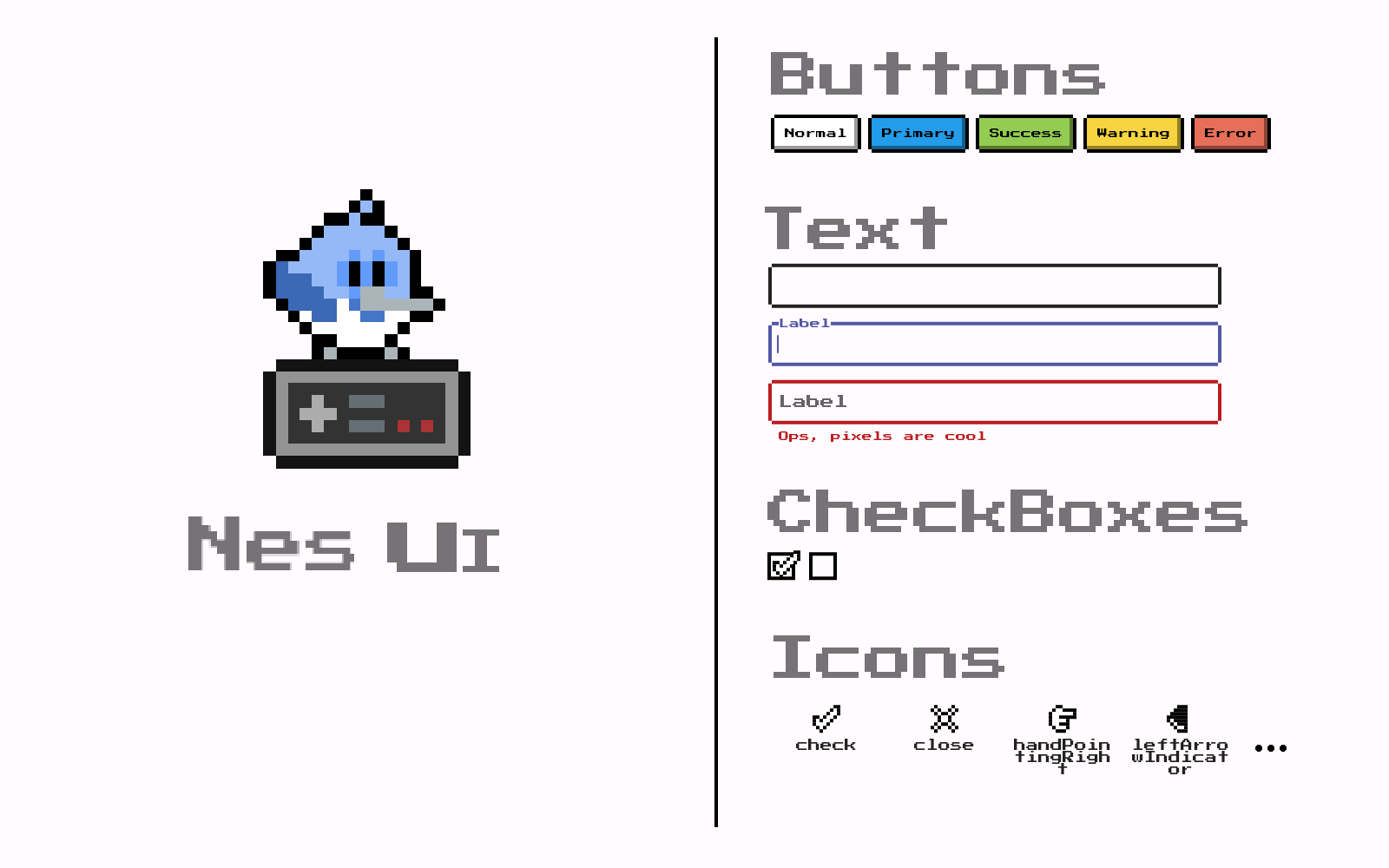
Biblioteca de interface inspirada em consoles antigos de videogame retrô

AndroidiOSWebmacOSWindowsLinux
Downloads em 30 dias
1,2 mil
Curtidas
120
Pontos Pub
150

Instalar pacote

flutter pub add nes_ui

Visão geral do pacote

Orientação gerada a partir de informações públicas. Apenas para referência.

Uma biblioteca de widgets do Flutter que traz estéticas de consoles de videogames retrô para aplicativos modernos, inspirada no design clássico em estilo NES. Oferece uma coleção de componentes de interface personalizáveis com fontes pixeladas, paletas de cores vintage e efeitos visuais nostálgicos como linhas de varredura e distorções de tela CRT. Ideal para jogos, aplicativos temáticos ou projetos criativos que buscam uma sensação retro. O pacote suporta todas as principais plataformas, garantindo um estilo retrô consistente entre dispositivos.

Casos de uso

  • jogos móveis com tema retrô
  • interfaces de aplicativos com inspiração vintage
  • Instalações artísticas digitais interativas
  • Aplicativos educacionais com design nostálgico
  • Protótipos criativos com estética de arte em pixels

Principais recursos

  • Estilo visual inspirado no NES
  • Componentes de interface do usuário pixel-perfeitos
  • Efeitos de linha de varredura e CRT
  • Compatibilidade multiplataforma
  • Esquemas de cores retrô personalizáveis
  • Suporte para layouts retro responsivos

Indicado para

  • Desenvolvedores criando experiências de jogos retro
  • Designers explorando tendências de UI nostálgicas
  • Criadores de aplicativos que desejam uma identidade visual única
  • Iniciantes do Flutter aprendendo personalização de widget
  • Projetos com foco em estéticas lúdicas e de baixa fidelidade

Considerações

  • Pode não atender às necessidades de design profissional ou minimalista
  • Impacto no desempenho de efeitos visuais em dispositivos antigos
  • Recursos de acessibilidade limitados no estilo retrô
  • Requer ajuste cuidadoso do contraste para legibilidade
  • Não ideal para aplicativos com conteúdo intenso ou orientados por dados

README original

Snapshot do README original do repositório-fonte vinculado. Consulte o repositório para o conteúdo mais recente.

Nes

style: very good analysis Powered by Mason License: MIT

UI library inspired by old retro video game console

Our top sponsors

Check out these amazing sponsors that support my work!


Invertase

Become a featured sponsor!

Installation 💻

❗ In order to start using Nes UI you must have the Flutter SDK installed on your machine.

Add nes_ui to your pubspec.yaml:

dependencies:
  nes_ui:

Install it:

flutter packages get

Configure it

Nes UI provides a ThemeData that you can add to your MaterialApp, that theme can be obtained from the flutterNesTheme method:

import 'package:nes_ui/nes_ui.dart';

MaterialApp(
  theme: flutterNesTheme(),
);

Check the many arguments on the method to customize the theme.

Font

Nes UI uses the Press start 2P from the Google Fonts package.

Google fonts will fetch the files in runtime over http. To keep that behaviour and ensure that it works, be sure to call WidgetsFlutterBinding.ensureInitialized(); at your main method.

For more info on that follow this Google Fonts package guide.

If instead you want to bundle the fonts in the app and avoid http requests, follow this other guide.

You also should include the font license on LicenseRegistry when bundling it on the app.

For example:

void main() {
  LicenseRegistry.addLicense(() async* {
    final license = await rootBundle.loadString('google_fonts/OFL.txt');
    yield LicenseEntryWithLineBreaks(['google_fonts'], license);
  });

  runApp(...);
}

More about font license here.

Widget gallery

Find all the widgets in this catalog made on Widgetbook.

Getting help

If you need any help or have suggestions, join our Discord.

Material Customized Widgets

Nes UI tries to use the most out of material that it can, customizing its looks to fit the package's desired look, for example, here is a list of some of the widgets that Nes ui customizes:

  • Text
  • TextField/TextFormField
  • Divider
  • ...

Custom Widgets

Some widgets are too different from the Material look and structure, making the customization of the material widget not really possible, so many widgets are built from scratch, here is a list of some of the widgets that Nes UI provides:

  • NesButton
  • NesCheckbox
  • NesContainer
  • NesConfirmDialog
  • NesIcon
  • NesSelectionList
  • NesIterableOptions
  • ...

Custom Extension

Nes UI is built taking advantage of the Theme Extensions and custom extensions can also be provided. In order to provide your own extension, you need to create it, and provide it to the flutterNesTheme:

    theme: flutterNesTheme(
      brightness: state.lightMode ? Brightness.light : Brightness.dark,
      customExtensions: [
        CustomExampleExtension.light, // Your custom extension goes here.
      ],
    ),

For more information, look at the example code.

Support this project 💙

Categorias

Dependências

Lista de dependências 5 itens

Repositório-fonte

Projetos que usam este pacote