Plugin Flutter para impedir capturas de tela, detectar gravação de tela e exibir sobreposições de desfoque/cor/imagem no gerenciador de aplicativos no Android, iOS, macOS, Linux, Windows e Web.
Orientação gerada a partir de informações públicas. Apenas para referência.
O pacote no_screenshot é um plugin do Flutter projetado para aumentar a segurança do aplicativo impedindo capturas de tela, detectando tentativas de gravação de tela e aplicando sobreposições de desfoque, cor ou imagem no gerenciador de aplicativos em múltiplas plataformas, incluindo Android, iOS, macOS, Linux, Windows e Web. Ajuda a proteger conteúdo sensível de ser capturado ou compartilhado acidentalmente. O plugin se integra perfeitamente aos aplicativos Flutter e fornece aos desenvolvedores ferramentas para proteger a privacidade do usuário e informações proprietárias. É especialmente útil para aplicações que lidam com dados confidenciais, como bancos, saúde ou mensagens seguras.
Casos de uso
Protegendo dados de usuário sensíveis
Protegendo aplicativos financeiros ou médicos
Evitando o compartilhamento não autorizado de conteúdo
Melhorando a privacidade do aplicativo em dispositivos multiplataforma
Impedir gravação de tela em ambientes seguros
Principais recursos
Impede capturas de tela em todas as plataformas compatíveis
Detecta atividades de gravação de tela
Aplica sobreposições visuais no switcher de aplicativos
Tipos de sobreposição configuráveis (desfoque, cor, imagem)
Indicado para
Aplicativos que exigem alta segurança de dados
Aplicações financeiras e de saúde
Aplicativos Flutter de nível empresarial
Desenvolvedores que priorizam a privacidade do usuário
Aplicações com conteúdo confidencial
Considerações
Pode não funcionar em todos os dispositivos devido a restrições do sistema operacional
Impacto no desempenho em dispositivos antigos
Eficácia limitada em dispositivos raiz/jailbreak
A visibilidade do sobreposição pode variar conforme a plataforma
Requer manipulação adequada de permissões em algumas plataformas
README original
Snapshot do README original do repositório-fonte vinculado. Consulte o repositório para o conteúdo mais recente.
no_screenshot
A Flutter plugin to disable screenshots, block screen recording, detect screenshot events, detect screen recording, and show a custom image, blur, or solid color overlay in the app switcher on Android, iOS, macOS, Linux, Windows, and Web.
Features
Feature
Android
iOS
macOS
Linux
Windows
Web
Disable screenshot & screen recording
✅
✅
✅
⚠️
✅
⚠️
Enable screenshot & screen recording
✅
✅
✅
⚠️
✅
⚠️
Toggle screenshot protection
✅
✅
✅
⚠️
✅
⚠️
Listen for screenshot events (stream)
✅
✅
✅
✅
✅
⚠️
Detect screen recording start/stop
✅
✅
⚠️
⚠️
⚠️
❌
Screenshot file path
❌
❌
✅
✅
❌
❌
Screenshot metadata (timestamp, source app)
✅
✅
✅
✅
❌
❌
Image overlay in app switcher / recents
✅
✅
✅
⚠️
❌
⚠️
Blur overlay in app switcher / recents
✅
✅
✅
⚠️
❌
⚠️
Color overlay in app switcher / recents
✅
✅
✅
⚠️
❌
⚠️
Deterministic overlay off (overlayOff())
✅
✅
✅
⚠️
❌
⚠️
Granular callbacks
✅
✅
✅
✅
✅
✅
Declarative SecureWidget
✅
✅
✅
✅
✅
✅
Per-route protection policies
✅
✅
✅
✅
✅
✅
LTR & RTL language support
✅
✅
✅
✅
✅
✅
* Android recording detection: On Android 15+ (API 35), uses WindowManager.addScreenRecordingCallback for true start/stop detection. On Android 14 (API 34), falls back to Activity.ScreenCaptureCallback which fires on recording start only — there is no "stop" callback. Graceful no-op on older devices.
⚠️ Linux limitations: Linux compositors (Wayland / X11) do not provide any application-level API to block screenshots or screen recording (there is no FLAG_SECURE equivalent). Screenshot prevention, overlay modes (image, blur, color), and toggle features are state-tracked only — the state is persisted and reported via the stream, but the compositor cannot be instructed to hide window content. Screenshots and screen recordings will still succeed. Screenshot detection works reliably via GFileMonitor (inotify). Screen recording detection is best-effort via /proc process scanning.
⚠️ Linux rendering (Wayland): On systems using Wayland, Flutter may render a black screen due to a compositor bug. If you see a black screen when running on Linux, force the X11 backend:
GDK_BACKEND=x11 flutter run -d linux
For release builds or desktop shortcuts, launch with GDK_BACKEND=x11 ./your_app.
⚠️ macOS recording detection: Best-effort via NSWorkspace process monitoring for known recording apps (QuickTime Player, OBS, Loom, Kap, ffmpeg, etc.).
Windows: Screenshot prevention uses SetWindowDisplayAffinity(WDA_EXCLUDEFROMCAPTURE). Screenshot detection via AddClipboardFormatListener + ReadDirectoryChangesW monitoring the user's Pictures folder. Screen recording detection via process scanning for known recording apps. Overlay modes (image, blur, color) are not supported — protection is on/off only.
⚠️ Web limitations: Browsers do not allow apps to prevent OS-level screenshots or screen recording. Web support is best-effort only — it blocks right-click context menus, intercepts the PrintScreen key, applies user-select: none CSS, and uses visibilitychange events as a proxy for screenshot detection. Screenshots and screen recordings will still succeed. Screen recording detection is not available on web.
Note: State is automatically persisted via native SharedPreferences / UserDefaults. You do not need to track didChangeAppLifecycleState.
Note:screenshotPath is only available on macOS (via Spotlight / NSMetadataQuery) and Linux (via GFileMonitor / inotify). On Android and iOS the path is not accessible due to platform limitations — the field will contain a placeholder string. Use wasScreenshotTaken to detect screenshot events on all platforms.
Installation
Add no_screenshot to your pubspec.yaml:
dependencies:no_screenshot:^2.0.0
Then run:
flutter pub get
Swift Package Manager (iOS & macOS)
This plugin supports both CocoaPods and Swift Package Manager. Flutter automatically uses the correct integration based on your project setup — no extra configuration is needed.
Upgrading to 2.0.0? This release adds overlayOff() and changes prevention to a two-claim model: screenshotOff()/screenshotOn() and the overlay modes each own a prevention claim, and protection stays on while either is held. Apps that use only one of the two APIs behave exactly as before; mixed sequences now resolve fail-secure (see the CHANGELOG for the exact deltas).
2.0.0 also completes the Built-in Kotlin migration — the plugin no longer applies the Kotlin Gradle Plugin, which removes Flutter's "plugins that apply KGP" build warning (#120). This raises the minimum Flutter version to 3.44 (Dart 3.12).
Upgrading from 0.10.x? This release includes Android 15 screen recording detection support — no code changes required on your side. See the CHANGELOG for details.
Upgrading from 0.9.x? This release includes two important iOS changes — no code changes required on your side:
UIScene lifecycle migration — Overlay show/hide now uses FlutterSceneLifeCycleDelegate (UIScene) in addition to UIApplicationDelegate, fixing overlay issues on iOS 26+ where the legacy app delegate callbacks are no longer delivered. Minimum deployment target is now iOS 13.0 and requires Flutter >= 3.38.0.
SPM build fix — Version 0.9.x had a build error (Unknown receiver 'NoScreenshotPlugin') when using Swift Package Manager (#96). This is now fixed via an @objc(NoScreenshotPlugin) annotation.
Migrated your iOS app to the UIScene lifecycle? If your Info.plist scene manifest points to a custom scene delegate, it must subclass FlutterSceneDelegate (or forward scene lifecycle events to the plugin registry) — otherwise plugins never receive scene events. See Flutter's UIScene migration guide. The plugin also attaches its protection lazily on the first method call (#105), but correct event forwarding is required for overlays to show and hide with the app switcher.
Block or allow screenshots and screen recording with a single method call.
final _noScreenshot = NoScreenshot.instance;
// Disable screenshots (returns true on success)Future<void> disableScreenshot() async {
final result = await _noScreenshot.screenshotOff();
debugPrint('screenshotOff: $result');
}
// Enable screenshots (returns true on success)Future<void> enableScreenshot() async {
final result = await _noScreenshot.screenshotOn();
debugPrint('screenshotOn: $result');
}
// Toggle the current stateFuture<void> toggleScreenshot() async {
final result = await _noScreenshot.toggleScreenshot();
debugPrint('toggleScreenshot: $result');
}
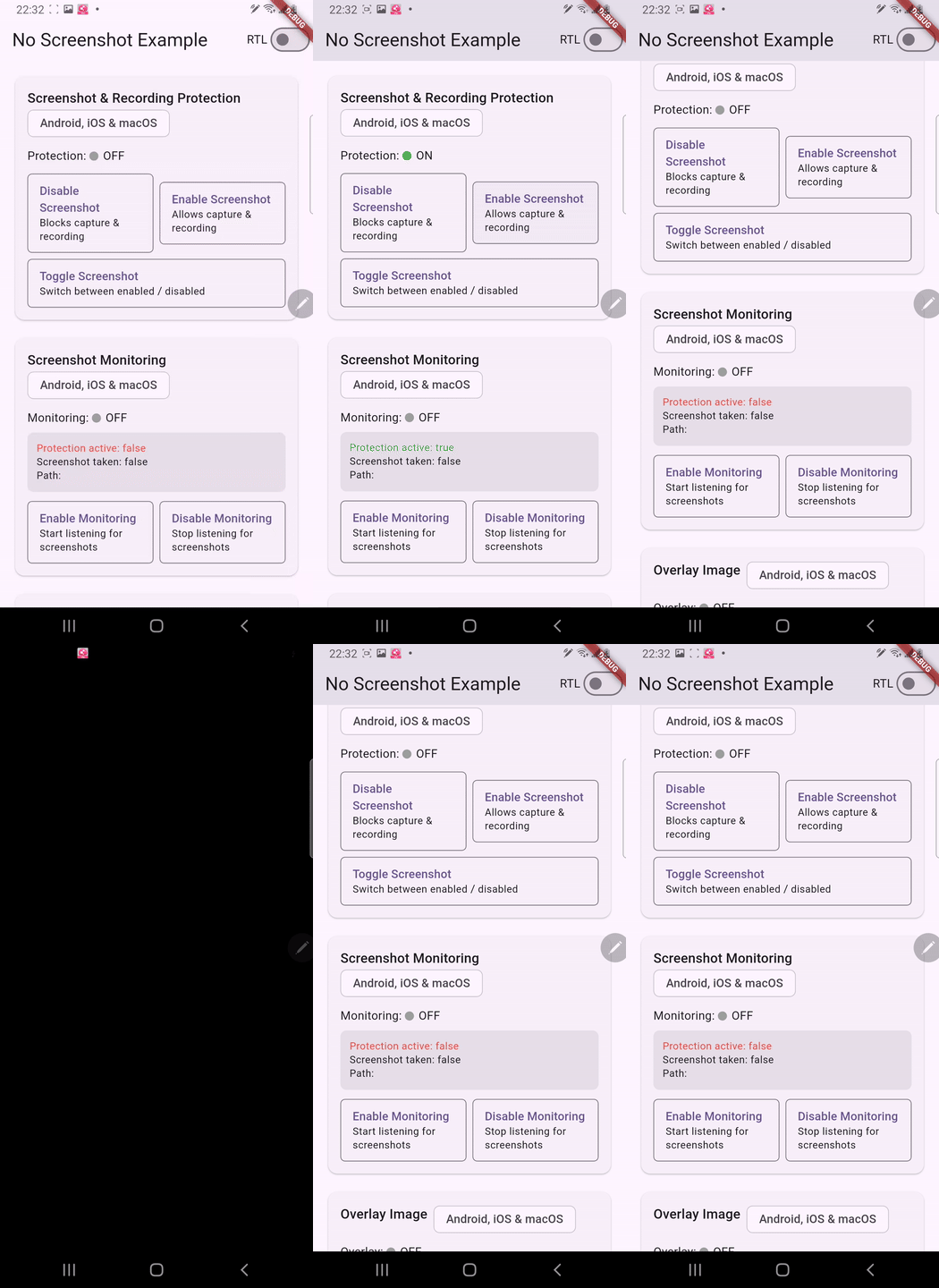
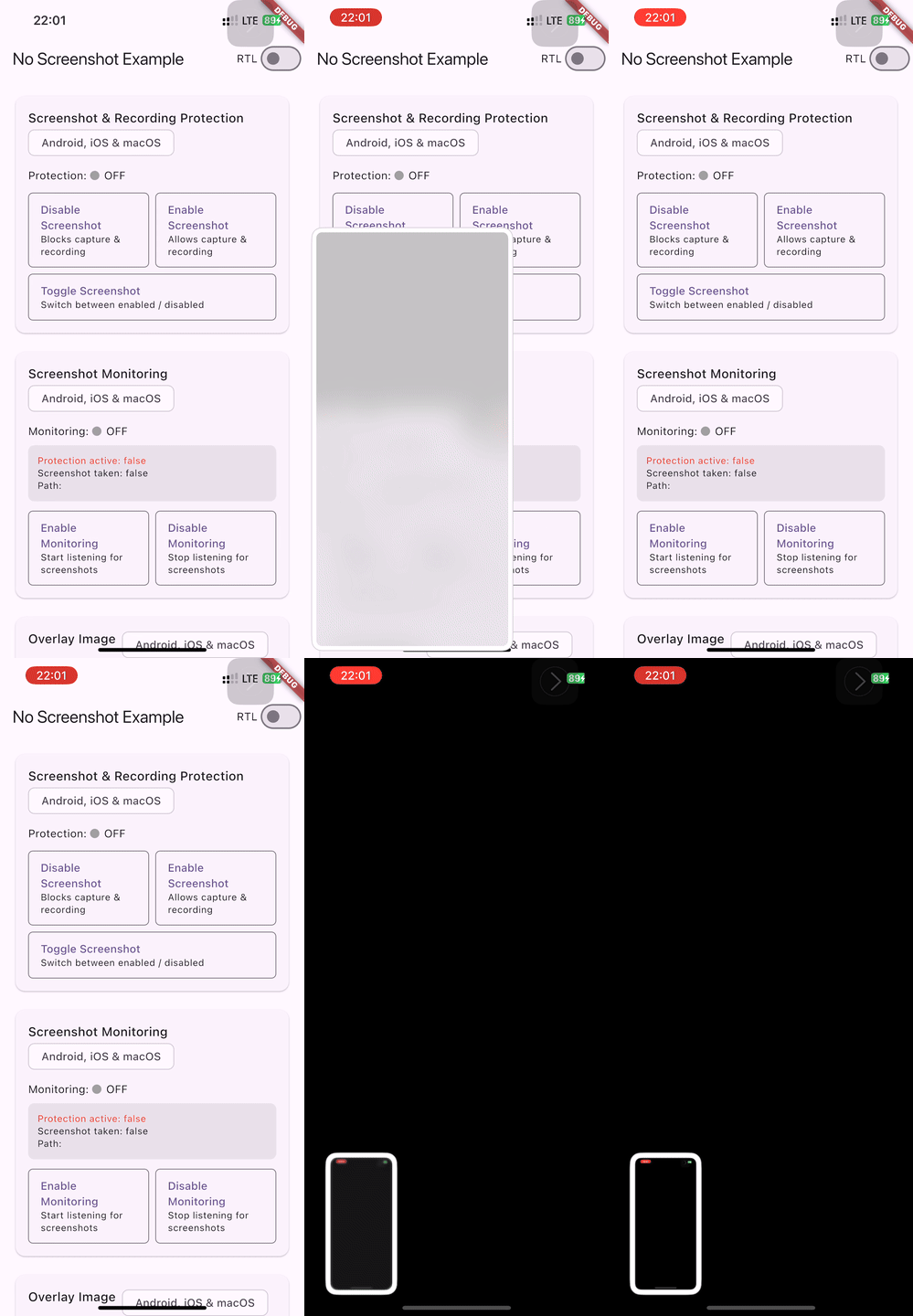
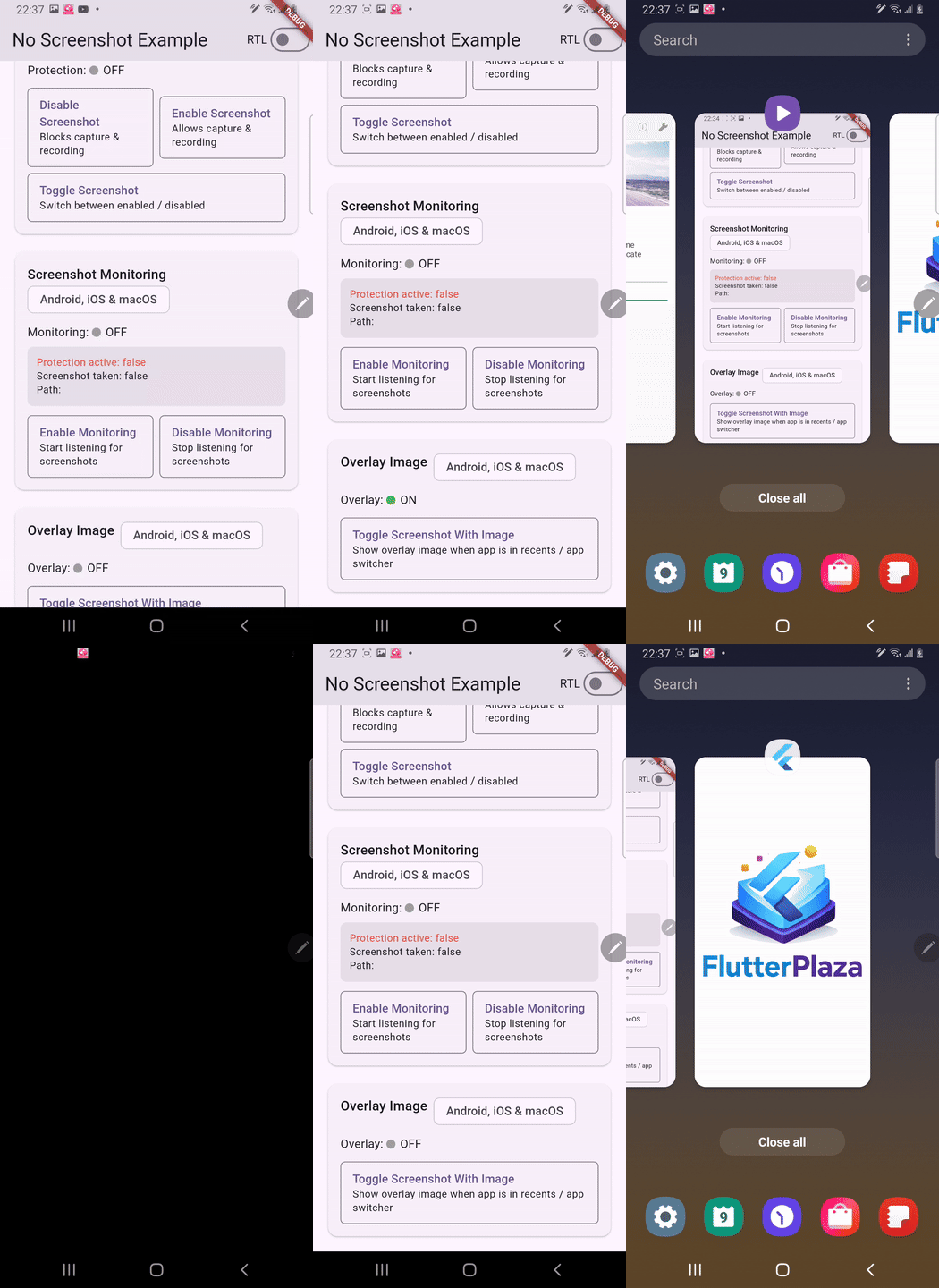
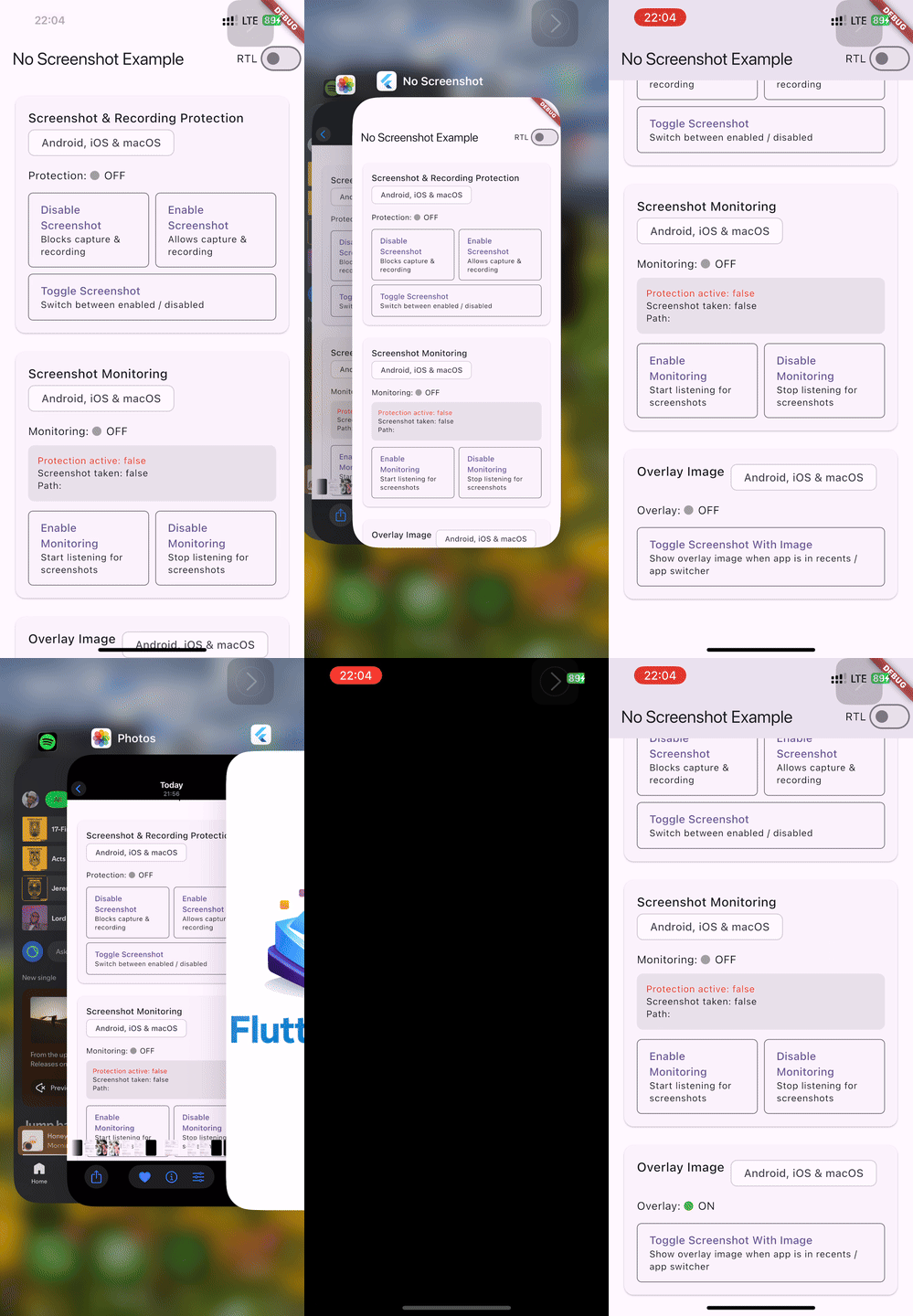
Enable / Disable Screenshot
Android
iOS
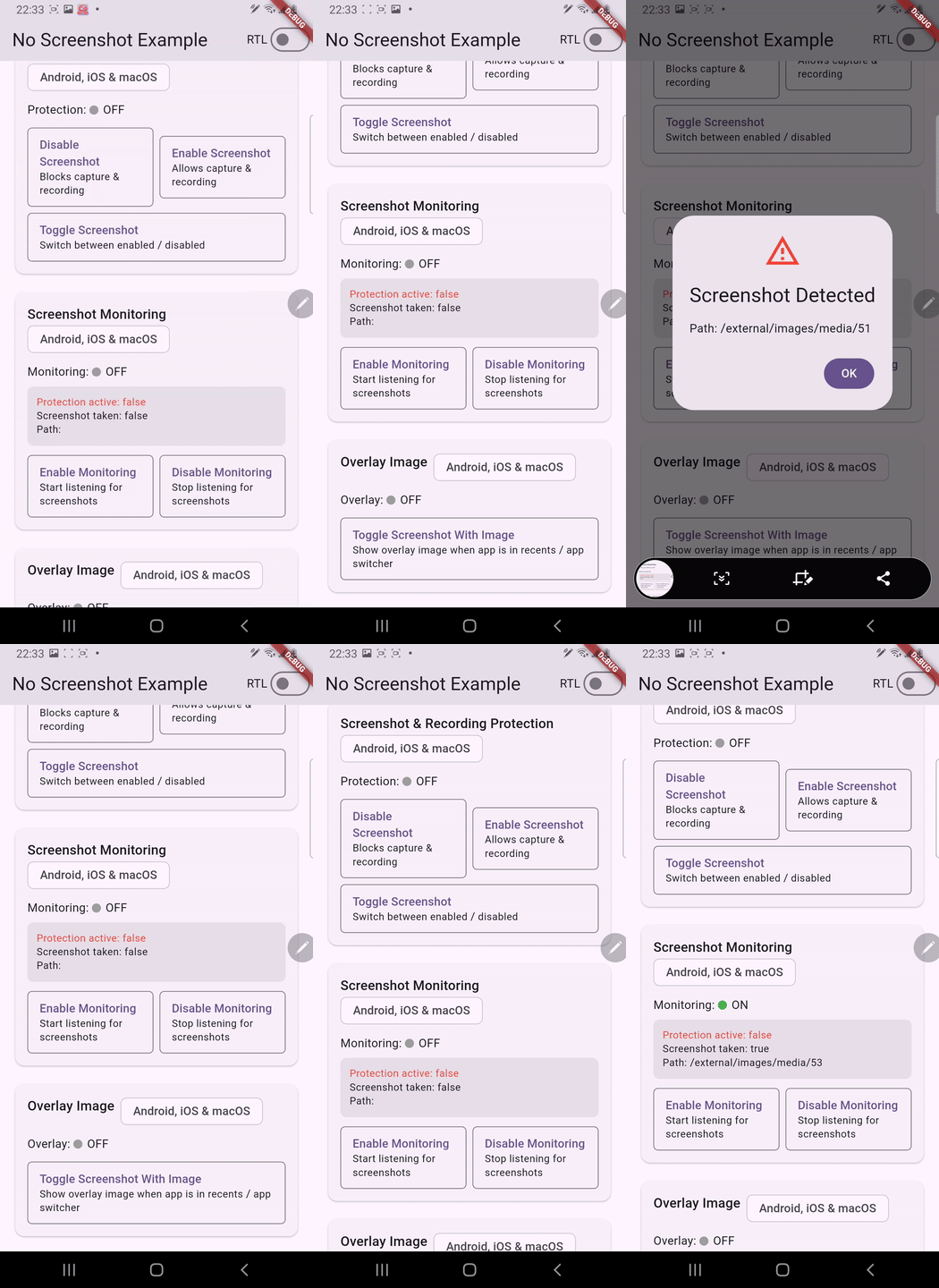
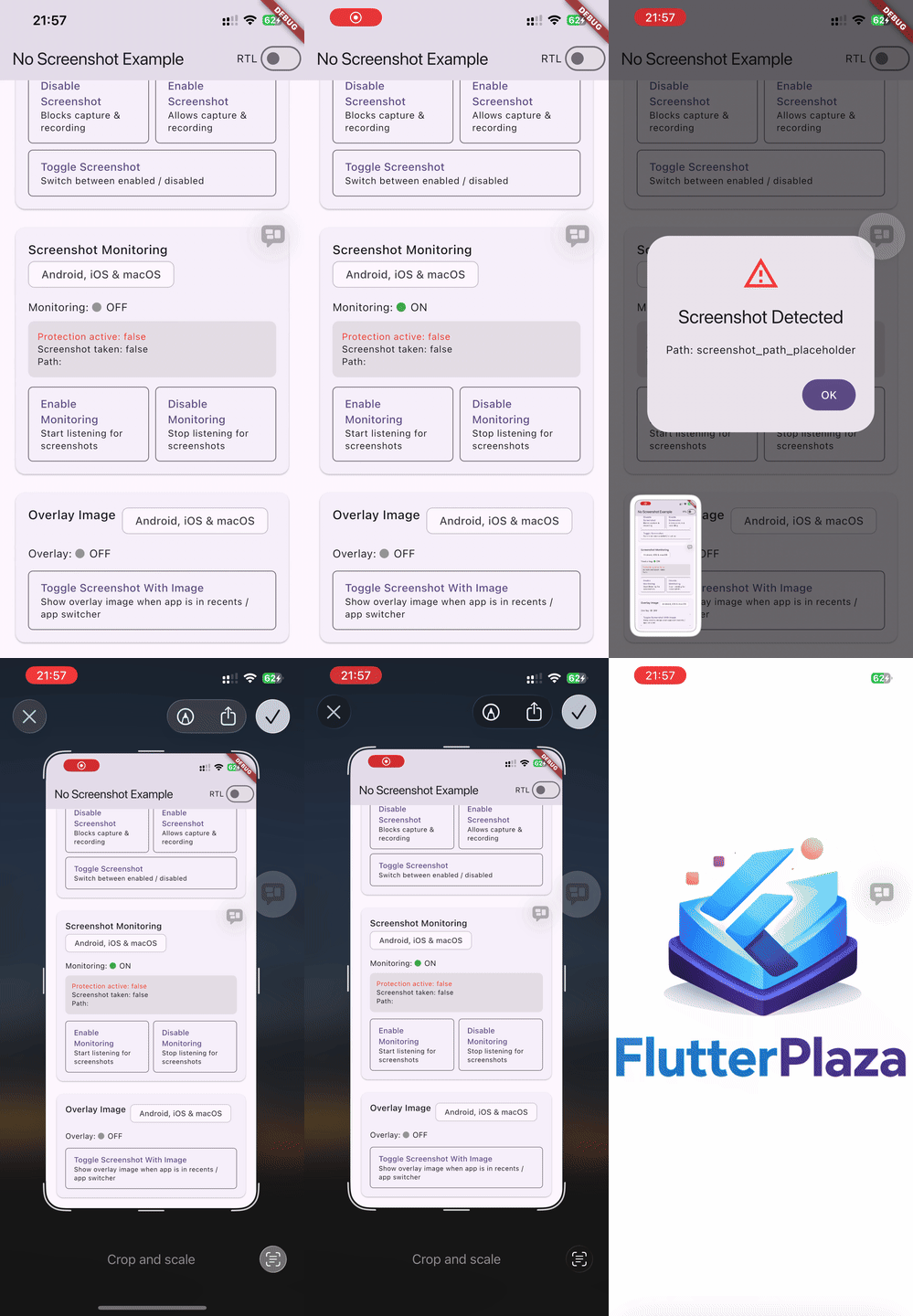
2. Screenshot Monitoring (Stream)
Listen for screenshot events in real time. Monitoring is off by default -- you must explicitly start it.
final _noScreenshot = NoScreenshot.instance;
// 1. Subscribe to the stream
_noScreenshot.screenshotStream.listen((snapshot) {
debugPrint('Protection active: ${snapshot.isScreenshotProtectionOn}');
debugPrint('Screenshot taken: ${snapshot.wasScreenshotTaken}');
debugPrint('Path: ${snapshot.screenshotPath}');
});
// 2. Start monitoringawait _noScreenshot.startScreenshotListening();
// 3. Stop monitoring when no longer neededawait _noScreenshot.stopScreenshotListening();
The stream emits a ScreenshotSnapshot object:
Property
Type
Description
isScreenshotProtectionOn
bool
Whether screenshot protection is currently active
wasScreenshotTaken
bool
Whether a screenshot was just captured
screenshotPath
String
File path of the screenshot (macOS & Linux only — see note below)
isScreenRecording
bool
Whether screen recording is currently active (requires recording monitoring)
timestamp
int
Milliseconds since epoch when the event was detected (0 = unknown)
sourceApp
String
Name of the app that triggered the event (empty = unknown)
Screenshot path availability: The actual file path of a captured screenshot is only available on macOS (via Spotlight / NSMetadataQuery) and Linux (via GFileMonitor / inotify). On Android and iOS, the operating system does not expose the screenshot file path to apps — the field will contain a placeholder string. Always use wasScreenshotTaken to detect screenshot events reliably across all platforms.
Android
iOS
macOS Screenshot Monitoring
On macOS, screenshot monitoring uses three complementary detection methods — no special permissions required:
Method
What it detects
NSMetadataQuery (Spotlight)
Screenshots saved to disk — provides the actual file path
NSWorkspace process monitor
screencaptureui process launch & termination — tracks the screenshot lifecycle
Pasteboard polling
Clipboard-only screenshots (Cmd+Ctrl+Shift+3/4) — detected when image data appears on the pasteboard while screencaptureui is active or recently exited
Note: Pasteboard-based detection is scoped to the screencaptureui process window (running or terminated < 3 s ago) to avoid false positives from normal copy/paste. When "Show Floating Thumbnail" is disabled in macOS screenshot settings, the screencaptureui process does not launch; in that case only file-saved screenshots are detected via NSMetadataQuery.
Linux Screenshot Monitoring
On Linux, screenshot monitoring uses GFileMonitor (inotify) to watch common screenshot directories for new files:
Directory
Why
~/Pictures/Screenshots/
Default location for GNOME Screenshot and many other tools
~/Pictures/
Fallback — some tools save directly here
XDG pictures directory
Respects $XDG_PICTURES_DIR if it differs from ~/Pictures
Detected screenshot tool naming patterns include: GNOME Screenshot, Spectacle (KDE), Flameshot, scrot, Shutter, maim, and any file containing "screenshot" in its name.
3. Screen Recording Monitoring
Detect when the screen is being recorded. Recording monitoring is off by default and independent of screenshot monitoring — you must explicitly start it.
final _noScreenshot = NoScreenshot.instance;
// 1. Subscribe to the stream (same stream as screenshot events)
_noScreenshot.screenshotStream.listen((snapshot) {
if (snapshot.isScreenRecording) {
debugPrint('Screen is being recorded!');
}
});
// 2. Start recording monitoringawait _noScreenshot.startScreenRecordingListening();
// 3. Stop recording monitoring when no longer neededawait _noScreenshot.stopScreenRecordingListening();
Platform-specific behavior
Platform
Mechanism
Start
Stop
iOS 11+
UIScreen.capturedDidChangeNotification
✅
✅
Android 15+ (API 35)
WindowManager.addScreenRecordingCallback
✅
✅
Android 14 (API 34)
Activity.ScreenCaptureCallback
✅
❌*
Android < 14
No reliable API (no-op)
—
—
macOS
NSWorkspace process polling (2s)
✅
✅
Linux
/proc process scanning (2s)
✅
✅
Windows
Process scanning for known recording apps
✅
✅
Web
Not available (no-op)
—
—
* Android 14 limitation:ScreenCaptureCallback.onScreenCaptured() fires when recording starts but there is no "stop" callback. isScreenRecording becomes true and stays true until stopScreenRecordingListening() + startScreenRecordingListening() is called to reset. On Android 15+ this limitation is resolved — WindowManager.addScreenRecordingCallback provides both start and stop events.
macOS & Linux: Recording detection is best-effort — it polls for known recording application processes. Detected apps include QuickTime Player, OBS, Loom, Kap, ffmpeg, screencapture, simplescreenrecorder, kazam, peek, recordmydesktop, and vokoscreen.
4. Image Overlay (App Switcher / Recents)
Show a custom image when the app appears in the app switcher or recents screen. This prevents sensitive content from being visible in thumbnails.
final _noScreenshot = NoScreenshot.instance;
// Toggle the image overlay on/off (returns the new state)Future<void> toggleOverlay() async {
final isActive = await _noScreenshot.toggleScreenshotWithImage();
debugPrint('Image overlay active: $isActive');
}
Setup: Place your overlay image in the platform-specific asset locations:
iOS: Add an image named NoScreenshotImage to your asset catalog (Runner/Assets.xcassets/NoScreenshotImage.imageset/)
macOS: Add an image named NoScreenshotImage to your asset catalog (Runner/Assets.xcassets/NoScreenshotImage.imageset/)
Linux: Best-effort — the state is tracked but compositors control task switcher thumbnails
When enabled, the overlay image is shown whenever the app goes to the background or appears in the app switcher. Screenshot protection is also automatically activated.
Android
iOS
5. Blur Overlay (App Switcher / Recents)
Show a Gaussian blur of the current screen content when the app appears in the app switcher. Provides a more natural UX than a static image while still protecting sensitive content. No asset required.
final _noScreenshot = NoScreenshot.instance;
// Toggle the blur overlay on/off with default radius (30.0)Future<void> toggleBlur() async {
final isActive = await _noScreenshot.toggleScreenshotWithBlur();
debugPrint('Blur overlay active: $isActive');
}
// Toggle with a custom blur radiusFuture<void> toggleBlurCustom() async {
final isActive = await _noScreenshot.toggleScreenshotWithBlur(blurRadius: 50.0);
debugPrint('Blur overlay active: $isActive');
}
Mutual exclusivity: Blur, image, and color overlay modes are mutually exclusive — activating one automatically deactivates the others. This is enforced at the native level on all platforms.
Turning overlays off: Besides the toggle* methods, overlayOff() deterministically disables whichever overlay mode is active and releases its prevention claim — idempotent, no need to know the current state:
await _noScreenshot.overlayOff();
The plugin tracks two separate prevention claims: screenshotOff()/screenshotOn() own one, and an active overlay mode owns the other. Protection stays engaged while either claim is held — so overlayOff() never drops prevention you established with screenshotOff(), and screenshotOn() never drops protection an active overlay still demands. Release both (e.g. overlayOff() + screenshotOn()) to fully disable protection.
Ordering tip: when switching from an overlay to plain prevention, call screenshotOff()beforeoverlayOff() — the independent claim is taken before the overlay's claim is released, so protection never drops in between (this is what SecureWidget/applyOverlayMode(OverlayMode.secure) do). To fully disable, order doesn't matter.
Platform-specific blur implementation
Platform
Mechanism
Android API 31+
RenderEffect.createBlurEffect() — zero-copy GPU blur on decorView (configurable radius)
Show a solid color when the app appears in the app switcher or recents screen. Useful when you want a branded or themed overlay instead of a blurred or image-based one. No asset required.
final _noScreenshot = NoScreenshot.instance;
// Toggle with default color (opaque black)Future<void> toggleColor() async {
final isActive = await _noScreenshot.toggleScreenshotWithColor();
debugPrint('Color overlay active: $isActive');
}
// Toggle with a custom ARGB color (e.g. opaque blue)Future<void> toggleColorCustom() async {
final isActive = await _noScreenshot.toggleScreenshotWithColor(color: 0xFF2196F3);
debugPrint('Color overlay active: $isActive');
}
Mutual exclusivity: Color, blur, and image overlay modes are mutually exclusive — activating one automatically deactivates the others. This is enforced at the native level on all platforms.
Platform-specific color overlay implementation
Platform
Mechanism
Android
Solid View overlay with the specified ARGB color
iOS
UIView with the specified background color
macOS
NSView with the specified background color
Linux
Best-effort — state tracked and persisted, compositors control task switcher thumbnails
Windows
Not supported — uses WDA_EXCLUDEFROMCAPTURE for prevention only
The observer automatically applies the correct policy when routes are pushed, popped, replaced, or removed. Routes not in the policies map use the defaultConfig.
9. Granular Callbacks
Instead of manually filtering the stream, register targeted callbacks for specific events:
Note: Granular callbacks listen to screenshotStream internally. You still need to call startScreenshotListening() and/or startScreenRecordingListening() to activate native monitoring.
macOS Demo
All features (screenshot protection, monitoring, and image overlay) on macOS:
macOS
RTL Language Support
This plugin works correctly with both LTR (left-to-right) and RTL (right-to-left) languages such as Arabic and Hebrew. On iOS 26+, the internal screenshot prevention mechanism uses forceLeftToRight semantics to avoid a layout shift to the right when the device language is set to Arabic or another RTL language (see flutter/flutter#175523).
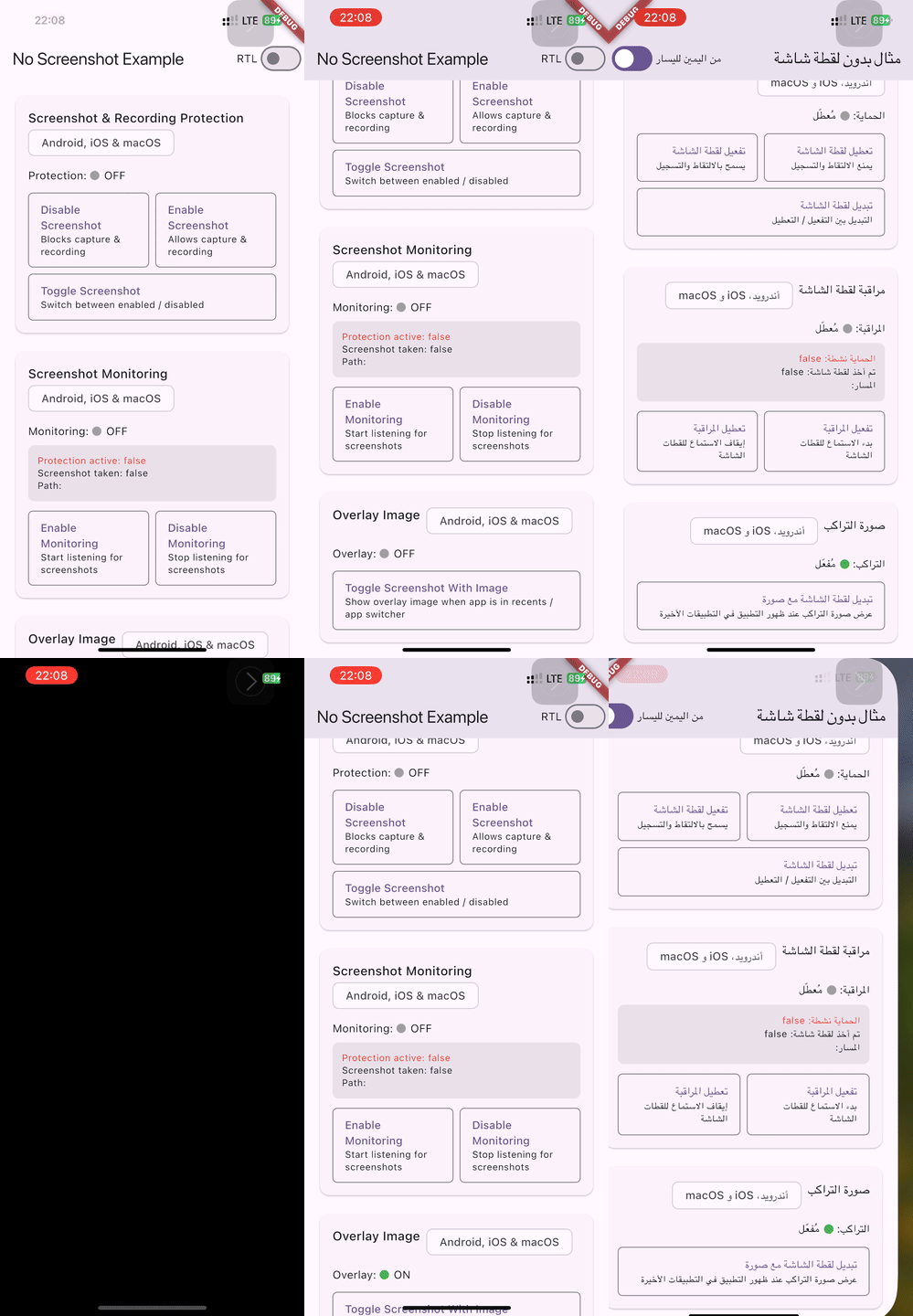
The example app includes an RTL toggle to verify correct behavior:
RTL Support (iOS)
API Reference
Method
Return Type
Description
NoScreenshot.instance
NoScreenshot
Singleton instance of the plugin
screenshotOff()
Future<bool>
Disable screenshots & screen recording
screenshotOn()
Future<bool>
Release the prevention claim taken by screenshotOff() (protection stays on while an overlay mode is active)
Toggle blur overlay mode with optional radius (returns new state)
toggleScreenshotWithColor({int color = 0xFF000000})
Future<bool>
Toggle solid color overlay mode with optional ARGB color (returns new state)
startScreenshotListening()
Future<void>
Start monitoring for screenshot events
stopScreenshotListening()
Future<void>
Stop monitoring for screenshot events
startScreenRecordingListening()
Future<void>
Start monitoring for screen recording events
stopScreenRecordingListening()
Future<void>
Stop monitoring for screen recording events
screenshotWithImage()
Future<bool>
Always enable image overlay (idempotent)
screenshotWithBlur({double blurRadius = 30.0})
Future<bool>
Always enable blur overlay (idempotent)
screenshotWithColor({int color = 0xFF000000})
Future<bool>
Always enable color overlay (idempotent)
overlayOff()
Future<bool>
Disable any active overlay mode and release its prevention claim (idempotent; pure no-op when no overlay is active — prevention set via screenshotOff() is never affected)
screenshotStream
Stream<ScreenshotSnapshot>
Stream of screenshot and recording activity events