Orientação gerada a partir de informações públicas. Apenas para referência.
O pacote passkeys_windows fornece uma implementação específica do Windows para gerenciar passkeys usando o Windows Hello e a API WebAuthn. Ele permite autenticação segura baseada em biometria em dispositivos Windows, permitindo que os usuários criem e armazenem passkeys localmente. Este plugin se integra perfeitamente a aplicativos Flutter voltados para Windows, oferecendo uma experiência nativa para login sem senha. Ele suporta recursos de segurança em nível de dispositivo, como PINs, impressões digitais ou reconhecimento facial por meio do Windows Hello. O pacote faz parte da suite Corbado Flutter Passkeys e garante conformidade com padrões modernos de autenticação na web.
Casos de uso
Login sem senha em aplicativos do Windows
autenticação biométrica segura
Integração com serviços habilitados para WebAuthn
Armazenamento local de chave de acesso no Windows
Segurança aprimorada do aplicativo com o Windows Hello
A Flutter package that builds on the passkeys package.
It adds additional functionalities to make it simpler to use passkey authentication in your own Flutter app.
Features
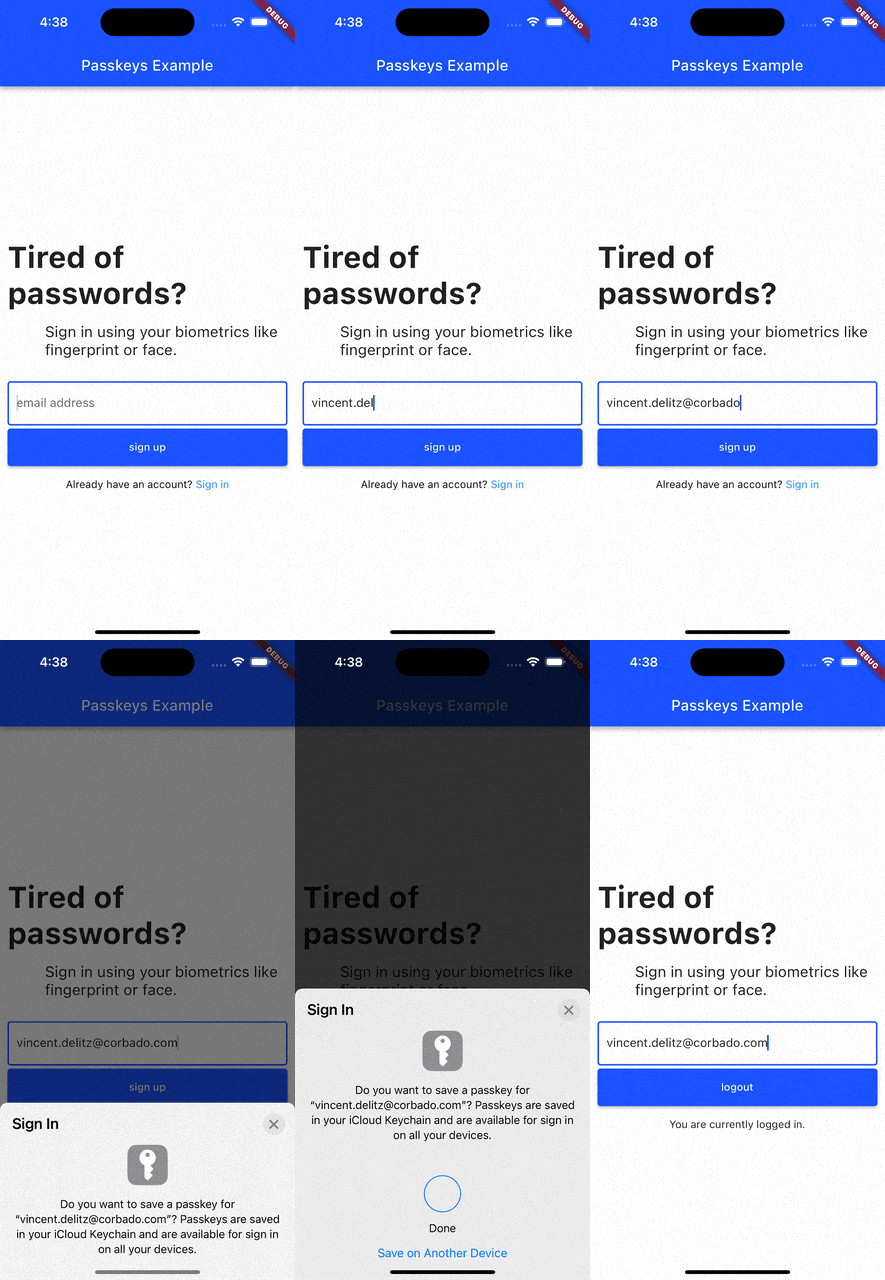
sign up and login users with passkeys
connect Corbado as pre-implemented relying party server
keep users logged in even if they close the app (automatic session refresh)
A Flutter package that builds on the corbado_auth and the passkeys package.
It helps you to integrate passkey authentication into your Flutter app that uses Firebase as a backend.
Note: This package is currently broken and will be fixed in the future. There is no specific ETA on when the fix will be available.
Features
allow new users to sign up and log in using passkeys
allow existing users (that you created with Firebase authentication) to setup a passkey and then log in with it
email OTP codes as fallback mechanism for situations when passkeys can not be used (e.g. when a user logs in to a device where none of his passkeys is available)
The passkeys package can be used as the platform authenticator for supabase_flutter.
Supabase Auth acts as the relying party server, while passkeys handles the native passkey prompts on iOS, Android, macOS, Windows and Web.
It requires supabase_flutter 2.15.0 or later and passkeys 2.21.0 or later.
try {
final res = await supabase.auth.signInWithPasskey(authenticator);
print('Signed in as ${res.user?.email}');
} onAuthExceptioncatch (e) {
print(e);
}
For custom flows there is also a two-step API under the supabase.auth.passkey namespace (startRegistration/verifyRegistration and startAuthentication/verifyAuthentication), as well as methods to list, rename and delete passkeys.
We're happy to receive your pull requests. For major changes, please open an issue first to discuss what you would like to change.
Support
If you have questions, feedback or wishes regarding features, please reach out to us via [email](mailto:contact@corbado.com) or join our passkeys community on Slack.