Orientação gerada a partir de informações públicas. Apenas para referência.
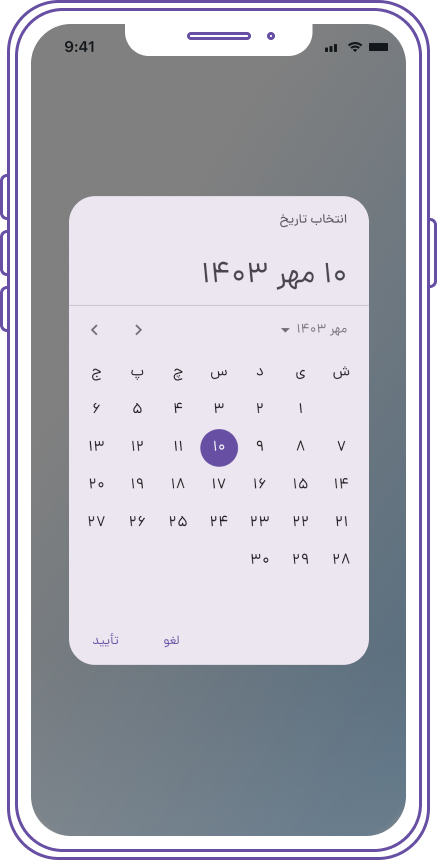
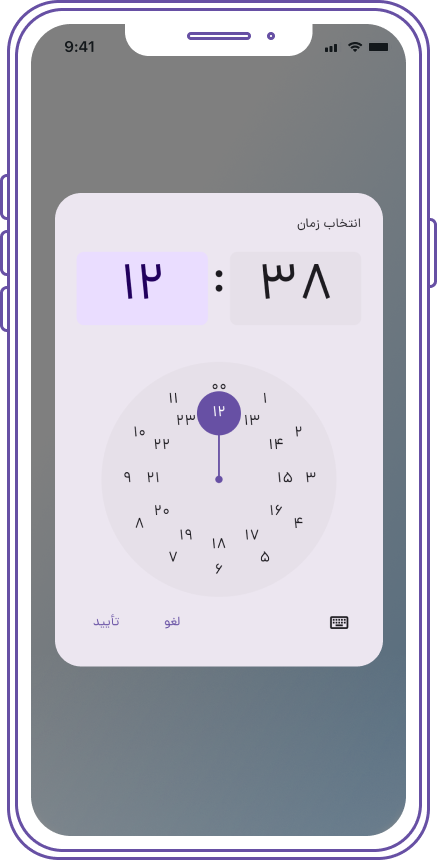
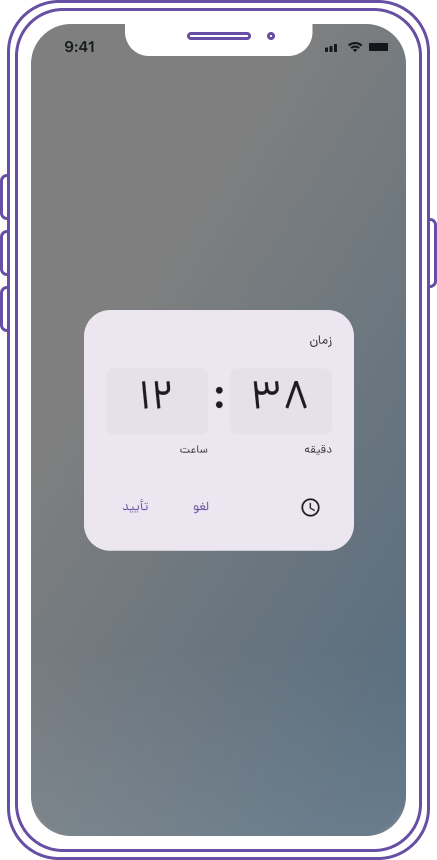
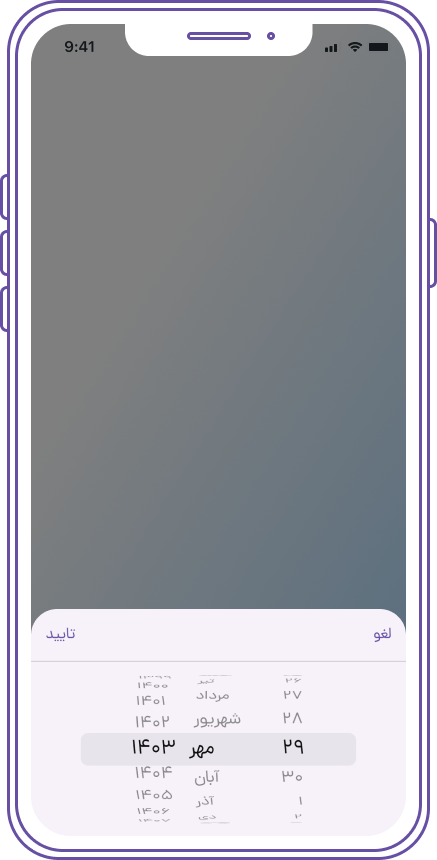
Um pacote Flutter que fornece um seletor de data e hora em persa (farsi, shamsi, jalali), inspirado no Material Design. Permite aos usuários selecionar datas e horários no sistema calendário jalali, ideal para aplicativos voltados para públicos falantes de persa. O seletor é compatível com todas as principais plataformas, incluindo Android, iOS, Web, macOS, Windows e Linux, garantindo uma experiência de usuário consistente entre dispositivos. Integra-se perfeitamente ao framework UI do Flutter e oferece estilos e comportamentos personalizáveis.
Casos de uso
Selecionando datas no calendário jalali
Criando aplicativos para usuários iranianos ou falantes de persa
Integrando o calendário jaleali aos formulários
Suporte de entrada de data multilíngue
Criando interfaces de usuário apropriadas culturalmente
Principais recursos
Suporte ao calendário jaleli (persa)
Design inspirado no Material
Compatibilidade multiplataforma
Aparência personalizável
Integração fácil com formulários do Flutter
Seleção de data e hora
Indicado para
Aplicativos direcionados ao Irã ou regiões falantes de persa
Desenvolvedores que precisam de funcionalidade de calendário jaleali
Projetos que exigem seletores de data culturalmente relevantes
Aplicativos Flutter com necessidades de internacionalização
Componentes de interface precisando de entradas de data localizadas
Considerações
Requer conhecimento sobre o sistema de calendário persa
Pode ser necessário localização adicional para texto não-persa
Diferenças possíveis de renderização específicas da plataforma
Documentação limitada em comparação com pacotes principais
Depende de repositório externo no GitHub para atualizações
README original
Snapshot do README original do repositório-fonte vinculado. Consulte o repositório para o conteúdo mais recente.
Persian (Farsi, Shamsi, Jalali) Date & Time Picker for Flutter
Overview
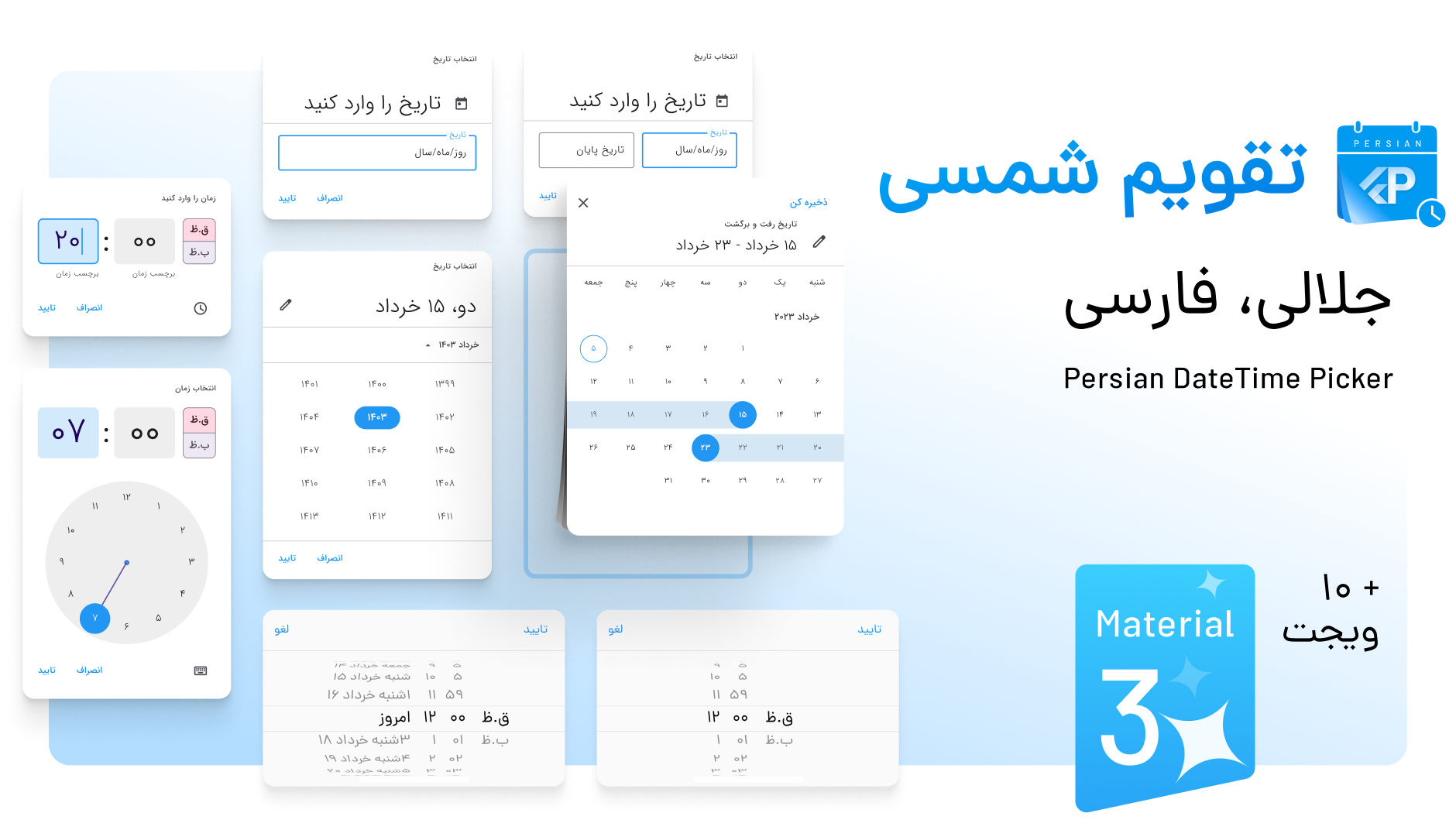
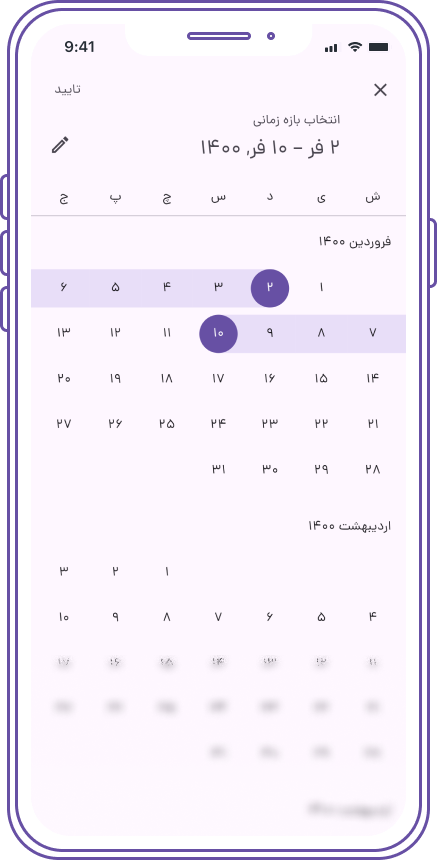
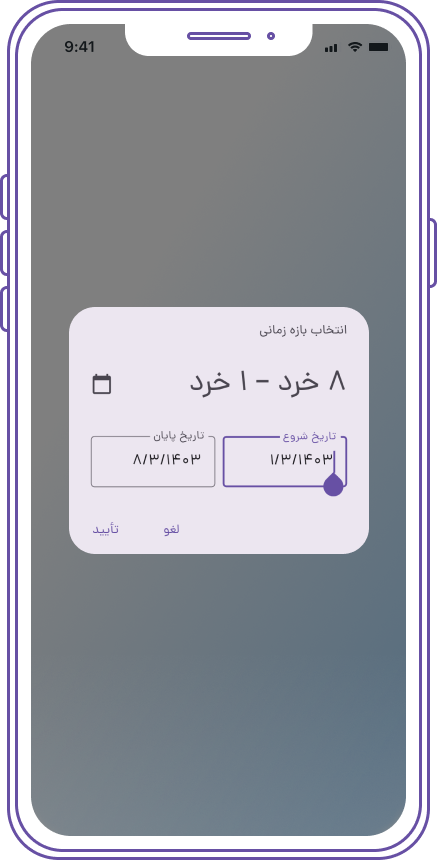
A Persian Date & Time picker inspired by Material Design's DateTime picker, built on the shamsi_date library. It offers full support for the Persian (Jalali) calendar and is highly customizable, including compatibility with Material 3.
Additionally, it supports multiple languages, including Persian, Dari, Kurdish, Pashto, and custom locales, all while ensuring seamless integration with Flutter and maintaining Material Design standards.
️ Features
🌟 Fully supports Persian (Jalali) calendar
🛠 Highly customizable
💻 Supports Material 3
🌎 Multi-language support: Persian, Dari, Kurdish, Pashto, and custom locales
📱 Compatible with Material Design standards
️ Getting Started
To use the Persian DateTime Picker, add the package to your pubspec.yaml:
You can customize the styles of the PersianDateTimePicker and PersianCupertinoDatePicker using the DatePickerTheme within your app's ThemeData. Additionally, you can apply specific styles by wrapping the date picker with Theme in the builder.
Example for Persian Date Picker
Add the DatePickerTheme to your ThemeData:
returnMaterialApp(
theme: ThemeData(
// Other theme properties...
datePickerTheme: DatePickerTheme(
backgroundColor: Colors.white, // Background color of the date picker
primaryColor: Colors.teal, // Primary color for the date picker
textColor: Colors.black, // Text color// Customize more properties as needed
),
),
// ...
);
Customizing Persian Date Picker with Theme in Builder
You can also customize the Persian date picker on a per-instance basis by wrapping it with a Theme in the builder:
All customization options for the PersianDateTimePicker and PersianCupertinoDatePicker are similar to those of the native Flutter date pickers. You can easily apply styles using ThemeData, DatePickerTheme, or by wrapping the pickers with Theme in the builder, just like you would with native Flutter widgets.
6. Using Material 2 Instead of Material 3
If you prefer to use Material 2 instead of Material 3 for your application, you can do so by setting the useMaterial3 parameter to false in the MaterialApp widget. This ensures that the application uses the Material 2 design principles.
Example
Here’s how to set up your MaterialApp to use Material 2:
returnMaterialApp(
title: 'Persian DateTime Picker',
theme: ThemeData(
useMaterial3: false, // Set to false to use Material 2
datePickerTheme: DatePickerTheme(
backgroundColor: Colors.white,
primaryColor: Colors.teal,
textColor: Colors.black,
// Additional customizations
),
),
home: MyHomePage(),
);
️ Support Us
Feel free to check it out and give it a ️ if you love it.
Follow me for more updates and projects!
️ Contributions and Feedback
Pull requests and feedback are always welcome!
Feel free to reach out at [mem.amir.m@gmail.com](mailto:mem.amir.m@gmail.com) or connect with me on LinkedIn.


 Persian (Farsi, Shamsi, Jalali) Date & Time Picker for Flutter


 Overview
 ️ Features
 ️ Getting Started
 ️ Usage Examples
 ️ Support Us
 ️ Contributions and Feedback
 ️ Project License: