Buscar pacotes, repositórios e categorias de apps

Capa de pip_view
Detalhes do pacotev0.9.7

pip_view

Widget para permitir a apresentação de um widget abaixo de um flutuante.

AndroidiOSWebmacOSWindowsLinux
Downloads em 30 dias
12,6 mil
Curtidas
202
Pontos Pub
160

Instalar pacote

flutter pub add pip_view

Visão geral do pacote

Orientação gerada a partir de informações públicas. Apenas para referência.

O pacote pip_view permite que desenvolvedores exibam um widget abaixo de uma sobreposição flutuante, comumente usado para funcionalidade de vídeo em vídeo. Ele permite a integração sem problemas de uma área de conteúdo menor e arrastável dentro de uma interface de aplicativo maior, ideal para reprodução de vídeo ou transmissões ao vivo. O pacote suporta múltiplas plataformas, incluindo Android, iOS, Web, macOS, Windows e Linux, garantindo consistência entre plataformas. É leve e projetado para implementação fácil com configuração mínima. Isso o torna adequado para aplicativos que exigem sobreposições dinâmicas e interativas sem interromper o fluxo principal da IU.

Casos de uso

  • Reprodução de vídeo em modo picture-in-picture
  • sobreposições de feed de câmera ao vivo
  • Controles flutuantes interativos
  • Interfaces de aplicativos multi-tarefa
  • Exibição de monitoramento de dados em tempo real

Principais recursos

  • Widget flutuante com suporte a arrasto
  • Renderização de sobreposição abaixo do conteúdo principal
  • Compatibilidade multiplataforma
  • Configuração mínima necessária
  • Tamanho e posição personalizáveis

Indicado para

  • Aplicações de mídia
  • Ferramentas educacionais com layouts de tela dupla
  • aplicativos de trabalho colaborativo
  • painéis de monitoramento em tempo real
  • Aplicativos que precisam de elementos de interface flutuantes persistentes

Considerações

  • Pode exigir manipulação adicional para gestos complexos
  • Impacto no desempenho em dispositivos de baixa potência
  • Personalização limitada para animações avançadas
  • Não destinado à substituição em tela cheia
  • Requer gerenciamento adequado de layout em interfaces complexas

README original

Snapshot do README original do repositório-fonte vinculado. Consulte o repositório para o conteúdo mais recente.

pip_view

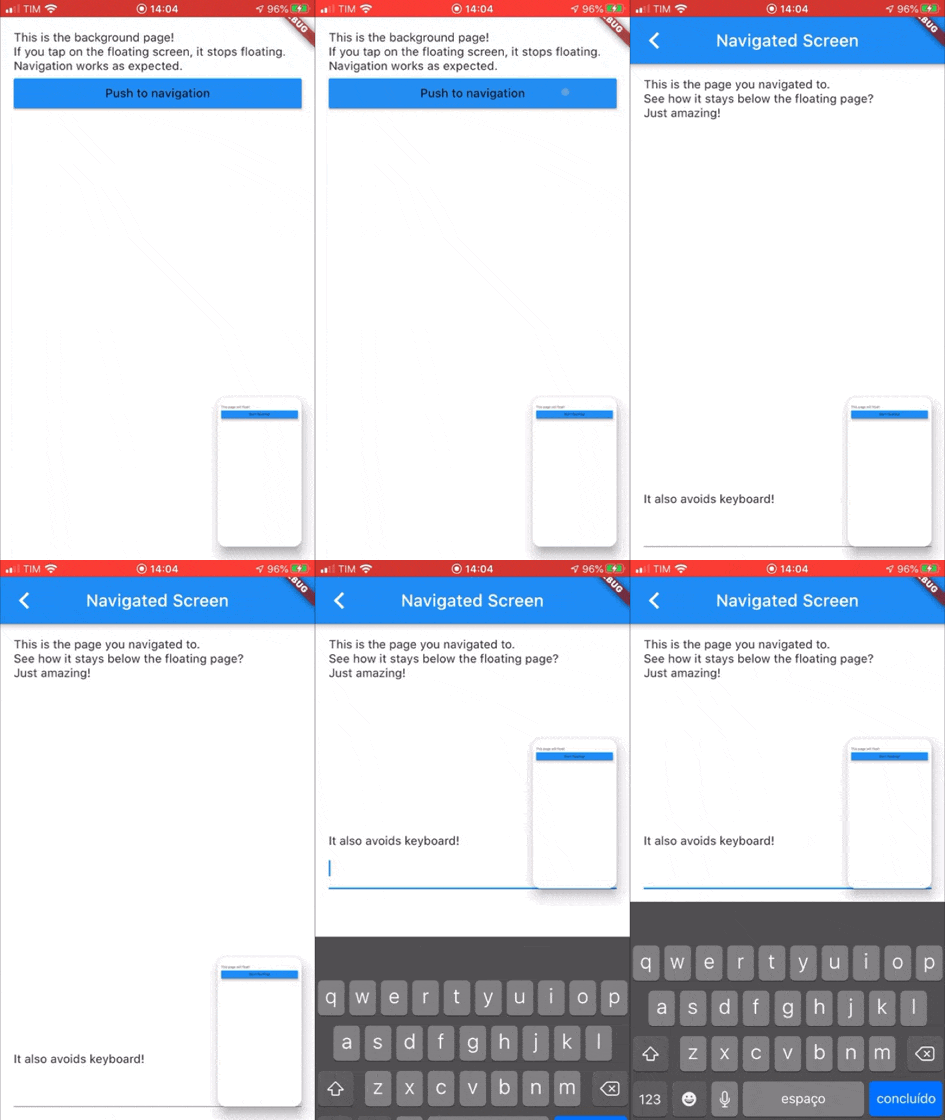
Widget to allow the presentation of a widget below a floating one. It supports moving the floating widget around which sticks to the corners.

Example GIF

Usage

Create a PIPView widget, the prop builder will be the view rendered floating when requested. To present a view below the floating view use PIPView.of(context).presentBelow(MyWidget()).

Props:
  • avoidKeyboard: whether the floating view should avoid the keyboard;
  • builder: a builder for the widget to float, the second parameter indicates if the view is floating;
  • initialCorner: the corner in which the floating view will be sticked initially
    • Possible values are: PIPViewCorner.topLeft, PIPViewCorner.topRight, PIPViewCorner.bottomLeft, PIPViewCorner.bottomRight;
  • floatingHeight: the height of the foreground view when floating. If not set is calculated from the floatingWidth to keep aspect ratio of the screen;
  • floatingWidth: the width of the foreground view when floating. If not set and floatingHeight is set, it is calculated from the floatingHeight value to keep aspect ratio of the screen. If not set and floatingHeight is not set, defaults to 100.0;
Example:
class MyScreen extends StatelessWidget {
  @override
  Widget build(BuildContext context) {
    return PIPView(
      builder: (context, isFloating) {
        return Scaffold(
          body: Column(
            children: [
              Text('This is the screen that will float!');
              MaterialButton(
                child: Text('Start floating');
                onPressed: () {
                  PIPView.of(context).presentBelow(MyBackgroundScreen());
                },
              ),
            ],
          );
        );
      },
    );
  }
}

class MyBackgroundScreen extends StatelessWidget {
  @override
  Widget build(BuildContext context) {
    return Scaffold(
      body: Text('This is my background screen!');
    );
  }
}

NOTE: If you want a more declarative way of using the PIPView, you can use RawPIPView instead.

Categorias

Repositório-fonte

Projetos que usam este pacote

Ainda não há dados.