Orientação gerada a partir de informações públicas. Apenas para referência.
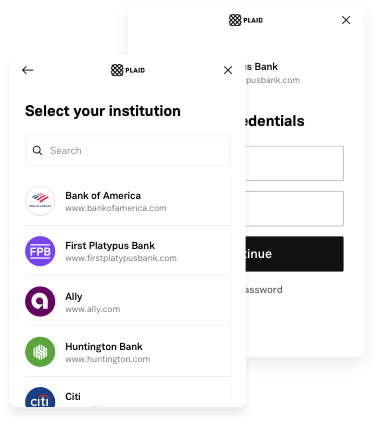
Plaid Flutter é um pacote Flutter que integra os SDKs nativos do Plaid para iOS, Android e Web, permitindo acesso contínuo a dados financeiros em aplicativos Flutter. Ele fornece uma interface unificada para conectar contas bancárias, recuperar dados de transações e verificar identidades por meio do Plaid Link. O pacote simplifica a integração ao abstrair implementações específicas de plataforma, mantendo padrões de desempenho e segurança nativos. Desenvolvedores podem aproveitar a infraestrutura robusta do Plaid para verificação de identidade, confirmação de renda e agregação de contas em múltiplas plataformas.
Casos de uso
Link de conta bancária
Recuperação de dados de transação
Verificação de identidade
Verificação de renda
agregação de conta financeira
Atualizações em tempo real do saldo
Principais recursos
Integração do SDK nativo do iOS e Android
Suporte a web por meio do Plaid Link
API unificada do Flutter
fluxo de autenticação seguro
Consistência entre plataformas
Sincronização de dados em tempo real
Indicado para
Aplicativos de fintech
Ferramentas de orçamento
Plataformas de empréstimo
sistemas de processamento de pagamentos
aplicativos de gestão de riqueza
aplicações de rastreamento de despesas
Considerações
Requer conta Plaid e chaves da API
Permissões específicas da plataforma necessárias
Personalização limitada da interface do Link
Dependente da disponibilidade do serviço do Plaid
Latência potencial durante a conexão inicial
Conformidade com regulamentações de dados financeiros
README original
Snapshot do README original do repositório-fonte vinculado. Consulte o repositório para o conteúdo mais recente.
In order to initialize Plaid Link, you will need to create a link_token at /link/token/create. After generating a link_token, you'll need to pass it into your app and use it to open Link:
...
LinkTokenConfiguration _configuration = LinkTokenConfiguration(
token: "<GENERATED_LINK_TOKEN>",
);
// Create the internal handler for Plaid Link.// This is a one-time use object that opens a Link session.// Must be called before `open()`.// Completes when Plaid is ready to open, or throws an error if setup fails.awaitPlaidLink.create(configuration: _configuration);
/// Open Plaid Link by calling open on the handler.PlaidLink.open();
...
Note that each time you open Link, you will need to get a new link_token from your server and create a new LinkTokenConfiguration with it.
A link_token can be configured for different Link flows depending on the fields provided during token creation. It is the preferred way of initializing Link going forward. You will need to pass in most of your Link configurations server-side in the /link/token/create endpoint rather than client-side where they previously existed.
If your integration is still using a public_key to initialize Plaid Link, the LinkConfiguration class has support for it. Check the migration guide to upgrade your app to the link_token flow.
(Identity Verification only) - Enable camera support
When using the Identity Verification product, the Link SDK may use the camera if a user needs to take a picture of identity documentation. To support this workflow, add a NSCameraUsageDescription entry to your ios/Runner/Info.plist with an informative string.
OAuth configuration
If your integration uses only Identity Verification or Monitor, this steps can be skipped; they are mandatory otherwise.
Registering your redirect URI:
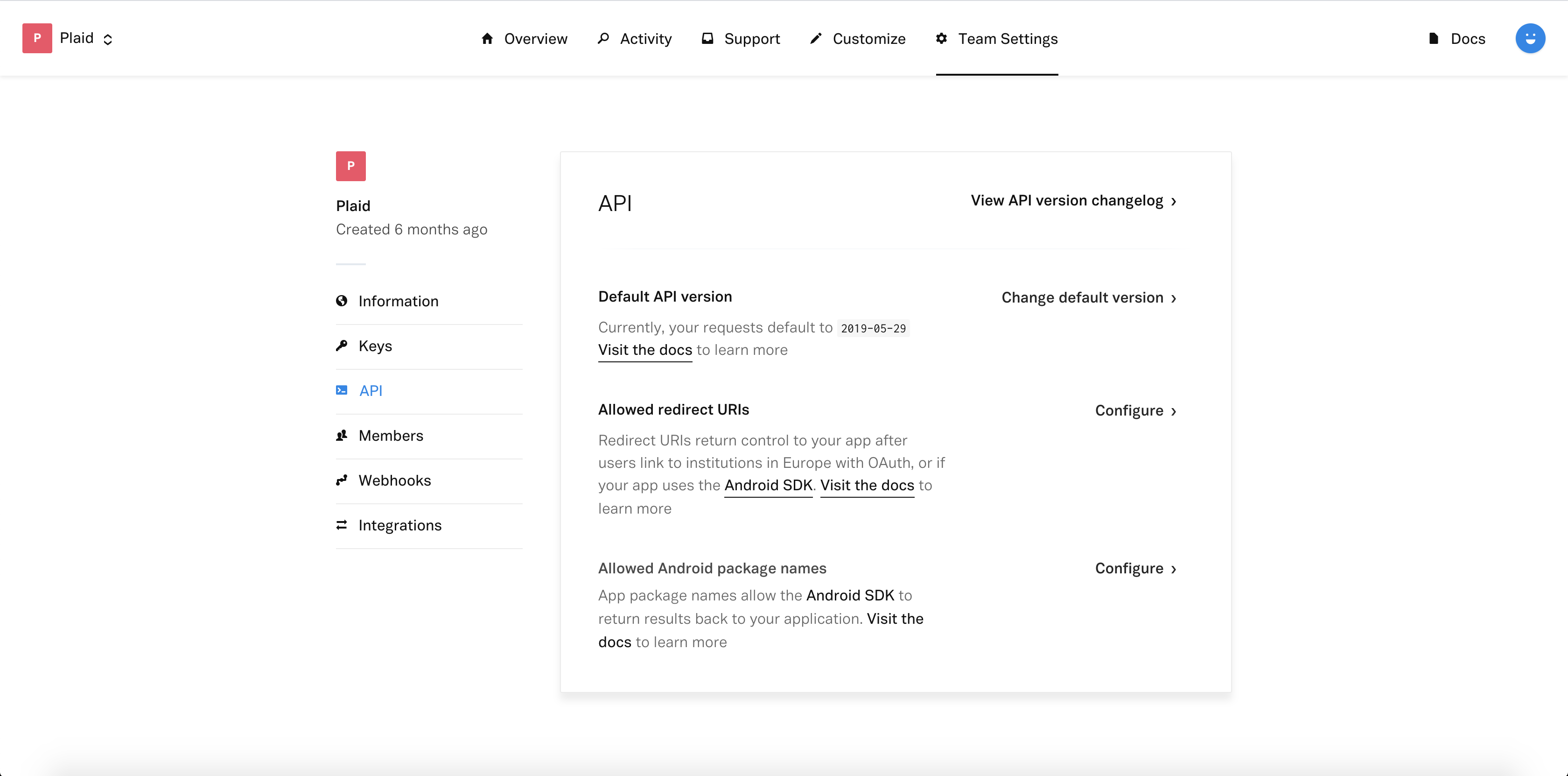
Sign in to the Plaid Dashboard and go to the Team Settings -> API page.
Next to Allowed redirect URIs click Configure then Add New URI.
Enter your redirect URI, which you must also set up as a Universal Link for your application, for example: https://app.example.com/plaid/.
Click Save Changes
These redirect URIs must be set up as Universal Links in your application.
Go to the project level android/app/build.gradle and make sure you are using a minSdk >= 21
(Identity Verification only) - Enable camera support
If your app uses Identity Verification, a user may need to take a picture of identity documentation or a selfie during the Link flow. To support this workflow, the CAMERA, WRITE_EXTERNAL_STORAGE, RECORD_AUDIO, and MODIFY_AUDIO_SETTINGS permissions need to be added to your application's AndroidManifest.xml.
Register your App ID
Sign in to the Plaid Dashboard and go to the Team Settings -> API page.
Next to Allowed Android Package Names click Configure then Add New Android Package Name.
Enter your package name, for example com.plaid.example.