Buscar pacotes, repositórios e categorias de apps

Capa de responsive_grid_list
Detalhes do pacotev1.4.1

responsive_grid_list

Um plugin Flutter para criar listas de grade responsivas usando ListView.builder() ou SliverList com um SliverChildBuilderDelegate.

AndroidiOSWebmacOSWindowsLinux
Downloads em 30 dias
13,3 mil
Curtidas
151
Pontos Pub
150

Instalar pacote

flutter pub add responsive_grid_list

Visão geral do pacote

Orientação gerada a partir de informações públicas. Apenas para referência.

Um pacote Flutter que permite a criação de listas em grade responsivas usando ListView.builder() ou SliverList com SliverChildBuilderDelegate. Ele ajusta automaticamente o número de colunas com base no tamanho da tela, garantindo um layout otimizado em todos os dispositivos. Ideal para exibir coleções de itens como imagens, cartões ou produtos de forma fluida e adaptável. O pacote suporta todas as principais plataformas, incluindo Android, iOS, Web, macOS, Windows e Linux.

Casos de uso

  • Exibindo galerias de imagens
  • Criar catálogos de produtos
  • Criando layouts de cartão adaptativo
  • Implementação de painéis responsivos
  • Renderização de grades de conteúdo dinâmico

Principais recursos

  • Ajusta automaticamente as colunas com base no tamanho da tela
  • Suporta ListView.builder e SliverList
  • Compatibilidade multiplataforma
  • Integração simples com widgets existentes
  • Dimensionamento de item flexível

Indicado para

  • Desenvolvedores construindo interfaces responsivas
  • Aplicativos direcionados a múltiplos tamanhos de dispositivo
  • Aplicativos com conteúdo intenso
  • Sistemas de design que exigem consistência de grade

Considerações

  • Requer manuseio cuidadoso das proporções dos itens
  • Pode ser necessário ajustes personalizados de espaçamento
  • Não ideal para padrões de grade altamente complexos
  • O desempenho depende da complexidade do item
  • Limitado a comportamentos básicos de grade sem personalização avançada

README original

Snapshot do README original do repositório-fonte vinculado. Consulte o repositório para o conteúdo mais recente.

Pub Version codecov style: very good analysis

Responsive Grid List

A Flutter plugin to create responsive grid lists using ListView.builder(), SliverList with a SliverChildBuilderDelegate or any other list.

The provided Widgets essentially work like a Flutter Wrap Widget but they are more performant with large lists because of the internal use of ListView.builder() functions.

The items in the grid are all the same width and have the same height per row. This means when a Card widget for example is higher because of a large description or so, the whole row will get higher. The row after that can be lower since it will be the height of it's highest child.

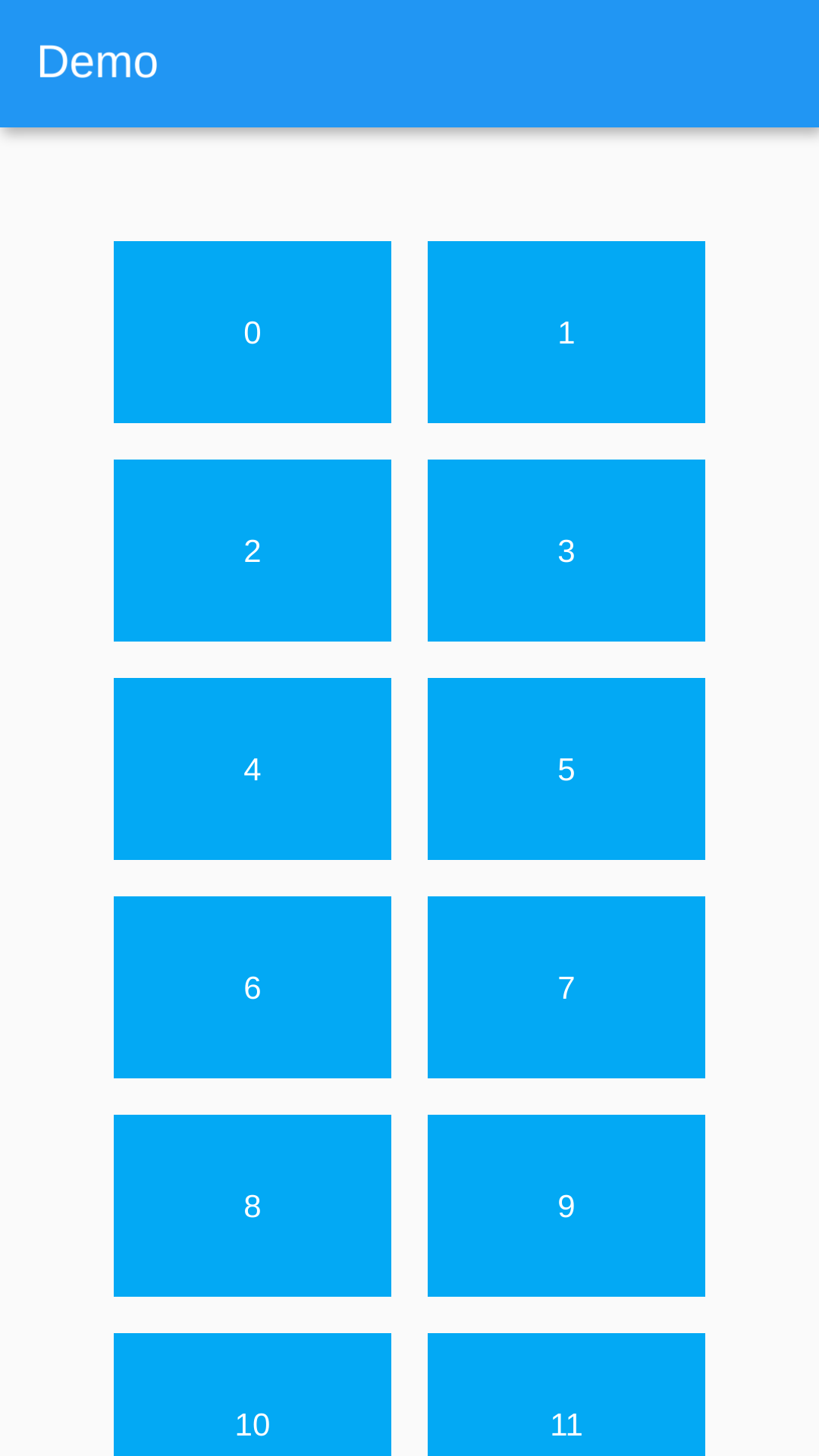
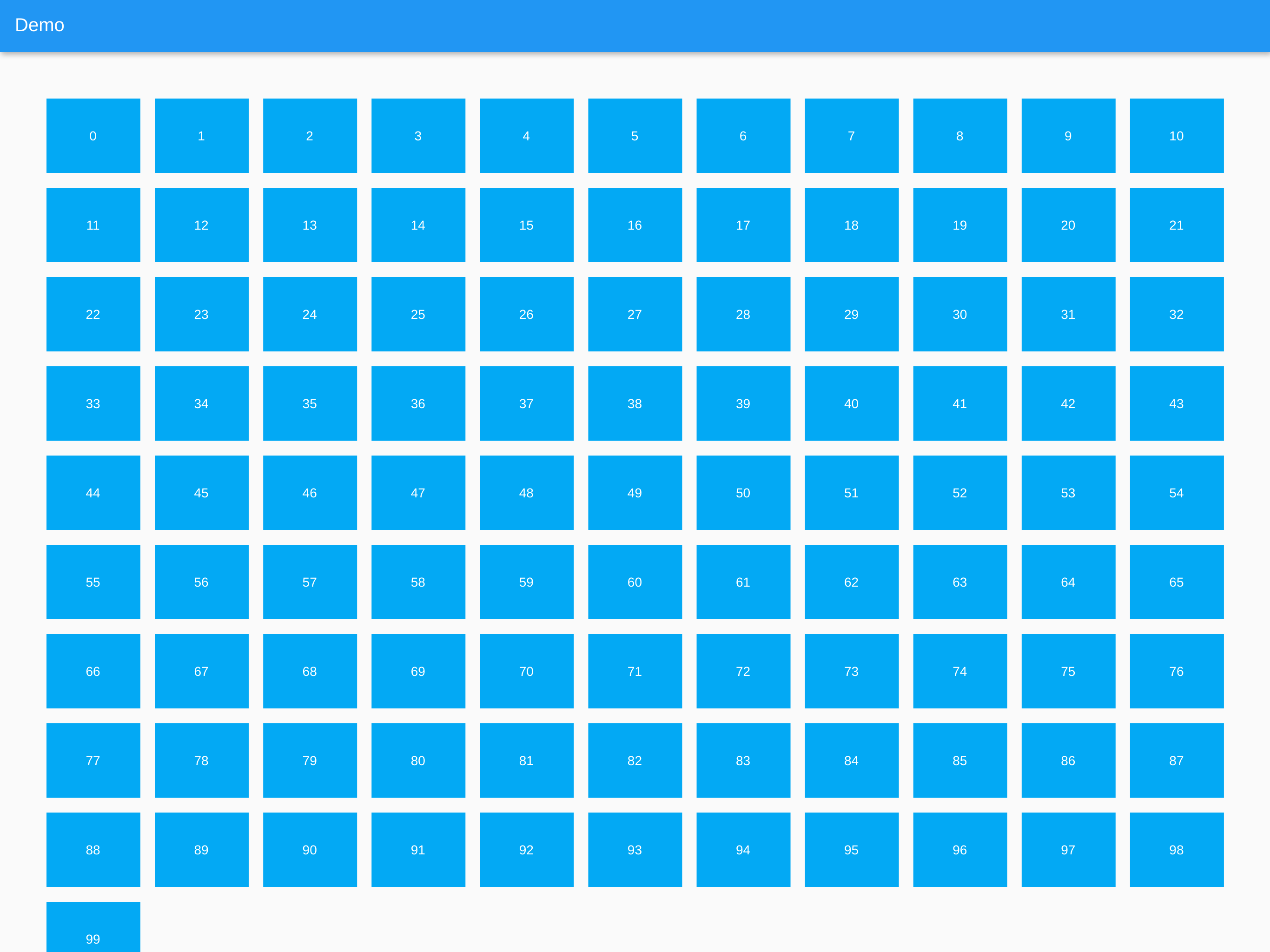
Screenshots

Mobile Desktop
Mobile Example Mobile Example

Usage

import 'package:responsive_grid_list/responsive_grid_list.dart';
ResponsiveGridList

A Responsive Grid List which uses ListView.builder() internally.

ResponsiveGridList(
    horizontalGridSpacing: 16, // Horizontal space between grid items
    verticalGridSpacing: 16, // Vertical space between grid items
    horizontalGridMargin: 50, // Horizontal space around the grid
    verticalGridMargin: 50, // Vertical space around the grid
    minItemWidth: 300, // The minimum item width (can be smaller, if the layout constraints are smaller)
    minItemsPerRow: 2, // The minimum items to show in a single row. Takes precedence over minItemWidth
    maxItemsPerRow: 5, // The maximum items to show in a single row. Can be useful on large screens
    listViewBuilderOptions: ListViewBuilderOptions(), // Options that are getting passed to the ListView.builder() function
    children: [...], // The list of widgets in the list
);
ResponsiveSliverGridList

A Responsive Grid List which uses SliverList with a SliverChildBuilderDelegate internally.

ResponsiveSliverGridList(
    horizontalGridSpacing: 16, // Horizontal space between grid items
    verticalGridSpacing: 16, // Vertical space between grid items
    horizontalGridMargin: 50, // Horizontal space around the grid
    verticalGridMargin: 50, // Vertical space around the grid
    minItemWidth: 300, // The minimum item width (can be smaller, if the layout constraints are smaller)
    minItemsPerRow: 2, // The minimum items to show in a single row. Takes precedence over minItemWidth
    maxItemsPerRow: 5, // The maximum items to show in a single row. Can be useful on large screens
    sliverChildBuilderDelegateOptions: SliverChildBuilderDelegateOptions(), // Options that are getting passed to the SliverChildBuilderDelegate() function
    children: [...], // The list of widgets in the list
);
ResponsiveGridListBuilder

A Responsive Grid List which offers a builder in which every List / Column can be used with this package.

ResponsiveGridListBuilder(
    horizontalGridSpacing: 16, // Horizontal space between grid items
    verticalGridSpacing: 16, // Vertical space between grid items
    horizontalGridMargin: 50, // Horizontal space around the grid
    verticalGridMargin: 50, // Vertical space around the grid
    minItemWidth: 300, // The minimum item width (can be smaller, if the layout constraints are smaller)
    minItemsPerRow: 2, // The minimum items to show in a single row. Takes precedence over minItemWidth
    maxItemsPerRow: 5, // The maximum items to show in a single row. Can be useful on large screens
    gridItems: [...], // The list of widgets in the grid
    builder: (context, items) {
      // Place to build a List or Column to access all properties.
      // Set [items] as children attribute for example.
    }
);

Extending AbstractResponsiveGridList

To create a Responsive Grid you can extend the AbstractResponsiveGridList class and access the getResponsiveGridListItems(double maxWidth) function to generate the grid and pipe it into your custom list.

class MyResponsiveGridList extends AbstractResponsiveGridList{
   /// Constructor etc...
  [...]

  @override
  Widget build(BuildContext context) {
    return LayoutBuilder(
      builder: (BuildContext context, BoxConstraints constraints) {

        // The abstract class has a function to generate the grid from
        // the constructor's paramters and the layout constraints max width
        var items = getResponsiveGridListItems(constraints.maxWidth);

        return [...]
      },
    );
  }
}

Future Features

  • [x] Optional padding at the edges of the grid
  • [x] Tests
  • [ ] Optional delta in which the width of the children can vary instead of setting the just the minimum width
  • [ ] Option to constrain the height of the items to a fixed value
    • Probably better to use the Flutter GridView instead. It offers aspectRatio.

Categorias

Dependências

Lista de dependências 1 itens

Repositório-fonte

Projetos que usam este pacote