Buscar pacotes, repositórios e categorias de apps

Capa de screen_loader
Detalhes do pacotev4.0.1

screen_loader

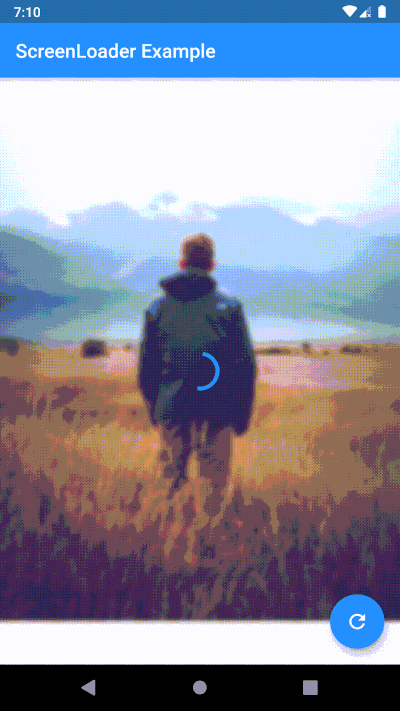
Mixin fácil de usar ScreenLoader, que irá gerenciar o carregamento na tela sem usar estado ou pilha de navegação. Você também pode personalizar o carregamento.

AndroidiOSWebmacOSWindowsLinux
Downloads em 30 dias
1,5 mil
Curtidas
50
Pontos Pub
150

Instalar pacote

flutter pub add screen_loader

Visão geral do pacote

Orientação gerada a partir de informações públicas. Apenas para referência.

ScreenLoader é um pacote Flutter/Dart que fornece um mixin simples para gerenciar estados de carregamento na tela sem exigir gerenciamento explícito de estado ou manipulação da pilha de navegação. Permite aos desenvolvedores exibir e controlar indicadores de carregamento entre telas com mínimo boilerplate. O pacote suporta personalização da interface de carregamento, tornando-o adaptável a diversas necessidades de design. Ideal para aplicativos que precisam de experiências de carregamento consistentes e reutilizáveis em vários widgets.

Casos de uso

  • Exibindo sobreposições de carregamento durante operações assíncronas
  • Simplificando a gestão do estado de carregamento em formulários
  • Adicionando indicadores de carregamento a chamadas de API
  • Criando componentes de carregamento reutilizáveis
  • Melhorando a UX com transições suaves de carregamento
  • Reduzindo código repetitivo na lógica de carregamento em nível de tela

Principais recursos

  • Implementação de carregamento baseada em mixin
  • UI de carregamento personalizável
  • Sem necessidade de gerenciamento de estado
  • Funciona em todas as plataformas
  • Configuração mínima necessária
  • Suporta o tratamento de operações assíncronas

Indicado para

  • Desenvolvedores em busca de soluções leves de carregamento
  • Equipes que usam gerenciamento mínimo de estado
  • Aplicativos com busca frequente de dados assíncronos
  • aplicações com interface pesada que precisam de carregadores consistentes
  • Iniciantes do Flutter explorando padrões de carregamento
  • Aplicativos multiplataforma direcionados a vários dispositivos

Considerações

  • Limitado à funcionalidade básica de carregamento
  • Requer integração manual com fluxos assíncronos
  • Não adequado para estados de carregamento complexos
  • Pode ser necessário estilização adicional para designs personalizados
  • Depende da estrutura correta da árvore de widgets
  • Não trata estados de erro por padrão

README original

Snapshot do README original do repositório-fonte vinculado. Consulte o repositório para o conteúdo mais recente.

screen_loader

Why ScreenLoader?

  1. With the help of stream_mixin, it shows and hides the loader without updating the state of the widget which increases the performance
  2. It does not push any sort of widget to navigation stack, this helps in not messing up the navigation stack and context
  3. Easy to use, just use your screen with ScreenLoader mixin and wrap the widget with loadableWidget
  4. The loader is customizable. You can use any widget as a loader
  5. You can configure same loader for all the screens at once
  6. You can also configure different loader for different screens

Basic usage

  1. Use your screen with the ScreenLoader mixin
  2. Wrap the widget with loadableWidget
  3. Use performFuture function to show loader while your future is being performed

Configure different loader for individual screen

Simply overide loader() method

loader() {
    // here any widget would do
    return AlertDialog(
        title: Text('Wait.. Loading data..'),
    );
}

Configure the loader for all screens at once

void main() {
  configScreenLoader(
    loader: AlertDialog(
      title: Text('Gobal Loader..'),
    ),
    bgBlur: 20.0,
  );
  runApp(MyApp());
}

Priority of loaders (highest first)

  • Local loader: the one you override in your widget
  • Global loader: the one you specify in configScreenLoader. Note: if you don't override local(), this loader will be used
  • Default loader: if you don't specify global loader or override local loader, this loader will be used

Migration guide to 4.0.0

  1. ScreenLoaderApp widget is removed. Now no need to wrap your App around any widget just to set the global configurations. Instead call configScreenLoader() before runApp()
-void main() => runApp(MyApp());
+void main() {
+  configScreenLoader(
+    loader: AlertDialog(
+      title: Text('Gobal Loader..'),
+    ),
+    bgBlur: 20.0,
+  );
+  runApp(MyApp());
+}
 
 class MyApp extends StatelessWidget {
   @override
   Widget build(BuildContext context) {
-    return ScreenLoaderApp(
-      app: MaterialApp(
-        debugShowCheckedModeBanner: false,
-        title: 'Screen Loader',
-        theme: ThemeData(
-          primarySwatch: Colors.blue,
-        ),
-        home: Screen(),
-      ),
-      globalLoader: AlertDialog(
-        title: Text('Gobal Loader..'),
+    return MaterialApp(
+      debugShowCheckedModeBanner: false,
+      title: 'Screen Loader',
+      theme: ThemeData(
+        primarySwatch: Colors.blue,
       ),
-      globalLoadingBgBlur: 20.0,
+      home: Screen(),
     );
   }
 }
  1. Instead of replacing the build function with screen use the build function itself and wrap the widget you want to show loader on with the loadableWidget.

-class _ScreenState extends State<Screen> with ScreenLoader<Screen> {
+class _ScreenState extends State<Screen> with ScreenLoader {
   @override
   loader() {
     return AlertDialog(
@@ -49,17 +51,19 @@ class _ScreenState extends State<Screen> with ScreenLoader<Screen> {
   }
 
   @override
-  Widget screen(BuildContext context) {
-    return Scaffold(
-      appBar: AppBar(
-        title: Text('ScreenLoader Example'),
-      ),
-      body: _buildBody(),
-      floatingActionButton: FloatingActionButton(
-        onPressed: () async {
-          await this.performFuture(NetworkService.getData);
-        },
-        child: Icon(Icons.refresh),
+  Widget build(BuildContext context) {
+    return loadableWidget(
+      child: Scaffold(
+        appBar: AppBar(
+          title: Text('ScreenLoader Example'),
+        ),
+        body: _buildBody(),
+        floatingActionButton: FloatingActionButton(
+          onPressed: () async {
+            await this.performFuture(NetworkService.getData);
+          },
+          child: Icon(Icons.refresh),
+        ),
       ),
     );
   }

PS
  • PRs are welcome
  • Please raise issues on https://github.com/arnold-parge/screen_loader.
  • Open for suggestions ❤️

Categorias

Dependências

Lista de dependências 1 itens

Repositório-fonte

Projetos que usam este pacote

Ainda não há dados.