Buscar pacotes, repositórios e categorias de apps

Capa de show_fps
Detalhes do pacotev1.1.0

show_fps

Um pacote Flutter que permitirá verificar o desempenho do seu aplicativo usando o FPS Badge.

AndroidiOSWebmacOSWindowsLinux
Downloads em 30 dias
2,4 mil
Curtidas
43
Pontos Pub
160

Instalar pacote

flutter pub add show_fps

Visão geral do pacote

Orientação gerada a partir de informações públicas. Apenas para referência.

O pacote show_fps é uma ferramenta leve do Flutter que exibe um badge de FPS (quadros por segundo) em tempo real no canto do seu aplicativo durante o desenvolvimento. Ajuda os desenvolvedores a monitorar o desempenho e identificar gargalos de renderização ao visualizar flutuações na taxa de quadros. O badge é automaticamente oculto em builds de release, garantindo que não afete aplicativos em produção. Compatível com todas as principais plataformas, incluindo móvel, web e desktop, integra-se perfeitamente em qualquer projeto Flutter com configuração mínima. Ideal para otimizar a responsividade da interface e detectar problemas de desempenho desde os primeiros estágios do desenvolvimento.

Casos de uso

  • Monitoramento de desempenho durante o desenvolvimento
  • Identificando travamentos ou atrasos na interface
  • Otimizando a suavidade da animação
  • Depuração de problemas de renderização
  • Feedback em tempo real sobre a responsividade do aplicativo

Principais recursos

  • Exibe contador de FPS em tempo real
  • Oculta automaticamente no modo de lançamento
  • Configuração mínima necessária
  • Suporta todas as plataformas do Flutter
  • Posição personalizável do badge
  • Leve e não intrusivo

Indicado para

  • Desenvolvedores Flutter
  • engenheiros de UI/UX
  • Testadores de desempenho
  • Construtores de aplicativos móveis e web

Considerações

  • Não destinado ao uso em produção
  • A visibilidade do Badge pode interferir nos testes de layout
  • Requer remoção manual antes do lançamento
  • Opções limitadas de personalização
  • Ativo apenas em modo de depuração

README original

Snapshot do README original do repositório-fonte vinculado. Consulte o repositório para o conteúdo mais recente.

Show FPS

GitHub stars pub package

Use ShowFPS to monitor your app's FPS (Frames Per Second) in real time with advanced performance metrics.

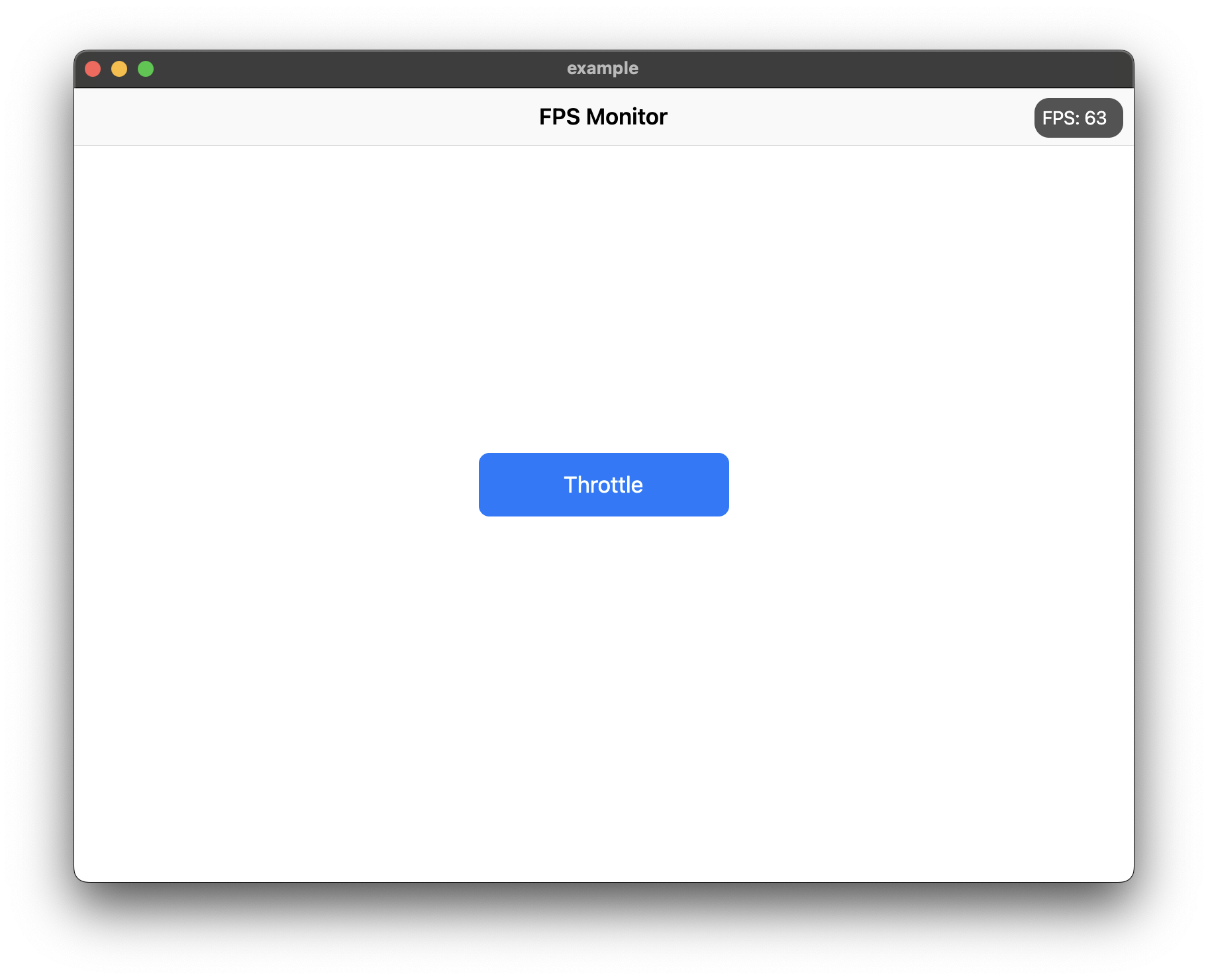
Screenshot

Features

  • Real-time FPS monitoring with accurate microsecond precision
  • Average FPS calculation for smoother readings
  • Min/Max FPS tracking
  • Frame time display in milliseconds
  • Color-coded FPS text based on performance
  • Interactive chart with customizable colors
  • Target FPS line on chart
  • Jank frame indicators (frames significantly slower than average)
  • Frame budget indicator (percentage of target frame time used)
  • Dropped frame counter
  • Draggable widget positioning
  • Collapsible/expandable view
  • Double-tap to temporarily hide
  • Low FPS threshold alerts with visual feedback
  • Fully customizable colors and text styles

Installation

Add show_fps: ^1.1.0 in your project's pubspec.yaml:

dependencies:
  show_fps: ^1.1.0

Usage

Import show_fps in your dart file:

import 'package:show_fps/show_fps.dart';
Basic Usage

Wrap your main widget with ShowFPS widget:

import 'package:flutter/material.dart';
import 'package:show_fps/show_fps.dart';

void main() {
  runApp(const MyApp());
}

class MyApp extends StatelessWidget {
  const MyApp({super.key});

  @override
  Widget build(BuildContext context) {
    return MaterialApp(
      title: 'FPS Monitor',
      debugShowCheckedModeBanner: false,
      home: ShowFPS(
        alignment: Alignment.topRight,
        visible: true,
        showChart: true,
        child: const MyHomePage(),
      ),
    );
  }
}
Hide in Release Mode
import 'package:flutter/foundation.dart';

ShowFPS(
  visible: !kReleaseMode,
  child: MyHomePage(),
)
Simple FPS Counter (No Chart)
ShowFPS(
  showChart: false,
  child: MyHomePage(),
)
Advanced Usage with All Features
ShowFPS(
  alignment: Alignment.topRight,
  visible: true,
  showChart: true,
  borderRadius: const BorderRadius.all(Radius.circular(11)),

  // Display options
  showAverage: true,           // Show rolling average FPS
  showMinMax: true,            // Show min/max FPS values
  showFrameTime: true,         // Show frame time in ms
  colorCodedText: true,        // Color FPS based on performance

  // Chart options
  targetFps: 60,               // Target FPS for calculations
  showTargetLine: true,        // Show target line on chart
  showJankIndicators: true,    // Highlight slow frames
  jankThreshold: 1.5,          // Frames 1.5x slower than avg are jank
  chartMaxFps: 60,             // Max FPS for chart scale

  // Advanced metrics
  showFrameBudget: true,       // Show % of frame budget used
  showDroppedFrames: true,     // Show dropped frame count

  // Interaction options
  draggable: true,             // Allow dragging the widget
  collapsible: true,           // Tap to collapse/expand
  doubleTapToHide: true,       // Double-tap to temporarily hide
  hideDuration: const Duration(seconds: 3),

  // Performance options
  sampleRate: 1,               // Update every N frames

  // Customization
  backgroundColor: const Color(0xaa000000),
  goodColor: const Color.fromARGB(255, 0, 162, 255),
  poorColor: const Color(0xfff44336),
  textStyle: const TextStyle(
    color: Colors.white,
    fontSize: 14,
  ),

  // Alert callback
  alertThreshold: 30,          // Alert when FPS drops below 30
  onAlertTriggered: () {
    print('FPS dropped below threshold!');
  },

  child: MyHomePage(),
)

Parameters

Parameter Type Default Description
child Widget required The main widget to monitor
alignment Alignment Alignment.topRight Position of the FPS widget
visible bool true Whether to show the FPS widget
showChart bool true Whether to show the FPS chart
borderRadius BorderRadius BorderRadius.circular(11) Border radius of the widget
showAverage bool false Show average FPS instead of instantaneous
showMinMax bool false Show min/max FPS values
showFrameTime bool false Show frame time in milliseconds
colorCodedText bool true Color FPS text based on performance
targetFps double 60 Target FPS for calculations
showTargetLine bool false Show target FPS line on chart
showJankIndicators bool true Highlight jank frames on chart
jankThreshold double 1.5 Multiplier for jank detection
textStyle TextStyle? null Custom text style
draggable bool false Allow dragging the widget
collapsible bool false Allow tap to collapse/expand
sampleRate int 1 Update every N frames
chartMaxFps double 60 Maximum FPS for chart scale
showFrameBudget bool false Show frame budget percentage
showDroppedFrames bool false Show dropped frame counter
alertThreshold double? null FPS threshold for alerts
doubleTapToHide bool false Double-tap to temporarily hide
hideDuration Duration 3 seconds Duration to hide after double-tap
backgroundColor Color Color(0xaa000000) Background color
goodColor Color Color(0xff00a2ff) Color for good performance
poorColor Color Color(0xfff44336) Color for poor performance
onAlertTriggered VoidCallback? null Callback when FPS drops below threshold

Categorias

Repositório-fonte

Projetos que usam este pacote

Ainda não há dados.