Orientação gerada a partir de informações públicas. Apenas para referência.
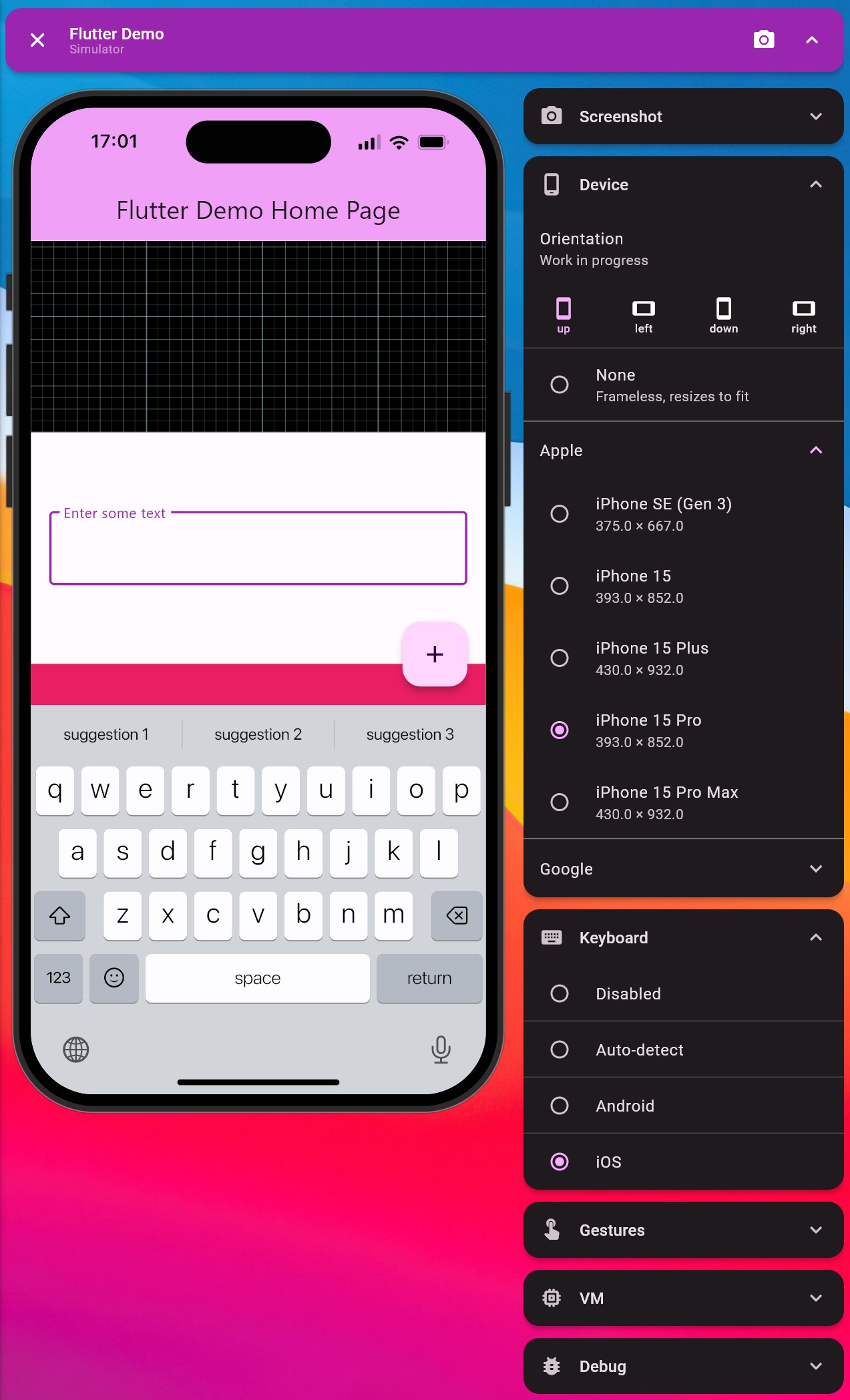
O simulador é uma ferramenta versátil para Flutter que vai além da simulação básica de dispositivos, permitindo aos desenvolvedores testar e visualizar com facilidade interfaces do usuário multiplataforma. Ele oferece uma maneira intuitiva de visualizar como os aplicativos aparecem em diferentes dispositivos e tamanhos de tela, simplificando o desenvolvimento de UI. Com suporte para captura de tela e funcionalidade de captura de imagem, ele aprimora o fluxo de trabalho de design e teste. Projetado para integração perfeita, ajuda a garantir experiências consistentes entre plataformas sem a necessidade de dispositivos físicos.
Casos de uso
Testando layouts responsivos
Visualizando a aparência do aplicativo em vários dispositivos
Capturando telas para documentação
Validando a consistência da interface do usuário entre plataformas
Equipes focadas no design consistente entre plataformas
Designers colaborando com desenvolvedores
Projetos que exigem testes frequentes de UI
Considerações
Não substitui o teste em dispositivos físicos
Limitado à simulação de UI, não comportamento completo do aplicativo
Pode exigir configuração adicional para recursos avançados
Não destinado à implantação em produção
README original
Snapshot do README original do repositório-fonte vinculado. Consulte o repositório para o conteúdo mais recente.
simulator
Warning: This is a work in progress and may contain bugs. Use at your own risk.
A device simulator for Flutter. Run your app on the desktop, and simulate a device of your choice. Perfect for rapid development of multi-platform user interfaces.
Why?
In my experience, developing a multi-platform app is a pain. You have to constantly switch between devices to see how your app looks and behaves. This is especially true for mobile gestures and keyboard input. This package aims to solve this problem by providing a way to simulate a device on the desktop. It's not perfect, but it's a start. I personally find that I'm much more productive when using this package.
Another benefit is that building and hot-refreshing the app is much faster on the desktop. This is especially true for complex UIs.
However, this package is not a replacement for testing on real devices. It's just a tool to make development easier.
Features
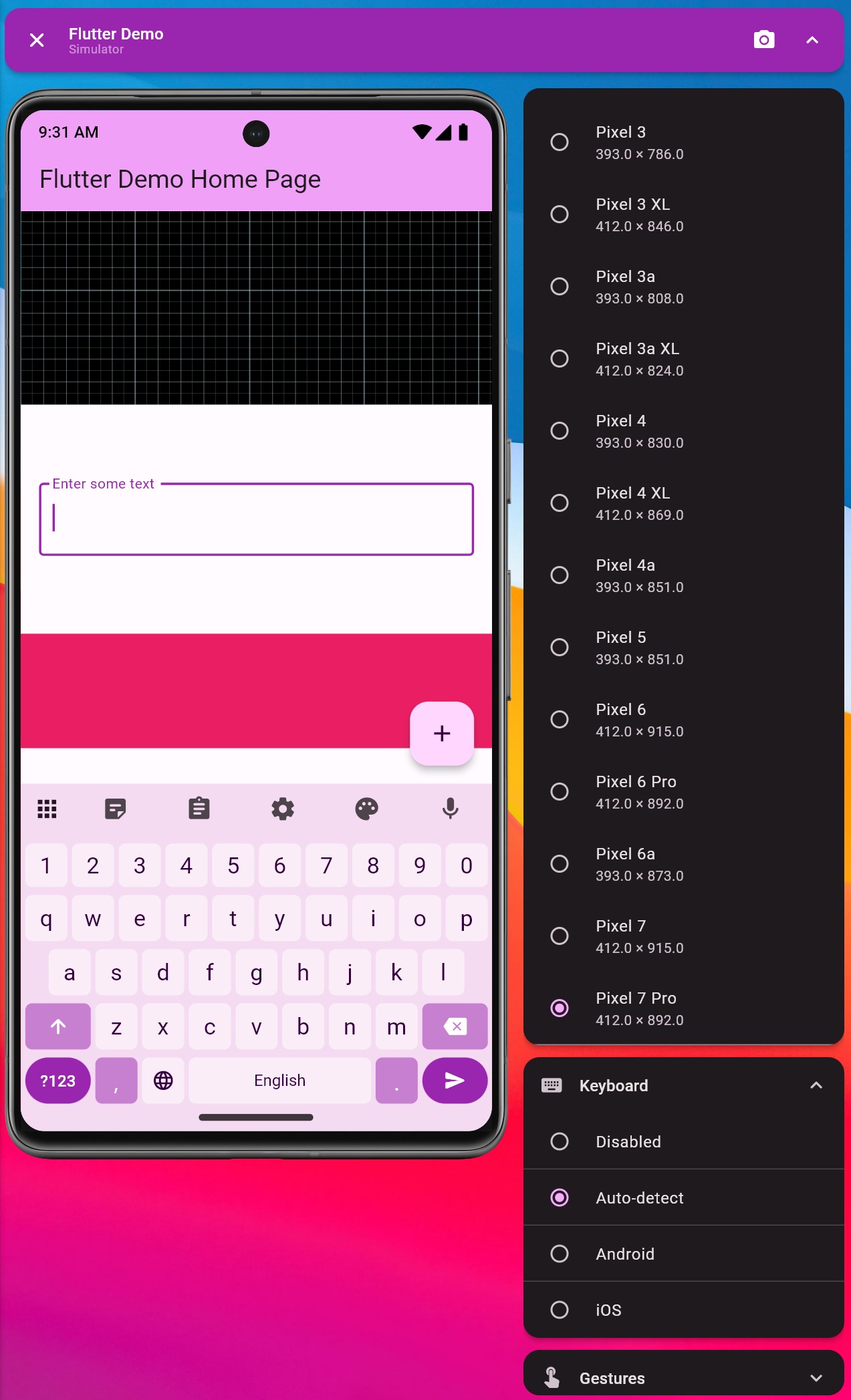
Simulate your app on a bunch of Android and iOS devices (list below).
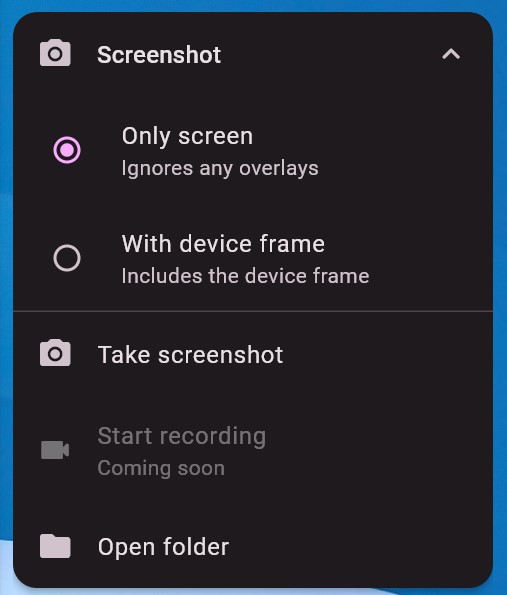
Pixel-perfect screenshotting of the simulated device. Great for creating marketing images.
Simulate the device keyboard.
Synthesize mobile gestures (tap, drag, pinch, etc.) with a mouse.
Quickly enable various Flutter debug flags.
Complete MediaQuery and system locale control.
Ability to add custom modules.
In progress:
Device rotations (works, but is buggy).
Video recording of the simulated device.
Make it easier to intercept system calls.
Improve the locale module.
Supported devices
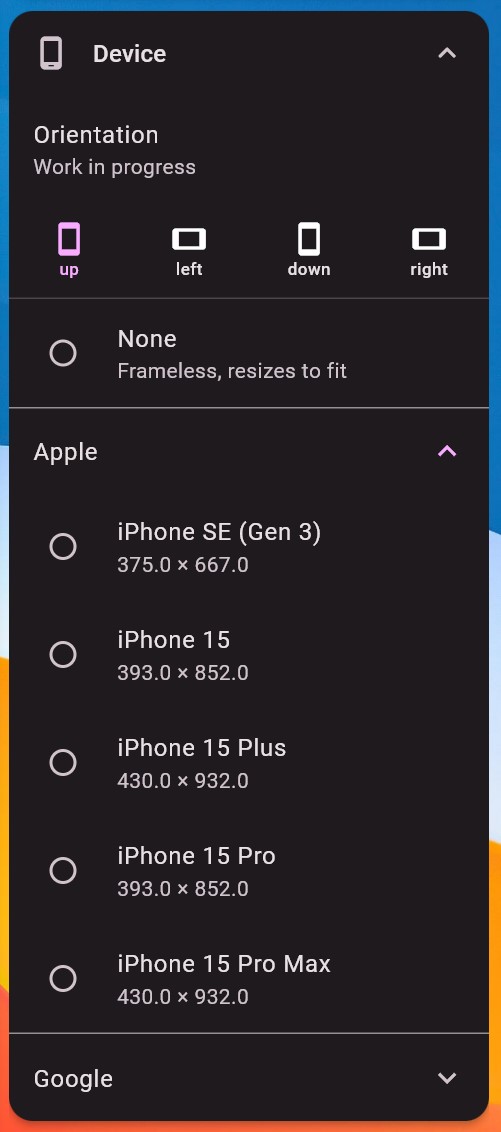
iPhone 15
iPhone 15 Plus
iPhone 15 Pro
iPhone 15 Pro Max
iPhone SE (gen 3)
Pixel phones (from 2 to 7, with a and XL variants)
Usage
Add the package to your pubspec.yaml:
dependencies:simulator:^0.3.2
Note: this package only works in Debug mode. The entire code of the package should be tree-shaken away in Release mode.
Create an entrypoint for the simulator. It should be a separate file from your main entrypoint. For example, main.simulator.dart:
Note: if you have code that uses FlutterWidgetsBinding.ensureInitialized(), you should replace it with SimulatorFlutterWidgetsBinding.ensureInitialized(). This makes sure that the simulator initializes its bindings.
Now you can run the simulator with flutter run -t lib/main.simulator.dart. Make sure that the simulator is ran for the desktop platform.
macOS
The minimum macOS deployment target is 10.15.0.
See https://github.com/macosui/macos_window_utils.dart?tab=readme-ov-file#getting-started for more information on how to change the minimum deployment target.
Built-in modules
Screenshot module
Allows you to take a screenshot of the simulated device (or just the app). By default, the screenshots are saved to the temporary directory.
Device module
Allows you to pick a device to simulate. The device is picked from a list of supported devices.
Keyboard module
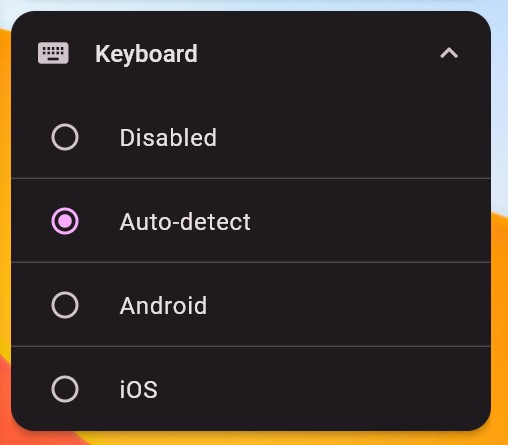
Allows you to simulate the device keyboard. When the system call to show the keyboard is intercepted, the keyboard is shown in the simulator instead. You can choose between no keyboard, an iOS or an Android keyboard (or auto-detect based on the platform).
Gestures module
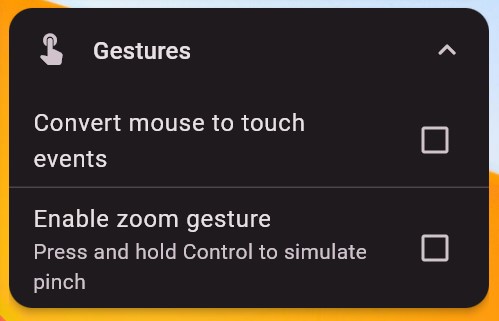
Allows you to simulate mobile gestures with a mouse. The main feature is the conversion of mouse events to touch gestures in the simulator view. You can also simulate a zoom gesture by enabling it and holding the Ctrl key.
VM module
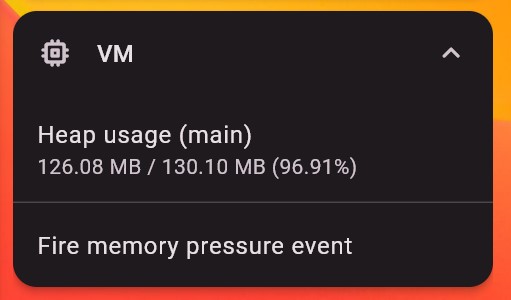
Shows the heap usage for all of the isolates in the VM. It also allows you to fire the memory pressure event (didHaveMemoryPressure()).
Debug module
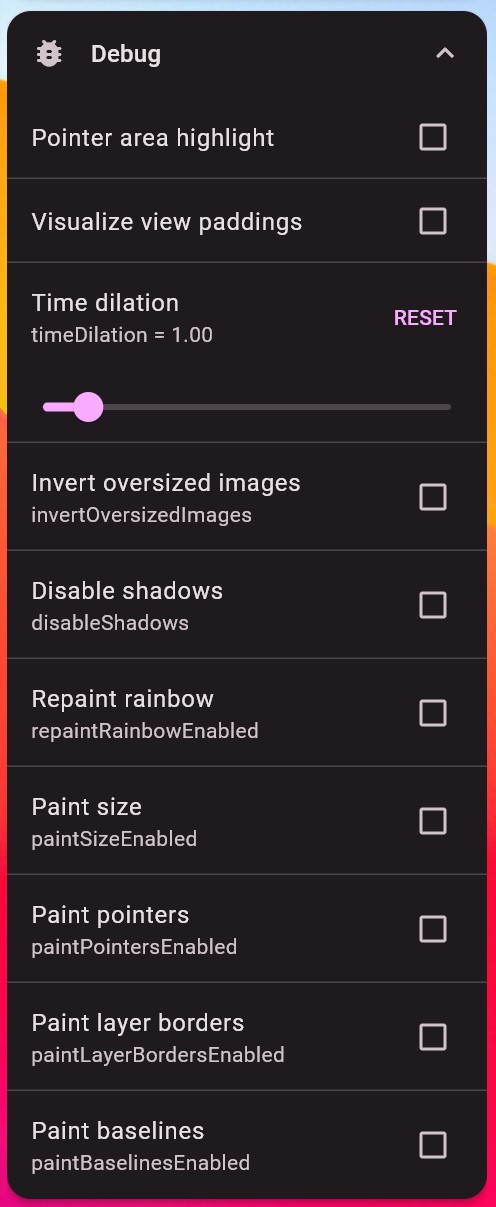
Allows you to enable various Flutter debug flags. You can enable the performance overlay, the debug banner, the repaint rainbow, and the slow animations.
Additionally, includes some custom debugging flags:
Pointer area highlight - highlights and shows the size of the pointer area of GestureDetector widgets when hovered.
Visualize view paddings - shows the view paddings and insets applied to the app.
Locale module
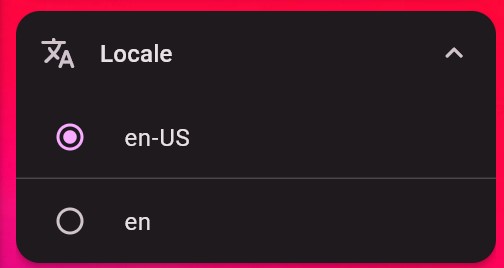
Allows you to control the system locale. This is work-in-progress and will be improved.
MediaQuery module
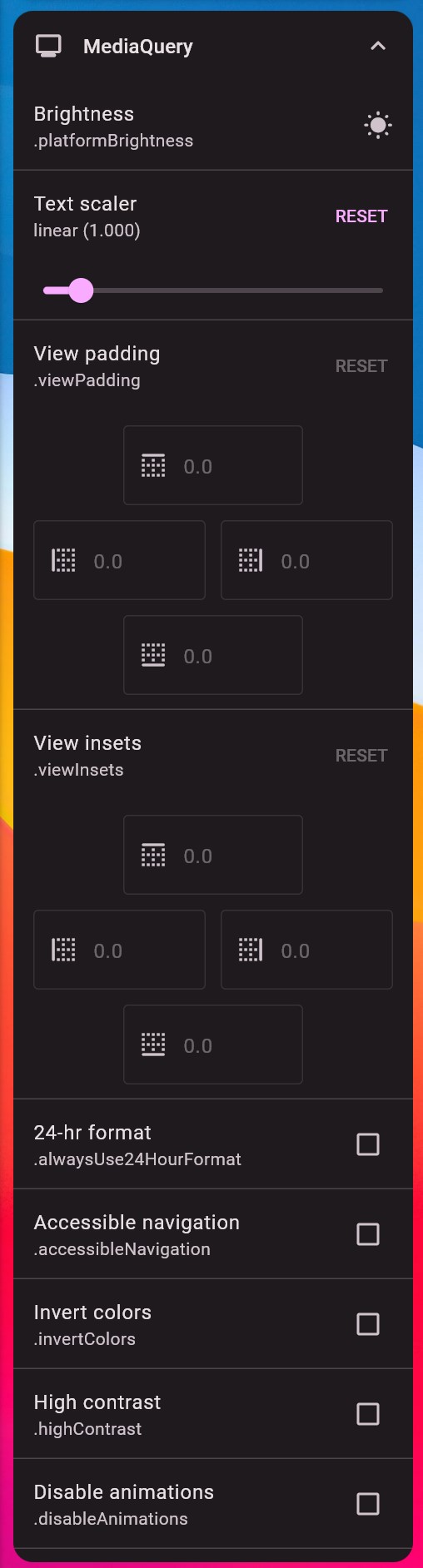
Allows you to set the MediaQuery properties for the app. This is transparent to the app and appears like host device properties.
Custom modules
More documentation soon. If curious, check the lib/src/modules directory.