Buscar pacotes, repositórios e categorias de apps

Capa de status_bar_control
Detalhes do pacotev4.0.0

status_bar_control

Controle da Barra de Status, permite que você controle a cor da barra de status, o estilo (tema), visibilidade e propriedades translúcidas em iOS e Android.

AndroidiOS
Downloads em 30 dias
700
Curtidas
91
Pontos Pub
140

Instalar pacote

flutter pub add status_bar_control

Visão geral do pacote

Orientação gerada a partir de informações públicas. Apenas para referência.

O Status Bar Control é um pacote Flutter que permite aos desenvolvedores personalizar a barra de status em plataformas Android e iOS. Ele oferece controle sobre a cor da barra de status, aparência (tema claro ou escuro), visibilidade e transparência. Este pacote fornece uma API simples e consistente para gerenciar as propriedades da barra de status, garantindo uma experiência de interface do usuário refinada. Funciona sem problemas com os recursos nativos das plataformas e suporta ambos os sistemas operacionais móveis. Ideal para aplicativos que exigem ajustes dinâmicos na barra de status com base no contexto ou mudanças de tema.

Casos de uso

  • Personalizando a cor da barra de status por tela
  • Ajustando o estilo da barra de status para temas escuros/claro
  • Ocultar temporariamente a barra de status
  • Tornar a barra de status translúcida
  • Gerenciando a barra de status em aplicativos em tela cheia

Principais recursos

  • Suporte multiplataforma (iOS e Android)
  • Controle sobre cor, estilo, visibilidade e transparência
  • API simples e intuitiva
  • Funciona com o comportamento nativo da plataforma
  • Nenhum código nativo adicional necessário

Indicado para

  • Aplicativos que precisam de estilização dinâmica da barra de status
  • Desenvolvedores construindo interfaces imersivas
  • Projetos com múltiplos temas
  • Interfaces em tela cheia ou semelhantes a jogos
  • Aplicativos com estados de navegação complexos

Considerações

  • Requer manipulação adequada de comportamentos específicos da plataforma
  • Pode ser necessário uma configuração adicional para casos especiais
  • Limitado apenas à personalização da barra de status
  • Não adequado para modificações avançadas de nível de sistema
  • Depende do uso correto dos eventos de ciclo de vida do Flutter

README original

Snapshot do README original do repositório-fonte vinculado. Consulte o repositório para o conteúdo mais recente.

Status Bar Control

Flutter_Tests

Since flutter_statusbar_manager is no longer maintained, this package is a re-publish and will be occasionally updated for continued use in existing projects.

Buy Me A Coffee      

About

Status Bar Control, lets you control the status bar color, style (theme), visibility, and translucent properties across iOS and Android. With some added bonus for Android to control the Navigation Bar.

This plugin is based on React Native's StatusBar component.

The Navigation Bar code was taken from the awesome flutter-screen-theme-plugin.

The plugin was tested with iOS 15 and Android 12 (API 31).

Last Updates
  • v3.2.0 rename to status_bar_control and re-publish to pub.dev
  • v3.1.2 add cutout-mode for Android and SafeArea to demo app
  • v3.1.1 resolve UIOverlay-deprecations and update of demo app
  • v3.1.0 support for Android V2 thanks to jWinterDay and rafaelmaeuer
  • v3.0.1 compatible with flutter web thanks to rafaelmaeuer
  • v3.0.0 support for null safety thanks to NarHakobyan
  • v2.0.0 compatible with AndroidX thanks to lorenzOliveto

See CHANGELOG for a complete list of changes.

Examples

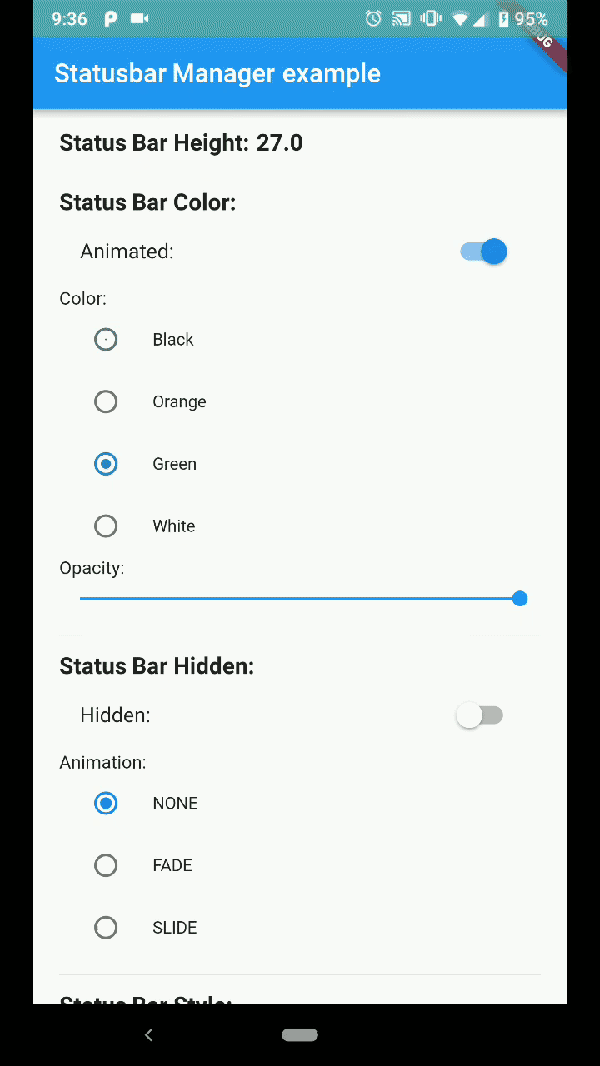
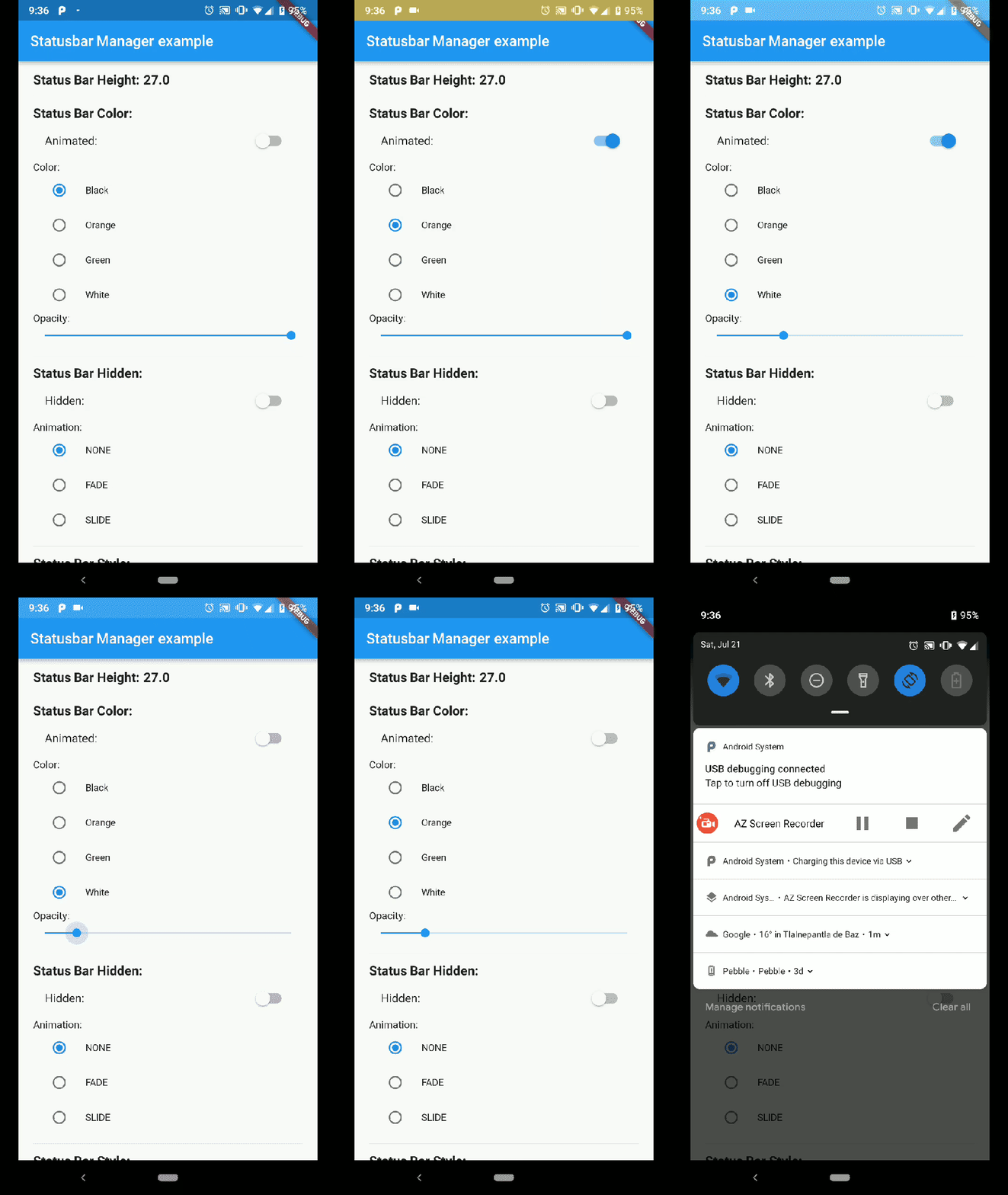
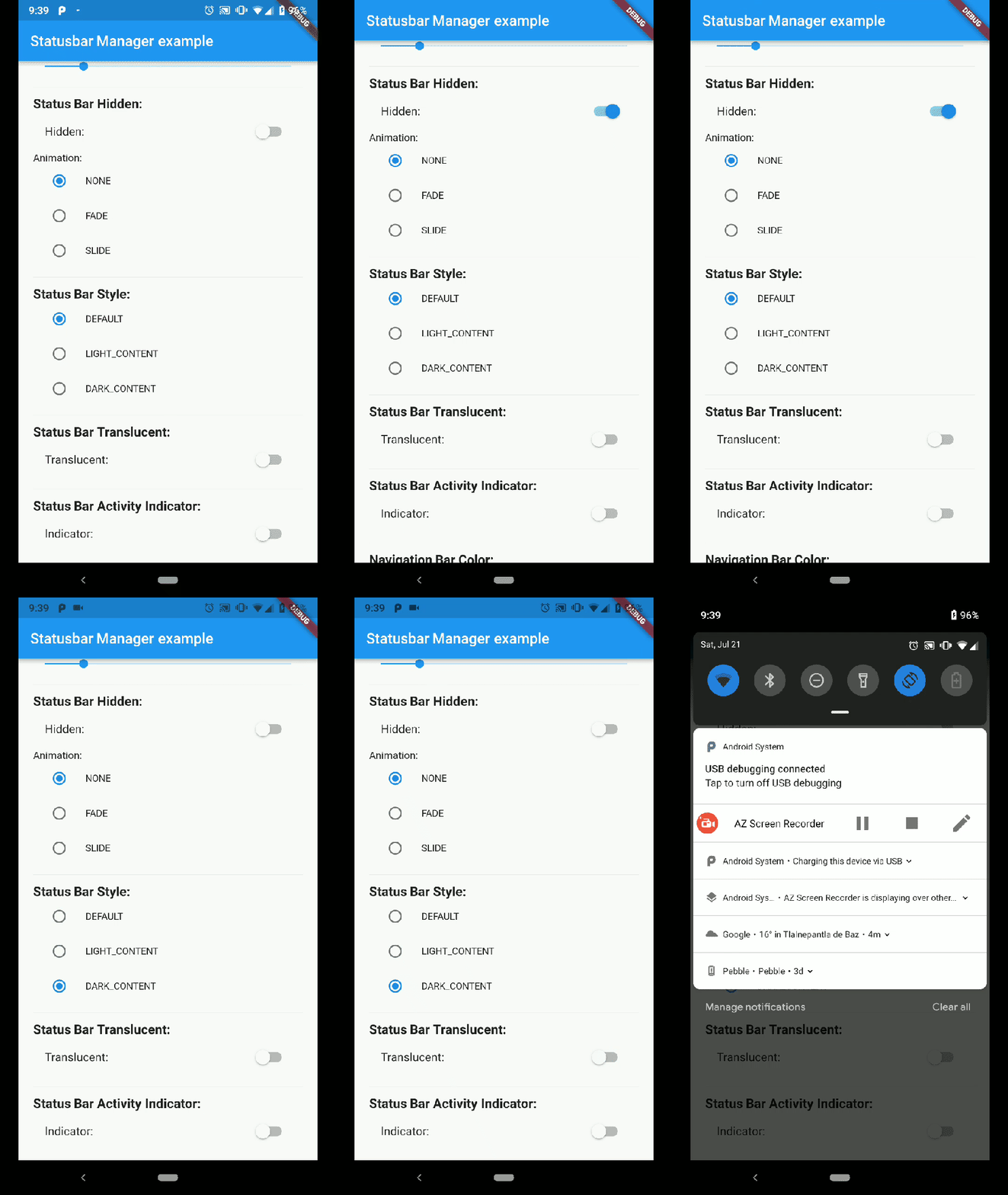
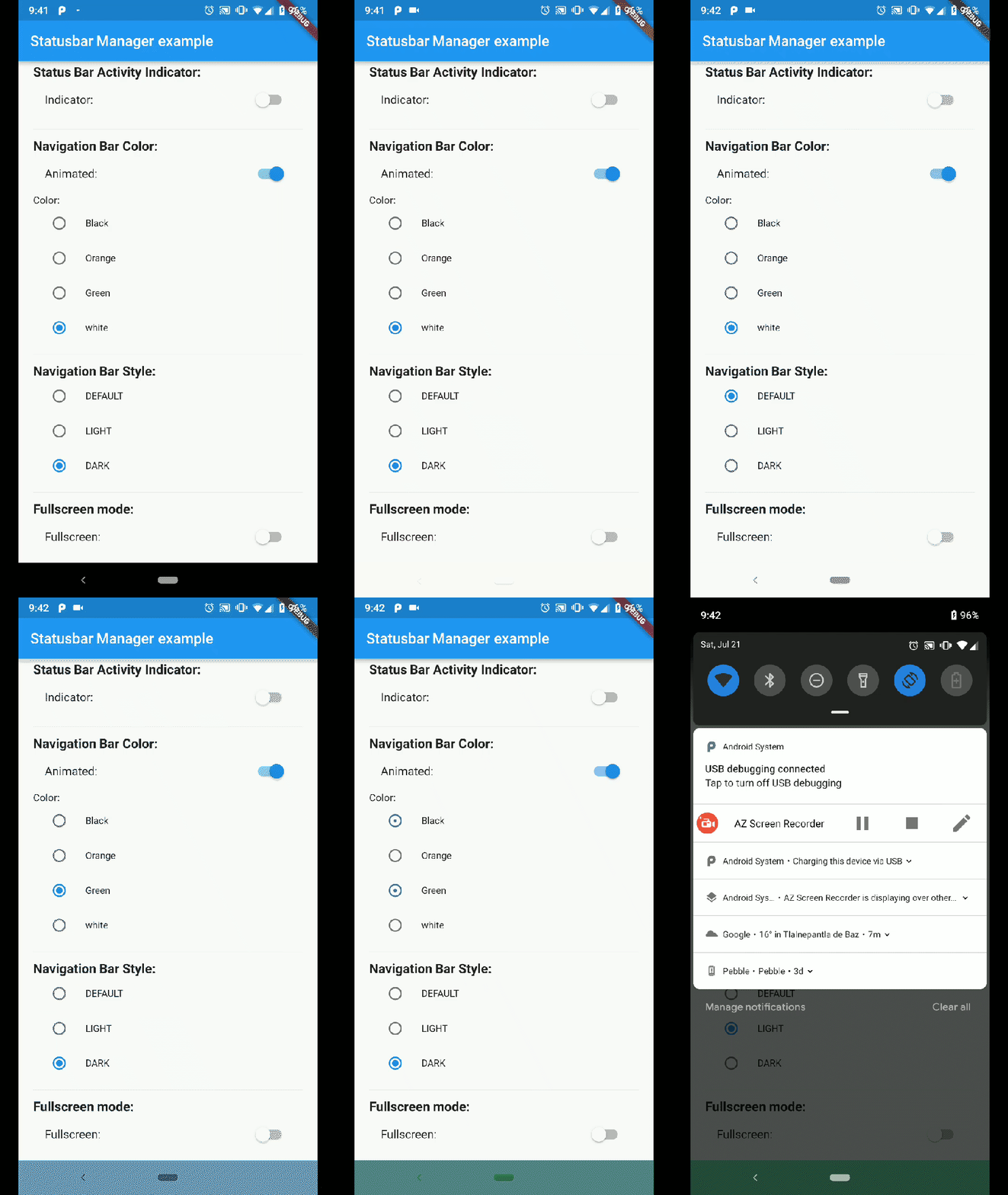
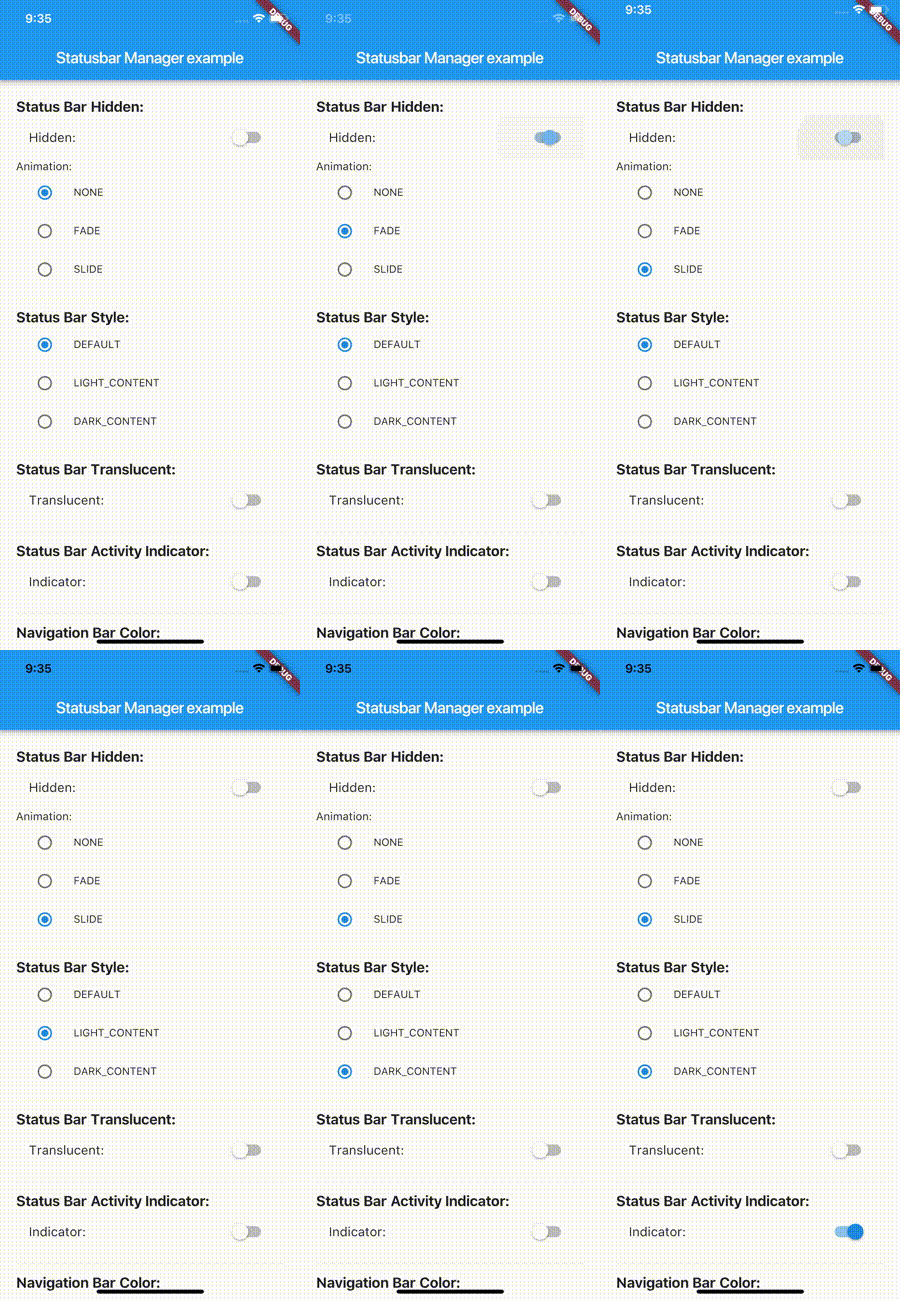
Build the example project for iOS and Android from the example folder.

Android
Status Bar Color Status Bar Hide Navigation Bar
Demo App Android Status Bar Demo App Android Status Bar hide Demo App Android Nav Bar
iOS
Demo Iphone 8 Demo Iphone X
Demo App Iphone 8 Demo App Iphone X

Note: not all of the shown examples might still work in the latest versions of Android or iOS

Installation

status_bar_control: ^3.2.1

to your pubspec.yaml and run

flutter pub get

in your project's root directory.

Basic Usage

Create a new project with command

flutter create myapp

On iOS add the following in your Info.plist (if not already present):

<key>UIViewControllerBasedStatusBarAppearance</key>
<false/>

On Android add the following in your styles.xml (cutout-mode for API >27):

<item name="android:windowLayoutInDisplayCutoutMode" tools:targetApi="o_mr1">shortEdges</item>

Import the plugin in lib/main.dart like this:

import 'package:status_bar_control/status_bar_control.dart';

Methods

setColor
Platforms: Android

The setColor method will set the status bar background color. On iOS the method will always return a successful Future.

Parameter Type Default Required Description
color Color none Yes The color to be set as background, can use colors with opacity.
animated bool false No Whether or not to animate the color change.
await StatusBarControl.setColor(Colors.green, animated:true);
setTranslucent
Platforms: Android

The setTranslucent method will set the status bar translucent status. On iOS the methods will always return a successful Future.

Parameter Type Default Required Description
translucent bool none Yes Whether or not the status bar will be translucent.
await StatusBarControl.setTranslucent(true);
setHidden
Platforms: Android, iOS

The setHidden will hide the status bar.

Parameter Type Default Required Description
hidden bool none Yes Whether or not to hide the status bar.
animation StatusBarAnimation StatusBarAnimation.NONE No The hiding animation to use (iOS only).
await StatusBarControl.setHidden(true, animation:StatusBarAnimation.SLIDE);
setStyle
Platforms: Android, iOS

The setStyle method will set the status bar theme.

Parameter Type Default Required Description
style StatusBarStyle none Yes The status bar theme to use for styling, can either be light, dark, default.
await StatusBarControl.setStyle(StatusBarStyle.DARK_CONTENT);
setNetworkActivityIndicatorVisible
Platforms: iOS

The setNetworkActivityIndicatorVisible method will show or hide the activity indicator, On Android the method will always return a successful Future.

Parameter Type Default Required Description
visible bool none Yes Whether or not to show the activity indicator.
await StatusBarControl.setNetworkActivityIndicatorVisible(true);
getHeight
Platforms: Android, iOS

The getHeight getter method will return the height of the status bar.

double height = await StatusBarControl.getHeight

Bonus Methods

setNavigationBarColor
Platforms: Android

The setNavigationBarColor method will set the navigation bar background color. On iOS the method will always return a successful Future.

Parameter Type Default Required Description
color Color none Yes The color to be set as background.
animated bool false No Whether or not to animate the color change.
await StatusBarControl.setNavigationBarColor(Colors.green, animated:true);
setNavigationBarStyle
Platforms: Android

The setNavigationBarStyle method will set the navigation bar theme.

Parameter Type Default Required Description
style NavigationBarStyle none Yes The navigation bar theme to use for styling, can either be light, dark, default.
await StatusBarControl.setNavigationBarStyle(NavigationBarStyle.DARK);
setFullscreen
Platforms: Android, iOS

The setFullscreen method will set the app in fullscreen mode.

Parameter Type Default Required Description
fullscreen bool none Yes Whether or not to set the app on fullscreen mode.
await StatusBarControl.setNavigationBarStyle(NavigationBarStyle.DARK);

Enums

StatusBarStyle
  • StatusBarStyle.DEFAULT
  • StatusBarStyle.LIGHT_CONTENT
  • StatusBarStyle.DARK_CONTENT
StatusBarAnimation
  • StatusBarAnimation.NONE
  • StatusBarAnimation.FADE
  • StatusBarAnimation.SLIDE
NavigationBarStyle
  • NavigationBarStyle.DEFAULT
  • NavigationBarStyle.DARK
  • NavigationBarStyle.LIGHT

Status bar

Compatibility: Android (6.0+) & iOS

On Android, it will only work with Android 6.0 (Marshmallow) and above devices.

Navigation bar

Compatibility: Android only

Android 5.0 (Lollipop) and above: color

Android 8.0 (Oreo) and above: style (dark/light)

Categorias

Repositório-fonte

Projetos que usam este pacote