Orientação gerada a partir de informações públicas. Apenas para referência.
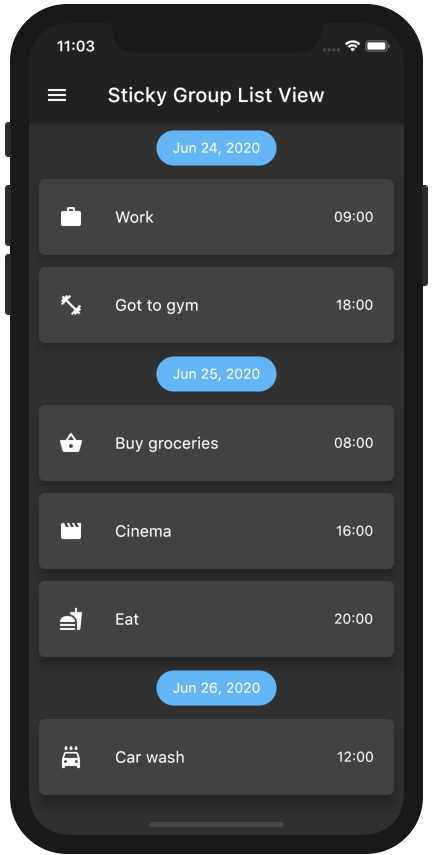
Um pacote Flutter que estende o ScrollablePositionedList para permitir seções de lista agrupadas com cabeçalhos fixos. Ele permite que os usuários organizem itens em grupos lógicos, onde os cabeçalhos das seções permanecem fixos no topo da tela enquanto os usuários rodam o conteúdo. Ideal para listas longas com categorização clara, como contatos, mensagens ou catálogos de produtos. O pacote suporta todas as principais plataformas e se integra perfeitamente a aplicativos Flutter existentes.
Casos de uso
Organizar contatos por ordem alfabética
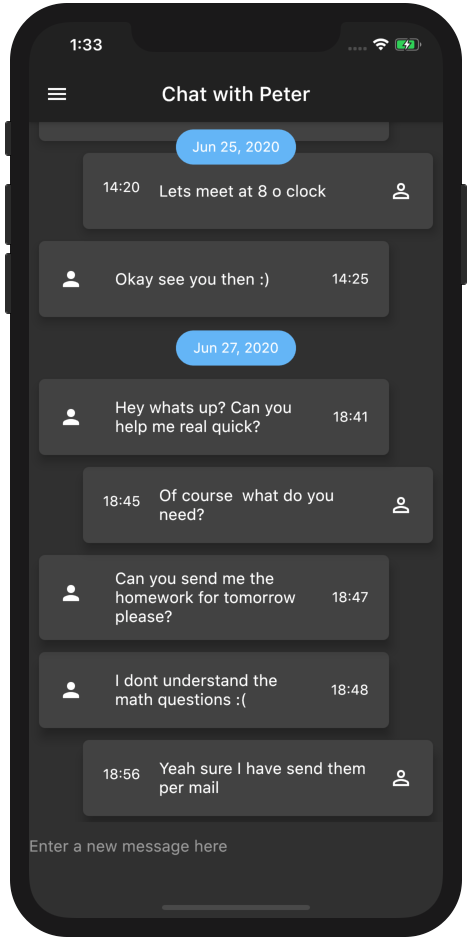
Exibindo mensagens de bate-papo por data
Criando listagens de produtos categorizadas
Construindo um diretório pesquisável
Implementando listas de tarefas agrupadas
Principais recursos
Cabeçalhos de seção grudados
Suporte para itens agrupados roláveis
Compatibilidade multiplataforma
Integração fácil com ScrollablePositionedList
Estilo de cabeçalho personalizável
Indicado para
Aplicativos com dados categorizados
Listas longas roláveis
Interfaces de usuário que exigem navegação por seções
Desenvolvedores usando ScrollablePositionedList
Projetos que precisam de cabeçalhos agrupados responsivos
Considerações
Requer manipulação cuidadosa das chaves de item
Pode afetar o desempenho com conjuntos de dados muito grandes
O comportamento do cabeçalho depende da posição de rolagem
animações internas limitadas
Não adequado para layouts não roláveis
README original
Snapshot do README original do repositório-fonte vinculado. Consulte o repositório para o conteúdo mais recente.
A ListView in which list items can be grouped to sections. Based on scrollable_positioned_list, which enables programatically scrolling of the list.
Features
Easy creation of chat-like interfaces.
List items can be separated in groups.
For the groups an individual header can be set.
Sticky headers with floating option.
All fields from ScrollablePositionedList available.
By using a pre defined element identifier. The identifier is defined by a Function which takes one element and returns a unique identifier of any type.
The methods scrollToElement and jumpToElement can be used to jump to an element by providing the elements identifier instead of the index:
A list of the data you want to display in the list
required
-
itemBuilder / indexedItemBuilder
Function which returns an Widget which defines the item. indexedItemBuilder provides the current index as well. If both are defined indexedItemBuilder is preferred
yes, either of them
-
groupBy
Function which maps an element to its grouped value
required
-
groupSeparatorBuilder
Function which gets a element and returns an Widget which defines the group header separator
required
-
separator
A Widget which defines a separator between items inside a group
no
no separator
floatingHeader
When set to true the sticky header will float over the list
no
false
stickyHeaderBackgroundColor
Defines the background color of the sticky header
no
Color(0xffF7F7F7)
itemScrollController
Instead of an ItemScrollController a GroupedItemScrollController needs to be provided.
no
-
elementIdentifier
Used by itemScrollController and defines the unique identifier for each element.
no
-
order
Change to StickyGroupedListOrder.DESC to reverse the group sorting
no
StickyGroupedListOrder.ASC
groupComparator
Can be used to define a custom sorting for the groups. Otherwise the natural sorting order is used
no
-
itemComparator
Can be used to define a custom sorting for the elements inside each group. Otherwise the natural sorting order is used
no
-
reverse
Scrolls in opposite from reading direction (Starting at bottom and scrolling up). Same as in scrollable_positioned_list.
no
false
GroupedItemScrollController.srollTo() and GroupedItemScrollController.jumpTo() automatic set the alignment so that the item is fully visible aligned under the group header. Both methods take automaticAlignment as a additional optional paramenter which needs to be set to true if alignment is specified.
Also the fields from ScrollablePositionedList.builder can be used.
Highlight - Chat Dialog
Easy creation of chat-like dialogs.
Just set the option reverse to true and the option order to StickyGroupedListOrder.DESC. A full example can be found in the examples.
The list will be scrolled to the end in the initial state and therefore scrolling will be against redeaing direction.
Difference between grouped_list and sticky_grouped_list:
TThe list views in the GroupedList package are based on the default flutter listview and the silver list. This package is based on the scrollable_positioned_list which enables the possibility to programatically scroll to certain positions in the list. So if you need the ability to programatically scroll the list use the this package otherwise I would recommend to use the GroupedList package.