Buscar pacotes, repositórios e categorias de apps

Capa de tap_debouncer
Detalhes do pacotev2.2.0

tap_debouncer

Widget de debounce de toque, simplificando. Envolver seu widget de botão com o widget TapDebounce e todos os toques serão desativados enquanto o retorno de chamada de toque estiver em andamento.

AndroidiOSWebmacOSWindowsLinux
Downloads em 30 dias
19 mil
Curtidas
120
Pontos Pub
160

Instalar pacote

flutter pub add tap_debouncer

Visão geral do pacote

Orientação gerada a partir de informações públicas. Apenas para referência.

TapDebounce é um pacote Flutter que simplifica a prevenção de toques repetidos em widgets, especialmente botões. Ao envolver um widget com o widget TapDebounce, ele desativa toques adicionais durante a execução do callback de toque, reduzindo o risco de submissões acidentais múltiplas. Ideal para formulários, ações ou quaisquer elementos interativos onde toques rápidos poderiam causar problemas. Suporta todas as principais plataformas e se integra perfeitamente em projetos Flutter existentes.

Casos de uso

  • Evitando submissões duplicadas de formulários
  • Evitando cliques rápidos de botões em fluxos de pagamento
  • Melhorando a UX em interfaces com muitas ações
  • Reduzindo mudanças de estado indesejadas
  • Manipulando respostas de rede lentas com segurança
  • Proteção contra toques acidentais duplos

Principais recursos

  • Desativação automática do toque durante o retorno de chamada
  • Integração envolvente simples
  • Suporte multiplataforma
  • Boilerplate mínimo
  • Duração de debounce configurável
  • Funciona com qualquer widget

Indicado para

  • Desenvolvedores em busca de proteção contra toques rápidos
  • Interfaces de formulários e ações com alto risco de toque
  • Aplicativos que exigem controle confiável da interação do usuário
  • Equipes que priorizam a consistência da UX
  • Projetos com interações frequentes de botão

Considerações

  • Não impede toques se o retorno de chamada for concluído instantaneamente
  • Pode ser necessário reinicialização manual para tarefas de longa duração
  • Limitado a eventos de toque apenas
  • Sem feedback embutido para estado desativado
  • Não adequado para reconhecimento de gestos complexos
  • Requer manipulação cuidadosa em fluxos assíncronos

README original

Snapshot do README original do repositório-fonte vinculado. Consulte o repositório para o conteúdo mais recente.

Analyze and tests status

Coverage Status

MIT License

Description

Tap debounce simplifying widget. Wrap your button widget in TapDebounce widget and any taps will be disabled while tap callback is in progress.

Manual

Initial code

Assume your code with some button look like this:

//...
child: RaisedButton(
  color: Colors.blue,
  disabledColor: Colors.grey,
  onPressed: () async => await someLongOperation(), // your tap handler
  child: const Text('Short'),
  );
//...

and you do not want user to be able to press the button again several times and start other someLongOperation functions. Example is a Navigator pop function - it can take a few hundred of millis to navigate and user can press the button several times, and that will lead to undesired pop several screens back instead of one.

Wrap code to TapDebouncer

Wrap this code to Debouncer and move RaisedButton onPressed contents to Debouncer onTap:

//...
child: TapDebouncer(
  onTap: () async => await someLongOperation(), // your tap handler moved here
  builder: (BuildContext context, TapDebouncerFunc? onTap) {
    return RaisedButton(
      color: Colors.blue,
      disabledColor: Colors.grey,
      onPressed: onTap,  // It is just onTap from builder callback
      child: const Text('Short'),
    );
  },
),
//...

Debouncer will disable the RaisedButton by setting onPressed to null while onTap is being executed.

Add delay after tap process

You can add optional delay to be sure that the button is disabled some time after someOperation is called.

//...
onTap: () async {
    await someOperation();
    
    await Future<void>.delayed(const Duration(milliseconds: 1000));
},
//...
Use cooldown instead of delay

You can fill optional cooldown field with some Duration and avoid adding of Future.delayed at the end of onTap callback, this will be done automatically:

//...
child: TapDebouncer(
  cooldown: const Duration(milliseconds: 1000),
  onTap: () async => await someLongOperation(), // your tap handler moved here
  builder: (BuildContext context, TapDebouncerFunc? onTap) {
    return RaisedButton(
      color: Colors.blue,
      disabledColor: Colors.grey,
      onPressed: onTap,  // It is just onTap from builder callback
      child: const Text('Short'),
    );
  },
),
//...

Then your onTap could be changed to this:

//...
onTap: () async => await someOperation(),
//...
Cooldown behavior with exception

If someOperation will raise exception cooldown delay will also work, after exception.

Change look of busy widget (waiting for tap complete)

You can inspect value of onTap and change look of your widget:

//...
builder: (BuildContext context, TapDebouncerFunc? onTap) {
  return RaisedButton(
    color: Colors.blue,
    onPressed: onTap,
    // variant with manual test onTap for null in builder
    child: onTap == null
        ? const Text('Wait...')
        : const Text('Short'),
  );
},
//...

Also you can use waitBuilder method to build new busy widget:

//...
builder: (BuildContext context, TapDebouncerFunc? onTap) {
//...
},
// variant with using waitBuilder instead of test onTap for null
waitBuilder: (BuildContext context, Widget child) {
  return Stack(
    children: <Widget>[
      child,
      const Center(child: CircularProgressIndicator()),
    ],
  );
},
//...

waitBuilder will return original widget (built with onTap == null) as child

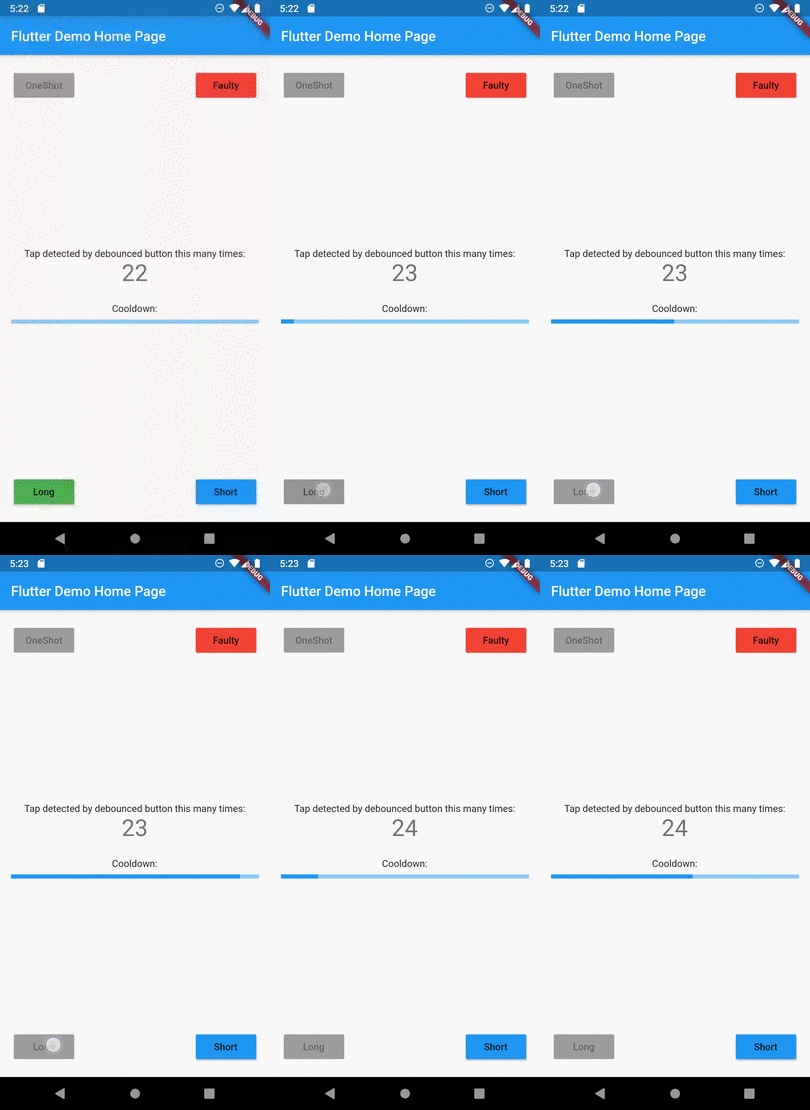
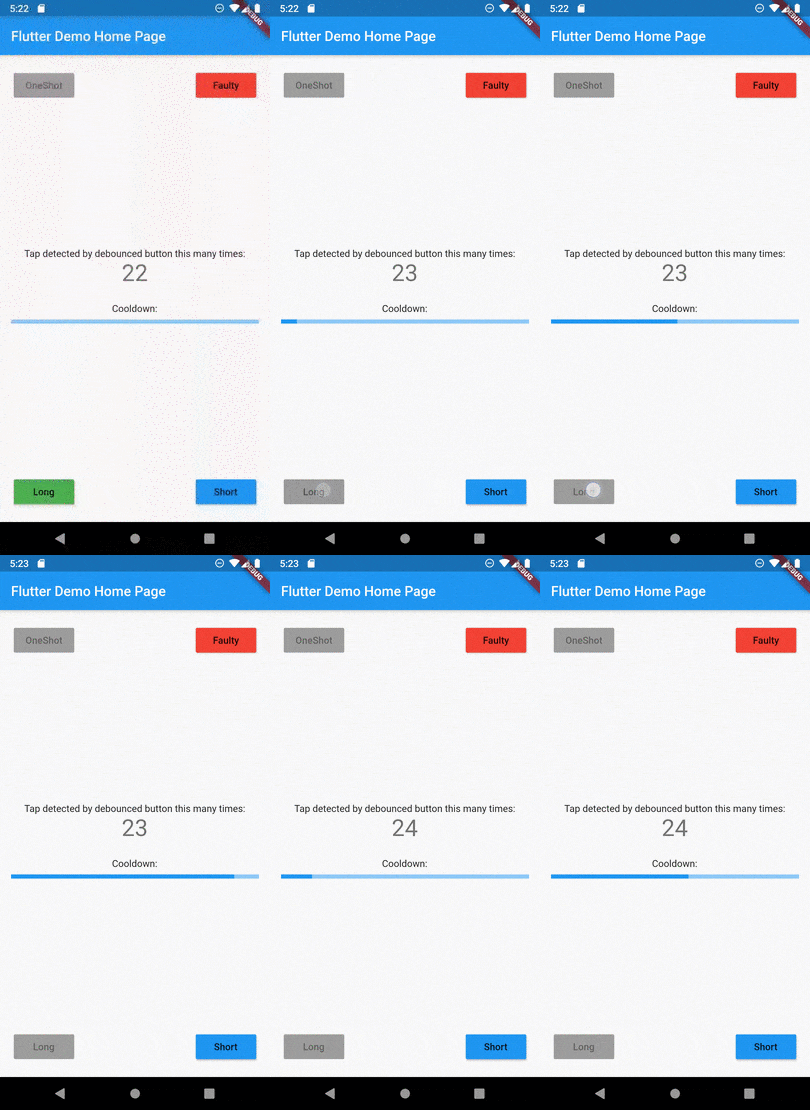
Example

See example application for details:

Example of button disabled after tap

Categorias

Repositório-fonte

Projetos que usam este pacote

Ainda não há dados.