Orientação gerada a partir de informações públicas. Apenas para referência.
Um widget Flutter versátil projetado para ser integrado de forma transparente em qualquer parte da árvore de widgets. Ele oferece suporte completo a animações e funcionalidades de acessibilidade, garantindo uma experiência consistente e inclusiva em diferentes contextos. Ideal para componentes reutilizáveis que precisam de comportamento dinâmico e compatibilidade com leitores de tela. O pacote aumenta a flexibilidade do widget sem comprometer o desempenho ou usabilidade.
Casos de uso
Componentes de interface reutilizáveis
Renderização de conteúdo dinâmico
Interfaces compatíveis com acessibilidade
Integração de widget multiplataforma
Elementos de interface animados
Principais recursos
Suporte completo a animações
Acessibilidade embutida
Posicionamento flexível na árvore de widgets
Leve e eficiente
Design extensível
Indicado para
Desenvolvedores construindo widgets reutilizáveis
Equipes que priorizam a acessibilidade
Aplicativos que exigem interfaces animadas
Projetos com hierarquias de widget complexas
Aplicações Flutter multiplataforma
Considerações
Requer conhecimento do ciclo de vida do widget do Flutter
Pode ser necessário configuração adicional para animações avançadas
Não otimizado para atualizações de alta frequência
Personalização limitada por plataforma
Depende da integração adequada nos fluxos de gerenciamento de estado
README original
Snapshot do README original do repositório-fonte vinculado. Consulte o repositório para o conteúdo mais recente.
The Mighty UniversalWidget
I'm just so excited to introduce to you my superhero widget: UniversalWidget
You can find the package at: https://pub.dartlang.org/packages/universal_widget
With UniversalWidget, you will have full control with it in the widget tree.
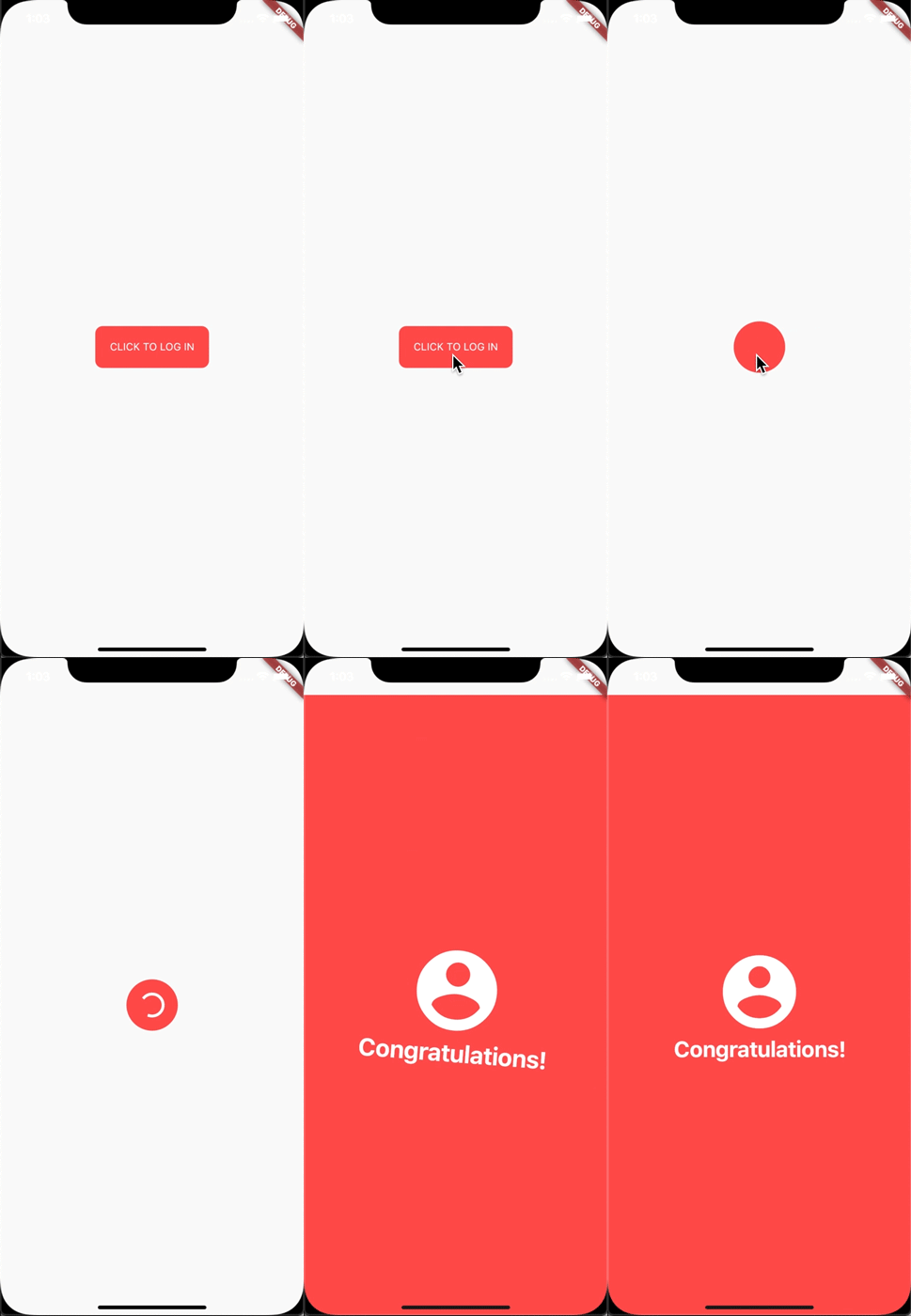
I made this login animation with UniversalWidget in only 8 lines of code. If you want to know how to do it with Flutter, see this cool tutorial: https://blog.geekyants.com/flutter-login-animation-ab3e6ed4bd19
Apply easing type to the animation, listen to the widget to see when the animation is finished, see the progress of the animation, or make the animation repeated. Here you go:
myWidget.update(
  duration: 0.5, // in seconds
  delay: 2, // in seconds - wait 2 seconds then play the animation
  height: 100,
  ease: Curve.elasticEaseOut, // or your can use Ease.elasticEaseOut, it's the same
  onComplete: (widget){
    print("I finished changing my height!");
  },
  onUpdate: (progress){
    print("Animation progress is $progress");
  }
);
If you want to repeat the animation 5 times:
myWidget.update(
  ...
  repeat: 5,
  ...
);
If you want the animation to play in reverse after it's finish: (like the way playing Yoyo in real life)
myWidget.update(
  ...
  yoyo: true,
  ...
);
If you want to repeat the animation forever:
myWidget.update(
  ...
  repeat: -1,
  ...
);
Combining "repeat" and "yoyo", you will have the animation go forward & backward forever:
myWidget.update(...repeat:-1,yoyo:true,...);
To stop the widget from animation:
myWidget.killAllTweens();
Additional Animation Easing Types
Yes, UniversalWidget has more easing type than Flutter framework, it supports:
Ease.backIn
Ease.backOut
Ease.backInOut
Ease.slowMo
Ease.sineIn
Ease.sineOut
Ease.sineInOut
Let play with it yourself! ;)
Accessibility
Let's take full control of your UniversalWidget, you can access to it everywhere, EVERYWHERE. (as long as it's still on your screen)
Notes that the given name should be unique, if you have many UniversalWidget with the same name, only the latest one in the widget tree can be accessible by a name, the others won't. So please name it wisely.
Wait, there's more. If you want to check for the size of the widget, do this:
UniversalWidget(
  child: Text("Hello World!"),
  // because the widget size can only be calculated after the widget are build, you need to listen on this event:
  onWidgetBuilt: (context){
    print("My size is ${context.size}");
  }
);
Phewwww... that's it for now. Now you guys might understand why I called it "The Mighty Widget", not too brag, eh? Hopefully it will save you a bunch of time, as it's saving me right now.
If you have any feedback, or meet any troubles while using this widget, please feel free to reach me via this Github repo.