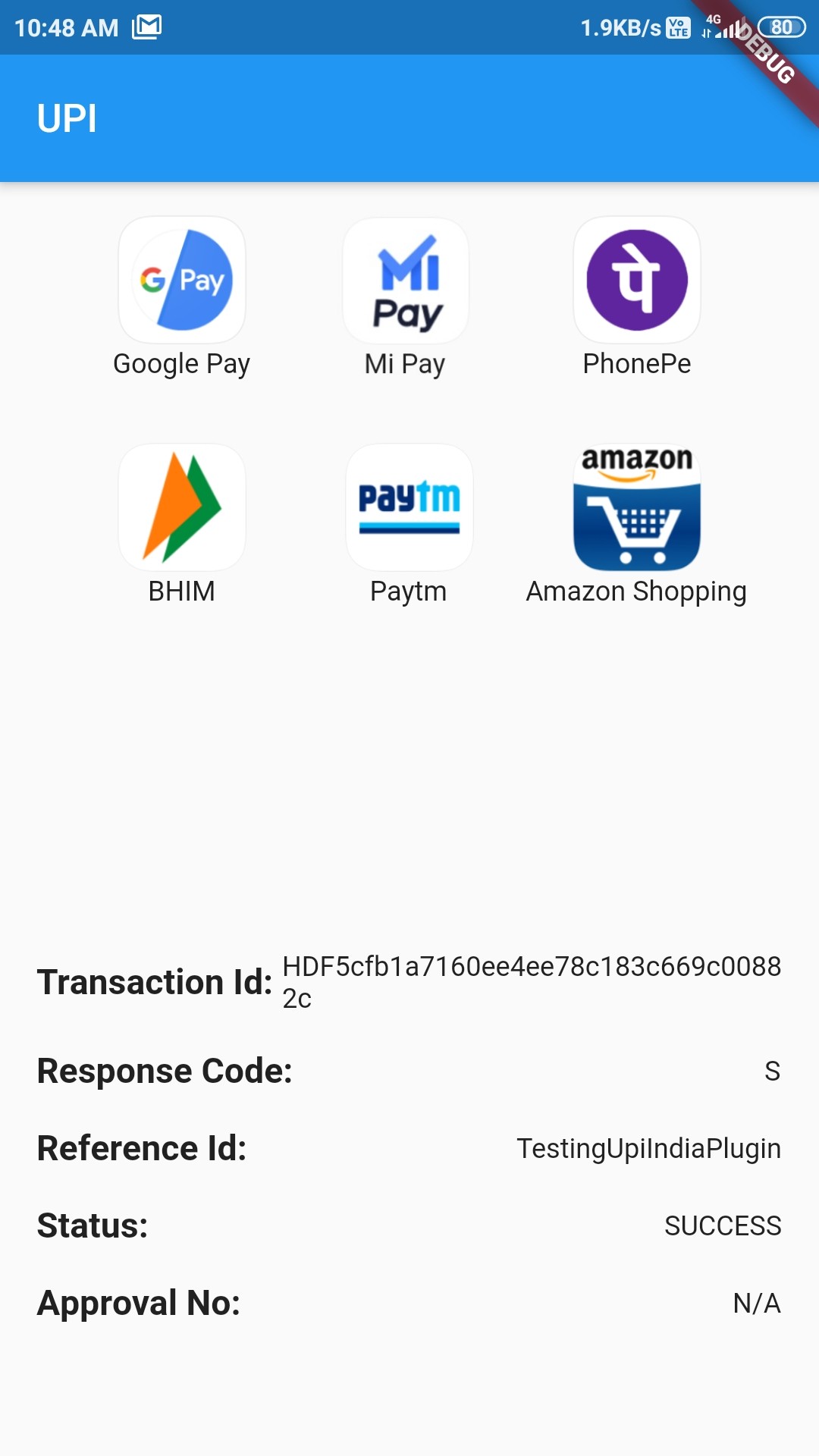
Orientação gerada a partir de informações públicas. Apenas para referência.
O pacote upi_india é um plugin Flutter projetado para Android que permite transações UPI (Interface de Pagamentos Unificados) sem interrupções, integrando-se a vários aplicativos habilitados para UPI instalados no dispositivo. Ele permite que os usuários iniciem pagamentos diretamente por meio de aplicativos populares de UPI, como Google Pay, PhonePe ou Paytm, sem precisar digitar manualmente os dados bancários. O plugin simplifica o processamento de pagamentos em aplicativos indianos de comércio eletrônico e serviços, aproveitando a funcionalidade nativa do UPI. Ele suporta parâmetros dinâmicos de transação, como valor, destinatário e referência da transação, garantindo pagamentos seguros e eficientes. Este pacote é ideal para desenvolvedores que criam aplicações financeiras ou de varejo voltadas para o mercado indiano.
Casos de uso
Checkout de comércio eletrônico móvel
Integração de carteira digital
Coleta de pagamento de serviço
Aplicativos de divisão de contas
Plataformas de doação
Principais recursos
Suporta múltiplos aplicativos UPI
Início de transação segura
Parâmetros dinâmicos de pagamento
API simples para Android
Tratamento de erro embutido
Indicado para
Aplicativos móveis focados na Índia
Gateways de pagamento
Plataformas de varejo e serviços
Desenvolvedores Flutter no Android
Aplicativos que precisam de pagamentos UPI
Considerações
Suporte apenas para Android
Requer instalação do aplicativo UPI
Limitado ao sistema bancário indiano
Sem compatibilidade com iOS
Depende da disponibilidade do aplicativo UPI do usuário
README original
Snapshot do README original do repositório-fonte vinculado. Consulte o repositório para o conteúdo mais recente.
This repository is now Archived.
UPI India (for Android only)
This plugin is used to integrate UPI Options in your Android app. You can use this plugin to initiate transaction to any UPI ID or to any Account number. Check the Supported apps here.
For a complete example of how to use this plugin, look at the Example tab or in the Github repository.
IMPORTANT!
Some apps like Google Pay, PhonePe, Paytm are currently unable to process the transaction and showing "Maximum limit exceeded" or "Risk threshold exceeded" errors. Reason for this is not clear yet.
Help required
If you can help to extend this for iOS, feel free to check this issue.
If you can help to verify the compatibility of different UPI apps, feel free to check this issue.
Thanks in advance :)
Classes to know
UpiIndia - It is the main class containing two methods:
getAllUpiApps() - It takes:
bool allowNonVerifiedApps: Should include apps whose working has not been verified yet or not
List[UpiApp] includeOnly: List of UpiApps which should be shown and hide the others.
bool mandatoryTransactionId: Should include those apps which doesn't return Transaction ID or not
startTransaction() - It takes:
double amount: Amount to transfer (in ₹)
UpiApp app: Which app to use to do the transaction
String currency: Currently only supports INR
bool flexibleAmount: Set true to allow user to fill the amount
String merchantId: Merchant code if present
String receiverId: ID of the receiver
String receiverName: Name of receiver
String transactionNote: A note about the transaction
String transactionRefId: Reference Id of transaction
String url: For some extra information
UpiApp - It contains supported apps. It is also the model class for the apps returned by getAllUpiApps().
UpiResponse - You will use this to get response from the requested app.
UpiPaymentStatus - Use this to see if transaction was a success or not.
Custom Exception thrown by this Plugin (with self explanatory names)
UpiIndiaAppNotInstalledException
UpiIndiaUserCancelledException
UpiIndiaNullResponseException
UpiIndiaInvalidParametersException
UpiIndiaActivityMissingException
UpiIndiaAppsGetException
How to start transaction?
Step 1:
Import the Package:
import'package:upi_india/upi_india.dart';
Step 2:
Create UpiIndia object.
UpiIndia _upiIndia = UpiIndia();
Step 3:
Get list of all apps in the device which can handle UPI Intent, as shown.