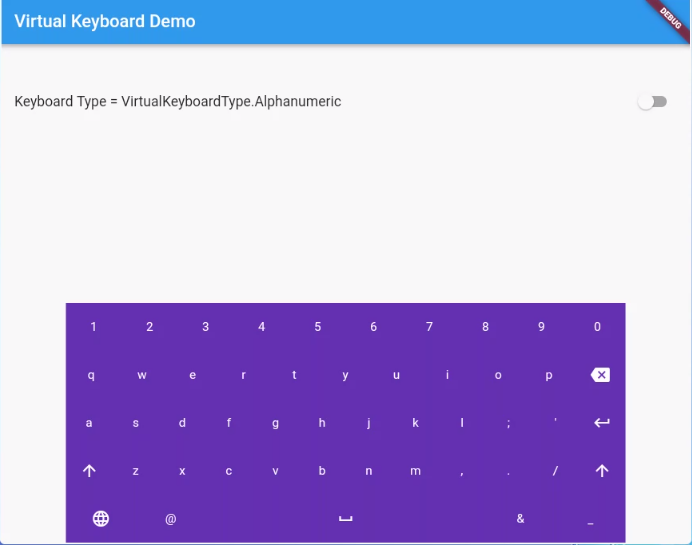
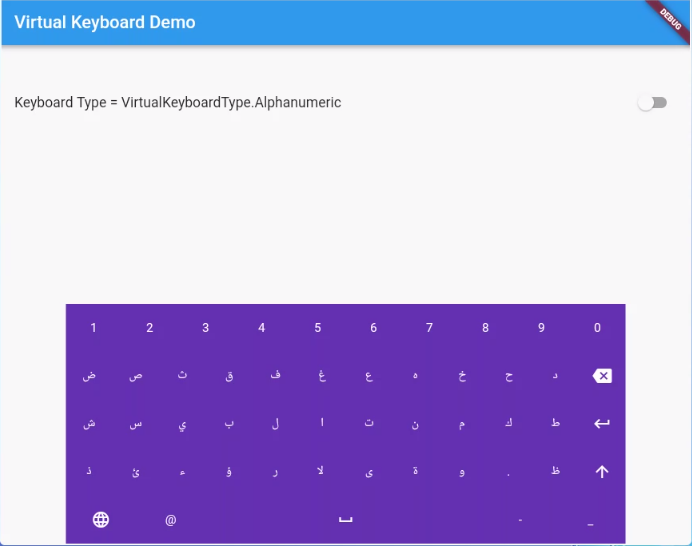
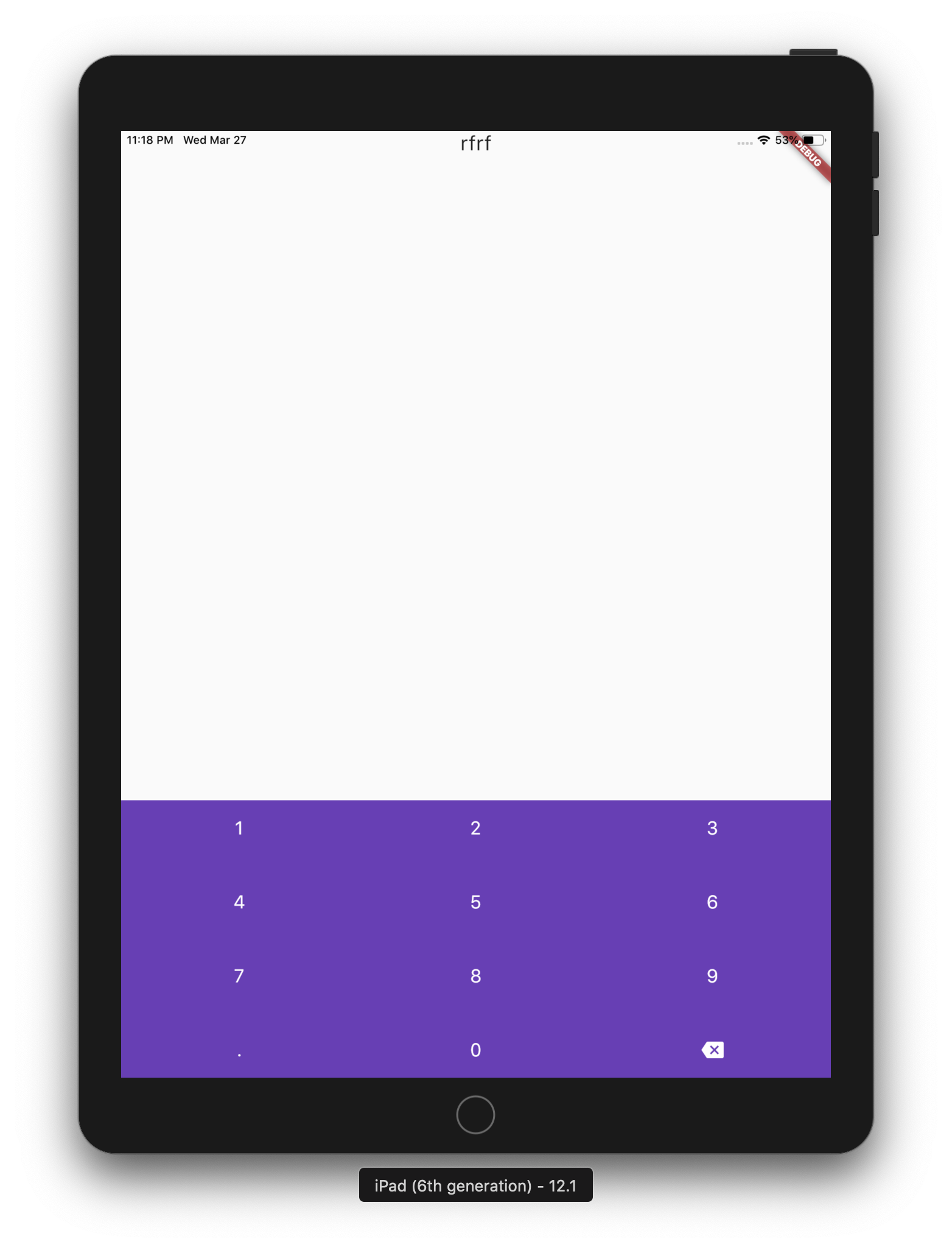
Um pacote simples para exibir teclados virtuais em dispositivos como quiosques e caixas eletrônicos. A biblioteca é escrita em Dart e não tem dependência de código nativo.
Orientação gerada a partir de informações públicas. Apenas para referência.
Um pacote Dart leve e multiplataforma para exibir teclados virtuais em dispositivos como quiosques e caixas eletrônicos. Projetado sem dependências de código nativo, suporta múltiplos idiomas e funciona perfeitamente em Android, iOS, Web, macOS, Windows e Linux. Ideal para interfaces baseadas em toque que exigem soluções personalizáveis de entrada. O pacote fornece uma API simples para integrar teclados virtuais em aplicativos Flutter com configuração mínima.
Casos de uso
terminais de quiosque
Interfaces ATM
Entrada de dados multilíngue
Sistemas de ponto de venda com tela sensível ao toque
Estações de check-in self-service
Exibições públicas interativas
Principais recursos
Suporte a múltiplos idiomas
Sem dependências de código nativo
Compatibilidade multiplataforma
Layouts de teclado personalizáveis
Leve e fácil de integrar
Suporta todas as principais plataformas de desktop e móvel
Indicado para
Desenvolvedores construindo interfaces de toque voltadas para o público
Aplicações que exigem entrada multilíngue
Sistemas implantados em diversos sistemas operacionais
Projetos que precisam de dependências externas mínimas
Desenvolvimento de software para quiosques e caixas eletrônicos
Considerações
Pode ser necessário um design de layout personalizado para entradas de idioma não padrão
Limitado à funcionalidade básica de entrada de texto
O desempenho pode variar em dispositivos de baixa gama
Não inclui recursos avançados como texto preditivo ou entrada por voz
Mais adequado para ambientes controlados com comportamento de usuário previsível
README original
Snapshot do README original do repositório-fonte vinculado. Consulte o repositório para o conteúdo mais recente.
virtual_keyboard_multi_language
About
A simple package for dispaying virtual keyboards on a devices like kiosks and ATMs. The library is written in Dart and has no native code dependancy.
This project has forked from virtual_keyboard project because the virtual_keyboard project built to only display a buttons on the screen with single language. However, this project will handel the events and aill supports multi-languages.
(ToDo) Option to make a popup floating keyboard/keyNum.
(ToDo) Adding input result viewer and handel the events.
Reference
VirtualKeyboard
Flutter widget to show virtual keyboards.
// Keyboard Type: Can be Numeric or Alphanumeric.VirtualKeyboardType type
// Callback for Key press event. Called with pressed `Key` object.// will fire before adding pressed key text to controller, if a controller existsFunction preKeyPress;
// Callback for Key press event. Called with pressed `Key` object.// will fire after adding pressed key text to controller, if a controller existsFunction postKeyPress;
// Virtual keyboard height. Default is 300.double height;
/// Virtual keyboard height. Default is full screen widthdouble width;
// Color for key texts and icons.Color textColor;
// Font size for keyboard keys.double fontSize;;
// Only Caps letters enabled.bool alwaysCaps;;
/// the custom layout for multi or single languageVirtualKeyboardLayoutKeys customLayoutKeys;
/// used for multi-languages with default layouts, the default is English only/// will be ignored if customLayoutKeys is not nullList<VirtualKeyboardDefaultLayouts> defaultLayouts;
/// inverse the layout to fix the issues with right to left languages, default is false.bool reverseLayout;
// Just local variable. Use Text widget or similar to show in UI.String text;
/// Fired when the virtual keyboard key is pressed._onKeyPress(VirtualKeyboardKey key) {
if (key.keyType == VirtualKeyboardKeyType.String) {
text = text + (shiftEnabled ? key.capsText : key.text);
} elseif (key.keyType == VirtualKeyboardKeyType.Action) {
switch (key.action) {
caseVirtualKeyboardKeyAction.Backspace:
if (text.length == 0) return;
text = text.substring(0, text.length - 1);
break;
caseVirtualKeyboardKeyAction.Return:
text = text + '\n';
break;
caseVirtualKeyboardKeyAction.Space:
text = text + key.text;
break;
caseVirtualKeyboardKeyAction.Shift:
shiftEnabled = !shiftEnabled;
break;
default:
}
}
// Update the screensetState(() {});
}