Orientação gerada a partir de informações públicas. Apenas para referência.
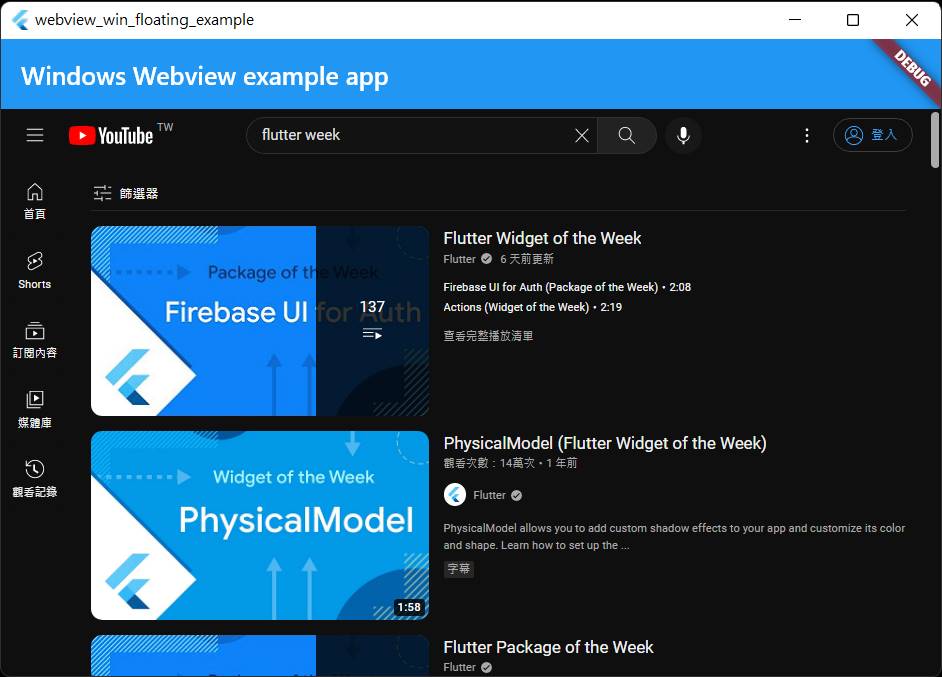
Um plugin do Flutter que fornece suporte a WebView para Windows e Linux, implementando a interface do webview_flutter. Permite incorporar conteúdo da web em aplicativos desktop nessas plataformas, oferecendo uma API consistente para desenvolvedores. O pacote foi projetado para funcionar perfeitamente com os recursos existentes do Flutter para WebView, facilitando a criação de aplicativos desktop multiplataforma com integração web. Ele é compatível com Windows e Linux, embora o macOS não seja incluído.
Casos de uso
Incorporar conteúdo da web em aplicativos de desktop
Construindo aplicativos desktop híbridos
Exibindo interfaces gráficas dinâmicas baseadas na web
Integrando serviços da web em aplicativos Flutter
Criando painéis de desktop com componentes da web
Principais recursos
Implementação de WebView para Windows e Linux
Corresponde à API do webview_flutter
Compatibilidade de desktop multiplataforma
Suporta execução de HTML e JavaScript
Leve e fácil de integrar
Indicado para
Desenvolvedores de aplicativos para desktop voltados para Windows e Linux
Criadores de aplicativos híbridos usando conteúdo da web
Equipes que precisam de comportamento consistente do WebView em várias plataformas
Desenvolvedores criando ferramentas de visualização de dados com componentes da web
Projetos que exigem visualizações web embutidas sem a complexidade da plataforma nativa
Considerações
Sem suporte para macOS
Limitado a plataformas Windows e Linux
Pode exigir configuração adicional em algumas distribuições do Linux
Depende dos componentes WebView do sistema subjacente
Não adequado para implantação móvel ou web
README original
Snapshot do README original do repositório-fonte vinculado. Consulte o repositório para o conteúdo mais recente.
webview_win_floating
A desktop Flutter WebView plugin for Windows and Linux.
It exposes the same API as webview_flutter, so you can reuse familiar WebView code while targeting desktop platforms.
BREAKING CHANGES
For developers upgrading from version 2.x to 3.x, please refer to API BREAKING CHANGES
You can write your app against the webview_flutter API and use this package as the desktop implementation.
Highlights
Native WebView rendering on Windows and Linux.
High-performance video playback and scrolling.
Compatible with the webview_flutter API on supported platforms.
Limitations
This package places a native WebView directly on top of the Flutter window instead of rendering it as a texture.
That design has a tradeoff:
You get native WebView performance and smooth video playback.
Flutter widgets CANNOT render above the WebView on Windows and Linux.
You cannot push a new route above the WebView.
Tab-key focus switching between Flutter and WebView has some limitations.
Flutter cannot clip the WebView, so it may remain visible even when scrolled outside its parent area.
If the WebView is placed inside a scrollable widget, you may need a ScrollController so it can be repositioned while scrolling.
Hmm... there are so many limitations.
Workaround
If your application targets only Windows or Linux, refer to the [Standalone mode] section below and use controller.setVisibility(bool) to toggle the WebView visibility.
When to Use It
Use this package if:
You need smooth video playback.
You care about scroll performance.
You do not need Flutter overlays above the WebView.
For Linux platform
Linux has a few build-time considerations. See README_Linux.md for details.
You can configure custom storage paths for browser data, including cache, cookies, and session information.
If your app is installed in a read-only location such as C:\Program Files\, set a custom user data folder.
Profiles:
You can specify a Profile Name, similar to the "User Profile" mechanism in Google Chrome.
Data for each profile is stored in: <UserDataFolder>/EBWebView/WV2Profile_<ProfileName>/
Isolation: Cookies, cache, and other browser data are stored separately.
String cacheDir = "c:\\test";
String profileName = "UserA";
var params = WindowsWebViewControllerCreationParams(userDataFolder: cacheDir, profileName: profileName);
var controller = WebViewController.fromPlatformCreationParams(params);
Build with InnoSetup
Or if application installed in "C:/Program Files/" or other read-only dir
If your application build with InnoSetup, or can be installed in "C:/Program Files/" or other read-only system directory, the webview cannot create data folder in read-only directory, so it won't work.
In this case, you should specify user data folder as mentioned above.
Standalone Mode
If your app only targets Windows and you want fewer dependencies, you can remove the webview_flutter dependency:
dependencies:webview_win_floating:^3.0.0# webview_flutter: ^4.13.0 # mark this line for Windows only app
With the information above, you can manually trigger WebView visibility by hooking into navigator.push / pop events or widget visibility changes.
TroubleShooting
Build Fails with MSB3073
If your build fails with an error containing MSB3073, run the build command from an Administrator terminal.
javascript 'history.back()' issue
If you use history.back() in JavaScript, remove your NavigationDelegate.onNavigationRequest() implementation. That callback can interfere with back navigation.