Buscar pacotes, repositórios e categorias de apps

Capa de widget_mask
Detalhes do pacotev1.0.0+0

widget_mask

Use um widget para mascar e mesclar outro widget, por exemplo, para imprimir texto em superfícies.

AndroidiOSWebmacOSWindowsLinux
Downloads em 30 dias
10
Curtidas
70
Pontos Pub
150

Instalar pacote

flutter pub add widget_mask

Visão geral do pacote

Orientação gerada a partir de informações públicas. Apenas para referência.

O pacote widget_mask permite que desenvolvedores usem um widget como máscara para recortar ou mesclar outro widget, possibilitando efeitos visuais criativos, como imprimir texto em superfícies. Ele aproveita os recursos de composição do Flutter para aplicar máscaras alfa, sendo ideal para designs avançados de interface com transparência e sobreposição. O pacote é leve e se integra perfeitamente a projetos existentes no Flutter em múltiplas plataformas. Suporta cenários estáticos e dinâmicos de mascaramento, aumentando a flexibilidade das composições personalizadas de widgets.

Casos de uso

  • Criando sobreposições de texto em imagens
  • Projetando elementos de interface do usuário em camadas
  • Implementando caminhos de recorte personalizados
  • Construindo transições de máscara animadas
  • Produzindo efeitos visuais com transparência
  • Melhorando a identidade da marca do aplicativo com gráficos mascarados

Principais recursos

  • Suporta qualquer widget como máscara
  • Renderização eficiente com sobrecarga mínima
  • Compatibilidade multiplataforma
  • Modos de mesclagem flexíveis
  • Integração fácil por meio de API simples
  • Atualizações dinâmicas de máscara

Indicado para

  • Designers de interface buscando efeitos visuais avançados
  • Desenvolvedores construindo interfaces com marca ou artísticas
  • Aplicativos que exigem efeitos de texto na superfície
  • Projetos usando camadas complexas e transparência
  • Desenvolvedores Flutter explorando composição criativa

Considerações

  • Pode afetar o desempenho com máscaras pesadas
  • Requer conhecimento sobre o sistema de pintura do Flutter
  • Limitado a widgets que podem ser renderizados como máscaras
  • Não adequado para animações de alta frequência sem otimização
  • Melhor usado com formas de máscara previsíveis e estáveis

README original

Snapshot do README original do repositório-fonte vinculado. Consulte o repositório para o conteúdo mais recente.

pub.dev package page GitHub Actions CI GitHub Stars

Use a widget to mask and blend another widget, for example to imprint text onto surfaces.


If you're looking for a database solution, check out cbl, another project of mine. It brings Couchbase Lite to standalone Dart and Flutter, with support for:

  • Full-Text Search,
  • Expressive Queries,
  • Data Sync,
  • Change Notifications

and more.


Limitations

Widgets that are used as children of WidgetMask or SaveLayer must not need compositing, or contain widgets which need compositing, such as RepaintBoundary.

This is because this package makes use of save layers, which cannot encompass compositing layers.

Masks and blending

A mask is an image, which is positioned in front of another image and affects this images in some way, where it is not empty.

Blending is a process which takes two images and produces a new image by applying a mathematical function to each pair of pixels from the input images. For some of these functions, the order of the arguments matters. That's why the input images are labeled with src and dst. A mask is usually the image labeled with src.

Getting started

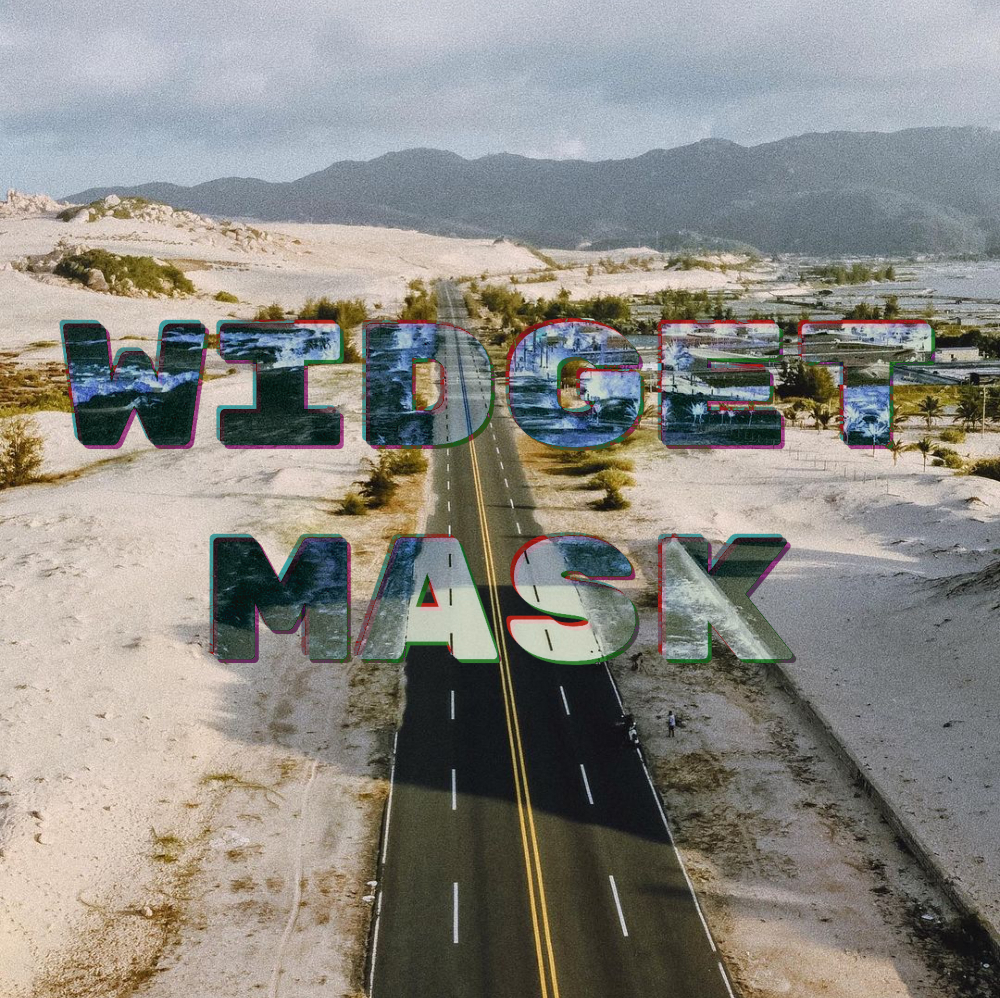
The example below paints some text onto an image. The text is filled with the negative of the image.

WidgetMask(
  // `BlendMode.difference` results in the negative of `dst` where `src`
  // is fully white. That is why the text is white.
  blendMode: BlendMode.difference,
  mask: Center(
    child: Text(
      'Negative',
      style: TextStyle(
        fontSize: 50,
        color: Colors.white,
      ),
    ),
  ),
  child: Image.asset('images/my_image.jpg'),
);

WidgetMask delegates to child to lay itself out. It always has the same size as child. mask is forced to adopt the same size as child and positioned on top it.

During hit testing mask is positioned over child.

The different BlendModes use src and dst to describe how the colors of two images are blended with each other. In the context of WidgetMask mask is the src and child the dst.

Examples

The NegativeMaskedImageDemo widget, in the example app, implements the image at the top.

SaveLayer

This widget paints its child into a save layer and allows you to fully specify the Paint to use with the save layer. If you need to use a custom Paint or require a different layout of the widgets, you can use SaveLayer.

WidgetMask is implement using two SaveLayers to blend the mask and child:

@override
Widget build(BuildContext context) {
  Widget child = Stack(
    textDirection: TextDirection.ltr,
    fit: StackFit.passthrough,
    children: [
      this.child,
      Positioned.fill(
        child: SaveLayer(
          paint: Paint()..blendMode = blendMode,
          child: mask,
        ),
      ),
    ],
  );

  if (childSaveLayer) {
    child = SaveLayer(
      child: child,
    );
  }

  return child;
}

Gabriel Terwesten • GitHub @blaugold • Twitter @GTerwesten • Medium @gabriel.terwesten

Categorias

Dependências

Lista de dependências 1 itens

Repositório-fonte

Projetos que usam este pacote