
v3.0.0
flutter_html
一個用於將靜態 HTML 和 CSS 渲染為 Flutter 小部件的 Flutter 小部件。
2160喜歡 82.8萬近 30 天下載90Pub 分數
AndroidiOSWebmacOSWindowsLinux
DailyAL - MyAnimeList 客戶端

一個用於將靜態 HTML 和 CSS 渲染為 Flutter 小部件的 Flutter 小部件。
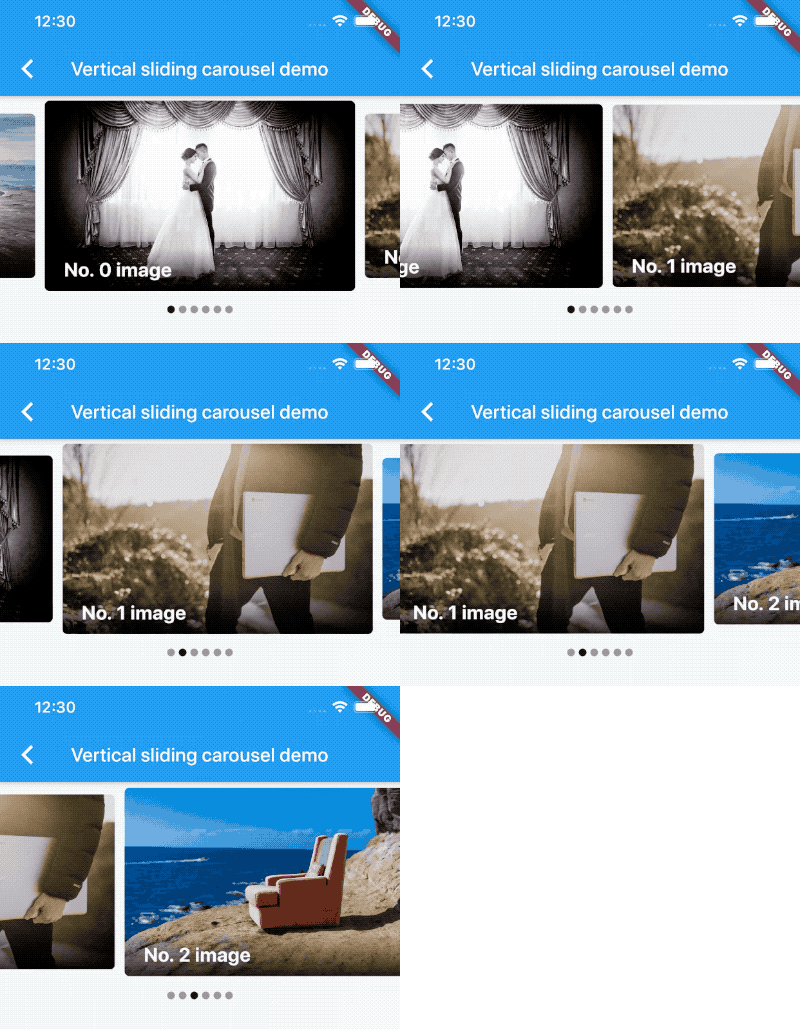 v5.1.2
一個輪播圖滑塊組件,支援無限捲動和自訂子組件。
一個帶有輔助方法的清單,可程式設計地捲動到項目。
一個檢測其子組件可見性的組件,並通知回調。
當使用者向下捲動螢幕時,延遲載入並顯示項目頁面。
在 Flutter 中滾動到任何可滾動組件的特定子項
用於將非同步函數包裝在自動重試邏輯中,並具有指數退避,適用於透過網路進行請求時使用。
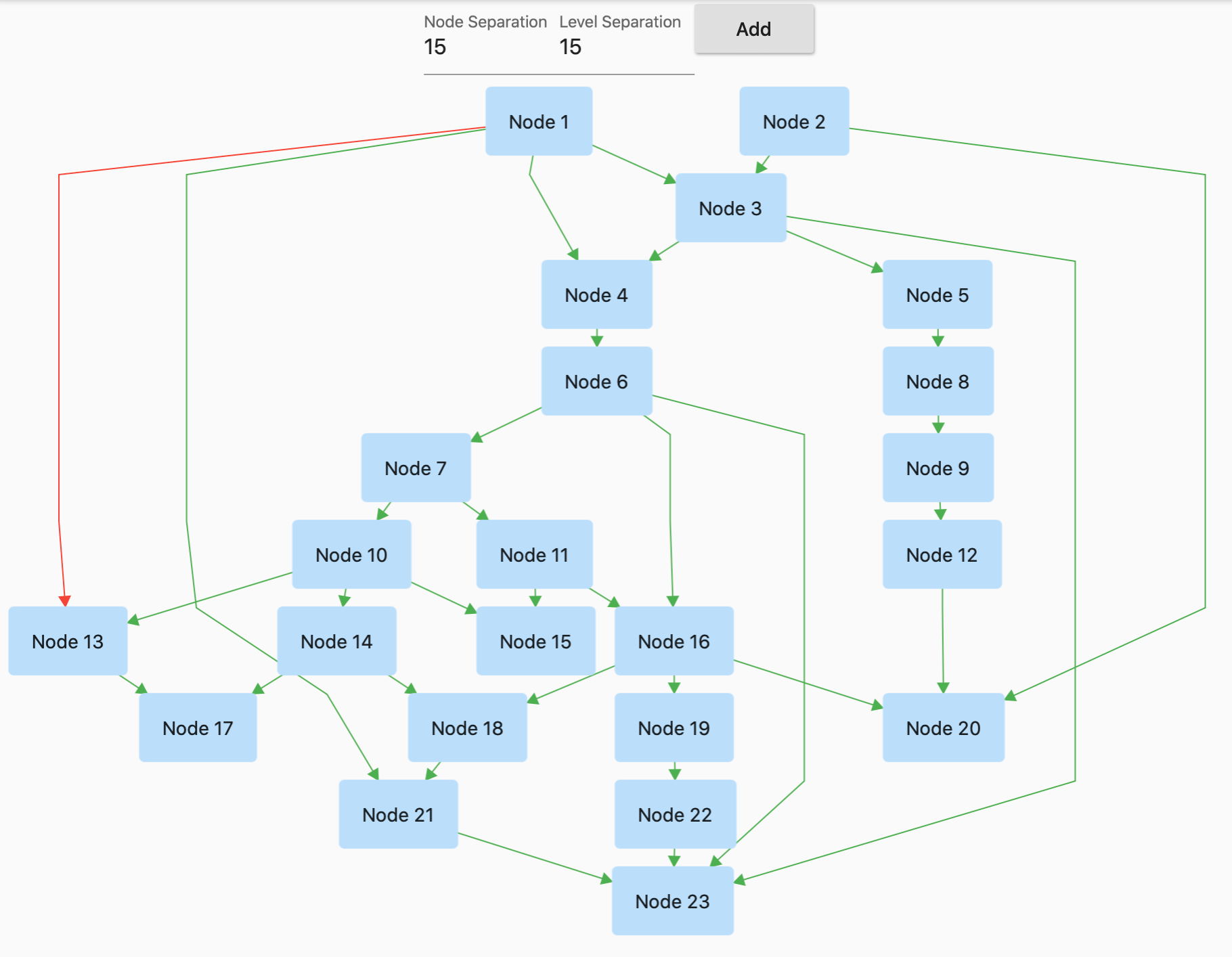 v1.5.1
GraphView 用於以圖形結構顯示資料。可顯示樹狀佈局、有向圖和分層圖。適用於家譜、層級檢視。
 v3.1.0
一個 Flutter 套件,讓使用者能輕鬆為任何組件加上虛線邊框。
此外掛程式允許 Flutter 桌面應用程式定義系統托盤。
基於 SDK 集合的不可變集合。每個 SDK 集合類別都拆分為新的不可變集合類別與對應的可變建構器類別。
使用 .env 檔案輕鬆設定任何 Flutter 應用程式的全域變數。
依賴清單 61 項
{"sdk":"flutter"}^1.2.2^6.1.2^2.3.2^0.5.1^0.5.2^3.4.1^9.2.2^6.3.0^5.0.0^3.0.0^0.20.0^9.0.0^6.0.5^5.0.0^0.15.0^2.0.0^0.3.8^0.68.0^3.0.0-beta.2^3.0.1^10.0.2^5.1.0^20.1.0^0.10.0^2.1.0^3.5.1^1.0.1^1.1.2^4.0.0^2.1.0^3.1.2^3.0.0^0.4.0+2^0.15.0^5.6.0^4.0.0^2.0.3^1.7.0^10.1.2^5.1.0{"path":"./dal-api"}{"path":"./dal-api/dal_commons"}{"sdk":"flutter"}^1.0.0^1.1.1^1.18.0^8.1.2^11.3.1^2.1.4^9.0.0^2.1.1^1.2.0^0.7.0{"git":{"url":"https://github.com/JICA98/add_2_calendar.git"}}{"sdk":"flutter"}^4.0.1^6.7.1^2.1.7^2.8.4^3.16.13以下為英文專案原文快照,最新內容請造訪 GitHub。
Discord Users Github downloads GitHub stars License: MIT Languages
Note: The app has been delisted from the Google Play Store. Please use GitHub Releases or F-Droid to download the app.
Explore the extensive MyAnimeList database to discover your favorite anime and manga. Engage in forums with millions of discussions at your fingertips. Access detailed reviews and receive numerous recommendations for all anime and manga on MyAnimeList.
Discover Seasonal Anime, Top Upcoming Anime, Most Popular Anime, Anime Ranking Lists, All-time Favorites, and more.
Access Anime/Manga Synopses, Related and Recommended content.
Read Detailed Anime reviews and view Anime/Manga Statistics.
Choose from 4 distinct Dark Themes: Spring, Summer, Fall, and Winter.
Customize the Bottom Navigation bar and adjust cache update frequency.
Perform advanced searches directly from the search bar using "@" and "#" with ease.
Experience faster search loading times with caching mechanisms.
Quickly Edit/Update your Anime/Manga List.
Sort your list by Title, List Score, Start Date, and Updated Date.
git clonedal-code.code-workspace to open the project in VSCodeupdate_gradle.sh to make the gradle files ready for developmentflutter pub get to install dependenciesflutter run or F5 in VSCodeintl generate to generate localization filesbuild runner to generate necessary filespython translate to generate translation files