搜尋套件、儲存庫與 APP 分類

graphview 封面
套件詳情v1.5.1

graphview

GraphView 用於以圖形結構顯示資料。可顯示樹狀佈局、有向圖和分層圖。適用於家譜、層級檢視。

AndroidiOSWebmacOSWindowsLinux
近 30 天下載
4.9萬
喜歡數
517
Pub 分數
130

安裝套件

flutter pub add graphview

套件介紹

根據套件公開資料產生的選型評估,僅供參考。

GraphView 是一個用於以互動式圖形結構可視化資料的 Flutter 套件。它支援樹狀佈局、有向圖和分層圖,非常適合顯示階層關係。該套件讓開發者能夠建立複雜資料(例如家譜或組織架構)的直觀表示。透過在 Android、iOS、Web、macOS、Windows 和 Linux 上的跨平台相容性,GraphView 確保一致的效能與外觀。其乾淨的 API 簡化了整合至現有應用程式的過程。

適用情境

  • 家族樹可視化
  • 組織層級顯示
  • 數據依賴映射
  • 網路拓撲表示
  • 互動式圖表渲染

主要特色

  • 樹狀佈局支援
  • 有向分層圖渲染
  • 跨平台相容性
  • 可自訂的節點和邊樣式
  • 互動式節點選擇和導航

適合對象

  • 需要層次資料視覺化的UI
  • 具有複雜關係模型的應用程式
  • 用於教授家庭或組織結構的教育工具
  • 帶有相互關聯數據點的儀表板

使用建議

  • 可能需要針對大型數據集進行優化
  • 有限的內建動畫效果
  • 樣式自訂可能需要額外的程式碼
  • 深度嵌套圖的性能影響

原始 README

以下為關聯原始碼儲存庫的 README 原文快照,最新內容請造訪原始碼儲存庫。

GraphView

Get it from pub package pub points

Flutter GraphView is used to display data in graph structures. It can display Tree layout, Directed and Layered graph. Useful for Family Tree, Hierarchy View.

alt Example alt Example alt Example

Overview

The library is designed to support different graph layouts and currently works excellent with small graphs. It now includes advanced features like node animations, expand/collapse functionality, and automatic camera positioning.

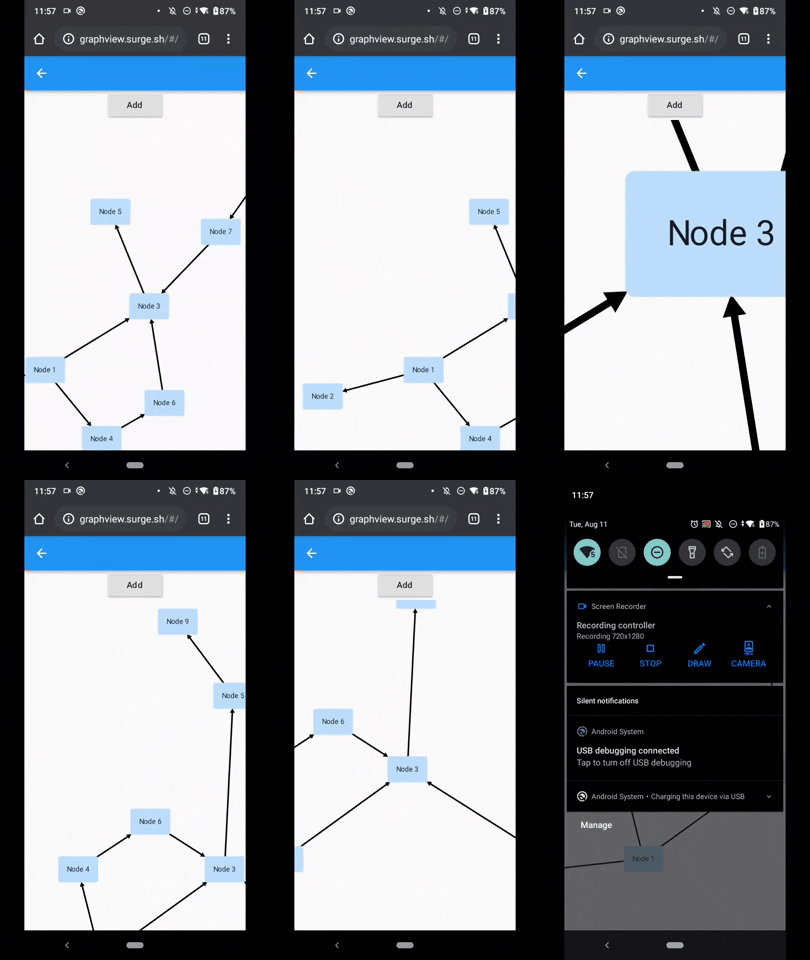
You can have a look at the flutter web implementation here: http://graphview.surge.sh/

Features

  • Multiple Layout Algorithms: Tree, Directed Graph, Layered Graph, Balloon, Circular, Radial, Tidier Tree, and Mindmap layouts
  • Node Animations: Smooth expand/collapse animations with customizable duration
  • Interactive Navigation: Jump to nodes, zoom to fit, auto-centering capabilities
  • Node Expand/Collapse: Hierarchical node visibility control with animated transitions
  • Customizable Rendering: Custom edge renderers, paint styling, and node builders
  • Touch Interactions: Pan, zoom, and tap handling with InteractiveViewer integration

Layouts

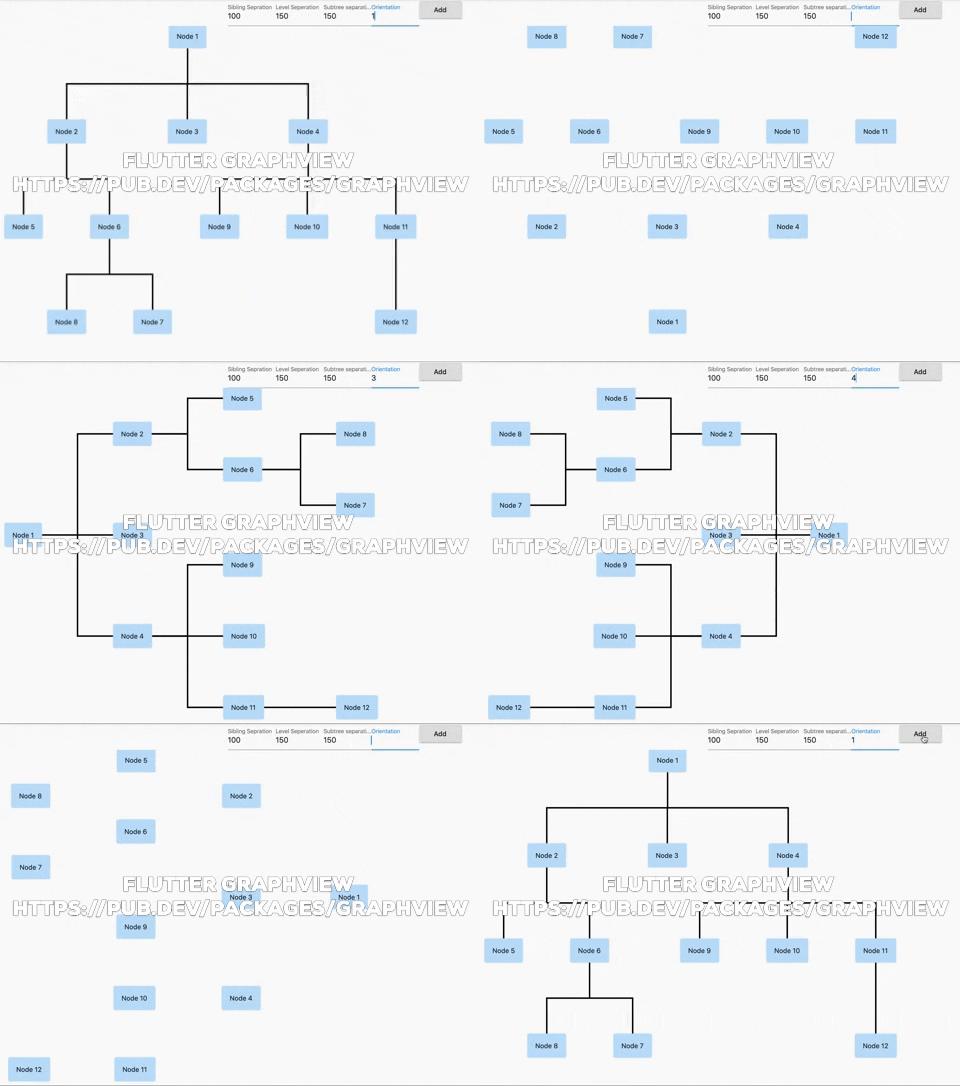
Tree

Uses Walker's algorithm with Buchheim's runtime improvements (BuchheimWalkerAlgorithm class). Supports different orientations. All you have to do is using the BuchheimWalkerConfiguration.orientation with either ORIENTATION_LEFT_RIGHT, ORIENTATION_RIGHT_LEFT, ORIENTATION_TOP_BOTTOM and ORIENTATION_BOTTOM_TOP (default). Furthermore parameters like sibling-, level-, subtree separation can be set.

Useful for: Family Tree, Hierarchy View, Flutter Widget Tree

Tidier Tree

An improved tree layout algorithm (TidierTreeLayoutAlgorithm class) that provides better spacing and positioning for complex hierarchical structures. Supports all orientations and provides cleaner node arrangements.

alt Example

Useful for: Complex hierarchies, Organizational charts, Decision trees

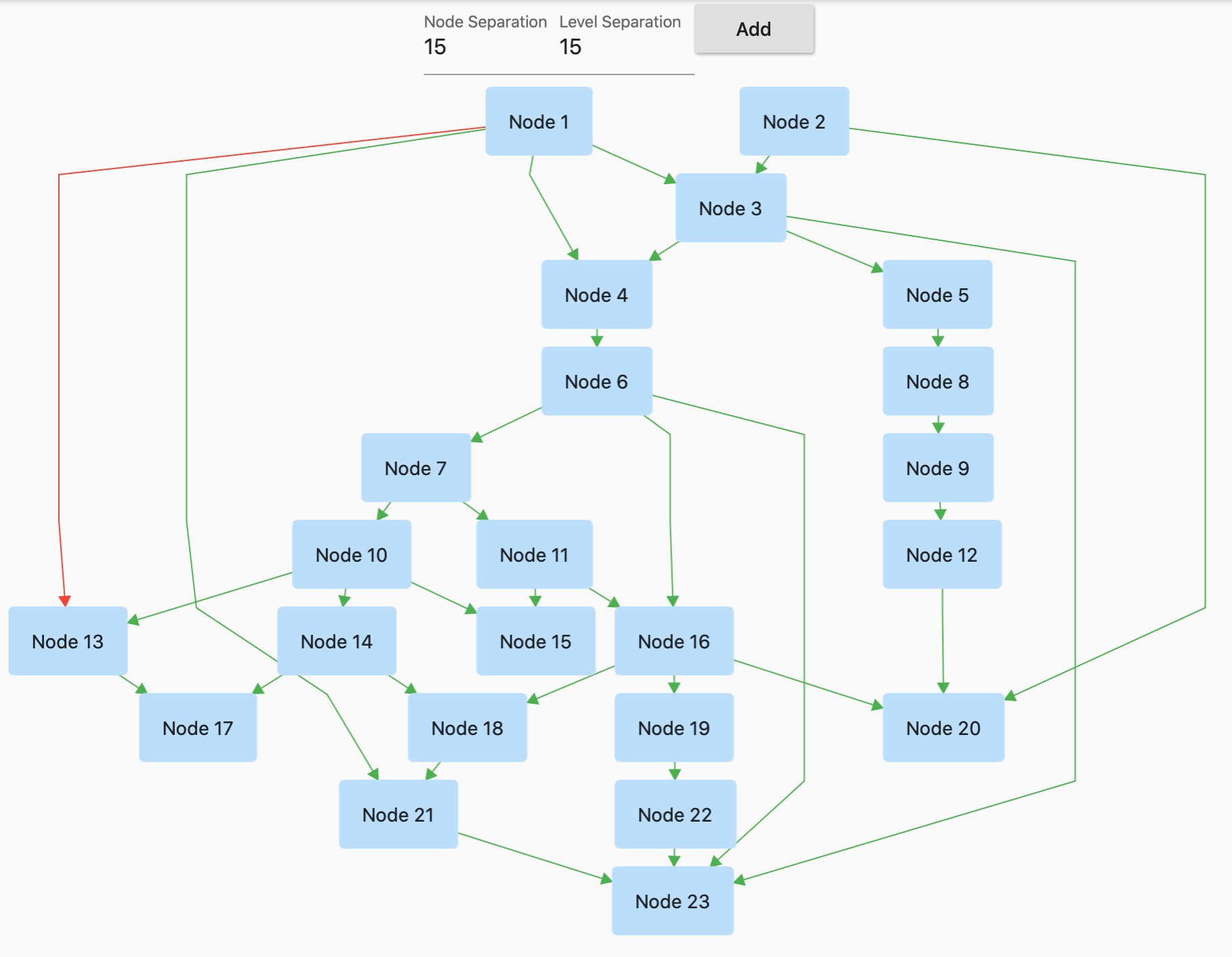
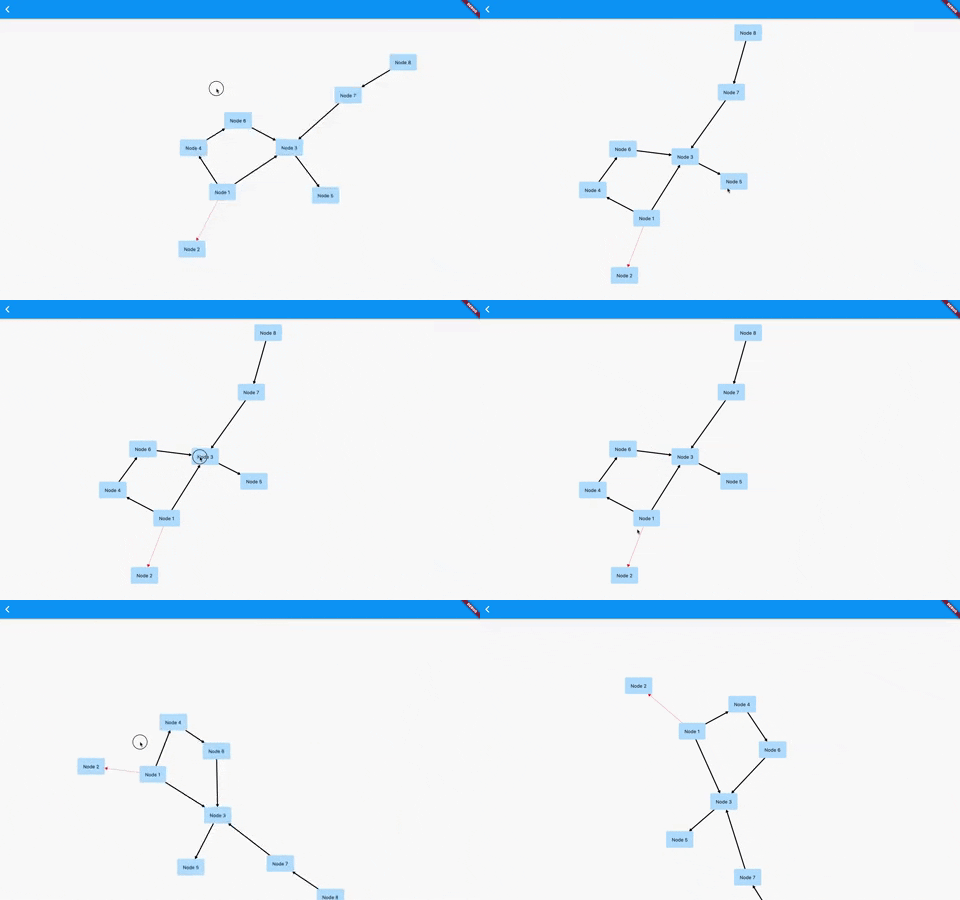
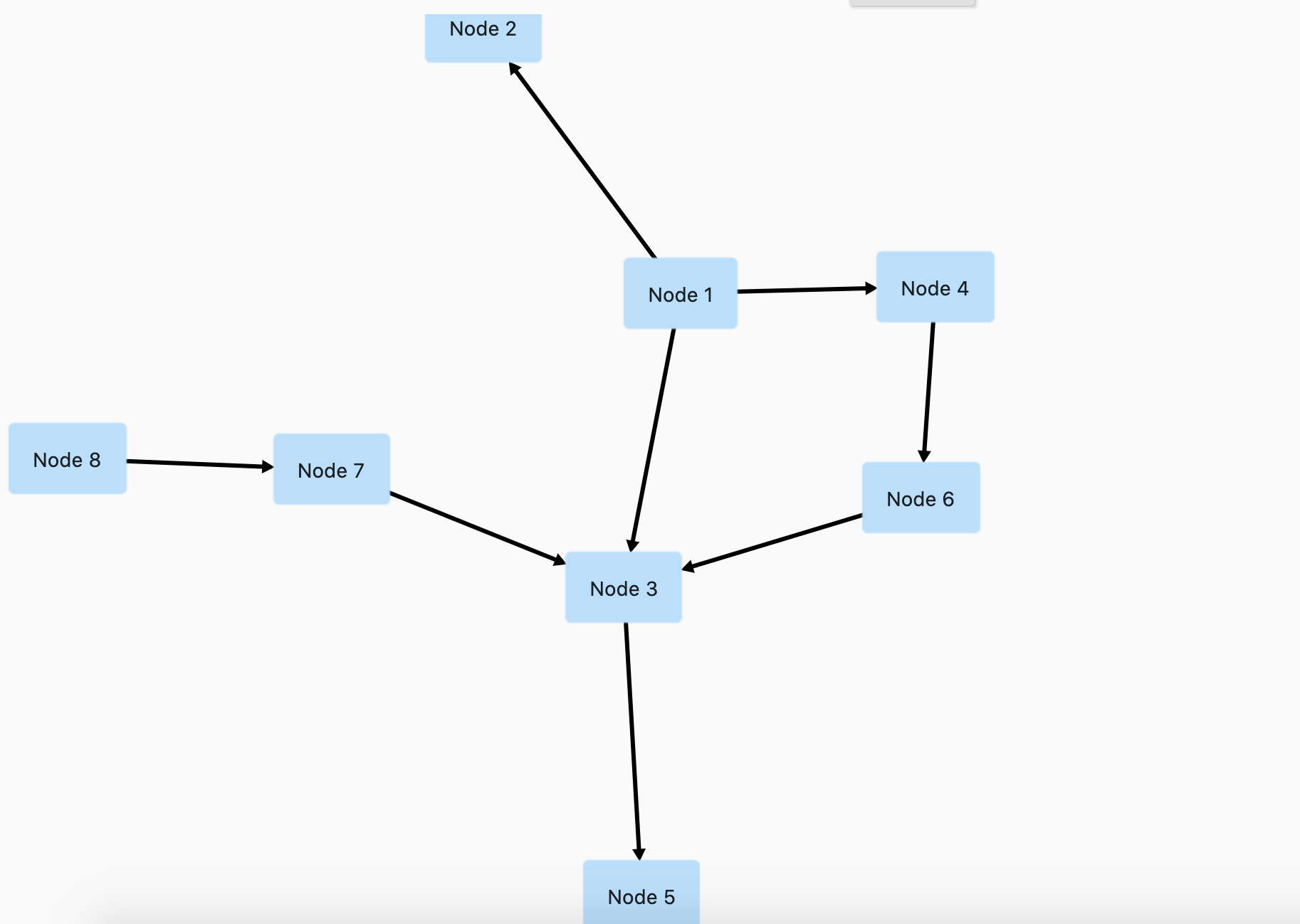
Directed graph

Directed graph drawing by simulating attraction/repulsion forces. For this the algorithm by Fruchterman and Reingold (FruchtermanReingoldAlgorithm class) was implemented.

Useful for: Social network, Mind Map, Cluster, Graphs, Intercity Road Network

Layered graph

Algorithm from Sugiyama et al. for drawing multilayer graphs, taking advantage of the hierarchical structure of the graph (SugiyamaAlgorithm class). You can also set the parameters for node and level separation using the SugiyamaConfiguration. Supports different orientations. All you have to do is using the SugiyamaConfiguration.orientation with either ORIENTATION_LEFT_RIGHT, ORIENTATION_RIGHT_LEFT, ORIENTATION_TOP_BOTTOM and ORIENTATION_BOTTOM_TOP (default).

Useful for: Hierarchical Graph which it can have weird edges/multiple paths

Balloon Layout

A radial tree layout (BalloonLayoutAlgorithm class) that arranges child nodes in circular patterns around their parents. Creates balloon-like structures that are visually appealing for hierarchical data.

alt Example

Useful for: Mind maps, Radial trees, Circular hierarchies

Circular Layout

Arranges all nodes in a circle (CircleLayoutAlgorithm class). Includes edge crossing reduction algorithms for better readability. Supports automatic radius calculation and custom positioning.

alt Example

Useful for: Network visualization, Relationship diagrams, Cyclic structures

Radial Tree Layout

A tree layout that converts traditional tree structures into radial/polar coordinates (RadialTreeLayoutAlgorithm class). Nodes are positioned based on their distance from the root and angular position.

alt Example

Useful for: Radial dendrograms, Phylogenetic trees, Sunburst-style hierarchies

Mindmap Layout

Specialized layout for mindmap-style visualizations (MindmapAlgorithm class) where child nodes are distributed on left and right sides of the root node.

alt Example

Useful for: Mind maps, Concept maps, Brainstorming diagrams

Usage

Basic Setup

Currently GraphView must be used together with a Zoom Engine like InteractiveViewer. To change the zoom values just use the different attributes described in the InteractiveViewer class.

To create a graph, we need to instantiate the Graph class. Then we need to pass the layout and also optional the edge renderer.

import 'dart:math';

import 'package:flutter/material.dart';
import 'package:graphview/GraphView.dart';

void main() {
  runApp(MyApp());
}

class MyApp extends StatelessWidget {
  const MyApp({super.key});

  @override
  Widget build(BuildContext context) => MaterialApp(home: TreeViewPage());
}

class TreeViewPage extends StatefulWidget {
  const TreeViewPage({super.key});

  @override
  State<TreeViewPage> createState() => _TreeViewPageState();
}

class _TreeViewPageState extends State<TreeViewPage> {
  final GraphViewController controller = GraphViewController();

  @override
  Widget build(BuildContext context) {
    return Scaffold(
      body: Column(
        mainAxisSize: MainAxisSize.max,
        children: [
          Wrap(
            children: [
              SizedBox(
                width: 100,
                child: TextFormField(
                  initialValue: builder.siblingSeparation.toString(),
                  decoration: InputDecoration(labelText: "Sibling Separation"),
                  onChanged: (text) {
                    builder.siblingSeparation = int.tryParse(text) ?? 100;
                    setState(() {});
                  },
                ),
              ),
              SizedBox(
                width: 100,
                child: TextFormField(
                  initialValue: builder.levelSeparation.toString(),
                  decoration: InputDecoration(labelText: "Level Separation"),
                  onChanged: (text) {
                    builder.levelSeparation = int.tryParse(text) ?? 100;
                    setState(() {});
                  },
                ),
              ),
              SizedBox(
                width: 100,
                child: TextFormField(
                  initialValue: builder.subtreeSeparation.toString(),
                  decoration: InputDecoration(labelText: "Subtree separation"),
                  onChanged: (text) {
                    builder.subtreeSeparation = int.tryParse(text) ?? 100;
                    setState(() {});
                  },
                ),
              ),
              SizedBox(
                width: 100,
                child: TextFormField(
                  initialValue: builder.orientation.toString(),
                  decoration: InputDecoration(labelText: "Orientation"),
                  onChanged: (text) {
                    builder.orientation = int.tryParse(text) ?? 100;
                    setState(() {});
                  },
                ),
              ),
              ElevatedButton(
                onPressed: () {
                  final node12 = Node.Id(r.nextInt(100));
                  var edge = graph.getNodeAtPosition(r.nextInt(graph.nodeCount()));
                  debugPrint(edge.toString());
                  graph.addEdge(edge, node12);
                  setState(() {});
                },
                child: Text("Add"),
              ),
            ],
          ),
          Expanded(
            child: GraphView.builder(
              graph: graph,
              algorithm: BuchheimWalkerAlgorithm(builder, TreeEdgeRenderer(builder)),
              controller: controller,
              animated: true,
              autoZoomToFit: true,
              builder: (Node node) {
                // I can decide what widget should be shown here based on the id
                var a = node.key?.value as int;
                return rectangleWidget(a);
              },
            ),
          ),
        ],
      ),
    );
  }

  Random r = Random();

  Widget rectangleWidget(int a) {
    return InkWell(
      onTap: () {
        debugPrint('clicked');
      },
      child: Container(
        padding: EdgeInsets.all(16),
        decoration: BoxDecoration(
          borderRadius: BorderRadius.circular(4),
          boxShadow: [BoxShadow(color: Colors.blue[100]!, spreadRadius: 1)],
        ),
        child: Text('Node $a'),
      ),
    );
  }

  final Graph graph = Graph()..isTree = true;
  BuchheimWalkerConfiguration builder = BuchheimWalkerConfiguration();

  @override
  void initState() {
    super.initState();
    final node1 = Node.Id(1);
    final node2 = Node.Id(2);
    final node3 = Node.Id(3);
    final node4 = Node.Id(4);
    final node5 = Node.Id(5);
    final node6 = Node.Id(6);
    final node8 = Node.Id(7);
    final node7 = Node.Id(8);
    final node9 = Node.Id(9);
    final node10 = Node.Id(10);
    final node11 = Node.Id(11);
    final node12 = Node.Id(12);

    graph.addEdge(node1, node2);
    graph.addEdge(node1, node3, paint: Paint()..color = Colors.red);
    graph.addEdge(node1, node4, paint: Paint()..color = Colors.blue);
    graph.addEdge(node2, node5);
    graph.addEdge(node2, node6);
    graph.addEdge(node6, node7, paint: Paint()..color = Colors.red);
    graph.addEdge(node6, node8, paint: Paint()..color = Colors.red);
    graph.addEdge(node4, node9);
    graph.addEdge(node4, node10, paint: Paint()..color = Colors.black);
    graph.addEdge(node4, node11, paint: Paint()..color = Colors.red);
    graph.addEdge(node11, node12);

    builder
      ..siblingSeparation = (100)
      ..levelSeparation = (150)
      ..subtreeSeparation = (150)
      ..orientation = (BuchheimWalkerConfiguration.ORIENTATION_TOP_BOTTOM);
  }
}
Advanced Features
GraphView.builder

The enhanced GraphView.builder constructor provides additional capabilities:

GraphView.builder(
  graph: graph,
  algorithm: BuchheimWalkerAlgorithm(config, TreeEdgeRenderer(config)),
  controller: controller,
  animated: true,                    // Enable smooth animations
  autoZoomToFit: true,              // Automatically zoom to fit all nodes
  initialNode: ValueKey('startNode'), // Jump to specific node on init
  panAnimationDuration: Duration(milliseconds: 600),
  toggleAnimationDuration: Duration(milliseconds: 400),
  centerGraph: true,                // Center the graph in viewport
  builder: (Node node) {
    return YourCustomWidget(node);
  },
)
Node Expand/Collapse

Use the GraphViewController to manage node visibility:

final controller = GraphViewController();

// Collapse a node (hide its children)
controller.collapseNode(graph, node, animate: true);

// Expand a collapsed node
controller.expandNode(graph, node, animate: true);

// Toggle collapse/expand state
controller.toggleNodeExpanded(graph, node, animate: true);

// Check if node is collapsed
bool isCollapsed = controller.isNodeCollapsed(node);

// Set initially collapsed nodes
controller.setInitiallyCollapsedNodes([node1, node2]);
Navigation and Camera Control

Navigate programmatically through the graph:

// Jump to a specific node
controller.jumpToNode(ValueKey('nodeId'));

// Animate to a node
controller.animateToNode(ValueKey('nodeId'));

// Zoom to fit all visible nodes
controller.zoomToFit();

// Reset view to origin
controller.resetView();

// Force recalculation of layout
controller.forceRecalculation();
Algorithm Examples
Balloon Layout
GraphView.builder(
  graph: graph,
  algorithm: BalloonLayoutAlgorithm(
    BuchheimWalkerConfiguration(), 
    null
  ),
  builder: (node) => nodeWidget(node),
)
Circular Layout
GraphView.builder(
  graph: graph,
  algorithm: CircleLayoutAlgorithm(
    CircleLayoutConfiguration(
      radius: 200.0,
      reduceEdgeCrossing: true,
    ), 
    null
  ),
  builder: (node) => nodeWidget(node),
)
Radial Tree Layout
GraphView.builder(
  graph: graph,
  algorithm: RadialTreeLayoutAlgorithm(
    BuchheimWalkerConfiguration(), 
    null
  ),
  builder: (node) => nodeWidget(node),
)
Tidier Tree Layout
GraphView.builder(
  graph: graph,
  algorithm: TidierTreeLayoutAlgorithm(
    BuchheimWalkerConfiguration(), 
    TreeEdgeRenderer(config)
  ),
  builder: (node) => nodeWidget(node),
)
Mindmap Layout
GraphView.builder(
  graph: graph,
  algorithm: MindmapAlgorithm(
    BuchheimWalkerConfiguration(), 
    MindmapEdgeRenderer(config)
  ),
  builder: (node) => nodeWidget(node),
)
Using builder mechanism to build Nodes

You can use any widget inside the node:

Node node = Node.Id(fromNodeId) ;

builder: (Node node) {
                  // I can decide what widget should be shown here based on the id
                  var a = node.key.value as int;
                  if(a ==2)
                    return rectangleWidget(a);
                  else 
                    return circleWidget(a);
                },
Using Paint to color and line thickness

You can specify the edge color and thickness by using a custom paint


getGraphView() {
        return GraphView(
                graph: graph,
                algorithm: SugiyamaAlgorithm(builder),
                paint: Paint()..color = Colors.green..strokeWidth = 1..style = PaintingStyle.stroke,
              );
}
Color Edges individually

Add an additional parameter paint. Applicable for ArrowEdgeRenderer for now.

var a = Node();
var b = Node();
 graph.addEdge(a, b, paint: Paint()..color = Colors.red);
Add focused Node

You can focus on a specific node. This will allow scrolling to that node in the future, but for now , using it we can drag a node with realtime updates in force directed graph

 onPanUpdate: (details) {
        var x = details.globalPosition.dx;
        var y = details.globalPosition.dy;
        setState(() {
          builder.setFocusedNode(graph.getNodeAtPosition(i));
          graph.getNodeAtPosition(i).position = Offset(x,y);
        });
      },
Extract info from any json to Graph Object

Now its a bit easy to use Ids to extract info from any json to Graph Object

For example, if the json is like this:

var json = {
   "nodes": [
     {"id": 1, "label": 'circle'},
     {"id": 2, "label": 'ellipse'},
     {"id": 3, "label": 'database'},
     {"id": 4, "label": 'box'},
     {"id": 5, "label": 'diamond'},
     {"id": 6, "label": 'dot'},
     {"id": 7, "label": 'square'},
     {"id": 8, "label": 'triangle'},
   ],
   "edges": [
     {"from": 1, "to": 2},
     {"from": 2, "to": 3},
     {"from": 2, "to": 4},
     {"from": 2, "to": 5},
     {"from": 5, "to": 6},
     {"from": 5, "to": 7},
     {"from": 6, "to": 8}
   ]
 };

Step 1, add the edges by using ids

  edges.forEach((element) {
      var fromNodeId = element['from'];
      var toNodeId = element['to'];
      graph.addEdge(Node.Id(fromNodeId), Node.Id(toNodeId));
    });

Step 2: Then using builder and find the nodeValues from the json using id and then set the value of that.

 builder: (Node node) {
                  // I can decide what widget should be shown here based on the id
                  var a = node.key.value as int;
                  var nodes = json['nodes'];
                  var nodeValue = nodes.firstWhere((element) => element['id'] == a);
                  return rectangleWidget(nodeValue['label'] as String);
                },
Using any widget inside the Node (Deprecated)

You can use any widget inside the node:

Node node = Node(getNodeText);

getNodeText() {
    return Container(
        padding: EdgeInsets.all(16),
        decoration: BoxDecoration(
          borderRadius: BorderRadius.circular(4),
          boxShadow: [
            BoxShadow(color: Colors.blue[100], spreadRadius: 1),
          ],
        ),
        child: Text("Node ${n++}"));
  }

Examples

Rooted Tree

alt Example

Rooted Tree (Bottom to Top)

alt Example

Rooted Tree (Left to Right)

alt Example

Rooted Tree (Right to Left)

alt Example

Directed Graph

alt Example alt Example

Layered Graph

alt Example

Balloon Layout

alt Example

Circular Layout

alt Example

Radial Tree Layout

alt Example

Tidier Tree Layout

alt Example

Mindmap Layout

alt Example

Node Expand/Collapse Animation

alt Example

Auto Navigation

alt Example

Inspirations

This library is basically a dart representation of the excellent Android Library GraphView by Team-Blox

I would like to thank them for open sourcing their code for which reason I was able to port their code to dart and use for flutter.

Future Works

  • [x] Add nodeOnTap
  • [x] Add Layered Graph
  • [x] Animations
  • [x] Dynamic Node Position update for directed graph
  • [x] Node expand/collapse functionality
  • [x] Auto-navigation and camera control
  • [x] Multiple new layout algorithms (Balloon, Circular, Radial, Tidier, Mindmap)
  • [ ] Finish Eiglsperger Algorithm
  • [ ] Custom Edge Label Rendering
  • [ ] Use a builder pattern to draw items on demand.

License

MIT License

Copyright (c) 2020 Nabil Mosharraf

Permission is hereby granted, free of charge, to any person obtaining a copy of this software and associated documentation files (the "Software"), to deal in the Software without restriction, including without limitation the rights to use, copy, modify, merge, publish, distribute, sublicense, and/or sell copies of the Software, and to permit persons to whom the Software is furnished to do so, subject to the following conditions:

The above copyright notice and this permission notice shall be included in all copies or substantial portions of the Software.

THE SOFTWARE IS PROVIDED "AS IS", WITHOUT WARRANTY OF ANY KIND, EXPRESS OR IMPLIED, INCLUDING BUT NOT LIMITED TO THE WARRANTIES OF MERCHANTABILITY, FITNESS FOR A PARTICULAR PURPOSE AND NONINFRINGEMENT. IN NO EVENT SHALL THE AUTHORS OR COPYRIGHT HOLDERS BE LIABLE FOR ANY CLAIM, DAMAGES OR OTHER LIABILITY, WHETHER IN AN ACTION OF CONTRACT, TORT OR OTHERWISE, ARISING FROM, OUT OF OR IN CONNECTION WITH THE SOFTWARE OR THE USE OR OTHER DEALINGS IN THE SOFTWARE.

所屬分類

依賴

依賴清單 1 項

原始碼儲存庫

使用此套件的專案