
v14.7.0
analyzer
此套件提供一個庫,可執行 Dart 程式碼的靜態分析。
327喜歡 2190萬近 30 天下載130Pub 分數
AndroidiOSmacOSWindowsLinux
室內健身器材(自行車、跑步機、划船機、皮划艇/獨木舟/游泳模擬器、橢圓機)的配套應用程式,用於記錄虛擬訓練,透過在賽道形狀路線中簡單循環產生合成GPS軌跡

此套件提供一個庫,可執行 Dart 程式碼的靜態分析。
用於存取加速度計、陀螺儀和磁力計感測器的 Flutter 插件。
 v35.1.42
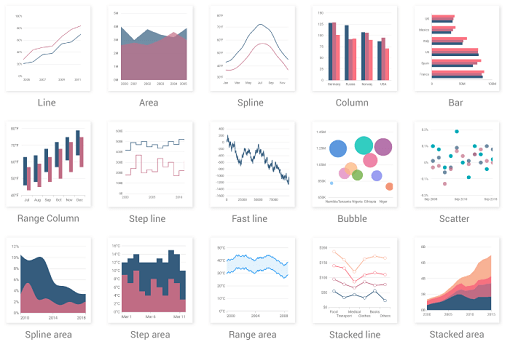
一個 Flutter 圖表庫,包含資料視覺化元件,例如笛卡兒圖和圓形圖,用於建立即時、互動式、高效率、動畫圖表。
 v9.0.0
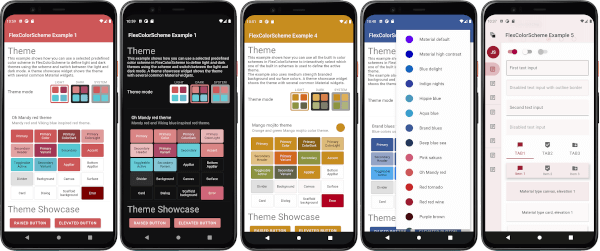
一個用於使用和建立美觀的基於 Material Design 的主題的 Flutter 套件。
一個跨平台的套件,用於解析和序列化HTTP格式。
用於連接和與藍牙低功耗設備通訊的 Flutter 插件。
 v2.0.8
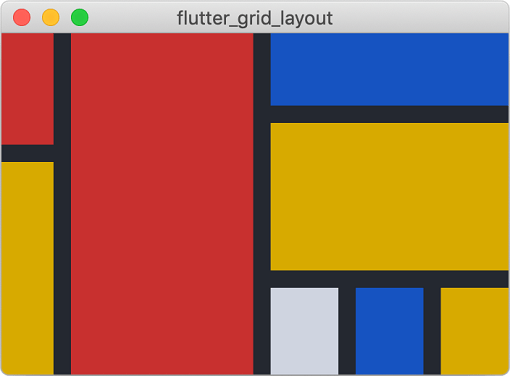
一個強大的網格佈局系統,針對複雜的使用者介面設計進行優化。
 v5.0.1
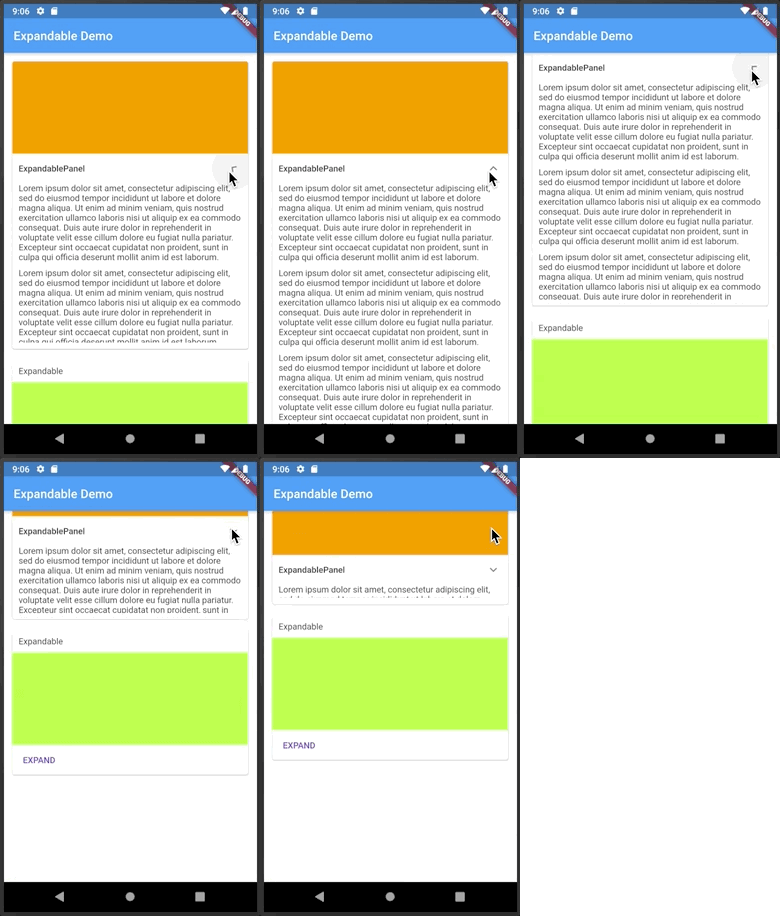
一個可點擊標題或圖示來展開或收起的 Flutter 小部件。
用於 2D 和 3D 應用的向量數學庫。
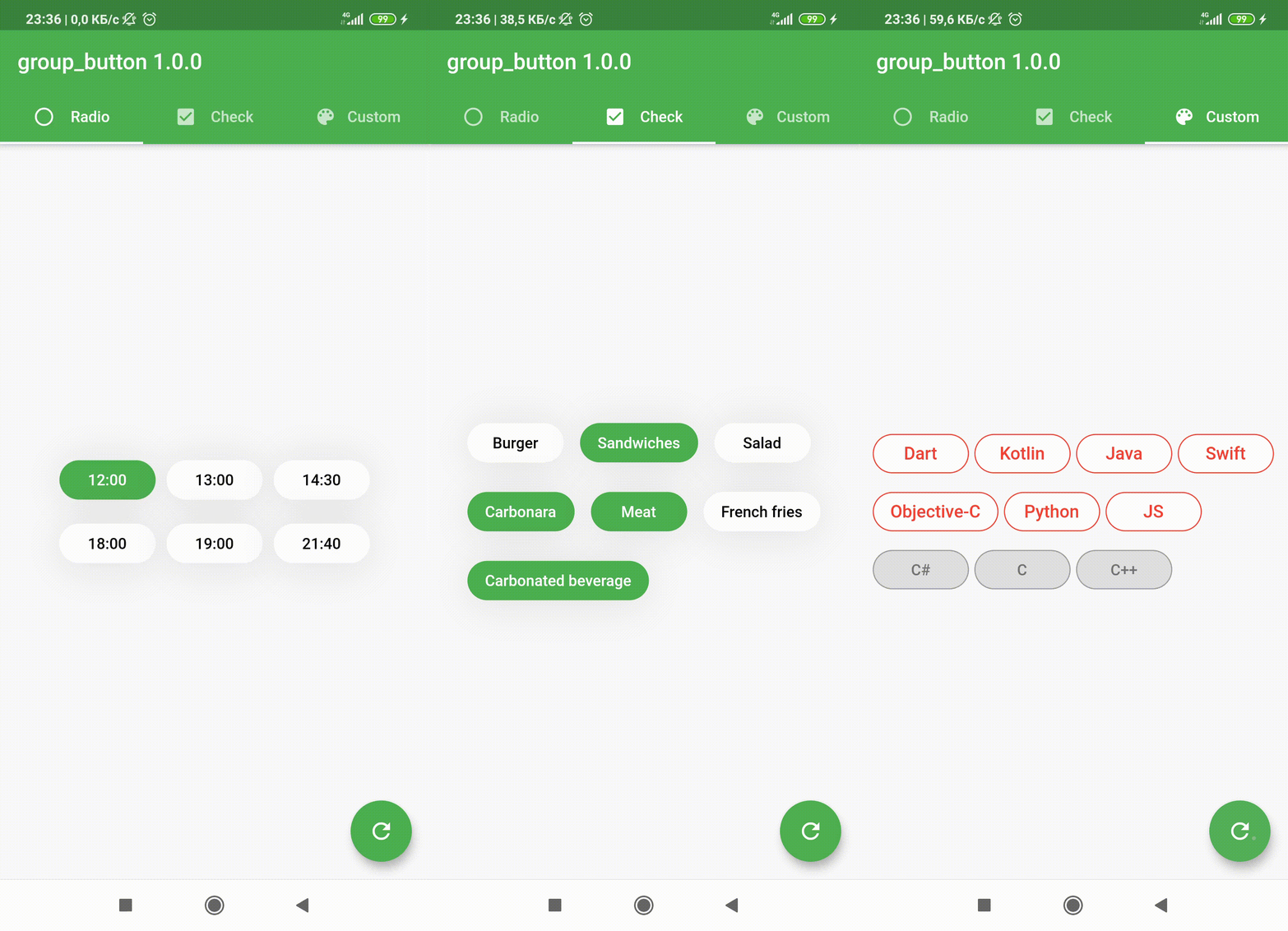 v5.3.4
Flutter 自訂組件,用於建立一組按鈕。包含單選按鈕和複選框按鈕。
一個簡單(但正確)的 Dart 類,用於驗證電子郵件地址
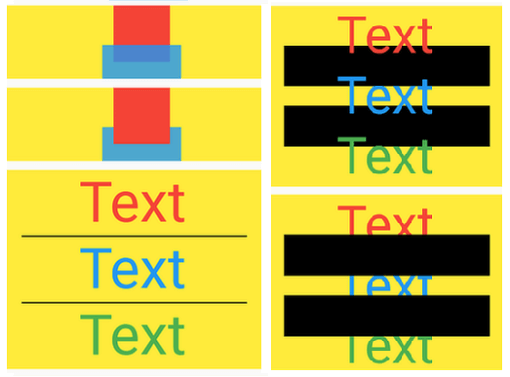 v13.1.0
像 SideBySide、ColumnSuper、RowSuper、FitHorizontally、Box、WrapSuper、TextOneLine、Delayed、Pad、ButtonBarSuper、NormalizedOverflowBox、showDialogSuper 等組件
依賴清單 62 項
^7.0.0^11.0.0^6.6.0^1.19.1^2.1.0^12.3.0^0.5.0-nullsafety.0^3.0.0^5.0.1^0.0.4^10.3.10^8.4.0^6.0.4^2.2.1^0.0.3^0.3.0^2.0.8^0.13.1^2.2.4^5.0.2^4.7.3^5.3.4^1.6.0^4.1.2^2.9.1+2^0.20.2^1.0.0{"version":"^3.3.2"}{"version":"^3.3.2"}^0.0.5^0.5.0^1.0.7^9.0.0^1.9.1^2.1.5^11.3.1^2.8.0^1.0.0^4.1.0^0.28.0^1.8.1^12.0.1^6.1.0^1.2.0^32.2.9^0.10.1^2.0.2^6.3.2^2.1.4^1.5.1{"sdk":"flutter"}^8.4.1^2.13.1{"sdk":"flutter"}^6.0.0{"sdk":"flutter"}{"sdk":"flutter"}{"version":"^3.3.2"}^1.0.4^2.0.1^2.5.5^3.1.3以下為英文專案原文快照,最新內容請造訪 GitHub。
Track My Indoor Workout is an application which supports Bluetooth Low Energy (BLE) enabled smart fitness machines to record stationary workouts. Workouts can have GPS routes - generated based on speed - and upload to numerous fitness portals. Workouts can be exported in common formats and in some cases (ANT+ machines or data migration purposes) there's an option to import saved workouts.
The ultimate mission is to improve people's health by preventing fitness machines from becoming laundry drying racks.
For more details please see the application's website.
DeepWiki: https://deepwiki.com/TrackMyIndoorWorkout/TrackMyIndoorWorkout/
secret.dart file.
You can simply copy the provided mock file to satisfy compilation dependencies:
cp lib/secret.mock.dart lib/secret.dartdart format --line-length 100 . at the project root.
The project currently uses flutter format with 100 character line length.flutter analyze at the project root. That picks up the analyzer settings from the yaml.
You can consider adding the format and the analyze execution in a client-side
pre-push hook.git hack - git ship workflow. I'm avoiding squashing commits because
I want to preserve detailed commit history to help forensic debugging. But I'm flexible if
contributions become common and majority wants to change policies.1.8 to 17
JavaVersion.VERSION_17 and 17receive_sharing_intent plugin:
C:\Users\{USERNAME}\AppData\Local\Pub\Cache\hosted\pub.dev\receive_sharing_intent-1.8.1\android\build.gradle or on Linux /home/{USERNAME}/.pub-cache/hosted/pub.dev/receive_sharing_intent-1.8.1/android/build.gradlecompileOptions and kotlinOptions to raise the Java version:compileOptions {
sourceCompatibility JavaVersion.VERSION_17
targetCompatibility JavaVersion.VERSION_17
}
kotlinOptions {
jvmTarget = "17"
}
cd ${HOME}/{ANDROID_SDK}/cmdline-tools/latest/bin/
(in my case /home/csaba/Android/Sdk/cmdline-tools/latest/bin/)./sdkmanager --list | grep "ndk;28.2.13676358"./sdkmanager "ndk;28.2.13676358"local.properties if you have NDK directory, reference that:sdk.dir=/home/csaba/Android/Sdk
ndk.dir=/home/csaba/Android/Sdk/ndk/28.2.13676358
With certain data persistence or testing Mock changes you may need code regeneration.
It's always good to regen the persistence code after any isar version change.
dart run build_runner build --delete-conflicting-outputsdart format . after that.This work is licensed under Apache 2.0.
SPDX-License-Identifier: Apache-2.0