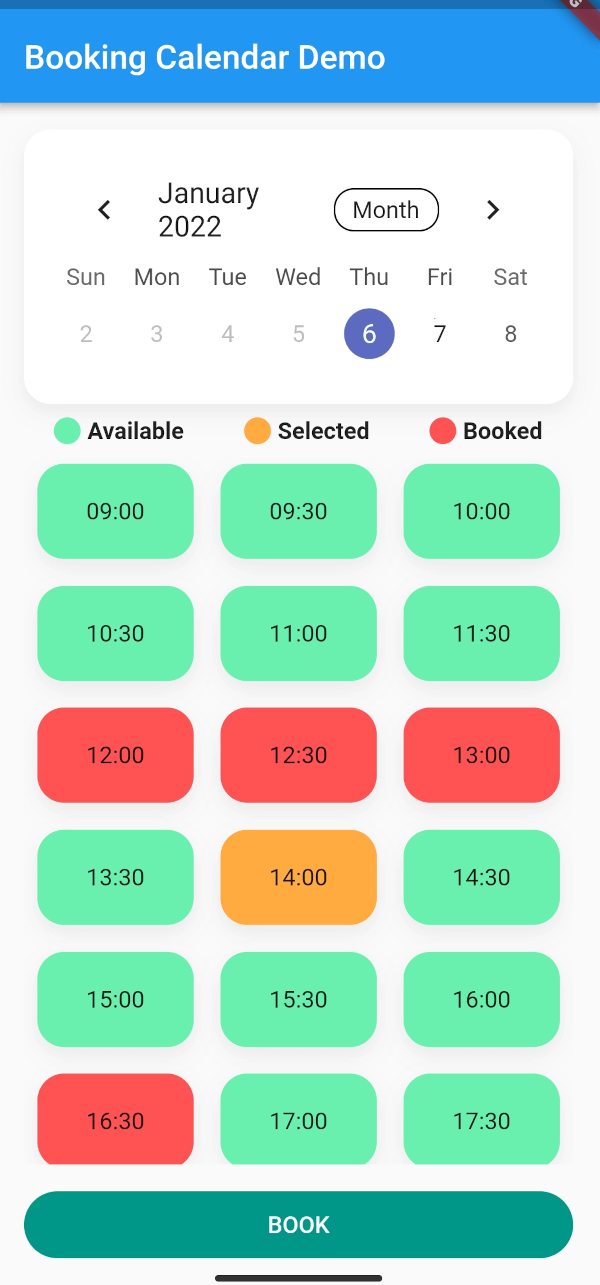


Booking Calendar
Want to make online bookings in your app? Then luckily you need look no further!
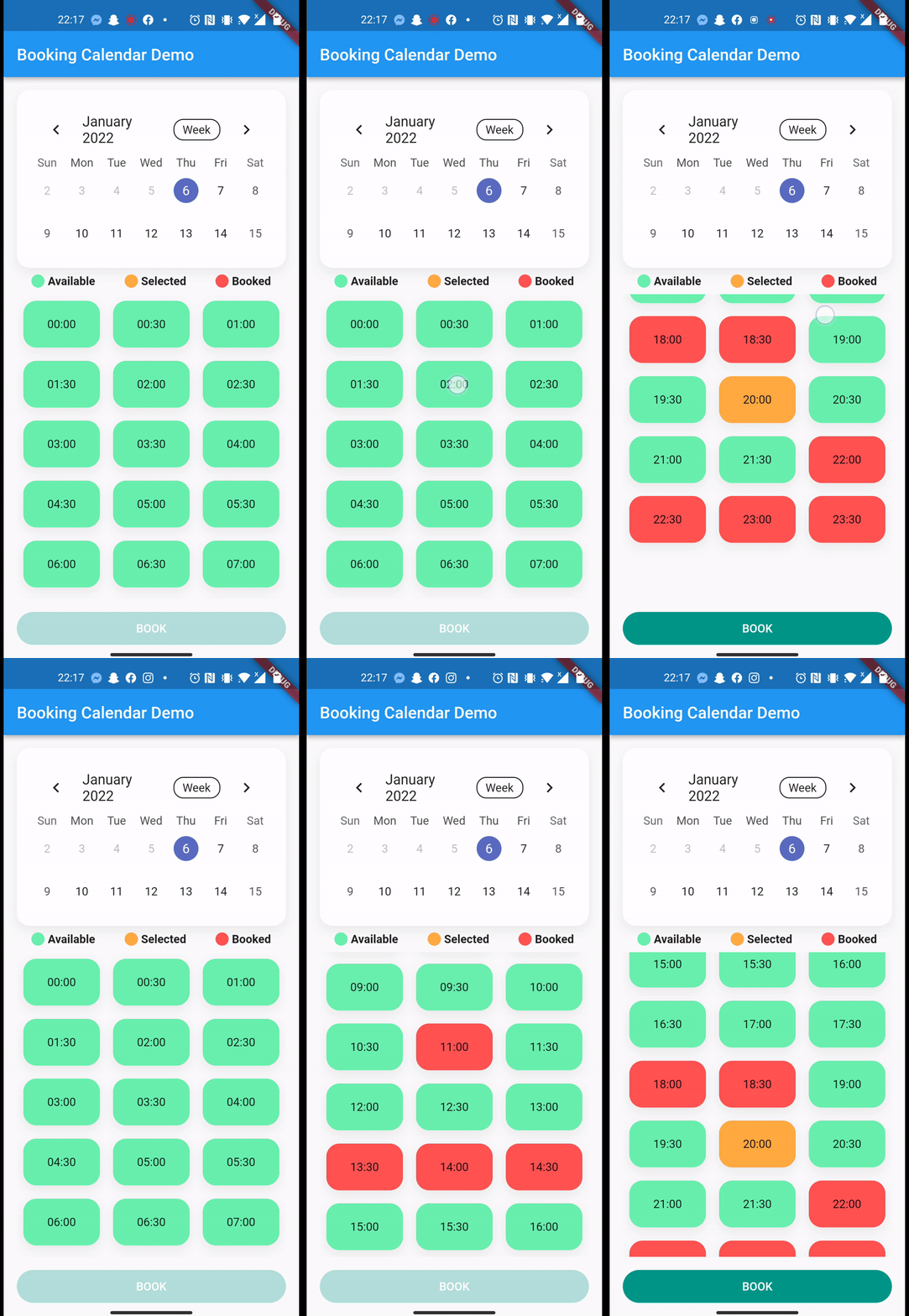
With a total of 4 lines, you get a working online booking system where users can track bookings in real-time.
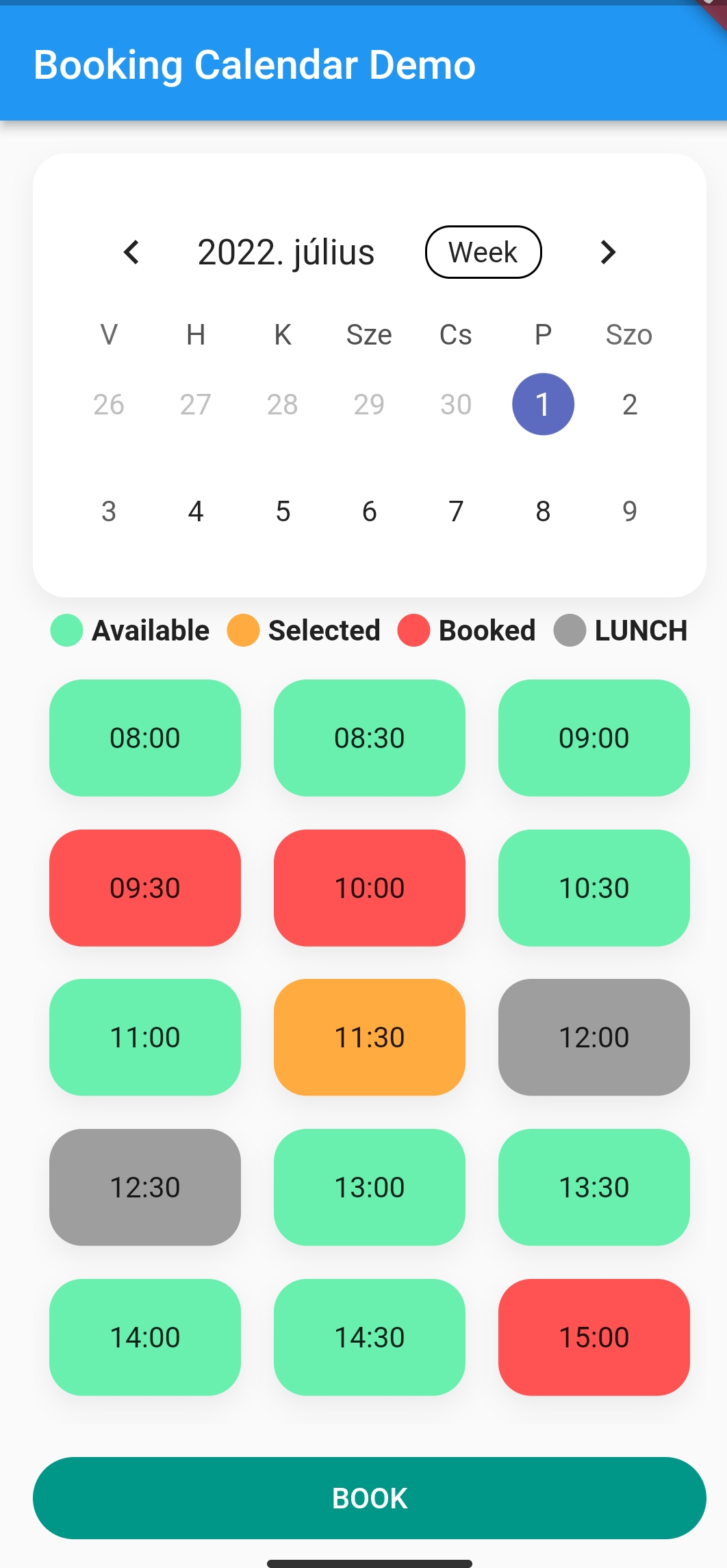
It calculates the cases where there would be a conflict in the calendar and displays them in different colors.
You can customise your booking calendar with a number of additional parameters.
Usage
Check the Demo Example for more Information
Widget build(BuildContext context) {
return BookingCalendar(
key: key,
getBookingStream: getBookingStream,
uploadBooking: uploadBooking,
convertStreamResultToDateTimeRanges: convertStreamResultToDateTimeRanges,
bookingButtonColor: bookingButtonColor,
bookingButtonText: bookingButtonText,
bookingExplanation: bookingExplanation,
bookingGridChildAspectRatio: bookingGridChildAspectRatio,
bookingGridCrossAxisCount: bookingGridCrossAxisCount,
formatDateTime: formatDateTime,
convertStreamResultToDateTimeRanges:
convertStreamResultToDateTimeRanges,
availableSlotColor: availableSlotColor,
availableSlotText: availableSlotText,
bookedSlotColor: bookedSlotColor,
bookedSlotText: bookedSlotText,
selectedSlotColor: selectedSlotColor,
selectedSlotText: selectedSlotText,
gridScrollPhysics: gridScrollPhysics,
loadingWidget: loadingWidget,
errorWidget: errorWidget,
uploadingWidget: uploadingWidget,
pauseSlotColor: pauseSlotColor,
pauseSlotText: pauseSlotText,
hideBreakTime: hideBreakTime,
locale: locale,
disabledDays: disabledDays,
startingDayOfWeek: startingDayOfWeek,
);
}
Firebase example
After you successfully integrated Firebase to your app. How to setup Firebase with Flutter
In this example, we will book sporting slots, using Firebase Firestore.
Here is the model we store in the Firebase:
import 'package:cloud_firestore/cloud_firestore.dart';
import 'package:json_annotation/json_annotation.dart';
import 'package:sport.bp/util/app_util.dart';
part 'sport_booking.g.dart';
@JsonSerializable(explicitToJson: true)
class SportBooking {
final String? userId;
final String? userName;
final String? placeId;
final String? serviceName;
final int? serviceDuration;
final int? servicePrice;
@JsonKey(fromJson: AppUtil.timeStampToDateTime, toJson: AppUtil.dateTimeToTimeStamp)
final DateTime? bookingStart;
@JsonKey(fromJson: AppUtil.timeStampToDateTime, toJson: AppUtil.dateTimeToTimeStamp)
final DateTime? bookingEnd;
final String? email;
final String? phoneNumber;
final String? placeAddress;
SportBooking(
{this.email,
this.phoneNumber,
this.placeAddress,
this.bookingStart,
this.bookingEnd,
this.placeId,
this.userId,
this.userName,
this.serviceName,
this.serviceDuration,
this.servicePrice});
factory SportBooking.fromJson(Map<String, dynamic> json) => _$SportBookingFromJson(json);
Map<String, dynamic> toJson() => _$SportBookingToJson(this);
}
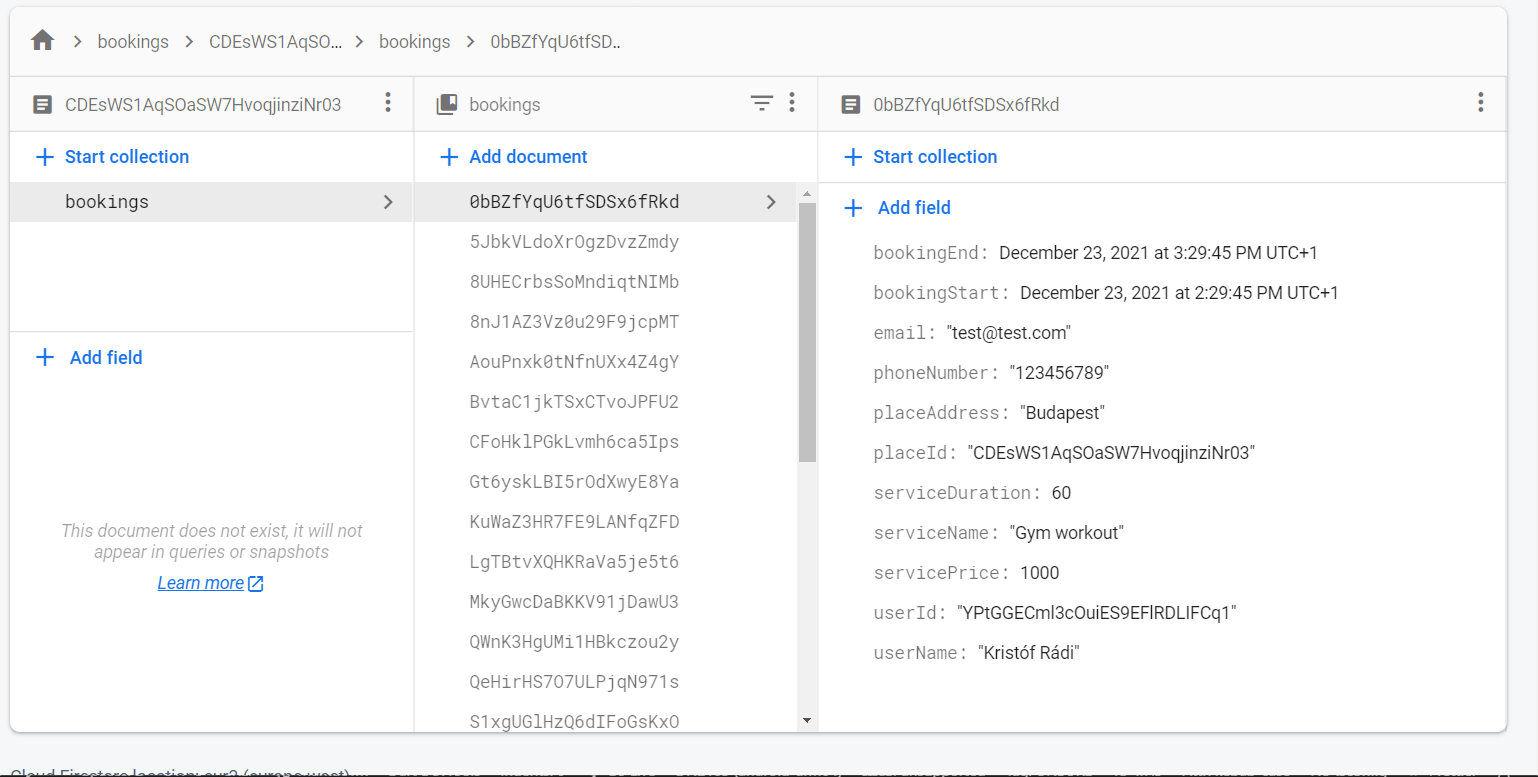
This is how the structure of the data looks like in the Firestore document:
So after the Firebase init, we can access the Firestore collection.
CollectionReference bookings = FirebaseFirestore.instance.collection('bookings');
CollectionReference<SportBooking> getBookingStream({required String placeId}) {
return bookings.doc(placeId).collection('bookings').withConverter<SportBooking>(
fromFirestore: (snapshots, _) => SportBooking.fromJson(snapshots.data()!),
toFirestore: (snapshots, _) => snapshots.toJson(),
);
}
Stream<dynamic>? getBookingStreamFirebase(
{required DateTime end, required DateTime start}) {
return ApiRepository.
.getBookingStream(placeId: 'YOUR_DOC_ID')
.where('bookingStart', isGreaterThanOrEqualTo: start)
.where('bookingStart', isLessThanOrEqualTo: end)
.snapshots(),
}
List<DateTimeRange> convertStreamResultFirebase(
{required dynamic streamResult}) {
List<DateTimeRange> converted = []
for (var i = 0; i < streamResult.size; i++) {
final item = streamResult.docs[i].data();
converted.add(DateTimeRange(start: (item.bookingStart!), end: (item.bookingEnd!)));
}
return converted;
}
Future<dynamic> uploadBookingFirebase(
{required BookingService newBooking}) async {
await bookings
.doc('your id, or autogenerate')
.collection('bookings')
.add(newBooking.toJson())
.then((value) => print("Booking Added"))
.catchError((error) => print("Failed to add booking: $error"));
}
}
BookingCalendar(
bookingService: mockBookingService,
convertStreamResultToDateTimeRanges: convertStreamResultFirebase,
getBookingStream: getBookingStreamFirebase,
uploadBooking: uploadBookingFirebase,
uploadingWidget: const CircularProgressIndicator(),
),
Additional information
Feel free to add issues, open PR-s and leave comments on the github repository.