搜尋套件、儲存庫與 APP 分類

bottom_navy_bar 封面
套件詳情v6.1.0

bottom_navy_bar

一個美麗且帶有動畫效果的底部導航欄。導航欄使用您目前的主題,但您可以自由自定義它。

AndroidiOSWebmacOSWindowsLinux
近 30 天下載
6480
喜歡數
1370
Pub 分數
150

安裝套件

flutter pub add bottom_navy_bar

套件介紹

根據套件公開資料產生的選型評估,僅供參考。

BottomNavyBar 是一個視覺上吸引人且帶有動畫效果的底部導航欄,適用於 Flutter 應用程式。它能無縫融入應用程式的目前主題,同時提供豐富的顏色、圖示和動畫自訂選項。專為現代使用者介面設計,透過流暢的過渡效果和跨平台的回應式反饋提升使用者體驗。該套件支援 Android、iOS、Web、macOS、Windows 和 Linux,非常適合跨平台開發。其簡潔直覺的設計使其成為需要精緻底部導航介面的應用的理想選擇。

適用情境

  • 帶有底部導航的移動和網頁應用
  • 跨平台應用程式
  • 現代使用者介面設計
  • 電子商務和社交媒體應用
  • 儀表板介面

主要特色

  • 動畫導航過渡
  • 主題感知樣式
  • 可自定義的顏色和圖示
  • 跨平台響應式設計
  • 流暢的用戶互動
  • 對多個平台目標的支援

適合對象

  • 尋求優雅底部導航欄的開發者
  • 針對多個平台的應用
  • 注重設計的 Flutter 項目
  • 需要動畫UI元素的專案
  • 優先考慮使用者體驗的團隊

使用建議

  • 可能需要為複雜主題添加額外的樣式
  • 僅限底部導航使用場景
  • 應在低階設備上測試動畫效能
  • 不適合用於頂部或側邊導航佈局
  • 自定義可能會增加程式碼複雜度

原始 README

以下為關聯原始碼儲存庫的 README 原文快照,最新內容請造訪原始碼儲存庫。

Pub Awesome Flutter Widget Tests

Latest compatibility result for Stable channel Latest compatibility result for Beta channel Latest compatibility result for Dev channel


BottomNavyBar

A beautiful and animated bottom navigation. The navigation bar uses your current theme, but you are free to customize it.

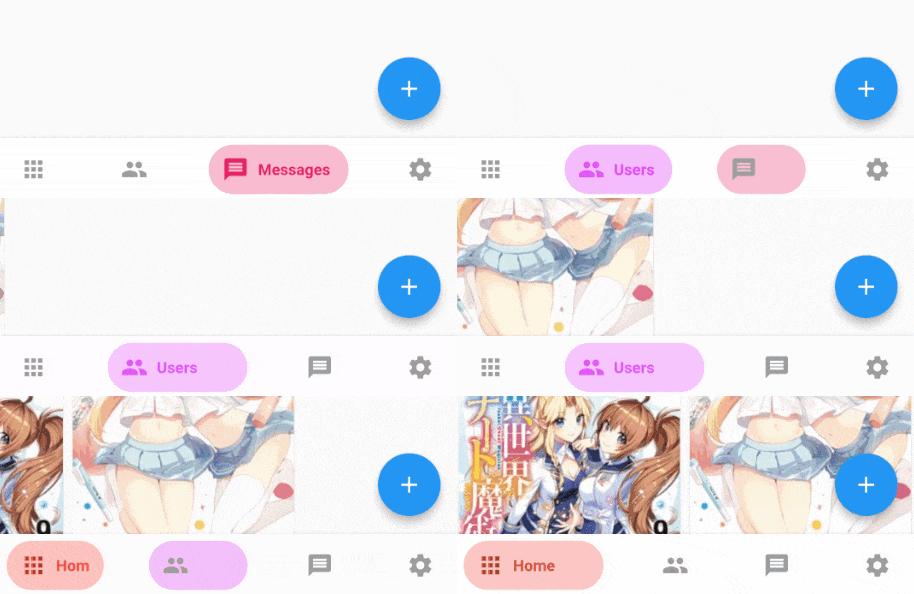
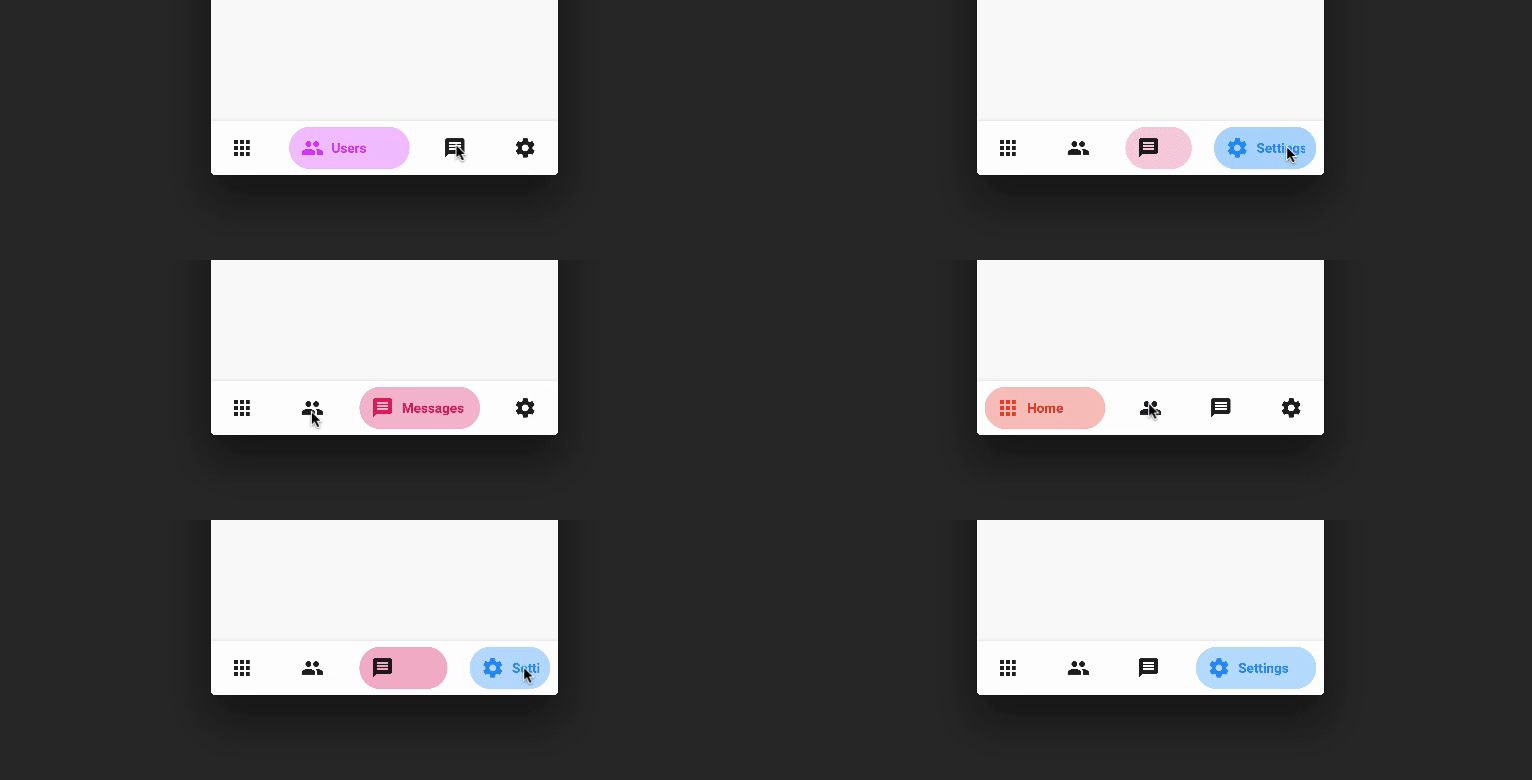
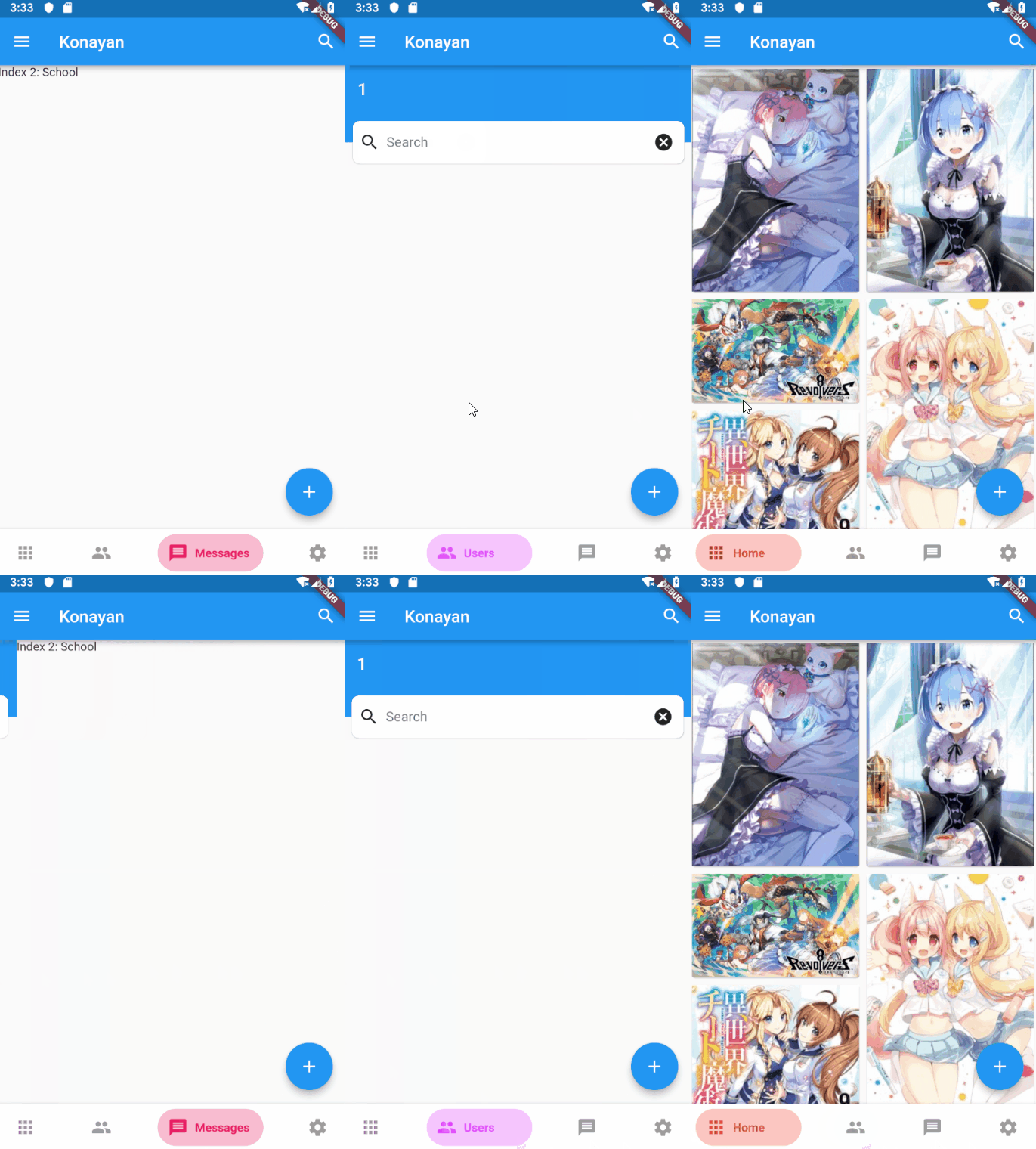
Preview PageView
FanBottomNavyBar Gif Fix Gif

Customization (Optional)

BottomNavyBar
  • iconSize - the item icon's size
  • items - navigation items, required more than one item and less than six
  • selectedIndex - the current item index. Use this to change the selected item. Defaults to zero
  • onItemSelected - required to listen when an item is tapped it provides the selected item's index
  • backgroundColor - the navigation bar's background color
  • showElevation - if false the appBar's elevation will be removed
  • mainAxisAlignment - use this property to change the horizontal alignment of the items. It is mostly used when you have ony two items and you want to center the items
  • curve - param to customize the item change's animation
  • containerHeight - changes the Navigation Bar's height
  • showInactiveTitle - use this property show a Inactive titles. Defaults to false.
BottomNavyBarItem
  • icon - the icon of this item
  • title - the text that will appear next to the icon when this item is selected
  • activeColor - the active item's background and text color
  • inactiveColor - the inactive item's icon color
  • textAlign - property to change the alignment of the item title
  • activeBackgroundColor - the active item's background color
  • activeTextColor - the active item's text color
  • tooltipText - the tooltip text that will appear when the item is long pressed

Getting Started

Add the dependency in pubspec.yaml:

dependencies:
  ...
  bottom_navy_bar: ^6.0.0

Basic Usage

Adding the widget

bottomNavigationBar: BottomNavyBar(
   selectedIndex: _selectedIndex,
   showElevation: true, // use this to remove appBar's elevation
   onItemSelected: (index) => setState(() {
              _selectedIndex = index;
              _pageController.animateToPage(index,
                  duration: Duration(milliseconds: 300), curve: Curves.ease);
    }),
   items: [
     BottomNavyBarItem(
       icon: Icon(Icons.apps),
       title: Text('Home'),
       activeColor: Colors.red,
     ),
     BottomNavyBarItem(
         icon: Icon(Icons.people),
         title: Text('Users'),
         activeColor: Colors.purpleAccent
     ),
     BottomNavyBarItem(
         icon: Icon(Icons.message),
         title: Text('Messages'),
         activeColor: Colors.pink
     ),
     BottomNavyBarItem(
         icon: Icon(Icons.settings),
         title: Text('Settings'),
         activeColor: Colors.blue
     ),
   ],
)

Use with PageView and PageController

class _MyHomePageState extends State<MyHomePage> {

  int _currentIndex = 0;
  PageController _pageController;

  @override
  void initState() {
    super.initState();
    _pageController = PageController();
  }

  @override
  void dispose() {
    _pageController.dispose();
    super.dispose();
  }

  @override
  Widget build(BuildContext context) {
    return Scaffold(
      appBar: AppBar(title: Text("Bottom Nav Bar")),
      body: SizedBox.expand(
        child: PageView(
          controller: _pageController,
          onPageChanged: (index) {
            setState(() => _currentIndex = index);
          },
          children: <Widget>[
            Container(color: Colors.blueGrey,),
            Container(color: Colors.red,),
            Container(color: Colors.green,),
            Container(color: Colors.blue,),
          ],
        ),
      ),
      bottomNavigationBar: BottomNavyBar(
        selectedIndex: _currentIndex,
        onItemSelected: (index) {
          setState(() => _currentIndex = index);
          _pageController.jumpToPage(index);
        },
        items: <BottomNavyBarItem>[
          BottomNavyBarItem(
            title: Text('Item One'),
            icon: Icon(Icons.home)
          ),
          BottomNavyBarItem(
            title: Text('Item Two'),
            icon: Icon(Icons.apps)
          ),
          BottomNavyBarItem(
            title: Text('Item Three'),
            icon: Icon(Icons.chat_bubble)
          ),
          BottomNavyBarItem(
            title: Text('Item Four'),
            icon: Icon(Icons.settings)
          ),
        ],
      ),
    );
  }
}

Author

Maintainers

Contributions

Contributions of any kind are more than welcome! Feel free to fork and improve in any way you want, make a pull request, or open an issue. See CONTRIBUTING.md for more info on how to contribute to this project.

License

This project is licensed under the Apache-2.0 License - see the LICENSE file for details.

所屬分類

原始碼儲存庫

使用此套件的專案

所在榜單