flutter_countDown
A new Flutter package that provide already made Count down functionality
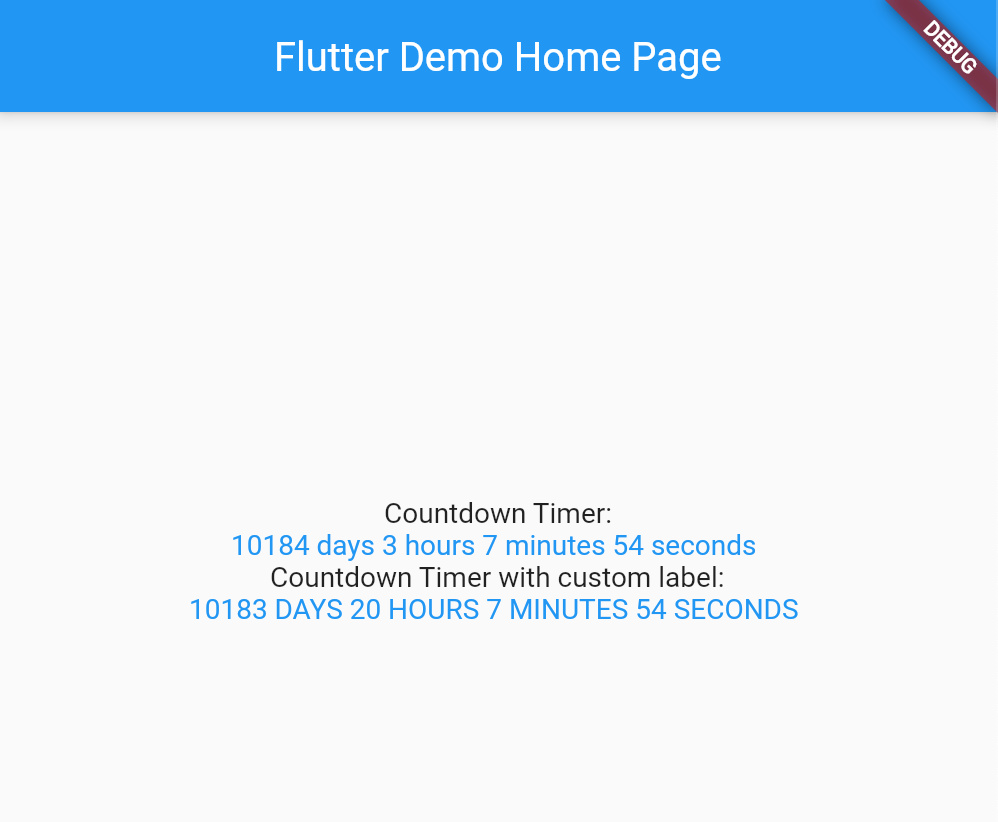
Usage
[Example] (https://github.com/Destiny-Ed/date_count_down/blob/main/example/example.dart)
To use this package : *add the dependency to your [pubspec.yaml] file
   dependencies:
        flutter:
            sdk : flutter
        date_count_down:
Add to your dart file
import 'package:date_count_down/date_count_down.dart';
import 'package:flutter/material.dart';
void main() {
runApp(MyApp());
}
class MyApp extends StatelessWidget {
@override
Widget build(BuildContext context) {
return MaterialApp(
title: 'Flutter Demo',
theme: ThemeData(
primarySwatch: Colors.blue,
),
home: MyHomePage(title: 'Flutter Demo Home Page'),
);
}
}
class MyHomePage extends StatefulWidget {
MyHomePage({Key? key, required this.title}) : super(key: key);
final String title;
@override
_MyHomePageState createState() => _MyHomePageState();
}
class _MyHomePageState extends State<MyHomePage> {
@override
Widget build(BuildContext context) {
return Scaffold(
appBar: AppBar(
title: Text(widget.title),
),
body: Center(
child: Column(
mainAxisAlignment: MainAxisAlignment.center,
children: <Widget>[
Text(
'Countdown Timer:',
),
CountDownText(
due: DateTime.utc(2050),
finishedText: "Done",
showLabel: true,
longDateName: true,
style: TextStyle(color: Colors.blue),
),
Text(
'Countdown Timer with custom label:',
),
CountDownText(
due: DateTime.parse("2050-01-01 00:00:00"),
finishedText: "Done",
showLabel: true,
longDateName: true,
daysTextLong: " DAYS ",
hoursTextLong: " HOURS ",
minutesTextLong: " MINUTES ",
secondsTextLong: " SECONDS ",
style: TextStyle(color: Colors.blue),
)
],
),
),
);
}
}
Acknowledgement
Special thanks to ekhiw to adding the custom values to the package
Follow me
[Github] (https://github.com/Destiny-Ed)
[Twitter] (https://twitter.com/DestinyEd8)
[Linkedin] (linkedin.com/in/destiny-ed)
[Youtube] (https://www.youtube.com/channel/UCFEtn_pdpZPT9vMxovgTp0A)

