搜尋套件、儲存庫與 APP 分類

figma_frame_inspector 封面
套件詳情v0.0.5

figma_frame_inspector

一個 Flutter 插件,用於驗證應用中實現的 Figma 框架的準確性。

AndroidiOSmacOSWindowsLinux
近 30 天下載
45
喜歡數
25
Pub 分數
150

安裝套件

flutter pub add figma_frame_inspector

套件介紹

根據套件公開資料產生的選型評估,僅供參考。

Figma Frame Inspector 是一個 Flutter 插件,旨在幫助開發者驗證其應用程式中 Figma 設計實現的準確性。它會將 Figma 幀的邊界和尺寸直接疊加在執行中的應用程式上,從而實時進行設計與開發的視覺比較。此工具簡化了測試過程中的 UI 驗證,確保與設計規範完全像素對齊。該插件支援 Android、iOS、macOS、Windows 和 Linux 多個平台,適用於跨平台團隊。在設計師與開發者緊密合作的環境中,此工具尤為有用。

適用情境

  • 驗證UI保真度與Figma設計的一致性
  • 跨平台 UI 一致性檢查
  • 設計交接驗證
  • 即時除錯版面差異
  • 設計師與開發人員之間的團隊協作

主要特色

  • 在應用程式中疊加顯示 Figma 幀邊界
  • 支援多個平台
  • 即時視覺對比
  • 透過 pub add 的簡單整合
  • 突出顯示版面偏差

適合對象

  • UI/UX 開發人員
  • 使用 Flutter 的設計師
  • 跨平台開發團隊
  • 品質保證測試人員
  • 使用 Figma 進行設計的團隊

使用建議

  • 僅用於開發/測試
  • 需要Figma框架數據
  • 不適用於生產建構
  • 可能影響調試模式下的效能
  • 僅限視覺檢查,不含自動斷言

原始 README

以下為關聯原始碼儲存庫的 README 原文快照,最新內容請造訪原始碼儲存庫。

Figma Frame Inspector

Pub Version

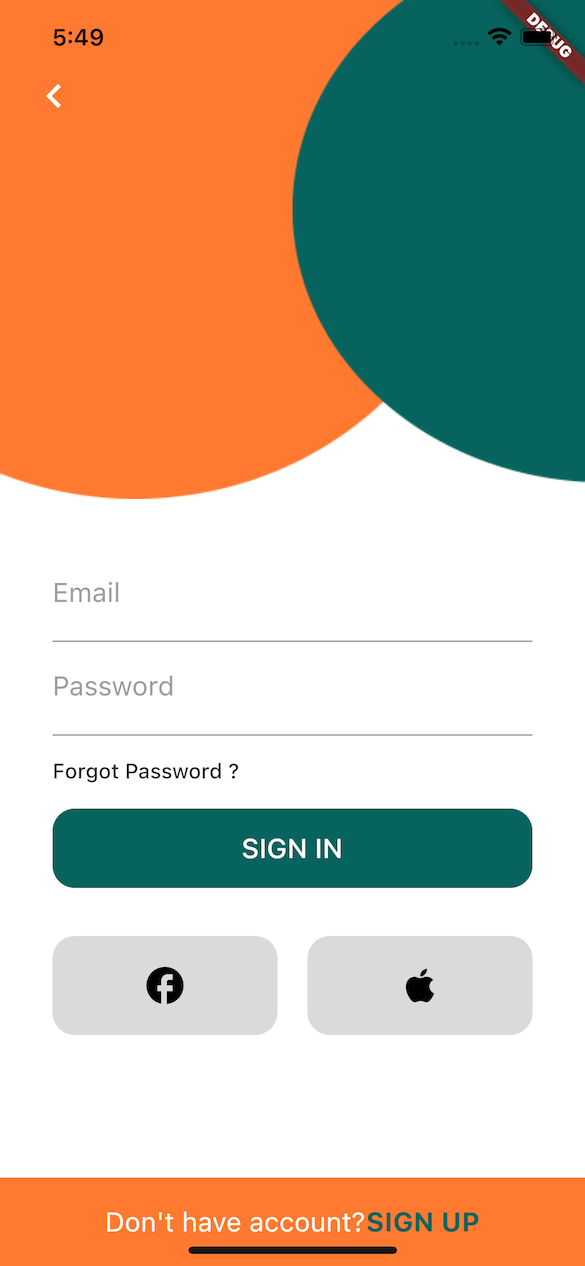
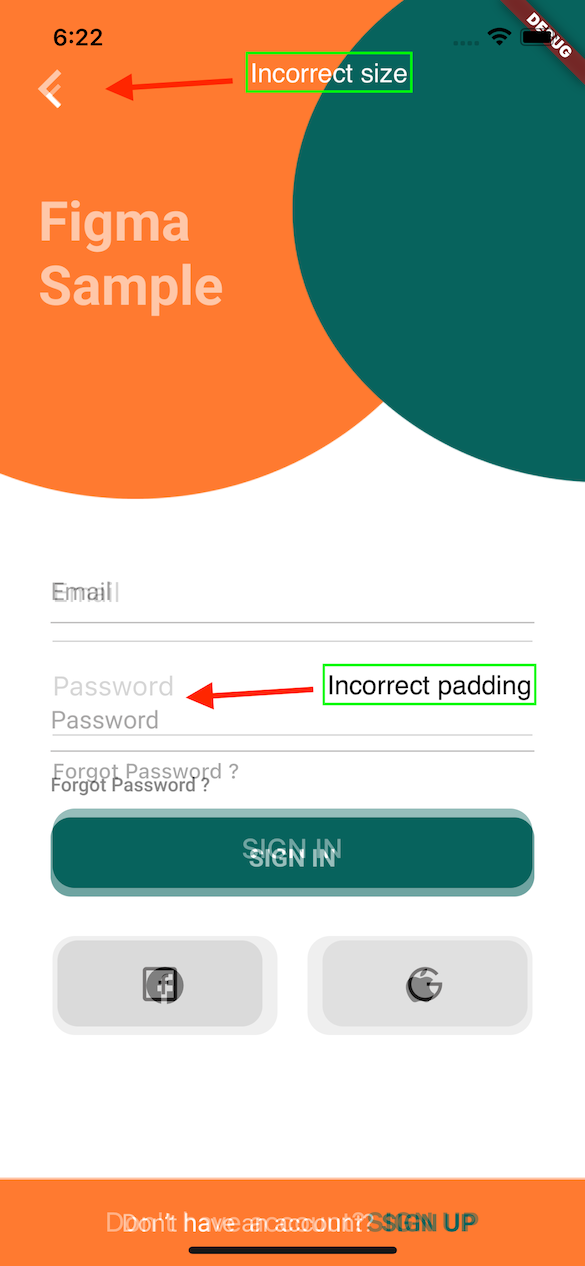
A Flutter plugin to verify how accurately the Figma frame was implemented in the app (whether paddings and elements sizes are correct).

With this tool any developer can verify all the paddings, font styles and elements sizes matches design specification in Figma.

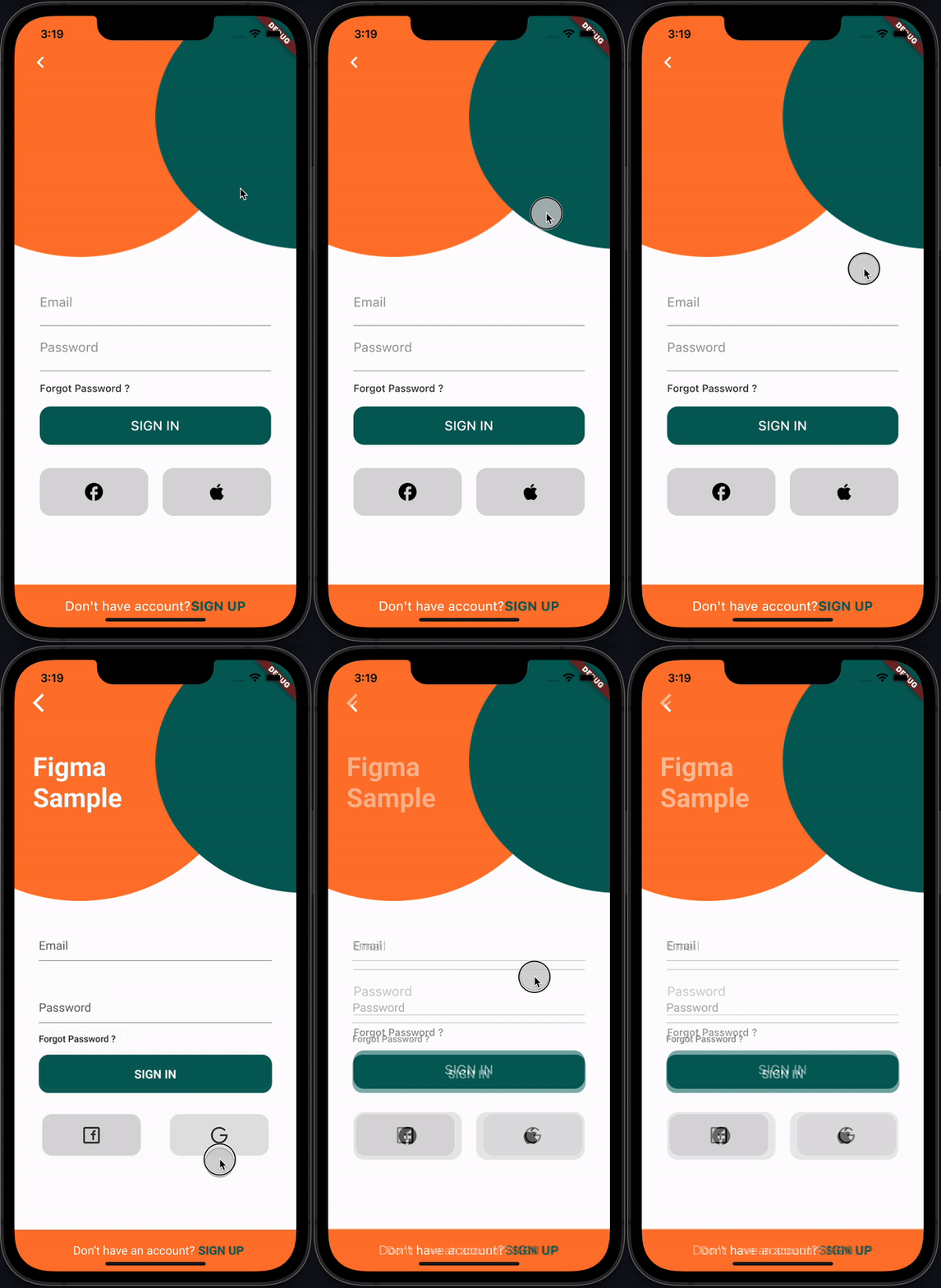
recording

How it works

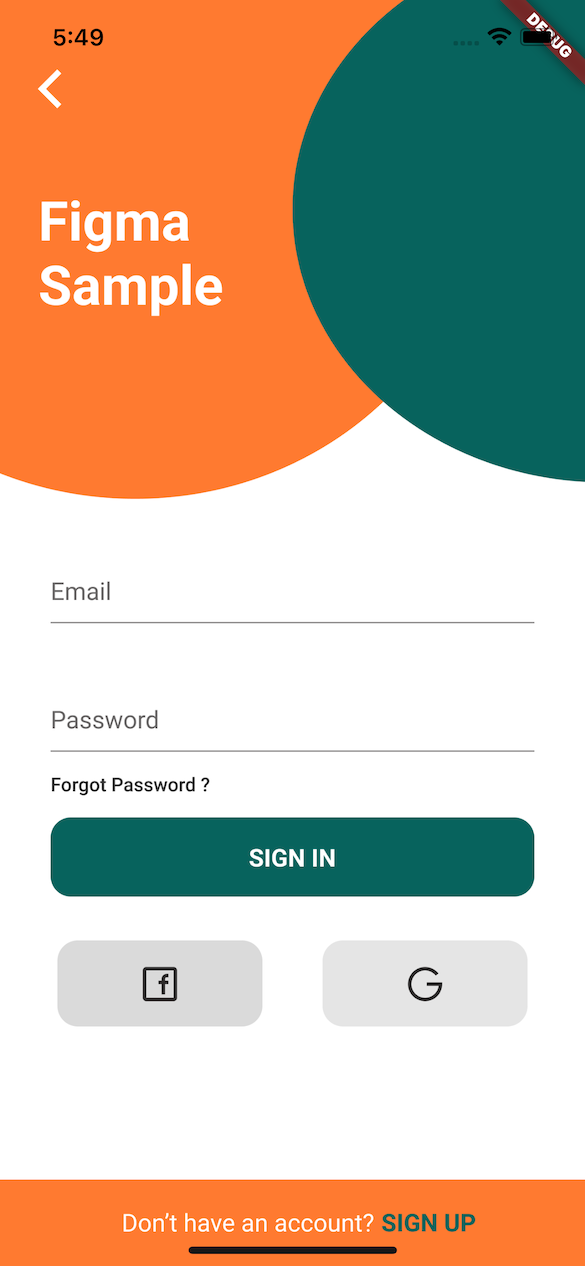
This plugin provides FigmaFrameInspector widget that renders provided Figma frame on top of child screen widget. This helps to check proper frame implementation.

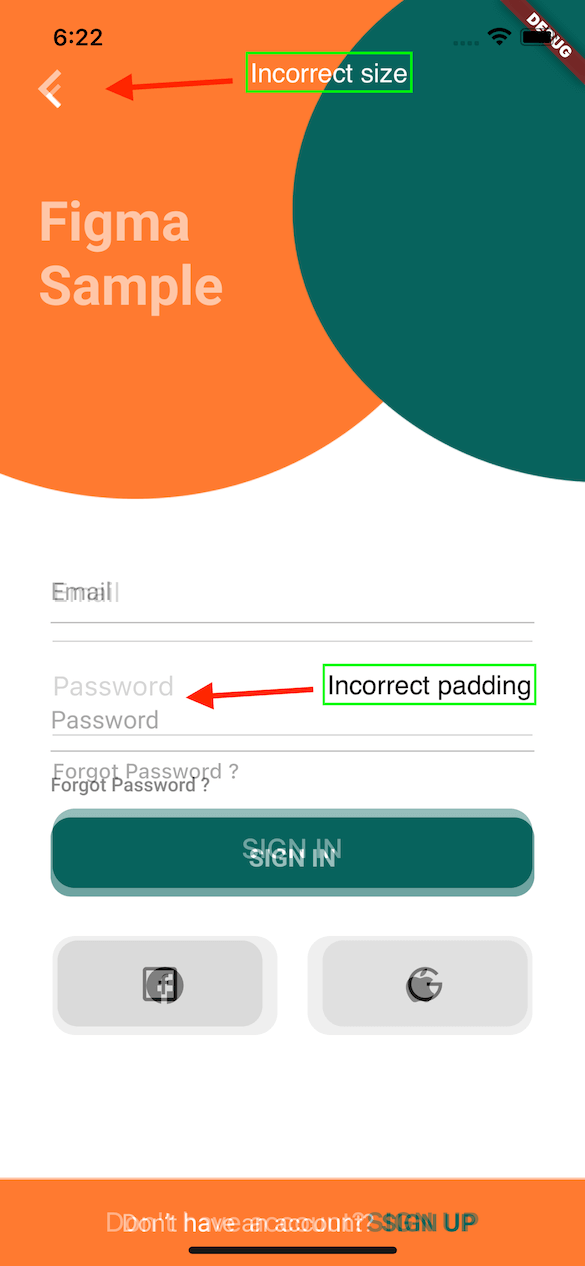
PS: Example Figma frame was taken from here

Implementation Figma Diff

Installation

flutter pub add figma_frame_inspector

Usage

Get Figma Personal Access Token
  • In Figma go to Account -> Personal Access Tokens
  • Generate a new token
Get Figma Frame URL
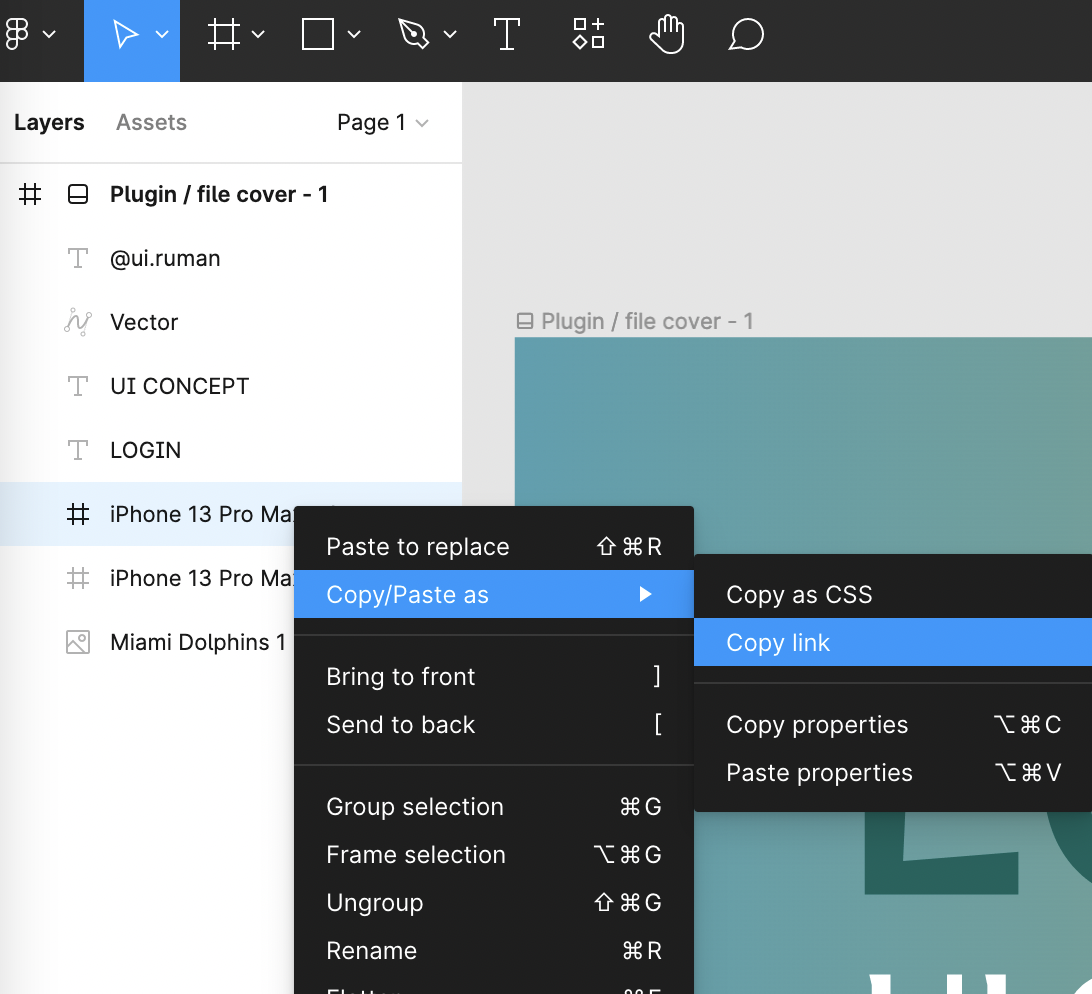
  • In Figma open design file
  • On the left side in Layers section select a frame that you need to verify
  • Copy the URL of the frame

figma-copy-frame

Integration
  • import 'package:figma_frame_inspector/figma_frame_inspector.dart';
  • Wrap your app with FigmaFrameInspector widget:
class MyHomePage extends StatelessWidget {
  const MyHomePage({Key? key, required this.title}) : super(key: key);

  final String title;

  @override
  Widget build(BuildContext context) {
    return FigmaFrameInspector( // <-- Wrap your screen widget with this widget.
      frameUrl:
          "<figma-frame-url>", // <-- Specify the Figma frame url. Looks like this: https://www.figma.com/file/<file_key>/<file_name >?node-id=<node_id>
      figmaToken: '<figma-token>', // <-- Specify the Figma `Personal access token` from Account Settings page.
      // Optional parameters:
      scale: 3, // A number between `0.01` and `4`, the image scaling factor.
      initialOpacity: .3, // Opacity of the frame on the screen start (default `30%`).
      enabled: true, // Enable or disable the frame overlay (default `true`).
      isTouchToChangeOpacityEnabled: true, // Enable or disable vertical scroll to change the frame overlay opacity (default `true`).
      child: Scaffold(
        appBar: AppBar(
          title: Text(title),
        ),
        floatingActionButton: const FloatingActionButton(
          onPressed: null,
          tooltip: 'Increment',
          child: Icon(Icons.add),
        ),
      ),
    );
  }
}

Credits

This plugin was heavily inspired by flutter_figma_preview

Figma sample design taken from here https://www.figma.com/community/file/1060856334579637757

License

Can be found here.

所屬分類

依賴

依賴清單 2 項

原始碼儲存庫

使用此套件的專案

暫無相關資料。