搜尋套件、儲存庫與 APP 分類

flutter_animated_reaction 封面
套件詳情v0.0.2

flutter_animated_reaction

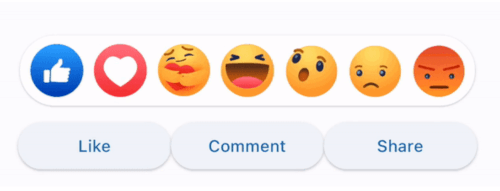
Flutter 動畫反應是一個動畫反應覆蓋層(例如,Facebook、LinkedIn),可使用您自己的反應圖示(圖片/GIF)進行自訂。

AndroidiOSWebmacOSWindowsLinux
近 30 天下載
36
喜歡數
34
Pub 分數
130

安裝套件

flutter pub add flutter_animated_reaction

套件介紹

根據套件公開資料產生的選型評估,僅供參考。

Flutter Animated Reaction 是一個可自訂的動畫覆疊層,用於社群媒體風格的反應,類似於 Facebook 或 LinkedIn。它允許開發者在使用者與內容互動時顯示動畫反應圖示(例如圖片或 GIF)。此套件支援 Android、iOS、Web、macOS、Windows 與 Linux 等多個平台,非常適合跨平台應用。透過 pub add 簡單整合,它以動態視覺反饋提升使用者參與度。

適用情境

  • 社群媒體應用互動
  • 使用者反應動畫
  • 互動貼文動態
  • 以參與度為導向的使用者介面元素
  • 即時反饋在訊息應用中

主要特色

  • 可自訂的表情符號
  • 支援圖片和GIF
  • 跨平台相容性
  • 與 Flutter 的簡單整合
  • 動畫疊加效果

適合對象

  • 開發社交網絡應用的開發者
  • 尋求互動反饋的UI設計師
  • 需要即時用戶反應的應用程式
  • 針對多個平台的專案
  • 希望使用輕量級動畫解決方案的團隊

使用建議

  • 需要對圖標進行適當的資產管理
  • 性能可能因複雜的 GIF 而有所不同
  • 除了圖示和動畫風格外,自訂選項有限
  • 最適合中等規模的動畫
  • 可能需要額外的狀態管理來處理複雜的工作流程

原始 README

以下為關聯原始碼儲存庫的 README 原文快照,最新內容請造訪原始碼儲存庫。

Flutter Animated Reaction

Flutter Animated Reaction is an animated reaction overlay(Example: Facebook, LinkedIn) which can be customized using your own reaction icons(images/gifs). Wherever your reaction button is on the screen, this package helps you to pop up an animated reaction overlay at the right location on the screen with your preferred reactions icon.

Demo

animated

Features

  • Customized reaction icon i.e. images, gifs can be added in the list
  • Cool animation to display the reaction overlay
  • Dragging any reaction icon generates nice animation
  • In built facebook reaction icons
  • Reaction sound feature

Getting started

import 'package:flutter_animated_reaction/flutter_animated_reaction.dart';

Usage

For better understanding, you can see example application.

AnimatedFlutterReaction().showOverlay(context: context,
                                      key: key,
                                      onReaction: (val){
                                         print(val);
                                      });
Parameters
Parameter Description
Key Global Key used in the reaction button . It is used to find the renderBox and measure it's position.
reactions List of all reaction icons which you want to show in the overlay.(Image/Gifs path)
onReaction(int) It is triggered when any of the reaction is tapped
backgroundColor It describes overlay background color
overlaySize It specifies overlay width
iconSize It can set the size of reaction icons. Default size is (45,45)

How to Contribute

  1. Fork it
  2. Create your feature branch (git checkout -b new-feature)
  3. Commit your changes (git commit -m 'Add some feature')
  4. Push to the branch (git push origin new-feature)
  5. Create new Pull Request

所屬分類

依賴

依賴清單 1 項

原始碼儲存庫

使用此套件的專案

暫無相關資料。