搜尋套件、儲存庫與 APP 分類

flutter_scroll_shadow 封面
套件詳情v1.2.6

flutter_scroll_shadow

ScrollShadow 為可滾動的子組件添加陰影。支援 ScrollController 和垂直或水平方向。

AndroidiOSWebmacOSWindowsLinux
近 30 天下載
3.3萬
喜歡數
41
Pub 分數
160

安裝套件

flutter pub add flutter_scroll_shadow

套件介紹

根據套件公開資料產生的選型評估,僅供參考。

Flutter Scroll Shadow 是一個輕量級套件,為可滾動組件添加動態陰影,增強視覺深度與使用者反饋。支援垂直與水平滾動,並完全相容 ScrollController。適用於提升 Android、iOS、Web、macOS、Windows 與 Linux 等主要平台上的列表、網格及其他可滾動內容的美學表現。陰影會隨著使用者滾動即時調整,創造出細膩而有效果的視覺效果。

適用情境

  • 增強列表項目可見性
  • 在可滾動介面中創建深度
  • 透過視覺反饋改善使用者體驗
  • 為儀表板佈局增添精緻感
  • 支援深色模式設計

主要特色

  • 即時陰影調整
  • 支援垂直與水平捲動
  • ScrollController 集成
  • 跨平台相容性
  • 最小性能開銷

適合對象

  • 尋求視覺精緻的UI設計師
  • 開發滾動密集型應用的開發者
  • 需要細微動畫的應用程式
  • 針對多個平台的專案
  • 專注於響應式設計的團隊

使用建議

  • 可能影響低階裝置的效能
  • 陰影外觀取決於主題和背景
  • 超出陰影強度之外的自訂功能有限
  • 不適合複雜的滾動行為
  • 需要在不同螢幕尺寸上進行仔細測試

原始 README

以下為關聯原始碼儲存庫的 README 原文快照,最新內容請造訪原始碼儲存庫。

flutter_scroll_shadow

Scroll Shadow

Pub Package Pub Points Pub Likes

Package Issue Package License

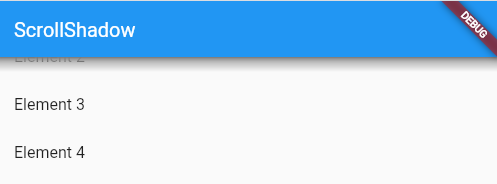
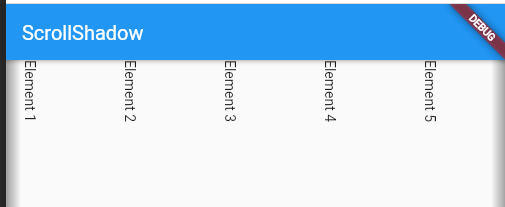
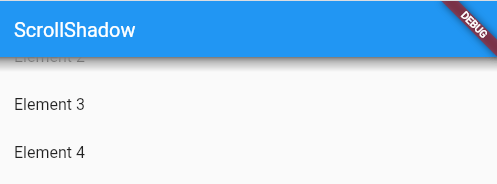
ScrollShadow is a widget for Flutter that adds shadows to a scrollable child.

Supports ScrollController and vertical or horizontal orientation.

Image
ScrollShadow

Features

  • Adds shadows over a scrollable child while not at its max extents
  • Supports vertical and horizontal Axis
  • Customizable animation duration
  • Determine how wide or tall shadows render


Usage

Make sure to check out the examples on GitHub.

Installation

Add the following line to pubspec.yaml:

dependencies:
  flutter_scroll_shadow: <last-release>
Basic setup

Complete example available here.

ScrollShadow(
  color: Colors.grey,
  child: ListView(
    children: List.generate(20, (index) => ListTile(title: Text('Element $index'),)),
  ),
);
Properties
  • color: for the shadows; default: Colors.grey
  • size: The width or height of shadows, depending on Axis; default: 15.0
  • child: Scrollable child contained by the ScrollShadow
  • duration: Milliseconds, as an int, for animation of shadow visibility changes; default: 300
  • fadeInCurve: The animation [Curve] to use for shadow appearance; default: Curves.easeIn
  • fadeOutCurve: The animation [Curve] to use for shadow disappearance; default: Curves.easeOut
  • ignoreInteraction: Determines if shadow is wrapped inside a [IgnorePointer] widget, so that all touch events with the shadow will be ignored; default: true


Example

Image Image
Vertically-scrolling child Horizontally-scrolling child

📚 My open source projects

Flutter
Package Verison Score Likes Test Coverage
Pub Package Pub Points Pub Likes
Dart
Package Verison Score Likes Test Coverage
Pub Package Pub Points Pub Likes Test CI codecov

所屬分類

原始碼儲存庫

使用此套件的專案