搜尋套件、儲存庫與 APP 分類

flutter_storyboard 封面
套件詳情v0.1.7

flutter_storyboard

一個用於顯示您所有組件故事板的 Flutter 套件。

近 30 天下載
122
喜歡數
133
Pub 分數
40

安裝套件

flutter pub add flutter_storyboard

套件介紹

根據套件公開資料產生的選型評估,僅供參考。

Flutter Storyboard 是一個除錯工具,可將 Flutter 應用中的所有組件以故事板形式視覺化,讓開發者能夠檢視組件層次結構與佈局結構。它提供清晰的階層式介面樹視圖,有助於識別效能瓶頸、佈局問題或意外的組件巢狀。非常適合開發與測試階段,無需手動追蹤程式碼即可增強對複雜介面組合的理解。該套件可透過 pub add 隨意整合至 Flutter 專案中。

適用情境

  • 除錯複雜的組件樹
  • 在開發過程中可視化 UI 層次結構
  • 識別佈局效率低下
  • 測試 UI 結構更改
  • 改進UI設計中的團隊協作

主要特色

  • 即時元件樹可視化
  • 所有 Widget 的層級顯示
  • 透過 pub add 的簡單整合
  • 生產環境無執行時開銷
  • 用於 UI 檢查的乾淨、易讀介面

適合對象

  • Flutter 開發者
  • 使用 Flutter 的 UI/UX 設計師
  • 團隊調試複雜佈局
  • 初學者學習 Flutter widget 結構
  • 測試人員驗證UI一致性

使用建議

  • 不適用於生產環境
  • 可能會減慢開發建構
  • 有限的自訂選項
  • 檢查期間不支援熱重載
  • 在除錯模式下需要手動啟用

原始 README

以下為關聯原始碼儲存庫的 README 原文快照,最新內容請造訪原始碼儲存庫。

Buy Me A Coffee Donate github pages GitHub stars flutter_storyboard

storyboard

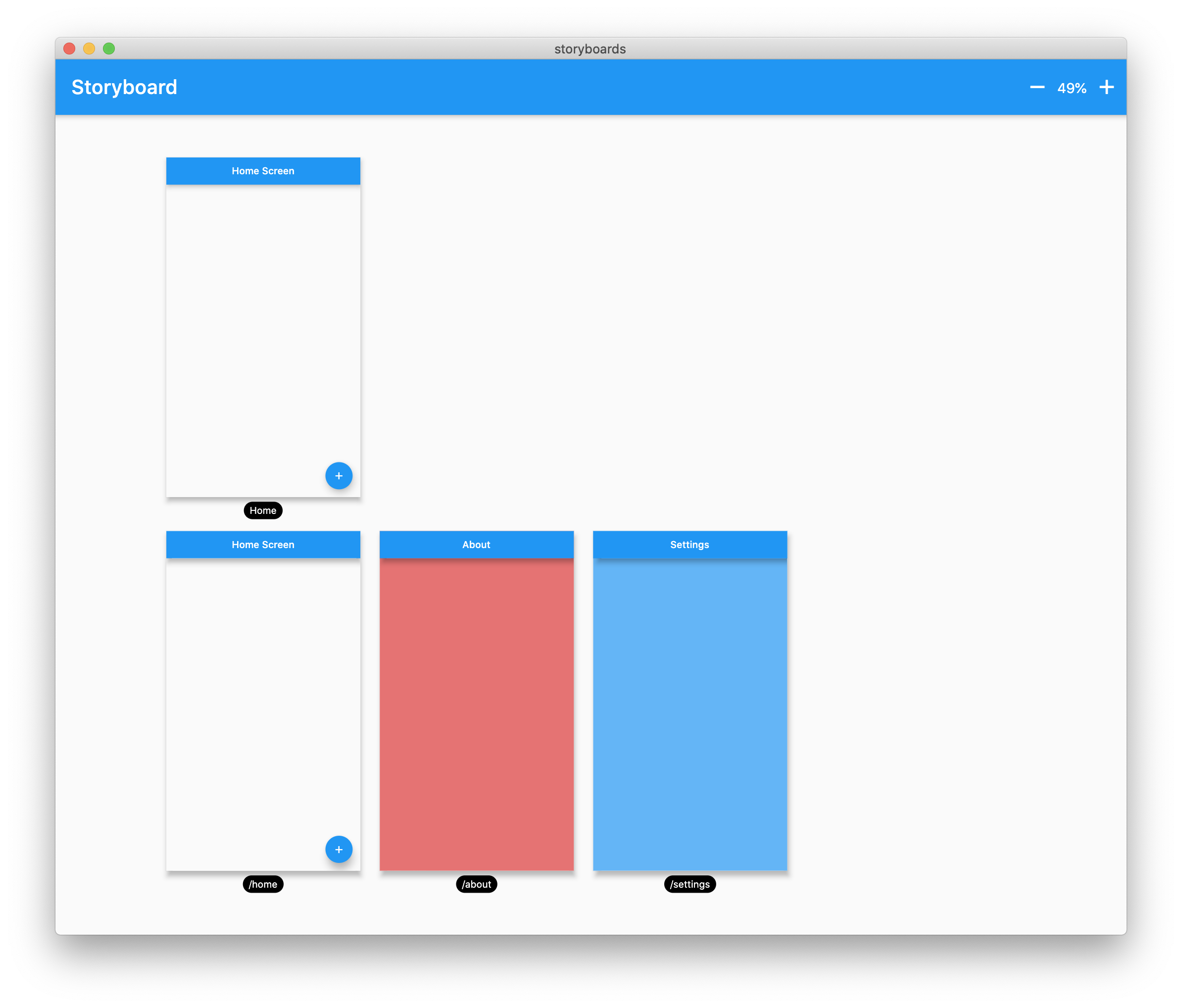
A Flutter Debug tool to see and test all your screens at once.

Online Demo: https://rodydavis.github.io/storyboard/

screenshot

Examples

Custom Lane Builder

Dynamic Screen Sizes

Material App Example

Widget Example

Multiple Custom Lanes Example

Getting Started

Wrap your MaterialApp with Storyboard.

return StoryBoard.material(
      child: MaterialApp(
        debugShowCheckedModeBanner: false,
        title: 'Flutter Storyboard Example',
        theme: ThemeData.light().copyWith(
          visualDensity: VisualDensity.adaptivePlatformDensity,
        ),
        darkTheme: ThemeData.dark().copyWith(
          visualDensity: VisualDensity.adaptivePlatformDensity,
        ),
        themeMode: ThemeMode.light,
        home: HomeScreen(),
        routes: {
          '/home': (_) => HomeScreen(),
          '/about': (_) => AboutScreen(),
          '/settings': (_) => SettingsScreen(),
        },
      ),
    );

Wrap your WidgetsApp with Storyboard.widgets(). Wrap your CupertinoApp with Storyboard.cupertino().

Custom Routes and Widgets

You can add any number of custom widgets to the canvas, including custom routes. You can add dummy data to the constructors here as it will render all default values.

customScreens: [
  SettingsScreen(),
  AboutScreen(),
  CustomWidget(title: 'Dummy Data'),
],
customRoutes: [
  RouteSettings(name: '/about'),
],

Misc

Now you can test all your screens with a hot reload! You can also disable the widget at any time by setting enabled to false. You will need to do a hot restart after you change this value.

所屬分類

依賴

依賴清單 2 項

原始碼儲存庫

使用此套件的專案

暫無相關資料。