Features
- Support add comment;
- Support show errors for invalid json text;
- Pretty format json text;
- Output a custom json data model:
JsonElement ;
Getting started
dependencies:
    json_editor: ^0.0.8
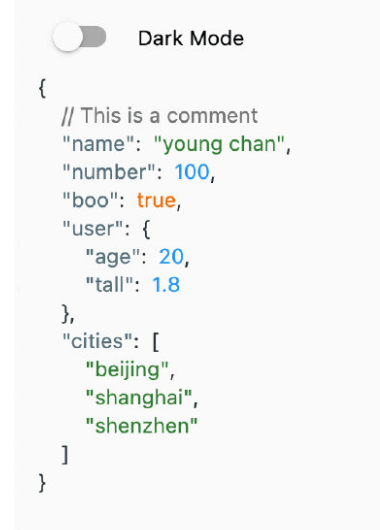
Screen Shot


Usage
import 'package:json_editor/json_editor.dart';

JsonEditor.string(
    jsonString: '''
        {
            // This is a comment
            "name": "young chan",
            "number": 100,
            "boo": true,
            "user": {"age": 20, "tall": 1.8},
            "cities": ["beijing", "shanghai", "shenzhen"]
         }
    ''',
    onValueChanged: (value) {
        print(value);
    },
)
import 'package:json_editor/json_editor.dart';

JsonEditor.object(
    object: const {
        "name": "young",
        "number": 100,
        "boo": true,
        "user": {"age": 20, "tall": 1.8},
        "cities": ["beijing", "shanghai", "shenzhen"]
    },
    onValueChanged: (value) {
        print(value);
    },
)
JsonElement is a data model witch contains key, value and comment.
import 'package:json_editor/json_editor.dart';

JsonEditor.element(
    element: JsonElement(),
    onValueChanged: (value) {
        print(value);
    },
)
Theme
If you want to custom the json theme. You can use JsonEditorTheme widget.
JsonEditorTheme(
    themeData: JsonEditorThemeData.defaultTheme(),
    child: JsonEditor.object(
        object: const {
            "name": "young",
            "number": 100,
            "boo": true,
            "user": {"age": 20, "tall": 1.8},
            "cities": ["beijing", "shanghai", "shenzhen"]
        },
        onValueChanged: (value) {
            print(value);
        },
    )
)
License
See LICENSE