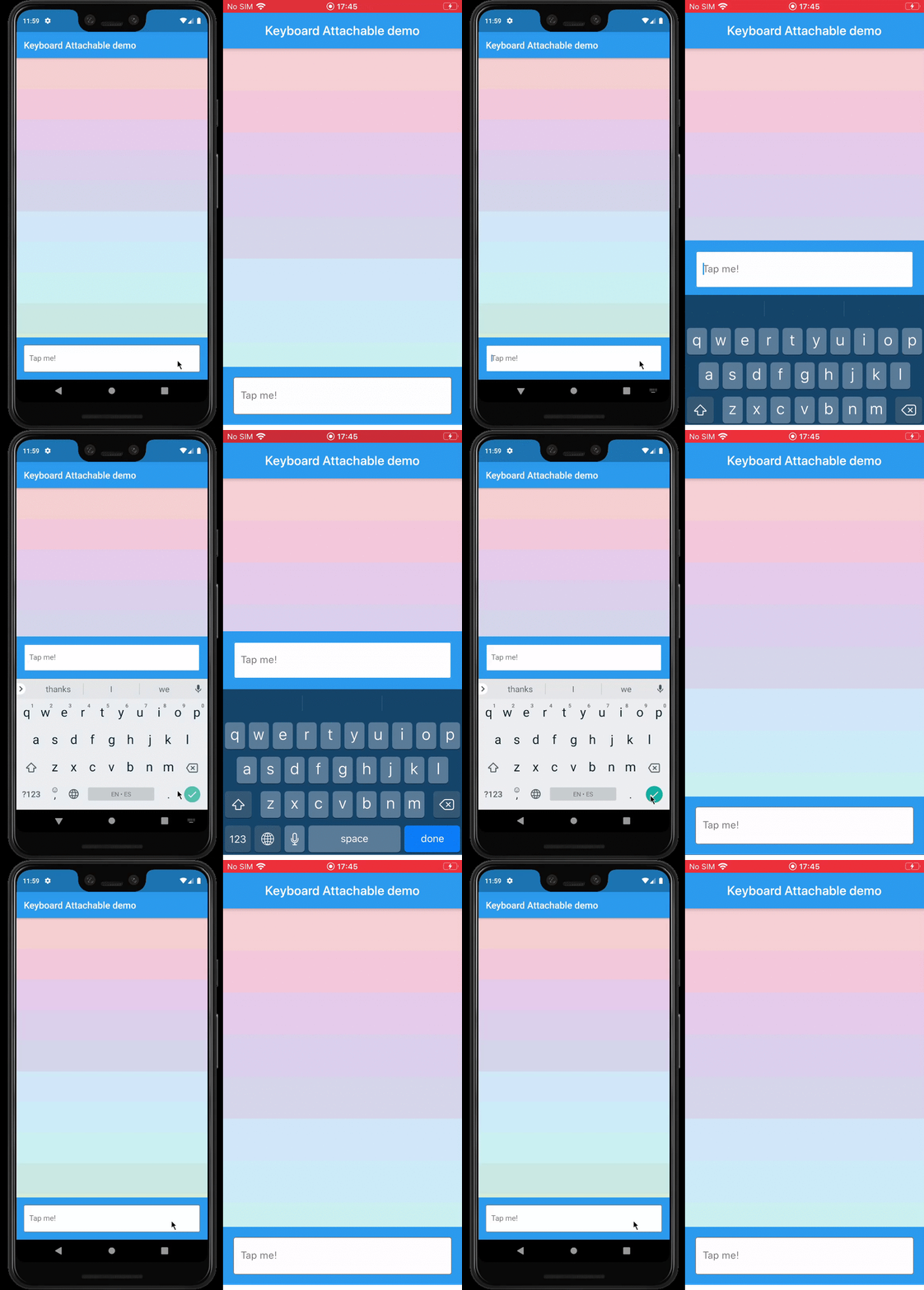
一個 Flutter 套件,讓開發者能夠建立動態附著於螢幕鍵盤的元件,透過在鍵盤上方直接提供情境感知的控制項或內容來增強使用者體驗。它支援多個平台,包括 Android、iOS、macOS、Windows 和 Linux,確保跨裝置的一致行為。此套件透過提供簡潔的 API 來定位與管理附加元件,簡化與現有 UI 的整合。
適用情境
在鍵盤上方添加操作按鈕
在輸入欄位附近顯示建議或表情符號
建立自訂鍵盤覆蓋層
透過內聯控制項改善表單易用性
在文字輸入期間快速存取工具
主要特色
跨平台相容性
與現有組件的輕鬆整合
相對於鍵盤的動態定位
對各種小部件類型的支援
最小化樣板程式碼
適合對象
開發互動式表單的開發者
需要頻繁鍵盤互動的應用
尋求增強輸入體驗的UI設計師
具有鍵盤為中心工作流程的多平台應用程式
重視使用者參與度的文字輸入團隊
使用建議
可能需要仔細的佈局管理
複雜組件帶來的效能影響
鍵盤高度變更的自訂功能有限
與其他覆蓋層組件的潛在衝突
需要在不同裝置尺寸和方向上進行測試
原始 README
以下為關聯原始碼儲存庫的 README 原文快照,最新內容請造訪原始碼儲存庫。
keyboard_attachable
A Flutter package to build widgets that can be attached to the soft keyboard.
Features
An alternative to Scaffold's resizeToAvoidBottomInset, with animations.
Control the animations that should happen when the soft keyboard is shown and hidden with a transition builder.
Animate the shrinkage and expansion of the page when the soft keyboard is shown and hidden, matching the platform soft keyboard animation.
Easily add permanent page footers that can be attached to the top of the soft keyboard.
Usage
This package exposes a FooterLayout stateless widget and a KeyboardAttachable stateful widget.
FooterLayout is a widget that can lay out a child widget above a footer. It does that by
positioning a footer widget at the bottom of the available space first, and then positioning a
child widget in the remaining space.
KeyboardAttachable is a widget that adds space below its baseline when the soft keyboard is shown
and hidden with an animation that matches that of the platform keyboard. This widget can be used to
animate its child when the soft keyboard is shown or hidden, so that the child widget appears to be
attached to the keyboard.
You can combine these two widgets by passing a KeyboardAttachable widget as the footer of a
FooterLayout to create a page that shrinks and expands when the soft keyboard appears and
disappears, with an animation that matches the platform keyboard animation. Additionally, you can
pass a child widget to your KeyboardAttachable to have a footer in your page that attaches itself
to the soft keyboard when shown.
Warning: In order for this to work with animations, the resizeToAvoidBottomInset parameter
of the Scaffold above the page has to be false. In addition to that, when there are SafeAreas
involved the layout, it is recommended to set their maintainBottomViewPadding property to true in
order for the animations to run smoothly, like so:
/// Builds a [Scaffold] that lays out a footer at the bottom of the page.classKeyboardAttachablePageextendsStatelessWidget{
@overrideWidgetbuild(BuildContext context) => Scaffold(
backgroundColor: Colors.blue,
resizeToAvoidBottomInset: false,
appBar: AppBar(title: constText("Keyboard Attachable demo")),
body: SafeArea(
maintainBottomViewPadding: true,
child: FooterLayout(
footer: KeyboardAttachableFooter(),
child: ColorsList(),
),
),
);
}
Getting started
In the pubspec.yaml of your flutter project, add the following dependency: