The keyboard_emoji_picker package provides a simple way to use the device's
native emoji keyboard to pick an emoji. It's currently supported on iOS only.
However, adding support for Android is something I'd like to do in the future
(if you'd like to help, please let me know).
Demo
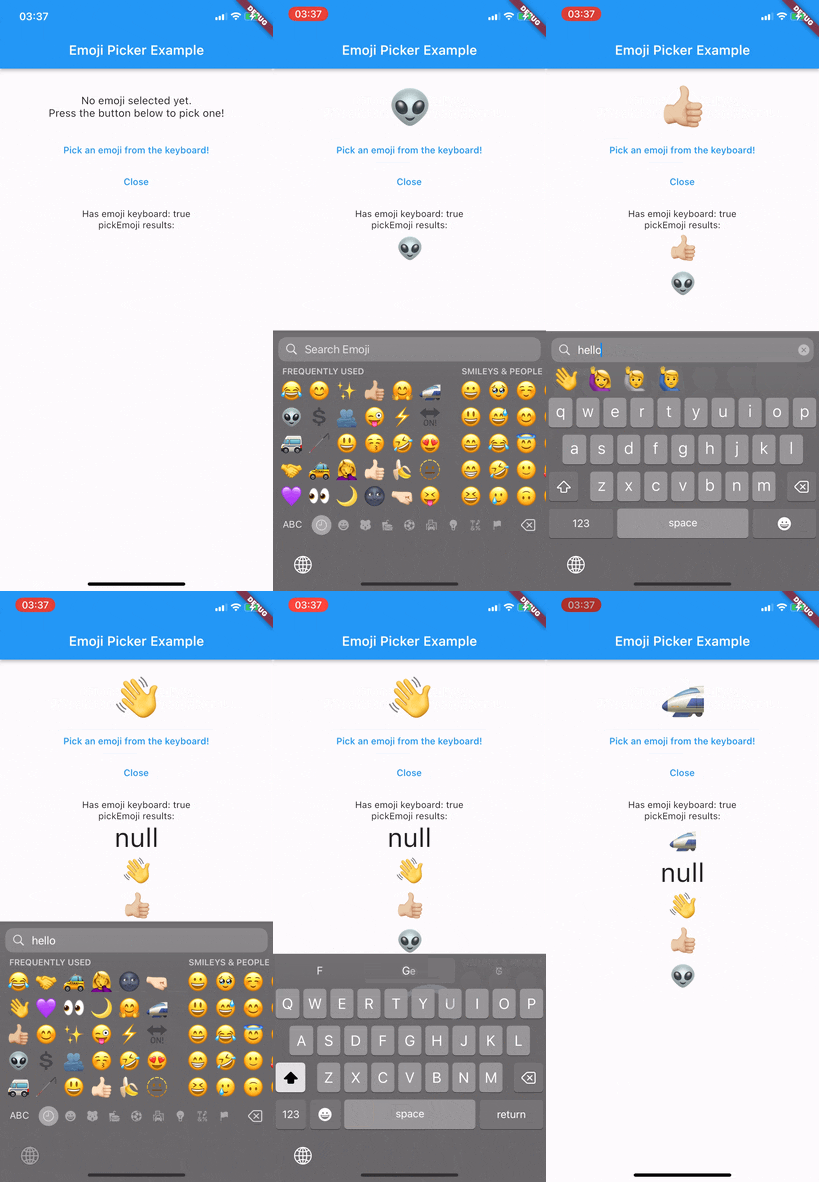
Usage
To use KeyboardEmojiPicker, you need to have a KeyboardEmojiPickerWrapper
widget somewhere in your widget tree. This widget will create a hidden
input field in order to make opening the keyboard possible.
import 'package:keyboard_emoji_picker/keyboard_emoji_picker.dart';
class MyApp extends StatelessWidget {
@override
Widget build(BuildContext context) {
return KeyboardEmojiPickerWrapper(
child: MaterialApp(
title: 'My App',
home: MyHomePage(),
),
);
}
}
Checking if the keyboard is available
Since the package uses the device's keyboard, it's not always available. For
example, if the user has disabled the emoji keyboard, it won't open and will
throw a NoEmojiKeyboardFound exception.
To check if the keyboard is available, you can use the checkHasEmojiKeyboard
method.
final hasEmojiKeyboard = await KeyboardEmojiPicker().checkHasEmojiKeyboard();
if (hasEmojiKeyboard) {
} else {
}
Picking an emoji
To pick an emoji, use the pickEmoji method. It will open the keyboard and
wait for the user to pick an emoji. If the user closes the keyboard, the
method will return null.
It is highly recommended to check if the keyboard is available
before calling this method to avoid exceptions.
final emoji = await KeyboardEmojiPicker().pickEmoji();
if (emoji != null) {
} else {
}
Closing the keyboard
Since the plugin uses a different hidden input than Flutter itself, you need
to close the keyboard manually. To do so, use the closeKeyboard method.
KeyboardEmojiPicker().closeKeyboard();
Contributing
Contributions are welcome and appreciated!
Feel free to open an issue or a pull request!

