:star: Updating Text widget made simple :star:
Have you stumble upon a situations where you simply need to update UI text without dealing with state management techniques? If so, this package is a perfect fit for you.
Features
[X] Updates text without any hassle.
[X] Provides call back with old and new value of your text widget.
[X] Reset to initial value whenever you want.
Getting started
Add live_text to your pubspec.yaml file and start making your text live.
Installation
Just add live_text as a dependency in your pubspec.yaml file .
dependencies:
  live_text: <Latest Version>
Usage
import 'package:live_text/live_text.dart' ;
Simple counter example.
Create LiveTextController instanceLiveTextController counterLiveTextController = LiveTextController (initialValue: "0" );
Create LiveText widget and provide LiveTextController that we just created LiveText (
style: Theme .of (context).textTheme.headlineMedium,
liveTextController: counterLiveTextController,
),
Now provide following call backs on increase and decrease button void _incrementCounter () {
counterLiveTextController.setValue =
(int .parse (counterLiveTextController.getValue) + 1 ).toString ();
}
void _decrementCounter () {
counterLiveTextController.setValue =
(int .parse (counterLiveTextController.getValue) - 1 ).toString ();
}
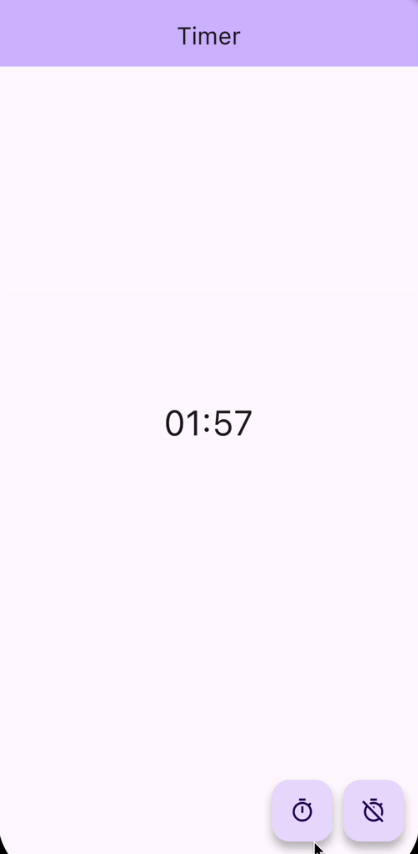
Timer example.
Following is the full example code for Timer app using live_text
import 'dart:async' ;
import 'package:flutter/material.dart' ;
import 'package:live_text/live_text.dart' ;
class TimerExample extends StatelessWidget TimerExample ({super .key});
late LiveTextController timerLiveTextController = LiveTextController (
initialValue: "00:00" ,
onValueChanged: (String oldValue, String newValue) {
print ("Timer" );
print ("Old Value $oldValue " );
print ("New Value $newValue " );
});
Timer ? timer;
void _toggleTimer () {
if (timer == null ) {
DateTime futureTime = DateTime .now ().add (const Duration (seconds: 120 ));
timer ??= Timer .periodic (const Duration (milliseconds: 100 ), (_) {
DateTime latestTime = DateTime .now ();
if (latestTime.isBefore (futureTime)) {
timerLiveTextController.setValue =
formatHHMMSS (futureTime.difference (latestTime).inSeconds);
} else {
_clearTimer ();
}
});
} else {
_clearTimer ();
}
}
void _clearTimer () {
timer?.cancel ();
timer = null ;
timerLiveTextController.resetValue ();
}
String formatHHMMSS (int seconds) {
final hours = (seconds / 3600 ).truncate ();
seconds = (seconds % 3600 ).truncate ();
final minutes = (seconds / 60 ).truncate ();
final hoursStr = (hours).toString ().padLeft (2 , '0' );
final minutesStr = (minutes).toString ().padLeft (2 , '0' );
final secondsStr = (seconds % 60 ).toString ().padLeft (2 , '0' );
if (hours == 0 ) {
return '$minutesStr :$secondsStr ' ;
}
return '$hoursStr :$minutesStr :$secondsStr ' ;
}
@override
Widget build (BuildContext context) {
return Scaffold (
appBar: AppBar (
backgroundColor: Theme .of (context).colorScheme.inversePrimary,
title: const Text ("Timer" ),
),
body: SafeArea (
child: Center (
child: Column (
children: <Widget >[
const Spacer (),
LiveText (
style: Theme .of (context).textTheme.headlineLarge,
liveTextController: timerLiveTextController,
),
const Spacer (),
Padding (
padding: const EdgeInsets .symmetric (horizontal: 16.0 ),
child: Row (
children: [
const Spacer (),
FloatingActionButton (
onPressed: _toggleTimer,
tooltip: 'Start Timer' ,
child: const Icon (Icons .timer_outlined),
),
const SizedBox (width: 10 ),
FloatingActionButton (
onPressed: _clearTimer,
tooltip: 'Start Timer' ,
child: const Icon (Icons .timer_off_outlined),
),
],
),
),
],
),
),
),
);
}
}
Additional information
We will be more than happy for your contributions.
live_text this github repo.