OpenCV_4
This package contains the implementation of OpenCV modules, the version used is 4.3.0 for both Android and iOS platforms.



Español
| Portugués
Table of contents
About this version
Compatibility
- It is developed for the integration of the OpenCV artificial vision library in its version 4.3.0
- It is compatible with Android and iOS.
- Easy integration with popular flutter packages like image_picker was kept in mind, to process images from gallery or camera, you can see the implementation example here, in this case you need to configure the flutter project with Nullsafety..
- The implemented OpenCV modules are the following:
- Image Processing
- Image Filtering
- bilateralFilter
- blur
- boxFilter
- dilate
- erode
- filter2D
- gaussianBlur
- laplacian
- medianBlur
- morphologyEx
- pyrDown
- pyrMeanShiftFiltering
- pyrUp
- scharr
- sobel
- sqrBoxFilter
- Miscellaneous Image Transformations
- adaptiveThreshold
- distanceTransform
- threshold
- Color Space Conversions
- ColorMaps in OpenCV
Image processing
- All processing is through the image string path.
- Images in flutter through the asset folder configured in the pubspect.yaml file. Default
- Images in URLs.
- Images from gallery or camera using image_picker
Syntax
- Similar to Python for method calls and image processing constants for example
Cv2.ctvColorCv2.COLOR_BGR2GRAY
Installing
1. Depend on it
Add this to your package's pubspec.yaml file:
dependencies:
  opencv_4: ^1.0.0
2. Install it
You can install packages from the command line:
with Flutter:
$ flutter pub get
3. Import it
Now in your Dart code, you can use:
import 'package:opencv_4/opencv_4.dart';
How to use
Pre requirements
- Android: requires the minimum version 21 in your project
android (folder) -> app (folder) -> build.gradle
defaultConfig {
    ...
    minSdkVersion 21
    ...
}
- If you are going to work with the asset path, flutter does not require permissions in Android and iOS.
- If you want to work with images from URLs, no configuration is required.
- If the image_picker package is to be used to work with images from the camera and gallery, follow your permission settings for Android and iOS.
Nullsafety If you are going to test the example you need to configure pubspect.yaml
environment:
  sdk: ">=2.12.0 <3.0.0"
Classes
Cv2: Class that contains the implementation of OpenCV modules
CVPathFrom: Allows you to configure the path to process the images
URL (static constant) configure opencv for web imagesGALLERY_CAMERA (static constant) configure opencv for images obtained from the image_picker packageASSETS (static constant) configure opencv for flutter images in pubspect.yaml --> assets/test.jpg
Module: Image Filtering
Imagen original
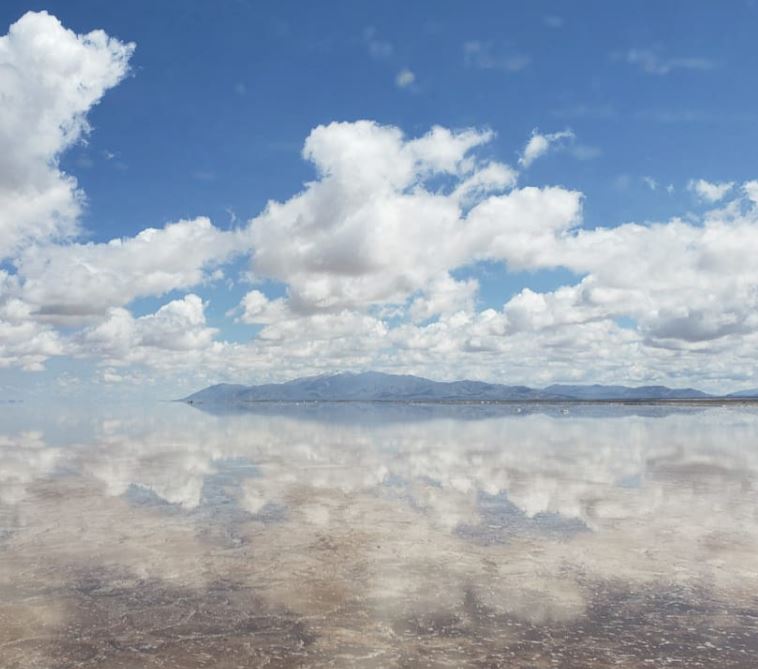
from my behance acount
Some examples
Bilateral Filter
Must be called within a async function
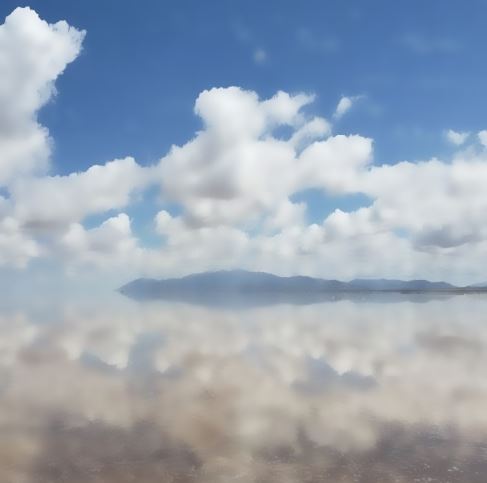
Uint8List _byte = await Cv2.bilateralFilter(
        pathFrom: CVPathFrom.ASSETS,
        pathString: 'assets/Test.JPG',
        diameter: 20,
        sigmaColor: 75,
        sigmaSpace: 75,
        borderType: Cv2.BORDER_DEFAULT,
      );

      setState(() {
        _byte;
      });
Show result in an image widget
Image.memory(
      _byte,
      width: 300,
      height: 300,
      fit: BoxFit.fill,
    )
Note: If you want to process an image from the web you must configure pathFrom: CVPathFrom.URL replace in pathString with a URL, for example. pathString: 'https://mir-s3-cdn-cf.behance.net/project_modules/fs/313f8e114930481.6044f05fcd866.jpeg'
Dilate
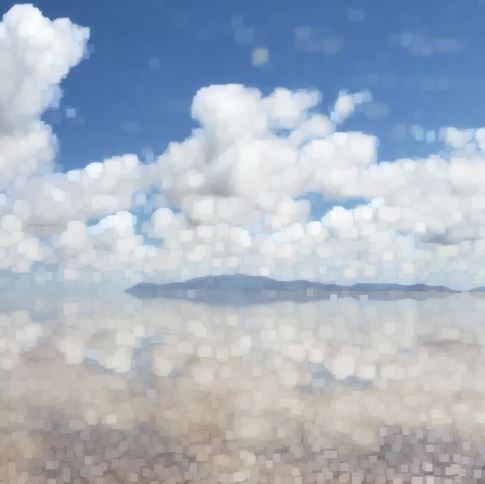
Uint8List _byte = await Cv2.dilate(
        pathFrom: CVPathFrom.ASSETS,
        pathString: 'assets/Test.JPG',
        kernelSize: [3, 3],
      );

      setState(() {
        _byte;
      });
Filter2D
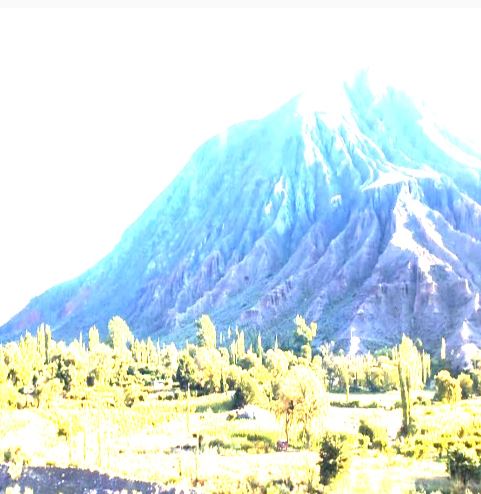
Uint8List _byte = await Cv2.filter2D(
        pathFrom: CVPathFrom.URL,
        pathString:
          'https://mir-s3-cdn-cf.behance.net/project_modules/max_1200/634dba114930481.6044f05fcb2dd.jpeg',
        outputDepth: -1,
        kernelSize: [2, 2],
      );

      setState(() {
        _byte;
      });
Median Blur
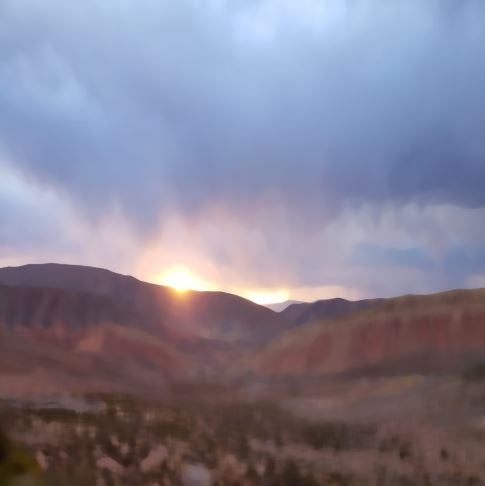
Uint8List _byte = await Cv2.medianBlur(
        pathFrom: CVPathFrom.URL,
        pathString:
          'https://mir-s3-cdn-cf.behance.net/project_modules/max_1200/16fe9f114930481.6044f05fca574.jpeg',
        kernelSize: 19,
      );

      setState(() {
        _byte;
      });
MorphologyEx
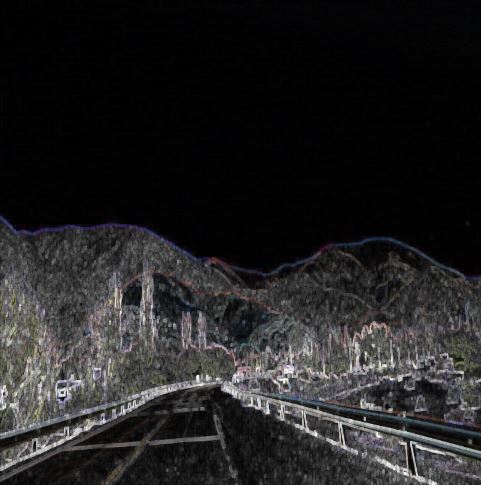
Uint8List _byte = await Cv2.morphologyEx(
        pathFrom: CVPathFrom.URL,
        pathString:
          'https://mir-s3-cdn-cf.behance.net/project_modules/fs/c7da51114930481.6044f05fcc76a.jpeg',
        operation: Cv2.MORPH_TOPHAT,
        kernelSize: [5, 5],
      );

      setState(() {
        _byte;
      });
PyrMeanShiftFiltering
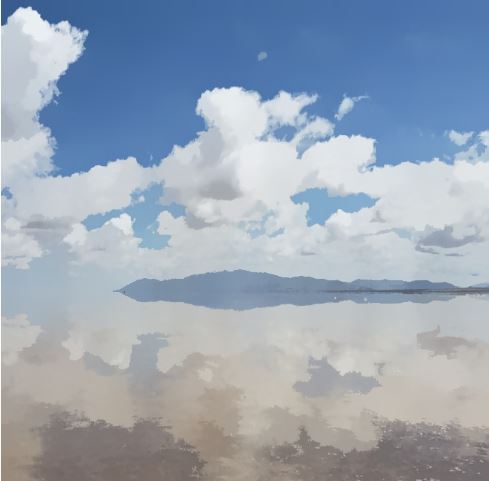
Uint8List _byte = await Cv2.pyrMeanShiftFiltering(
        pathFrom: CVPathFrom.ASSETS,
        pathString: 'assets/Test.JPG',
        spatialWindowRadius: 20,
        colorWindowRadius: 20,
      );

      setState(() {
        _byte;
      });
Scharr
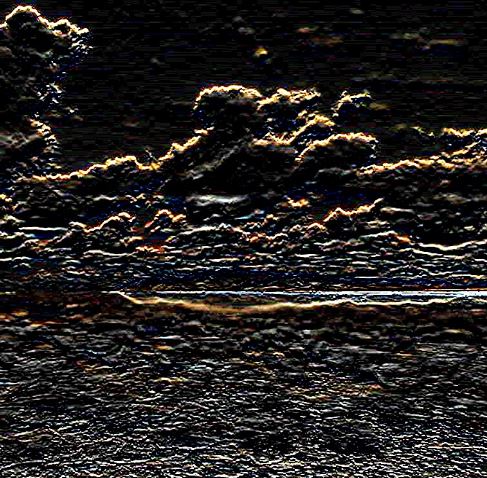
Uint8List _byte = await Cv2.scharr(
        pathFrom: CVPathFrom.ASSETS,
        pathString: 'assets/Test.JPG',
        depth: Cv2.CV_SCHARR,
        dx: 0,
        dy: 1,
      );

      setState(() {
        _byte;
      });
Module: Miscellaneous Image Transformations
Threshold
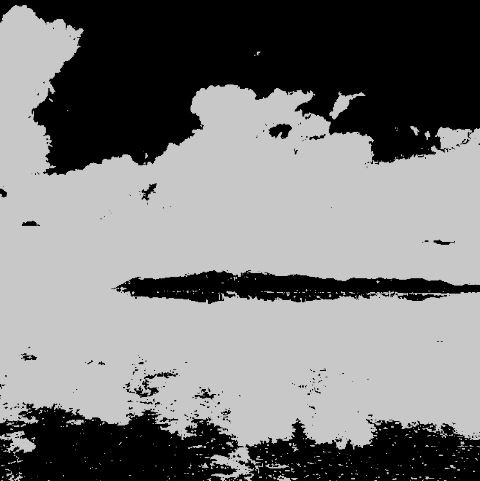
Uint8List _byte = await Cv2.threshold(
        pathFrom: CVPathFrom.ASSETS,
        pathString: 'assets/Test.JPG',
        thresholdValue: 150,
        maxThresholdValue: 200,
        thresholdType: Cv2.THRESH_BINARY,
      );

      setState(() {
        _byte;
      });
AdaptiveThreshold
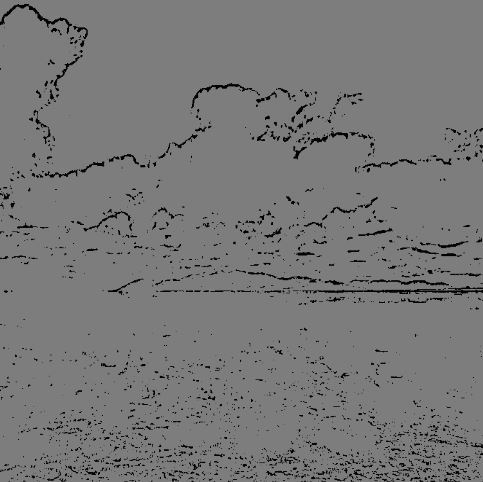
Uint8List _byte = await Cv2.adaptiveThreshold(
        pathFrom: CVPathFrom.ASSETS,
        pathString: 'assets/Test.JPG',
        maxValue: 125,
        adaptiveMethod: Cv2.ADAPTIVE_THRESH_MEAN_C,
        thresholdType: Cv2.THRESH_BINARY,
        blockSize: 11,
        constantValue: 12,
      );

      setState(() {
        _byte;
      });
Module: Color Space Conversions
CvtColor
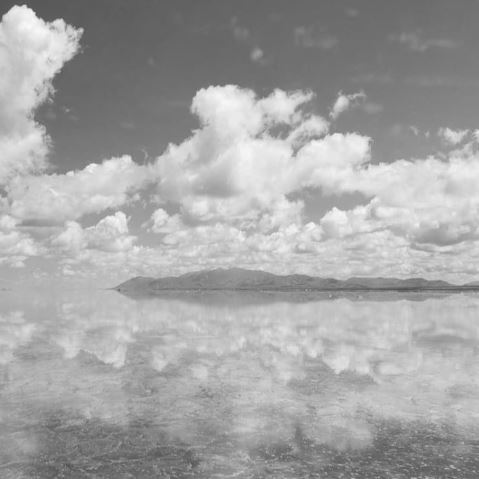
Uint8List _byte = await Cv2.cvtColor(
        pathFrom: CVPathFrom.ASSETS,
        pathString: 'assets/Test.JPG',
        outputType: Cv2.COLOR_BGR2GRAY,
      );

      setState(() {
        _byte;
      });
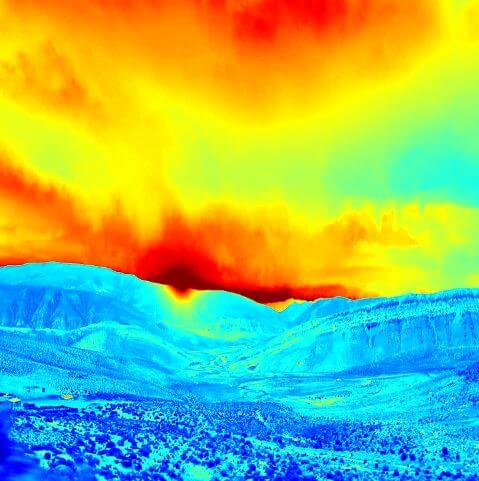
Module: Color Maps
ApplyColorMap
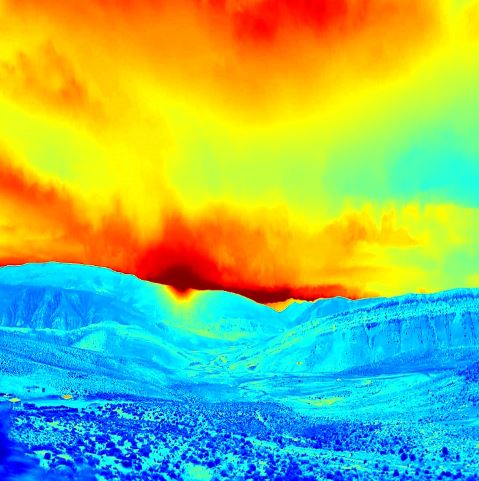
Uint8List _byte = await Cv2.applyColorMap(
        pathFrom: CVPathFrom.URL,
        pathString:
          'https://mir-s3-cdn-cf.behance.net/project_modules/max_1200/16fe9f114930481.6044f05fca574.jpeg?raw=true',
        colorMap: Cv2.COLORMAP_JET,
      );

      setState(() {
        _byte;
      });
Bugs or Requests
Please file feature requests and bugs at the issue tracker.
BTC: bc1qhy5uer94d4xvp2wgtfg5l6s6jk8gwj6d0ufqvhBNB: bnb17z7dqeeyrkhq2l9mx6p3hg6ewvshrpkqqzcpr9ETH: 0xb76D1F1f97eBf5B2096D5449cB3DDD2096CCB4b3