Parallax Cards
A Flutter package for scrolling parallax effect and custom card overlays
Getting started
1. Depend on it
Add this to your package's pubspec.yaml file:
dependencies:
  parallax_cards: ^1.0.1
2. Install it
Install it from the command line:
$ flutter pub get
3. Import it
Now in your project you can use:
import 'package:parallax_cards/parallax_cards.dart';
Usage
ParallaxCards is a Stateless Widget which you can include in your widget tree.
You can use it either vertically or horizontally by overriding the scrollDirection property:
Horizontal scroll view
ParallaxCards(
  scrollDirection: Axis.horizontal,
  imagesList: imagesList,
  width: 250,
  height: 350,
  onTap: (index) {
    log('$index pressed');
  },
),
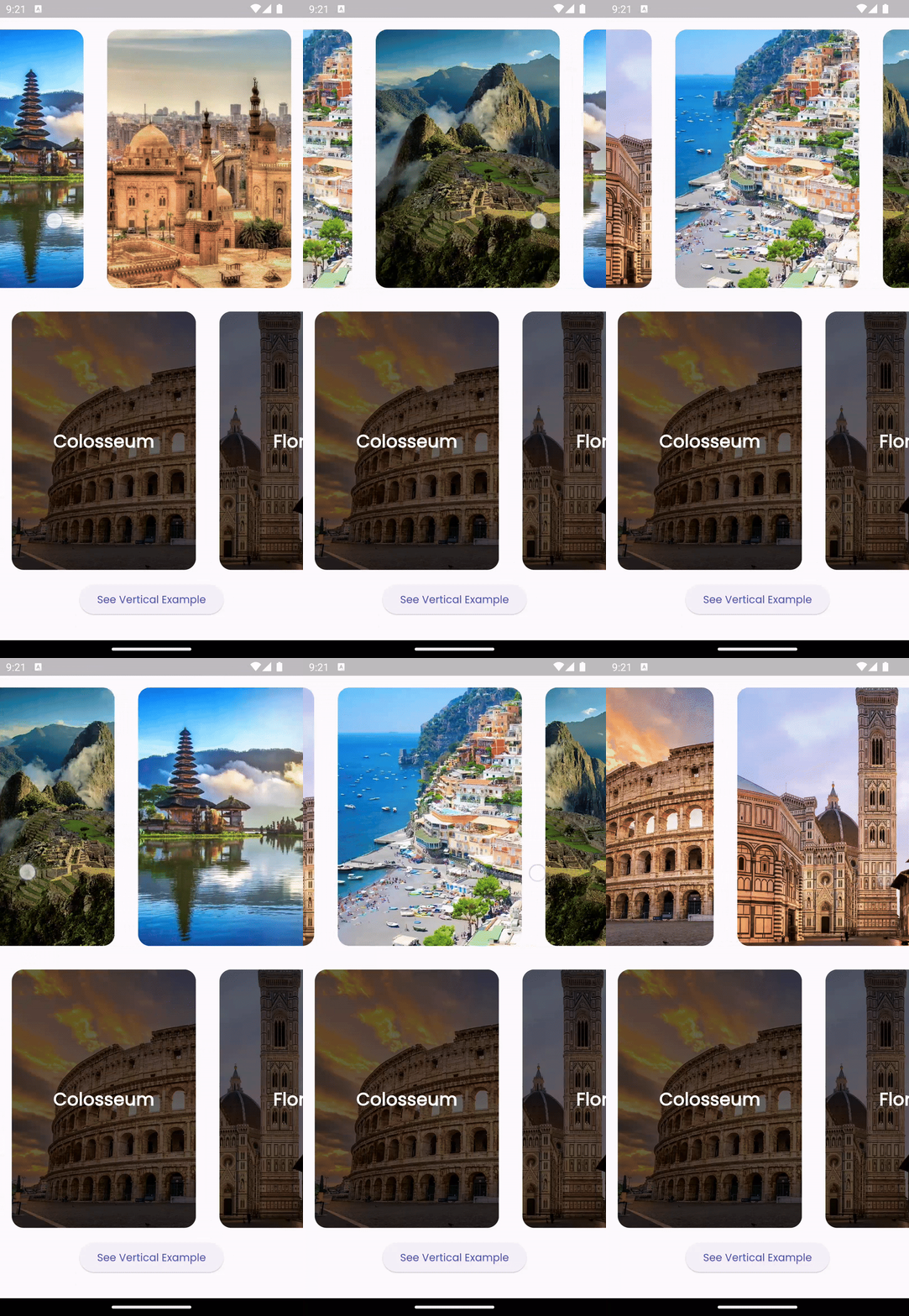
Vertical scroll view
You can customize the card overlays according to your preferences by overriding the overlays property.
However, ensure that the lengths of imageList and overlays are equal.
ParallaxCards(
                imagesList: imagesList,
                width: double.infinity,
                height: 200,
                onTap: (index) {
                  ScaffoldMessenger.of(context).showSnackBar(SnackBar(
                    content: Text("$index tapped"),
                    duration: const Duration(milliseconds: 500),
                  ));
                },
                overlays: [
                  for (var title in titlesList)
                    Stack(
                      children: [
                        Positioned.fill(
                          child: DecoratedBox(
                            decoration: BoxDecoration(
                              gradient: LinearGradient(
                                colors: [
                                  Colors.transparent,
                                  Colors.black.withOpacity(0.8)
                                ],
                                stops: const [0.5, 0.9],
                                begin: Alignment.topCenter,
                                end: Alignment.bottomCenter,
                              ),
                            ),
                          ),
                        ),
                        Positioned(
                          left: 16,
                          bottom: 12,
                          child: Text(
                            title,
                            style: const TextStyle(
                                fontSize: 22,
                                color: Colors.white,
                                fontWeight: FontWeight.bold),
                          ),
                        ),
                      ],
                    )
                ],
              ),
Additional information
Feel free to open an issue if you encounter any bugs or challenges. Pull requests are welcome!
