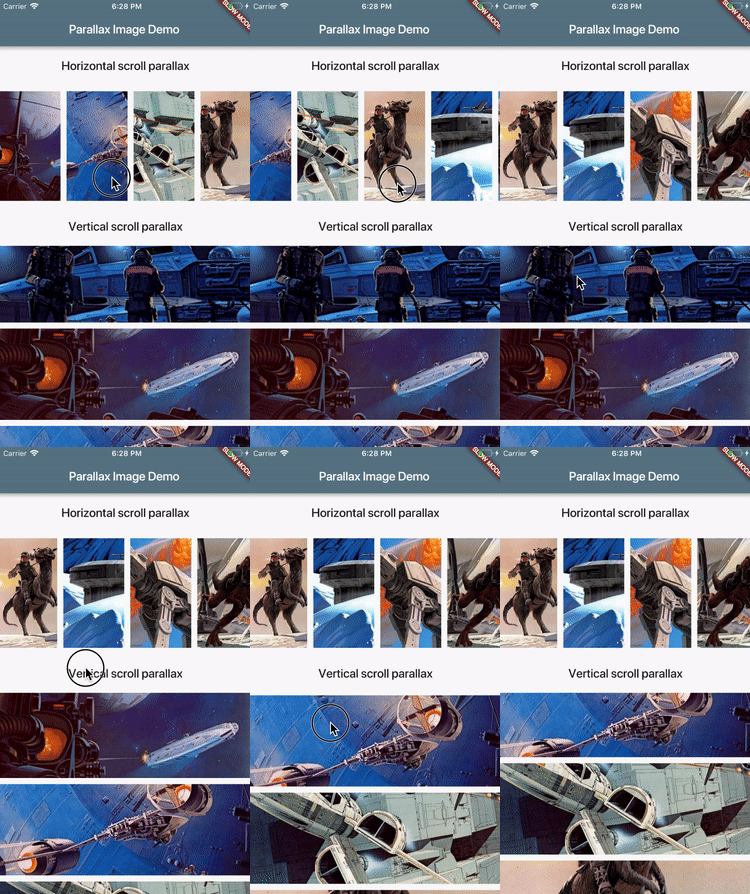
A Flutter widget that paints an image and moves it at a slower speed than the
main scrolling content.
Installation
Add dependency to your pubspec.yaml:
dependencies:parallax_image: [latestversion]
Usage
ParallaxImage can be used with any Scrollable (ListView for instance).
When created, it subscribes to scroll updates on nearest Scrollable ancestor.
It is also possible to specify custom ScrollController in which case this
widget subscribes to updates on ScrollController.position (assumes that
controller is attached to only one Scrollable).
classMyWidgetextendsStatefulWidget{
@overrideMyWidgetStatecreateState() => newMyWidgetState();
}
classMyWidgetStateextendsState<MyWidget> {
final _controller = newScrollController();
@overrideWidgetbuild(BuildContext context) {
returnnewListView(controller: _controller, children: [
newParallaxImage(
image: newAssetImage('images/january.jpg'),
// Extent of this widget in scroll direction.// In this case it is vertical scroll so extent defines// the height of this widget.// The image is scaled with BoxFit.fitWidth which makes it// occupy full width of this widget.// After image is scaled it should normally have height greater// than this value to allow for parallax effect to be// visible.
extent: 100.0,
// Optionally specify child widget.
child: newText('January'),
// Optinally specify scroll controller.
controller: _controller,
),
// ...add more list items
]);
}
}
See example/ folder for a complete demo.
Features and bugs
Please file feature requests and bugs at the issue tracker.