搜尋套件、儲存庫與 APP 分類

particles_flutter 封面
套件詳情v3.2.0

particles_flutter

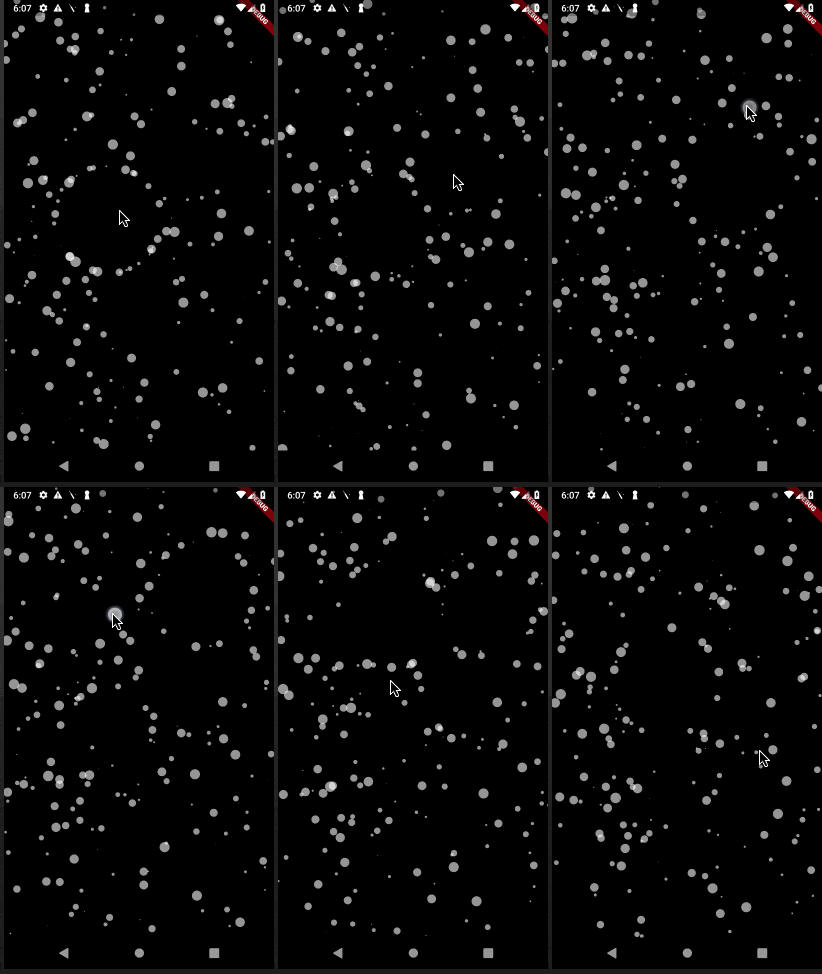
一個用於粒子動畫的Flutter套件。您可以控制動畫速度、螢幕上的粒子數量、粒子的尺寸和形狀,以及透過連線等方法。

AndroidiOSWebmacOSWindowsLinux
近 30 天下載
2710
喜歡數
199
Pub 分數
150

安裝套件

flutter pub add particles_flutter

套件介紹

根據套件公開資料產生的選型評估,僅供參考。

Particles Flutter 是一個輕量級套件,用於在 Flutter 應用中建立動態粒子動畫。它允許開發者自訂動畫速度、粒子數量、大小、形狀以及粒子之間的連接線。非常適合透過微妙的背景效果提升 UI,支援 Android、iOS、Web、macOS、Windows 和 Linux 等多個平台。該套件可透過簡單的 pub add 命令無縫整合至現有專案,並透過可自訂的互動式粒子系統提供視覺吸引力。

適用情境

  • 背景動畫
  • 互動式 UI 元素
  • 載入畫面
  • 視覺敘事
  • App 啟動畫面

主要特色

  • 可自訂的粒子數量
  • 可調節的動畫速度
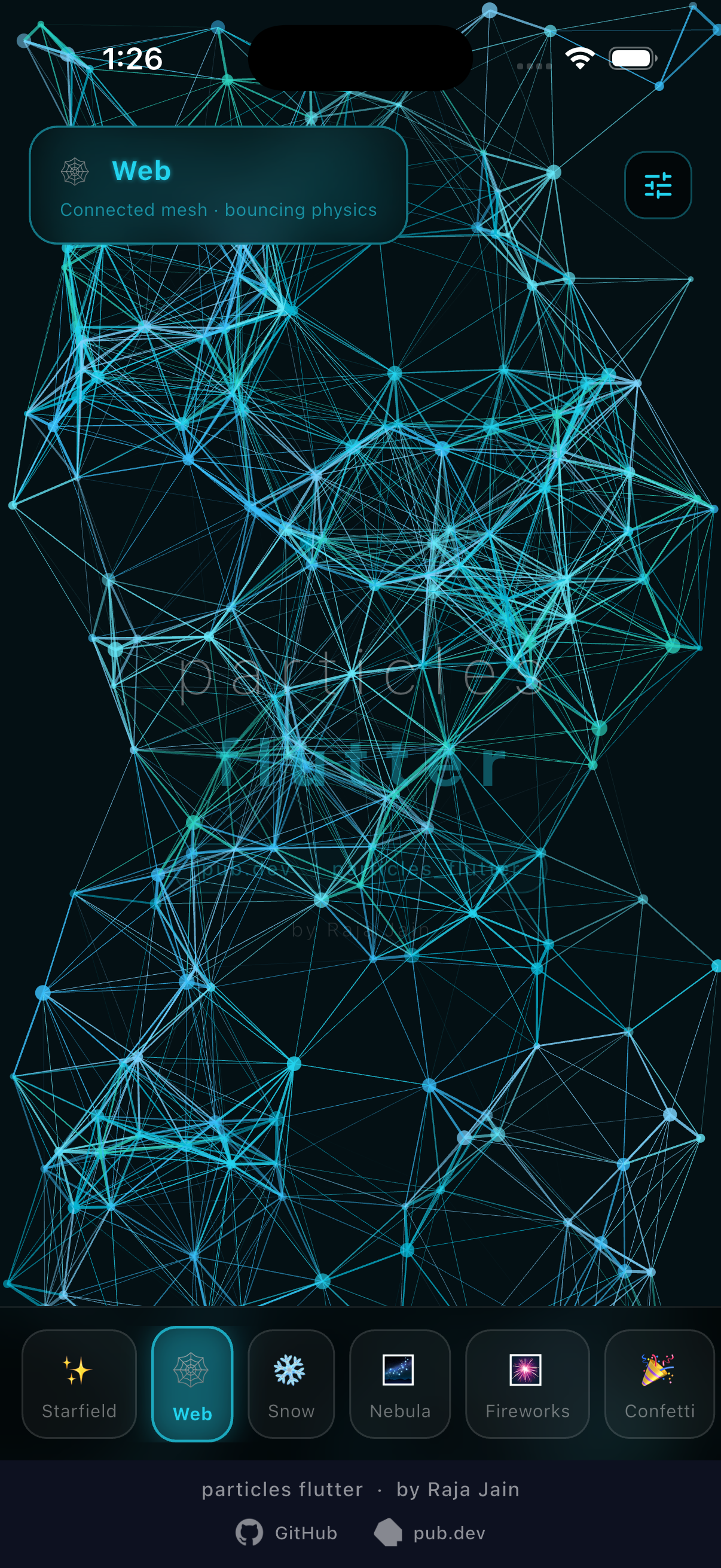
  • 粒子之間的連接線
  • 支援各種形狀
  • 跨平台相容性
  • 透過 pub 實現輕鬆整合

適合對象

  • 尋求視覺魅力的UI設計師
  • 開發人員建構吸引人的引導體驗
  • 需要動畫背景的應用程式
  • 創意數位產品
  • 面向前端的 Flutter 項目

使用建議

  • 可能影響高粒子數量下的效能
  • 需要對移動設備進行仔細優化
  • 對單個粒子行為的控制有限
  • 最適合靜態或緩慢移動的動畫
  • 不適合複雜的互動式遊戲

原始 README

以下為關聯原始碼儲存庫的 README 原文快照,最新內容請造訪原始碼儲存庫。

particles_flutter

High-performance, fully customisable particle animations for Flutter. Starfields, snow, confetti, fireworks, connected webs, comets, burst explosions — with physics, touch/hover interaction, lifetime animations, trails, and burst emitters.

pub package pub points likes License: MIT Live Demo Buy Me A Coffee

Live Demo · pub.dev · Issues · Contributing


Table of Contents


Install

flutter pub add particles_flutter

Quick Start

import 'package:particles_flutter/engine.dart';
import 'package:particles_flutter/shapes.dart';

Particles(
  width: MediaQuery.of(context).size.width,
  height: MediaQuery.of(context).size.height,
  boundType: BoundType.WrapAround,
  particles: List.generate(80, (_) {
    final rng = Random();
    return CircularParticle(
      radius: rng.nextDouble() * 4 + 1,
      color: Colors.white.withValues(alpha: 0.7),
      velocity: Offset(
        (rng.nextDouble() - 0.5) * 60,
        (rng.nextDouble() - 0.5) * 60,
      ),
    );
  }),
)

Features

Particle Shapes

Import: import 'package:particles_flutter/shapes.dart';

Shape Class
Circle CircularParticle(radius, color, velocity)
Rectangle RectangularParticle(width, height, color, velocity)
Rounded Rectangle RoundRectangularParticle(width, height, cornerRadius, ...)
Triangle TriangularParticle(width, height, color, velocity)
Oval OvoidalParticle(width, height, color, velocity, rotationSpeed)
Image ImageParticle(image, width, height, color, velocity)

All shapes support rotationSpeed and all lifetime animation parameters.

Starting position

Every particle accepts an optional startPosition — place it exactly where you want instead of the default random spawn. Useful when adding particles to a running list after initState (they'd otherwise start at (0, 0)):

CircularParticle(
  radius: 8,
  color: Colors.cyan,
  velocity: Offset.zero,
  startPosition: Offset(120, 240),
)

Lifetime Animations

All shapes accept these optional parameters. Omit any to keep default behavior.

Color over lifetime
CircularParticle(
  color: Colors.yellow,
  lifetime: 3.0,
  // Two-color transition:
  endColor: Colors.transparent,
  // OR gradient across lifetime:
  colorGradient: [Colors.white, Colors.yellow, Colors.orange, Colors.transparent],
  colorCurve: Curves.linear,
  ...
)
Scale over lifetime
CircularParticle(
  color: Colors.purple,
  lifetime: 2.5,
  startScale: 0.1,
  endScale: 1.8,
  scaleCurve: Curves.easeInOut,
  ...
)
Fade over lifetime
CircularParticle(
  color: Colors.white,
  lifetime: 2.0,
  startOpacity: 1.0,
  endOpacity: 0.0,
  opacityCurve: Curves.easeIn,
  ...
)

Tip: Set both startOpacity: 0.0 and endOpacity: 0.0 for a triangle fade — particles fade in to full opacity at mid-life, then back out. No visible pop on spawn or death.

CircularParticle(
  lifetime: 3.0,
  startOpacity: 0.0,  // fade in from invisible
  endOpacity: 0.0,    // fade out to invisible — triangle curve auto-applied
  ...
)
Particle trails
CircularParticle(
  color: Colors.cyan,
  lifetime: 2.0,
  trailEnabled: true,
  trailLength: 7,   // past positions to draw
  trailFade: true,  // fade older segments
  ...
)

Reacting to Expiry

Particles.onParticleExpired fires the instant a particle's lifetime ends, right before it's recycled/respawned. Use it to swap in new content for a slot — e.g. cycling a small set of visible particles through a much larger backing list (see Pool Cycle below).

Color/image are set at construction and are immutable, so to change what a particle displays you build a fresh particle for that slot rather than mutating the expired one in place:

Particles(
  particles: particles,
  width: size.width,
  height: size.height,
  onParticleExpired: (p) {
    final slot = particles.indexOf(p);
    particles[slot] = CircularParticle(
      color: nextColor(),
      velocity: Offset.zero,
      lifetime: 1.5,
      startPosition: randomPosition(),
      startOpacity: 0.0,
      endOpacity: 0.0,
    );
  },
)

Boundary Types
Value Behaviour
BoundType.None Particles exit the canvas (default)
BoundType.WrapAround Particles reappear from the opposite edge
BoundType.Bounce Particles reflect off edges
Particles(
  boundType: BoundType.WrapAround,
  ...
)

Touch & Hover Interaction

Import: import 'package:particles_flutter/interactions.dart';

Particles(
  interaction: ParticleInteraction(
    awayRadius: 120,
    enableHover: true,
    onTapAnimation: true,
    awayAnimationDuration: Duration(milliseconds: 400),
    awayAnimationCurve: Curves.easeOut,
    hoverRadius: 80,
  ),
  ...
)

Particle Physics

Import: import 'package:particles_flutter/physics.dart';

Particles(
  particlePhysics: ParticlePhysics(gravityScale: 30),
  ...
)
Attractors & repulsors

Pull particles toward a point, or push them away — great for magnet/vortex effects, or letting particles follow the pointer. position is a callback re-evaluated every frame, so the point can move (e.g. track a drag). Force falls off linearly from full strength at the center to zero at radius. Use a negative strength to repel instead of attract.

Particles(
  particlePhysics: ParticlePhysics(
    attractors: [
      Attractor(
        position: () => pointerPosition,
        strength: 4000,   // negative = repel
        radius: 260,
      ),
    ],
  ),
  ...
)

Text & Image Shapes

ParticleShapeSampler turns rendered text or any image into a list of point positions, so you can arrange particles into the shape of a word or a logo. Combine with Particle.startPosition to spawn each particle exactly on its sampled point.

import 'package:particles_flutter/engine.dart';

// Sample the glyphs of a word into points.
final points = await ParticleShapeSampler.fromText(
  'FLUTTER',
  style: const TextStyle(fontSize: 96, fontWeight: FontWeight.w600),
  step: 2,          // sampling stride in px (lower = denser)
  maxPoints: 1100,  // cap the number of points
);

// Or sample the opaque pixels of an image:
// final points = await ParticleShapeSampler.fromImage(uiImage, step: 3);

final particles = [
  for (final p in points)
    CircularParticle(
      radius: 1.4,
      color: Colors.white,
      velocity: Offset.zero,
      startPosition: p, // spawn on the sampled point
    ),
];

Particles(
  particles: particles,
  width: size.width,
  height: size.height,
);
Parameter Type Default Description
step double 4 Sampling stride in pixels; lower is denser
maxPoints int? null Caps the number of points (randomly thinned)
alphaThreshold int 32 Minimum pixel alpha (0–255) counted as "inside"
offset Offset Offset.zero Added to every returned point

ParticleShapeSampler rasterizes offscreen via Picture.toImage. In a testWidgets test, wrap calls in tester.runAsync(() async { ... }).

See the Text example scene for a full demo: particles fly in, assemble into the word, scatter away from the pointer, and spring back.


Emission Controller

Spawn particles from a fixed point — great for fountains and fireworks.

Particles(
  boundType: BoundType.None,
  particleEmitter: Emitter(
    startPosition: Offset(width / 2, height / 2),
    startPositionRadius: 10,  // spawn scatter radius
    clusterSize: 10,           // particles per burst
    delay: Duration(milliseconds: 300),
    recycles: false,           // true = loop forever
  ),
  ...
)

Burst Emitter

Fire a fixed number of particles in a single burst — configurable spread, repeat interval, physics, and optional manual controller.

Import: import 'package:particles_flutter/engine.dart';

Spread patterns
Pattern Description
RadialBurst All directions evenly
ConeBurst Within a configurable cone angle
DirectionalBurst One direction with spread
CustomBurst Offset Function(int index, int total) — build your own
One-shot radial explosion
Particles(
  particles: const [],
  width: size.width,
  height: size.height,
  boundType: BoundType.None,
  burstEmitters: [
    BurstEmitter(
      position: (size) => size.center(Offset.zero),
      particleCount: 60,
      pattern: RadialBurst(minSpeed: 150, maxSpeed: 400),
      repeatCount: 1,
      physics: ParticlePhysics(gravityScale: 120),
      particleFactory: (i, total) => CircularParticle(
        radius: 4,
        color: Colors.orange,
        velocity: Offset.zero,
        lifetime: 1.8,
        endOpacity: 0.0,
      ),
    ),
  ],
)
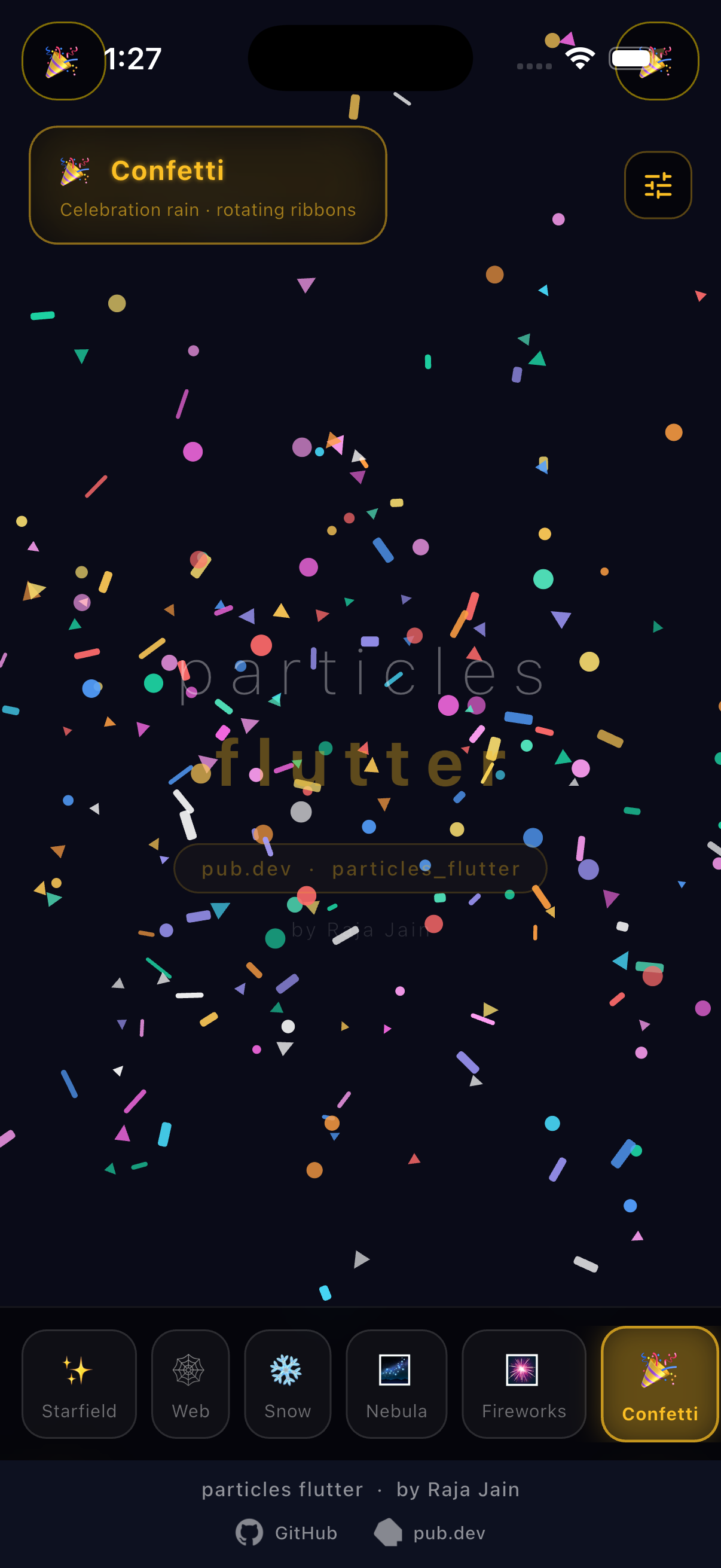
Cone confetti from bottom
BurstEmitter(
  position: (size) => Offset(size.width / 2, size.height),
  particleCount: 50,
  pattern: ConeBurst(
    angle: -pi / 2,    // shoot upward
    spread: pi / 2.5,
    minSpeed: 300,
    maxSpeed: 600,
  ),
  repeatCount: 1,
  positionRadius: 60,
  physics: ParticlePhysics(gravityScale: 200),
  particleFactory: (i, total) => RoundRectangularParticle(
    width: 12, height: 4, cornerRadius: 2,
    color: Colors.pink,
    velocity: Offset.zero,
    rotationSpeed: 3.0,
    lifetime: 2.0,
    endOpacity: 0.0,
  ),
)
Tap-to-burst at touch point
// In your State:
final _ctrl = BurstEmitterController();
Offset _tapPos = Offset.zero;

// In build:
Listener(
  behavior: HitTestBehavior.opaque,
  onPointerDown: (event) {
    _tapPos = event.localPosition;
    _ctrl.trigger();
  },
  child: Particles(
    particles: const [],
    width: size.width,
    height: size.height,
    boundType: BoundType.None,
    burstEmitters: [
      BurstEmitter(
        position: (size) => _tapPos,
        particleCount: 40,
        pattern: RadialBurst(minSpeed: 80, maxSpeed: 240),
        repeatCount: 0,       // 0 = fire only when triggered
        controller: _ctrl,
        physics: ParticlePhysics(gravityScale: 80),
        particleFactory: (i, total) => CircularParticle(
          radius: 3,
          color: Colors.cyan,
          velocity: Offset.zero,
          lifetime: 1.2,
          endScale: 0.0,
          endOpacity: 0.0,
        ),
      ),
    ],
  ),
)
BurstEmitter parameters
Parameter Type Default Description
position Offset Function(Size) required Burst origin
particleCount int required Particles per burst
particleFactory Particle Function(int, int) required Builds each particle
pattern BurstPattern required Velocity spread strategy
initialDelay Duration Duration.zero Delay before first burst
repeatCount int 1 Bursts to fire; 0 = controller-only
repeatInterval Duration Duration.zero Gap between repeats
positionRadius double 0 Scatter radius around position
physics ParticlePhysics? null Gravity for burst particles
enableTrails bool false Trail rendering (expensive at high counts)
controller BurstEmitterController? null Manual trigger
maxPoolSize int 500 Memory ceiling; oldest particles reclaimed when full

Emitter.burst(...) is a shorthand factory that returns a BurstEmitter — use whichever style you prefer.


Example Scenes

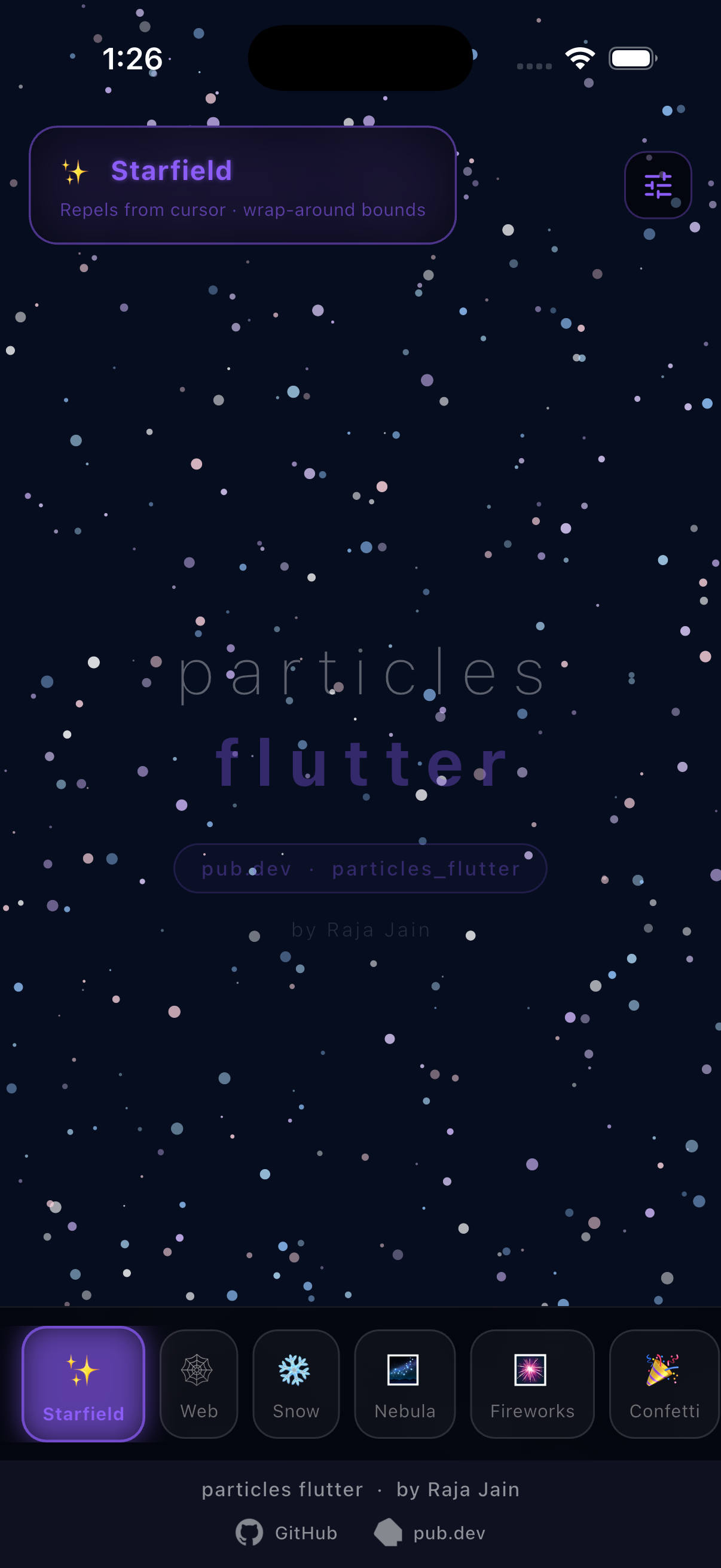
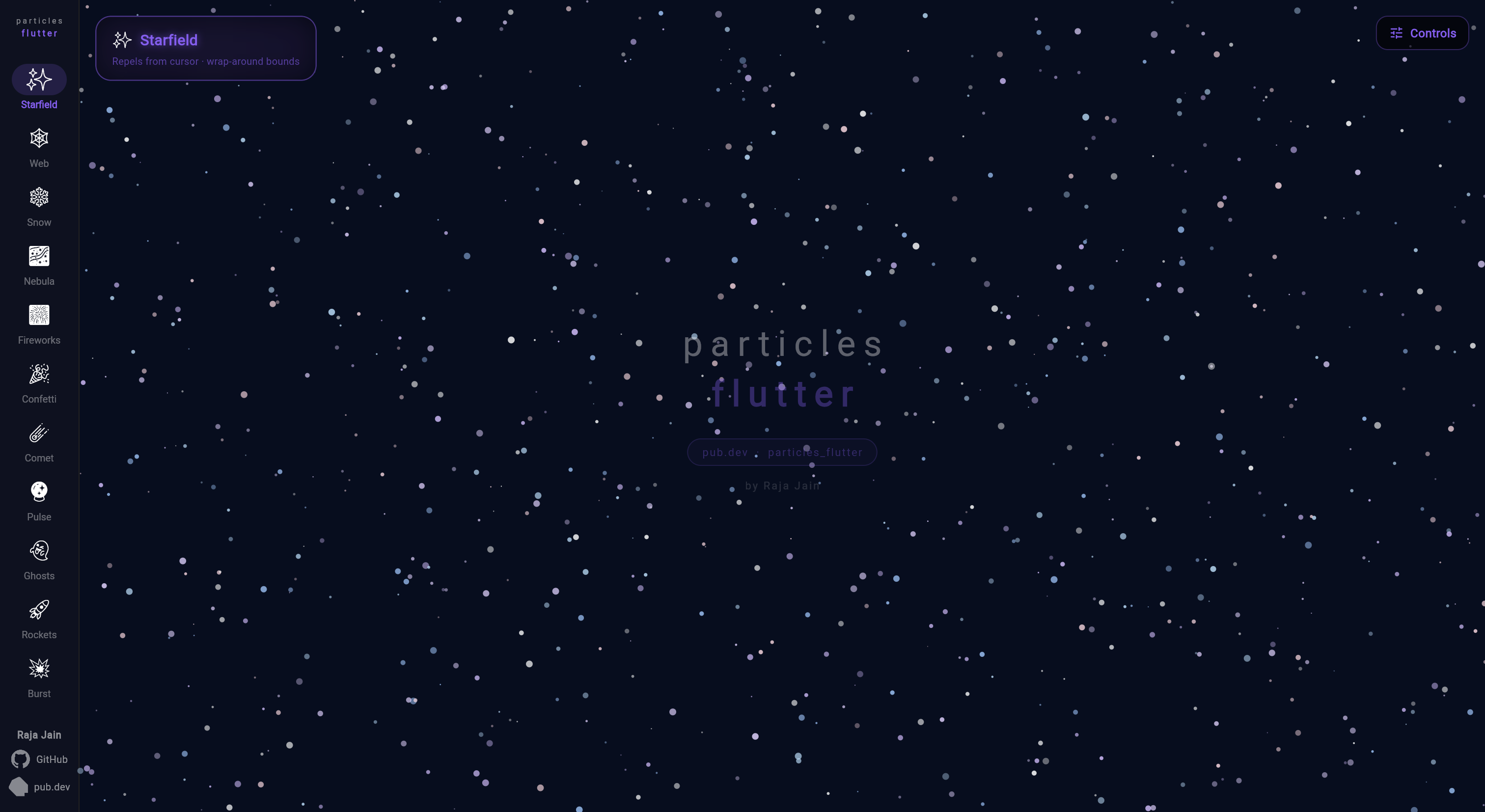
✨ Starfield
Particles(
  boundType: BoundType.WrapAround,
  interaction: ParticleInteraction(awayRadius: 120, enableHover: true),
  particles: List.generate(120, (_) => CircularParticle(
    radius: Random().nextDouble() * 3 + 0.5,
    color: Colors.white.withValues(alpha: 0.7),
    velocity: Offset((Random().nextDouble() - 0.5) * 40,
                     (Random().nextDouble() - 0.5) * 40),
  )),
  ...
)
❄️ Snow
Particles(
  boundType: BoundType.WrapAround,
  particlePhysics: ParticlePhysics(gravityScale: 20),
  particles: List.generate(100, (_) => CircularParticle(
    radius: Random().nextDouble() * 6 + 2,
    color: Colors.white.withValues(alpha: 0.8),
    velocity: Offset((Random().nextDouble() - 0.5) * 20,
                     Random().nextDouble() * 15 + 5),
  )),
  ...
)
🎆 Fireworks
Particles(
  boundType: BoundType.None,
  particlePhysics: ParticlePhysics(gravityScale: 45),
  particleEmitter: Emitter(
    startPosition: Offset(width / 2, height / 2),
    startPositionRadius: width * 0.25,
    clusterSize: 15,
    delay: Duration(milliseconds: 300),
  ),
  particles: List.generate(150, (_) {
    final angle = Random().nextDouble() * 2 * pi;
    final speed = Random().nextDouble() * 120 + 60;
    return TriangularParticle(
      width: 6, height: 6,
      color: Colors.orange,
      velocity: Offset(cos(angle) * speed, sin(angle) * speed),
      rotationSpeed: 3.0,
    );
  }),
  ...
)
☄️ Comets — color gradient + trails
Particles(
  boundType: BoundType.WrapAround,
  particles: List.generate(80, (_) {
    final angle = Random().nextDouble() * 2 * pi;
    final speed = Random().nextDouble() * 60 + 40;
    return CircularParticle(
      radius: Random().nextDouble() * 3 + 2,
      color: Colors.white,
      velocity: Offset(cos(angle) * speed, sin(angle) * speed),
      lifetime: Random().nextDouble() * 2.0 + 1.5,
      colorGradient: [Colors.white, Colors.yellow, Colors.orange, Colors.transparent],
      startOpacity: 0.0,
      endOpacity: 0.0,
      trailEnabled: true,
      trailLength: 7,
      trailFade: true,
    );
  }),
  ...
)
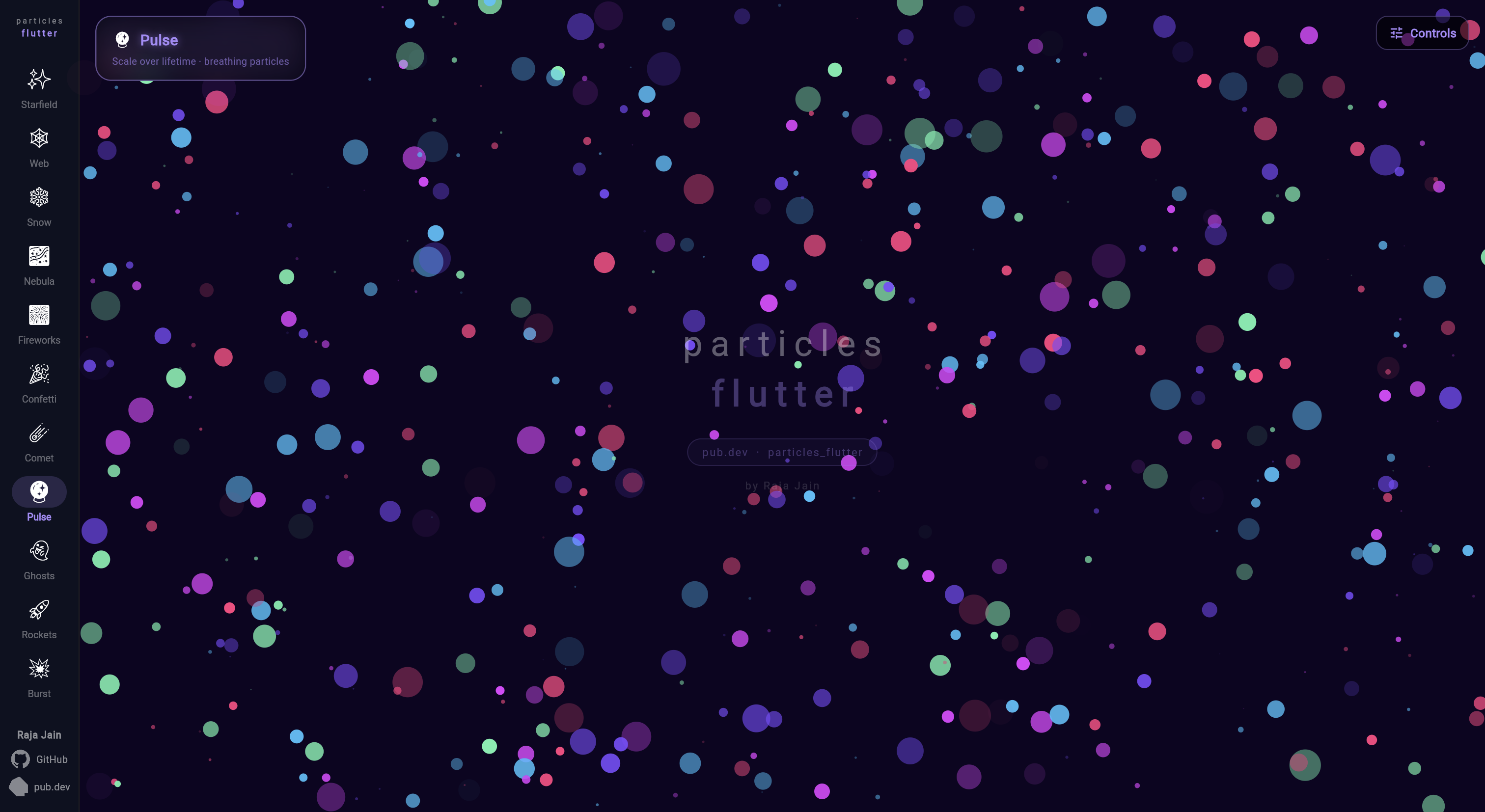
🔮 Pulse — scale over lifetime
Particles(
  boundType: BoundType.WrapAround,
  particles: List.generate(60, (_) => CircularParticle(
    radius: 10,
    color: Color(0xFF7C4DFF),
    velocity: Offset((Random().nextDouble() - 0.5) * 20,
                     (Random().nextDouble() - 0.5) * 20),
    lifetime: 2.5,
    startScale: 0.1,
    endScale: 1.8,
    scaleCurve: Curves.easeInOut,
    startOpacity: 0.0,
    endOpacity: 0.0,
  )),
  ...
)
👻 Ghosts — fade in/out
Particles(
  boundType: BoundType.WrapAround,
  particles: List.generate(50, (_) => CircularParticle(
    radius: Random().nextDouble() * 14 + 8,
    color: Color(0xFF69F0AE),
    velocity: Offset((Random().nextDouble() - 0.5) * 15,
                     (Random().nextDouble() - 0.5) * 10),
    lifetime: Random().nextDouble() * 3.0 + 2.0,
    startOpacity: 0.0,
    endOpacity: 0.0,
    startScale: 0.6,
    endScale: 1.2,
    scaleCurve: Curves.easeOut,
  )),
  ...
)
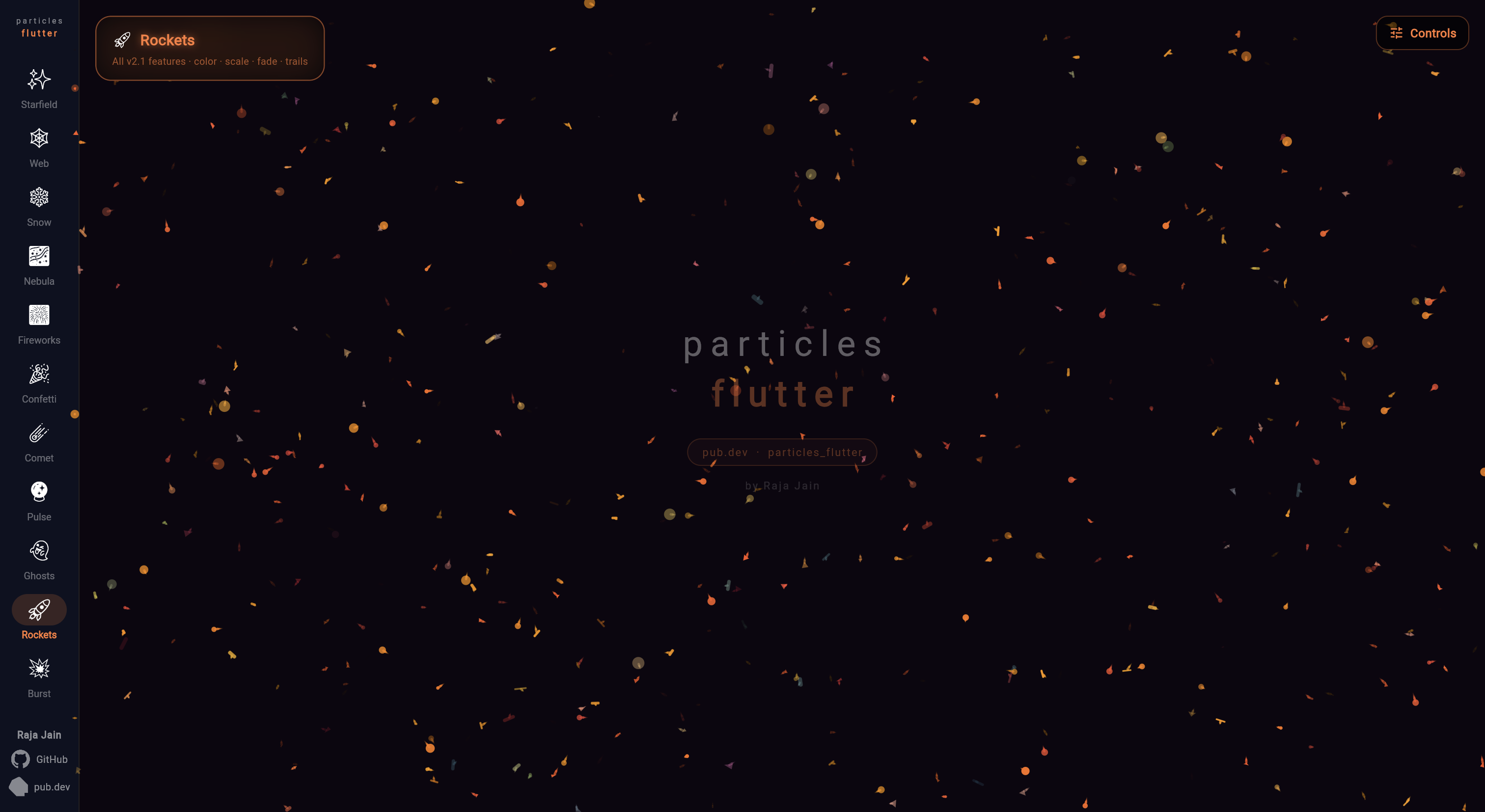
🚀 Rockets — all lifetime features combined
Particles(
  boundType: BoundType.None,
  particlePhysics: ParticlePhysics(gravityScale: 40),
  particles: List.generate(150, (_) {
    final angle = Random().nextDouble() * 2 * pi;
    final speed = Random().nextDouble() * 80 + 80;
    return CircularParticle(
      radius: Random().nextDouble() * 4 + 2,
      color: Colors.yellow,
      velocity: Offset(cos(angle) * speed, sin(angle) * speed),
      lifetime: Random().nextDouble() * 1.0 + 1.2,
      colorGradient: [Colors.white, Colors.yellow, Colors.red, Colors.transparent],
      startScale: 1.0,
      endScale: 0.0,
      scaleCurve: Curves.easeIn,
      startOpacity: 0.0,
      endOpacity: 0.0,
      trailEnabled: true,
      trailLength: 6,
      trailFade: true,
    );
  }),
  ...
)
💥 Burst — tap-to-explode
final ctrl = BurstEmitterController();
Offset tapPos = Offset.zero;

Listener(
  behavior: HitTestBehavior.opaque,
  onPointerDown: (e) { tapPos = e.localPosition; ctrl.trigger(); },
  child: Particles(
    particles: const [],
    width: size.width,
    height: size.height,
    boundType: BoundType.None,
    burstEmitters: [
      BurstEmitter(
        position: (size) => tapPos,
        particleCount: 40,
        pattern: RadialBurst(minSpeed: 100, maxSpeed: 300),
        repeatCount: 0,
        controller: ctrl,
        physics: ParticlePhysics(gravityScale: 80),
        particleFactory: (i, _) => CircularParticle(
          radius: Random().nextDouble() * 3 + 1.5,
          color: Colors.orange,
          velocity: Offset.zero,
          lifetime: 1.2,
          endScale: 0.0,
          endOpacity: 0.0,
        ),
      ),
    ],
  ),
)
🔁 Pool Cycle — cycling a larger set

Only visibleSlots particles ever render; each expiry swaps that slot for the next item in a much bigger pool — the pattern behind showing a rotating subset of photos/items from a larger backing list.

int nextPoolIndex = visibleSlots;

CircularParticle particleForPoolIndex(int i) => CircularParticle(
  color: colorForPoolIndex(i),
  velocity: Offset.zero,
  lifetime: 1.2,
  startPosition: randomPosition(),
  startOpacity: 0.0,
  endOpacity: 0.0,
  opacityCurve: Curves.easeInOut,
);

final particles = List.generate(visibleSlots, particleForPoolIndex);

Particles(
  particles: particles,
  width: size.width,
  height: size.height,
  onParticleExpired: (p) {
    final slot = particles.indexOf(p);
    final poolIndex = nextPoolIndex % poolSize;
    nextPoolIndex++;
    setState(() => particles[slot] = particleForPoolIndex(poolIndex));
  },
)

🌀 Vortex — attract & repel

Particles are pulled toward (or pushed away from) a point that follows the pointer — drag to pull the swarm around, flip strength's sign to repel.

Offset pointerPosition = Offset.zero;

final physics = ParticlePhysics(
  attractors: [
    Attractor(
      position: () => pointerPosition,
      strength: 4000,
      radius: 260,
    ),
  ],
);

Listener(
  behavior: HitTestBehavior.opaque,
  onPointerMove: (e) => setState(() => pointerPosition = e.localPosition),
  child: Particles(
    particles: particles,
    width: size.width,
    height: size.height,
    boundType: BoundType.WrapAround,
    particlePhysics: physics,
  ),
)

Live Demo

See all scenes running live → particles-flutter.vercel.app


Changelog

v3.1
  • Particle.startPosition — place a particle exactly where you want at construction, instead of a random spawn (useful for particles added to a running list after initState)
  • Particles.onParticleExpired — callback fired the instant a particle's lifetime ends, before recycle/respawn — swap in new content for a slot (e.g. cycling a small visible set from a larger pool)
v3.0
  • Breaking: Dart SDK >=3.0.0 required (Flutter 3.10+). Projects on Dart 2.x must upgrade first.
  • BurstEmitter — fire fixed particle counts in radial, cone, directional, or custom spread patterns
  • BurstEmitterController — trigger bursts manually from gestures, game events, or any code
  • Tap-to-burst — BurstEmitterController.trigger() + onPointerDown for per-tap explosions
  • Overlap-safe pooling — multiple bursts in flight simultaneously; memory hard-capped at maxPoolSize
v2.1
  • Color over lifetime — smooth two-color or gradient transitions
  • Scale over lifetime — grow/shrink with curve support
  • Fade over lifetime — fade in, out, or triangle (both ends zero = auto mid-peak)
  • Particle trails — motion trails with configurable length and fade
  • Object pooling for ParticleLine — reduced GC pressure on line-connected scenes
  • Performance improvements — touch interaction, physics, and emitter update loops

All releases are fully backward compatible — no changes needed to existing code.


Support

If this package saved you time:

Buy Me A Coffee

Contributing

Bug reports and pull requests welcome.

Contributors
RealEeveahy

所屬分類

原始碼儲存庫

使用此套件的專案