搜尋套件、儲存庫與 APP 分類

rolling_switch 封面
套件詳情v0.0.2

rolling_switch

具有吸引人動畫的自訂開關按鈕,可讓您自訂顏色、圖示和其他外觀內容。

AndroidiOSWebmacOSWindowsLinux
近 30 天下載
305
喜歡數
59
Pub 分數
150

安裝套件

flutter pub add rolling_switch

套件介紹

根據套件公開資料產生的選型評估,僅供參考。

一個可自訂的 Flutter 切換按鈕,具備流暢且吸引人的動畫效果。它允許開發者根據應用程式設計調整顏色、圖示和其他視覺元素。適用於在多個平台實現動態、引人入勝的使用者體驗,用於切換狀態。此套件輕量且易於整合,支援 Android、iOS、Web、macOS、Windows 與 Linux。其彈性自訂選項適合簡單與複雜的 UI 需求。

適用情境

  • 切換主題
  • 啟用/停用功能
  • 使用者偏好設定
  • 互動式引導流程
  • 自定義表單控制項

主要特色

  • 平滑滾動動畫
  • 顏色自訂
  • 圖示支援
  • 跨平台相容性
  • 輕鬆整合
  • 可設定的切換行為

適合對象

  • 尋求動畫開關的UI設計師
  • 開發互動式表單的開發者
  • 需要主題或設定切換的應用程式
  • 具有自定美學需求的專案
  • Flutter 應用針對多個平台

使用建議

  • 可能需要額外的樣式以確保可存取性
  • 動畫效能取決於裝置
  • 僅限於視覺自定義,不包含狀態管理
  • 不適用於高頻率狀態變更
  • 最佳搭配清晰的視覺反饋使用

原始 README

以下為關聯原始碼儲存庫的 README 原文快照,最新內容請造訪原始碼儲存庫。

Rolling Switch Package


Full customizable rolling switch widget for flutter apps forked from this library
Custom Switch button with attractive animation, made to allow you to customize colors, icons, custom widget and other cosmetic content.

Manage the widget states in the same way you do with the classical material's switch widget.

style: lint


Quick Start

Import this library into your project:

roling_switch: ^latest_version

Basic Implementation

Using the icon constructor

RollingSwitch.icon(
  onChanged: (bool state) {
    print('turned ${(state) ? 'on' : 'off'}');
  },
  rollingInfoRight: const RollingIconInfo(
    icon: Icons.flag,
    text: Text('Flag'),
  ),
  rollingInfoLeft: const RollingIconInfo(
    icon: Icons.check,
    backgroundColor: Colors.grey,
    text: Text('Check'),
  ),
),
More possibilities
  • Create a custom widget, use:
    const RollingWidgetInfo(icon: FlutterLogo())
    

  • Change color background between transactions left/right
    RollingSwitch.icon(    
      rollingInfoRight: const RollingIconInfo(
        backgroundColor: Colors.green,
      ),
      rollingInfoLeft: const RollingIconInfo(
        backgroundColor: Colors.grey,
      ),
    )
    

  • Change Circular color
    RollingSwitch.icon(
      ...
      circularColor: (icon: FlutterLogo())
    )
    

  • Create a custom text indicator
    RollingSwitch.icon(    
      rollingInfoRight: const RollingIconInfo(
        text: Text('Flag'),
      ),
      rollingInfoLeft: const RollingIconInfo(
        text: Text('Stack'),
      ),
    )
    

  • Enable drag switch
    RollingSwitch.icon(
      ...
      enableDrag: true
    )
    

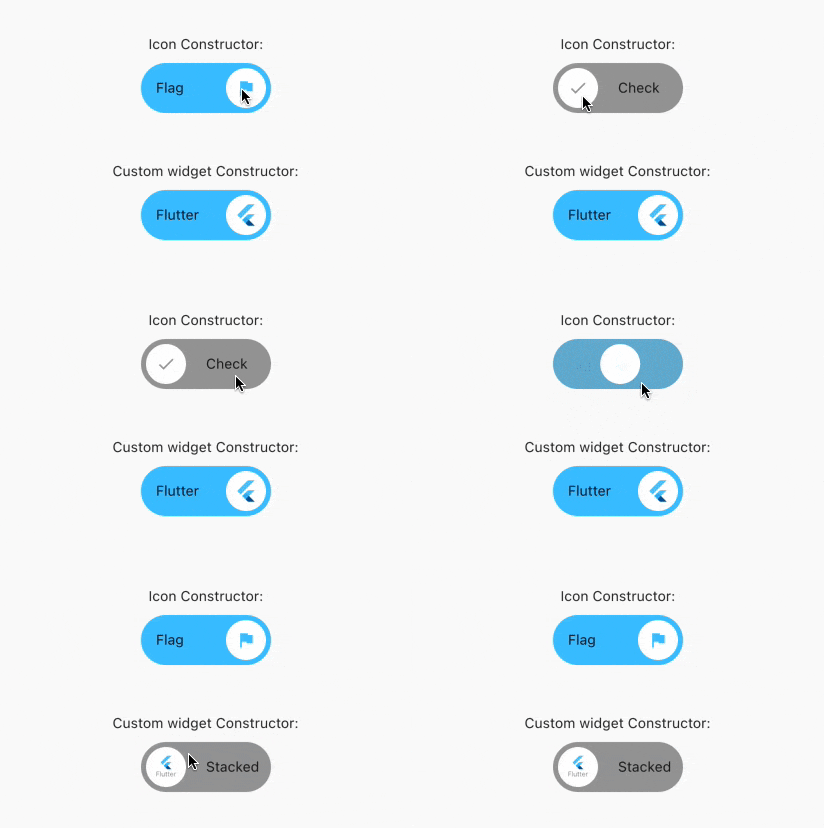
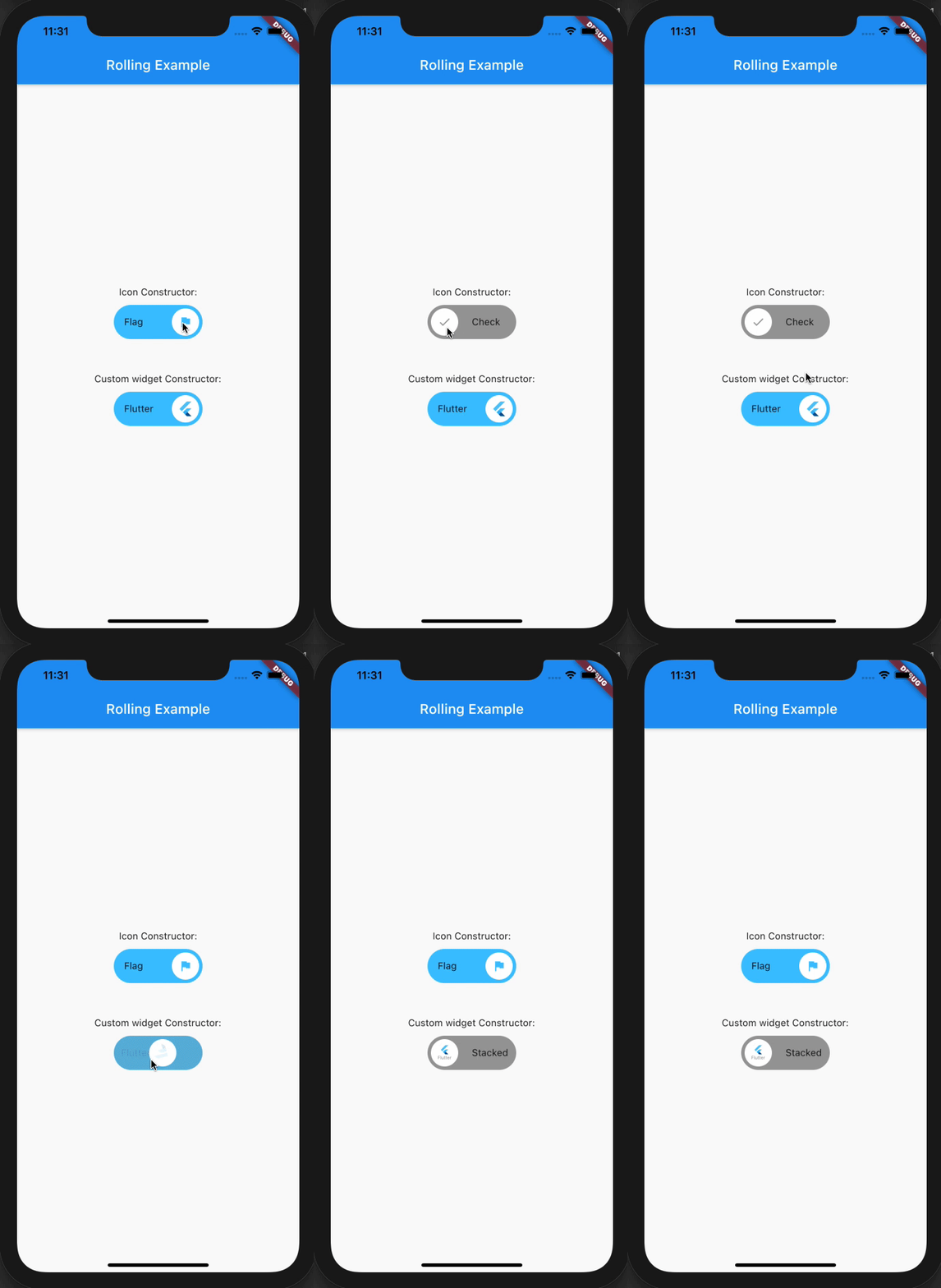
Previews

所屬分類

原始碼儲存庫

使用此套件的專案

暫無相關資料。