搜尋套件、儲存庫與 APP 分類

sidebarx 封面
套件詳情v0.17.2

sidebarx

flutter 多平台導航側邊欄 / 側邊導航欄 / 抽屜小部件

AndroidiOSWebmacOSWindowsLinux
近 30 天下載
2.1萬
喜歡數
783
Pub 分數
160

安裝套件

flutter pub add sidebarx

套件介紹

根據套件公開資料產生的選型評估,僅供參考。

SidebarX 是一個多平台的 Flutter 套件,提供可自訂的導航側邊欄或側邊導航列,作為 Android、iOS、Web、macOS、Windows 和 Linux 上的抽屜小工具。它透過順暢的過渡和響應式設計實現直覺導航,非常適合需要持續導航選單的應用程式。此組件支援緊湊與展開狀態,適用於各種螢幕尺寸和使用者偏好。利用 Flutter 的跨平台能力,SidebarX 簡化了在不同裝置上實現一致導航體驗的過程。

適用情境

  • 具有持久導航的單頁應用
  • 帶側邊欄選單的多螢幕儀表板
  • 需要統一導航的跨平台應用
  • 響應式版面,可適應不同螢幕尺寸
  • 需要抽屜式導航的桌面和網頁應用

主要特色

  • 跨平台支援(Android、iOS、Web、macOS、Windows、Linux)
  • 可自訂側邊欄外觀和行為
  • 支援緊湊和展開狀態
  • 狀態轉換的平滑動畫
  • 適用於不同螢幕尺寸的響應式設計

適合對象

  • 開發跨平台應用的開發者
  • 尋求一致導航模式的設計師
  • 優先考慮跨平台程式碼重用的團隊
  • 具有複雜導航結構的應用程式
  • 需要現代、簡潔側邊欄介面的專案

使用建議

  • 可能需要額外的樣式設定以適應高度客製化的設計
  • 對非常大的導航清單的效能影響
  • 與完整UI框架相比,內建主題選項有限
  • 需要理解Flutter的佈局系統才能進行進階使用
  • 未針對極高頻率的狀態變更進行優化

原始 README

以下為關聯原始碼儲存庫的 README 原文快照,最新內容請造訪原始碼儲存庫。

SidebarX 🔥

Flutter multiplatform navigation sidebar / side navigationbar / drawer widget

Show some ❤️ and star the repo to support the project!

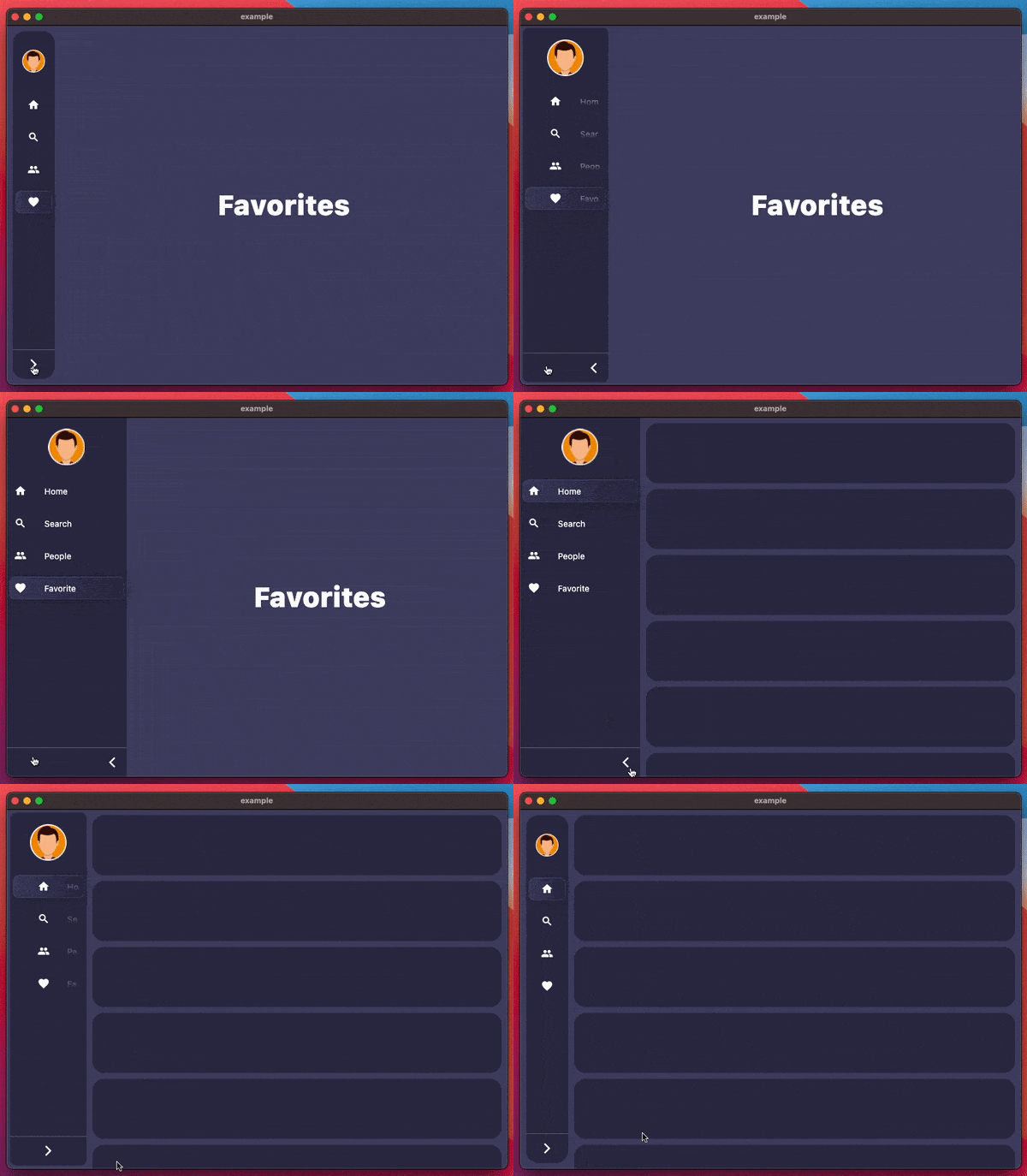
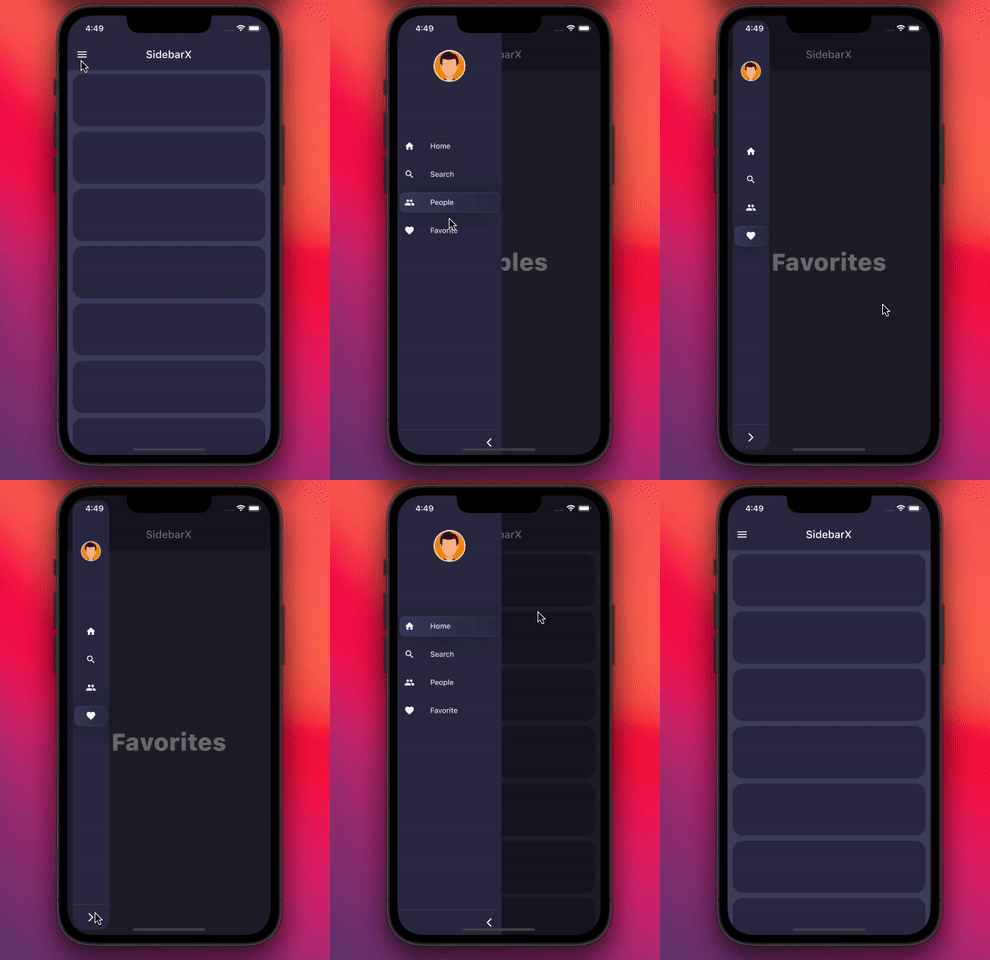
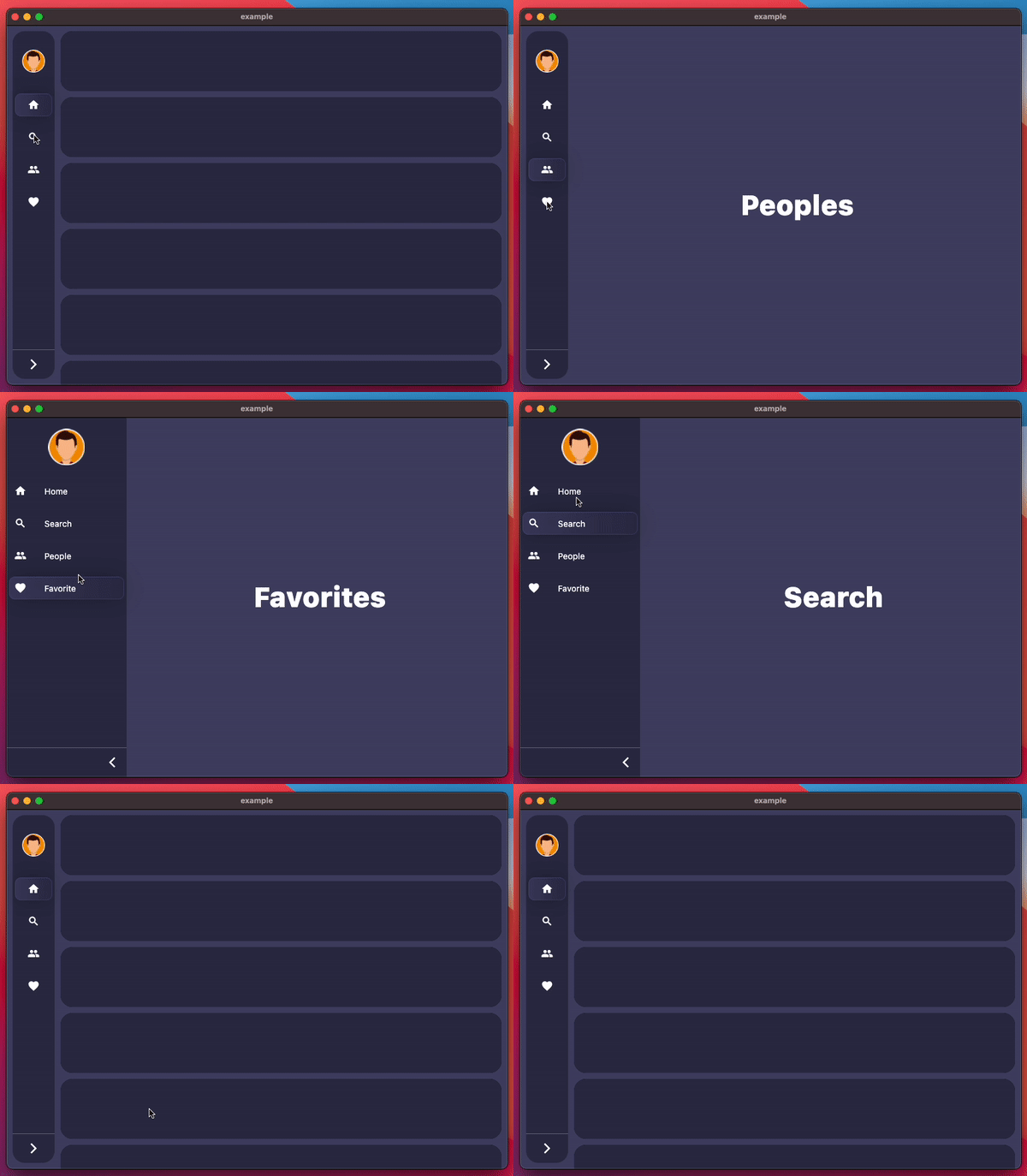
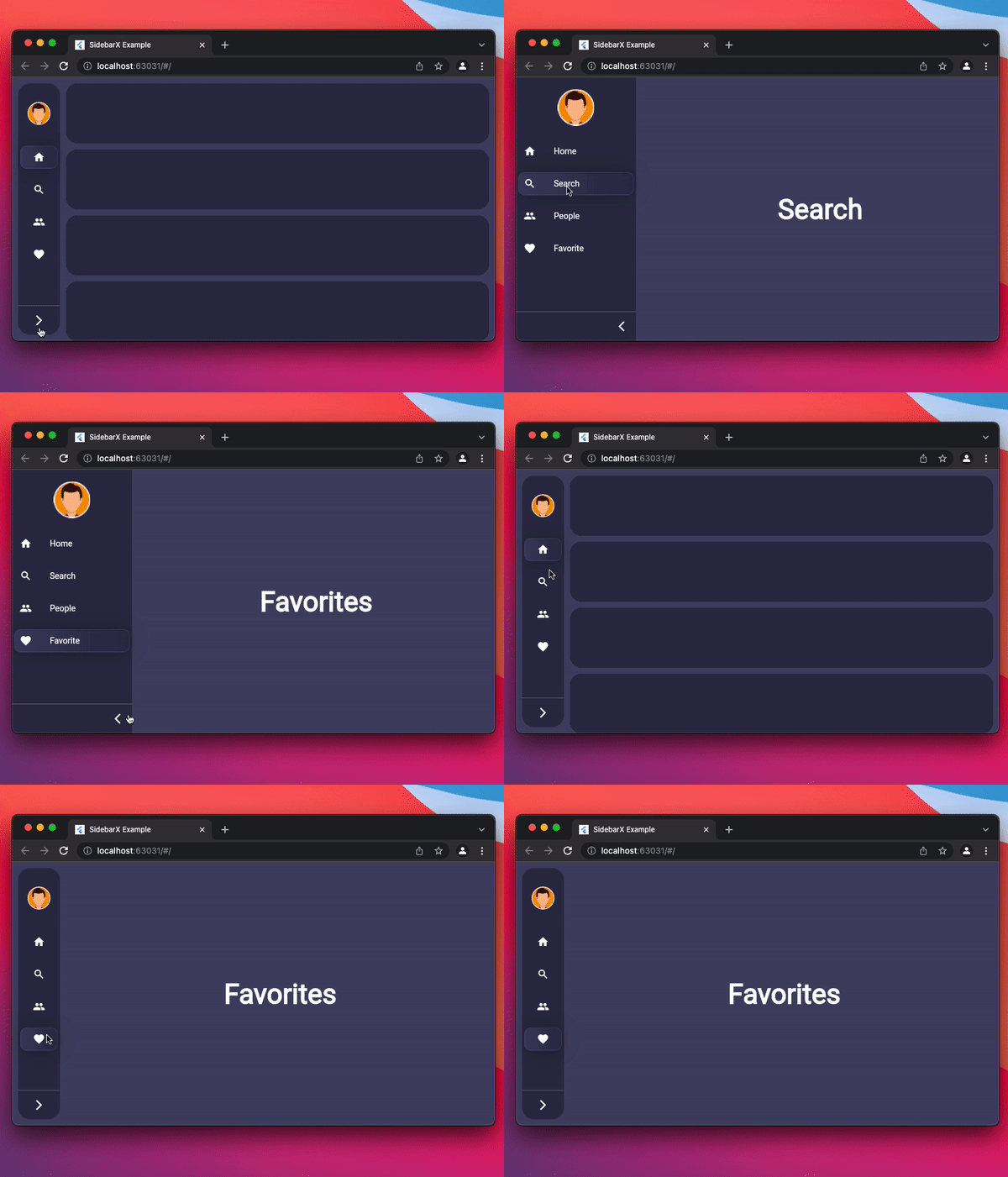
Mobile Desktop Web
Image Image Image

Pub Star on Github License: MIT Repository views

Pub likes Pub popularity Pub points

Getting started

Follow these steps to use this package

Add dependency
dependencies:
  sidebarx: ^0.17.2
Add import package
import 'package:sidebarx/sidebarx.dart';

Easy to use

The package is designed with maximum adaptation to large screens.
Therefore, adding a widget to your screen will be very simple.

    Scaffold(
      body: Row(
        children: [
          SidebarX(
            controller: SidebarXController(selectedIndex: 0),
            items: const [
              SidebarXItem(icon: Icons.home, label: 'Home'),
              SidebarXItem(icon: Icons.search, label: 'Search'),
            ],
          ),
          // Your app screen body
        ],
      ),
    )

Use with small mobile screens

On small screens and mobile devices, you can use the ready-made Sidebar widget as your application's drawer for excellent UX.
Otherwise, leave the code unchanged and get the same experience

    Scaffold(
      drawer: SidebarX(
        controller: SidebarXController(selectedIndex: 0, extended: true),
        items: const [
          SidebarXItem(icon: Icons.home, label: 'Home'),
          SidebarXItem(icon: Icons.search, label: 'Search'),
        ],
      ),
      body: const Center(child: Text('Your app body')),
    )

Additional information

The project is under development and ready for your pull-requests and issues 👍
Thank you for support ❤️


Thanks to all contributors of this package


For help getting started with 😍 Flutter, view [online documentation](https://flutter.dev/docs), which offers tutorials, samples, guidance on mobile development, and a full API reference.

所屬分類

原始碼儲存庫

使用此套件的專案