SoftEdgeBlur

A Flutter package that provides a customizable soft progressive blur effect for widgets.

Demos
Map - with control points
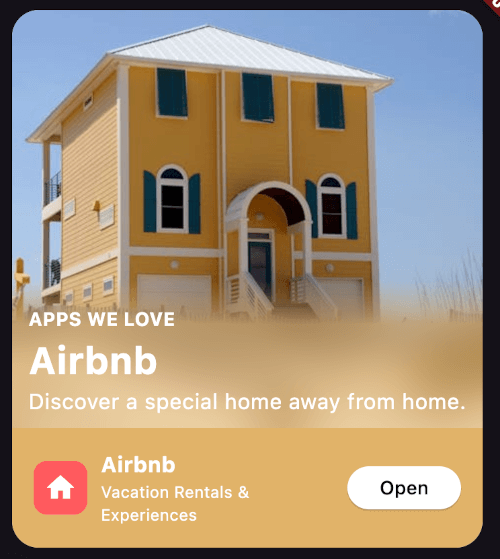
Airbnb Card with tint color

Music play list with tint color

Wallpapers grid with tilemode

Usage
Import the package in your Dart code:
import 'package:soft_edge_blur/soft_edge_blur.dart';
Wrap any widget with SoftEdgeBlur to apply the blur effect:
return SoftEdgeBlur(
  edges: [
    EdgeBlur(
      type: EdgeType.topEdge,
      size: 100,
      sigma: 30,
      controlPoints: [
        ControlPoint(
          position: 0.5,
          type: ControlPointType.visible,
        ),
        ControlPoint(
          position: 1,
          type: ControlPointType.transparent,
        )
      ],
    )
  ],
  child: YourWidget(),
);
Customization
You can customize the following properties for each edge:
Edge Type
Specify which edges to apply the blur effect:
EdgeType.topEdgeEdgeType.bottomEdgeEdgeType.leftEdgeEdgeType.rightEdge
You can apply blur to multiple edges simultaneously.
Edge Size
Set the size of the blurred area. This determines how far the blur effect extends from the edge of the widget.
Blur Sigma
Adjust the intensity of the blur effect.
Tint Color
Apply a tint color on top of the blurred area.
Control Points
Define points to control the blur gradient along the edge. Each control point has two properties:
position: A value between 0.0 and 1.0, representing the position along the edge.type: Either ControlPointType.visible or ControlPointType.transparent.
Try it live here
https://soft_edge_blur.codemagic.app/