搜尋套件、儲存庫與 APP 分類

time_picker_sheet 封面
套件詳情v0.0.2+1

time_picker_sheet

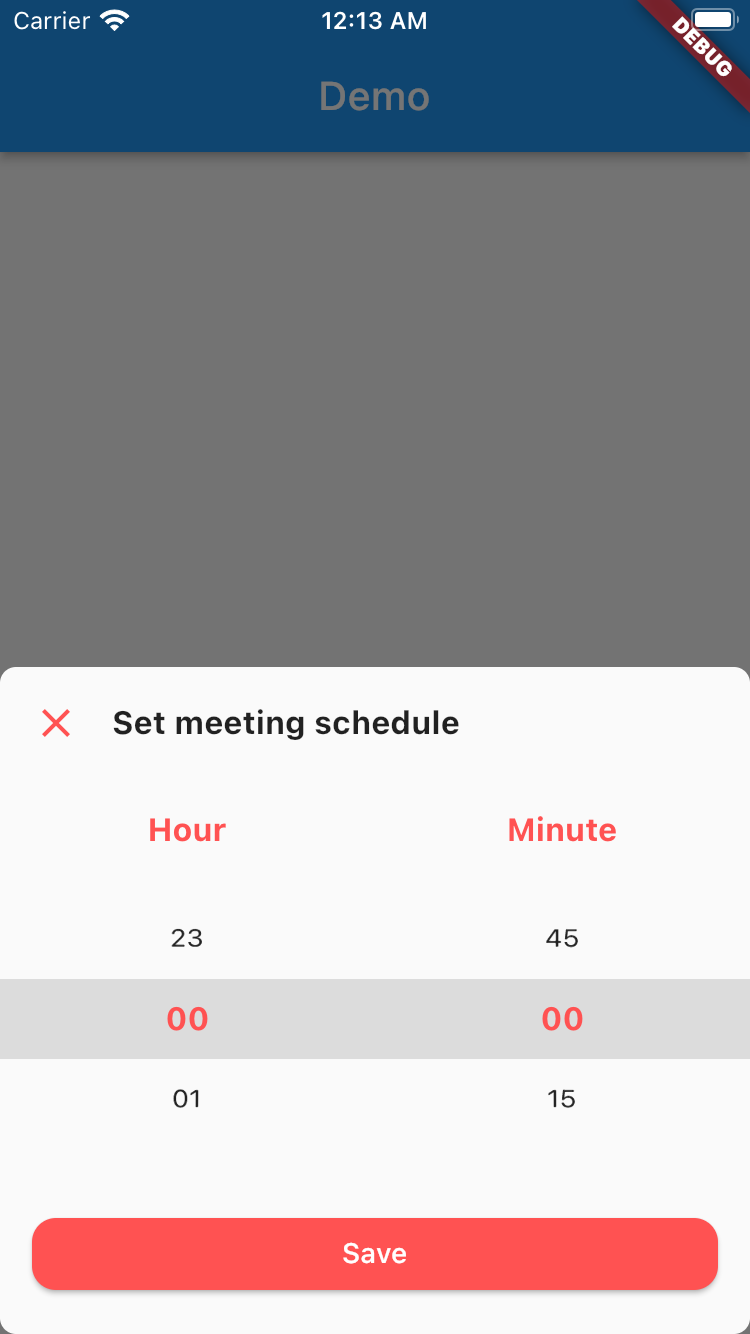
時間選擇器彈出層庫,可讓你擁有美觀的時間選擇器彈出層,並支援自訂設計以符合你的需求。

近 30 天下載
7
喜歡數
26
Pub 分數
70

安裝套件

flutter pub add time_picker_sheet

套件介紹

根據套件公開資料產生的選型評估,僅供參考。

一個 Flutter 套件,為行動應用程式提供可自訂且視覺上吸引人的時間選擇器面板。它讓開發者能夠整合一種時尚的底部彈出式時間選擇器,具備靈活的設計選項,可與應用程式特定的主題和需求保持一致。此套件設計簡便易用,可無縫整合至現有的 Flutter 專案中。支援自訂樣式與流暢動畫,提升使用者在選擇時間時的體驗。

適用情境

  • 表單中的自定義時間選擇
  • 使用現代底部表單增強使用者介面
  • 在日程安排應用中整合時間選擇器
  • 跨平台設計一致的時間輸入
  • 建立響應式時間選擇介面

主要特色

  • 可自訂的設計和主題支援
  • 底部彈出式菜單動畫與佈局
  • 與 Flutter 小部件的輕鬆整合
  • 響應式且行動友善的介面
  • 支援上午/下午與24小時制

適合對象

  • 開發需要自定義UI的移動應用的開發者
  • 優先考慮時間輸入使用者體驗的團隊
  • 需要一致時間選擇器外觀的應用
  • Flutter 初學者探索互動式組件
  • 需要輕量級日期/時間選擇器的項目

使用建議

  • 有限的平台特定自訂
  • 無內建驗證或錯誤處理
  • 需要手動實作時間格式邏輯
  • 未針對桌面平台進行優化
  • 依賴外部相依性以實現進階功能

原始 README

以下為關聯原始碼儲存庫的 README 原文快照,最新內容請造訪原始碼儲存庫。

Time Picker Sheet

A Time picker sheet library for flutter. You can also customize the widget inside the sheet to align with your requirement.


How to use

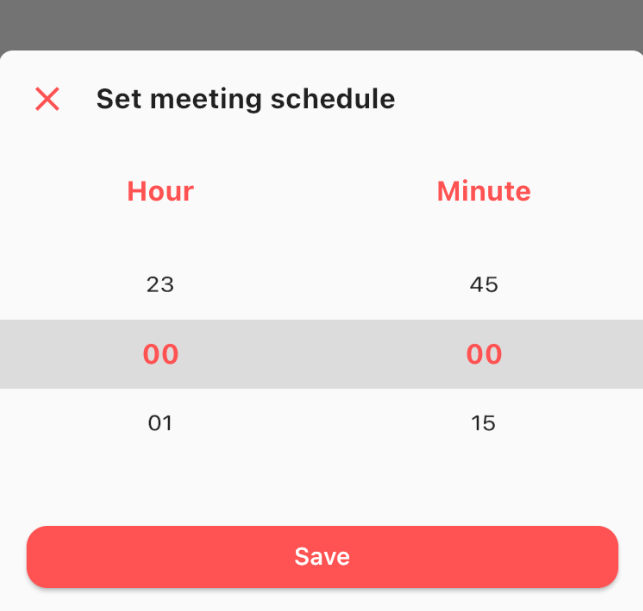
This is really simple and to the point actually, simply by doing this then your time picker sheet will goes up.

TimePicker.show(
    context: context,
    sheet: TimePickerSheet(
        sheetTitle: 'Set meeting schedule',
        hourTitle: 'Hour',
        minuteTitle: 'Minute',
        saveButtonText: 'Save',
    ),
);

If you wanna get the result from the time picker sheet then what you have to do is await the result. As you know if we wanna await the result we need to do it as an async process right? so please make sure to do so. The code must be like this

final result = await TimePicker.show<DateTime?>(
    context: context,
    sheet: TimePickerSheet(
        sheetTitle: 'Set meeting schedule',
        hourTitle: 'Hour',
        minuteTitle: 'Minute',
        saveButtonText: 'Save',
    ),
);

the result from the sheet is should be nullable DateTime, if user closed the sheet the result will be null, but if the user click on the save button then the result should be the selected time as a DateTime, so you can get the hour & the minute.

Customize

What you can customize?

  • Sheet title including the style
  • Sheet close icon including the color
  • Title hour including the style
  • Title minute including the style
  • Selected hour & minute including the style
  • Save button color & text
  • 1 or 2 digit format
    • the default format is 2 digit
  • Hour interval with min & max value
    • the default interval is 1, so the options will be started from 0 to 23
  • Minute interval with min & max value
    • the default interval is 15, so the options will be 0, 15, 30, 45
  • Initial date time
    • to make sure when your sheet goes up it select the right time. by default this is set to 00:00

All these things already have default value, so if you want to change one of them please make sure to set it via constructor.

所屬分類

依賴

依賴清單 1 項

原始碼儲存庫

使用此套件的專案

暫無相關資料。